Summary
- Skyvia is a good fit for teams that want to build and manage QuickBooks data pipelines visually, with built-in scheduling, transformations, and predictable subscription tiers.
- Fivetran fits larger data teams that prioritize managed ELT, automated schema handling, and low day-to-day pipeline maintenance.
- Airbyte makes more sense for engineering teams that want open-source deployment options, connector customization, and greater control over the extraction infrastructure.
- Hevo Data is a good fit for teams that need managed QuickBooks replication with frequent incremental loading and minimal pipeline administration.
- CData Sync stands out for hybrid environments where QuickBooks data needs to move between cloud systems, databases, and on-premises infrastructure, including QuickBooks Desktop.
QuickBooks is fine when you only need to work with the data that already sits inside it. Things get more complicated once finance starts comparing that data with Salesforce, Stripe, billing platforms, marketing spend, or operational systems. Then you end up exporting CSVs, matching fields in spreadsheets, and repeating the same cleanup every time someone asks for an updated report.
A QuickBooks ETL setup removes a lot of that manual work by moving accounting data into a warehouse and keeping it there on a schedule. From that point, finance and data teams can work with the same dataset instead of rebuilding reports from separate exports.
The tools themselves are quite different, though. Some are built for simple managed pipelines, some give engineers much more control, and others are better suited to hybrid setups or QuickBooks Desktop. In this guide, we compare them based on connector coverage, setup effort, sync frequency, transformation options, pricing, and how much work they create after the first pipeline is live.
Why Is Replicating QuickBooks Data to a Data Warehouse Critical for Modern Finance Teams?
Finance teams rarely work with accounting data in isolation. Revenue may start in Salesforce, payments come through Stripe, subscription details live in a billing platform, and acquisition costs sit in advertising tools. Replicating QuickBooks data to a warehouse gives those datasets a common place to work together instead of forcing every analysis back through exports and spreadsheets.
The point is not to replace QuickBooks reporting. It is to stop treating QuickBooks as a separate island whenever the question involves data from somewhere else.
What Reporting Limitations Do Teams Face with Native QuickBooks Dashboards and Manual CSV Exports?
QuickBooks can answer a lot of accounting questions on its own. The trouble starts when the answer depends on something outside QuickBooks.
Maybe finance wants to compare invoices with Salesforce opportunities. Or check whether Stripe payments match what was recorded in QuickBooks. Or add ad spend to see which customers are actually profitable.
You can do all of that with CSV exports, but it gets messy fast. Someone exports the file, fixes column formats, joins it with another spreadsheet, checks the totals, and then repeats most of the same work when the report needs updating.
And the file starts getting old the moment it is exported. A payment comes in, an invoice changes, somebody corrects a transaction, and now the spreadsheet no longer matches the source.
For a one-off check, that is fine. For reporting that happens every week, it becomes a lot of manual work for something that should be repeatable.
How Does Centralizing QuickBooks with CRM, Billing, and Marketing Data Unlock Full Financial Visibility?
Once QuickBooks data sits next to CRM, billing, and marketing data, you can start following the same customer across the whole process.
You can see which Salesforce opportunity turned into an invoice, whether the payment arrived through Stripe, how that transaction was recorded in QuickBooks, and what you spent to acquire the customer in the first place.
That gives finance a much better view of what is actually happening behind the numbers.
Instead of asking only how much revenue was booked, you can ask which channels produced it, which customers are profitable, where payments do not reconcile, or whether pipeline value is turning into real revenue.
That is where the warehouse becomes useful. Not because it stores another copy of QuickBooks, but because the QuickBooks data finally has the context around it.
How Did We Evaluate and Rank the Top QuickBooks ETL Tools?
For this comparison, we looked beyond whether a tool simply has a QuickBooks connector. That is the easy part.
The harder questions come after the first connection works. Does the pipeline handle invoice line items properly? What happens when you need a large historical backfill? Can someone change the schedule without involving engineering? And can you tell what the bill will look like once the pipeline starts processing real accounting data?
Those are the areas we focused on when comparing the tools.
Connector Reliability & QuickBooks Schema Handling: How Does the Tool Handle Nested Line Items and API Pagination?
QuickBooks data is not always a neat table of one row per transaction. An invoice, for example, can contain multiple line items, references to customers and products, tax details, and custom fields. Intuit’s own API returns these as nested structures.
We looked at how each connector turns that structure into something usable in a warehouse. A good connector should preserve the relationship between an invoice and its line items instead of flattening everything into an awkward record or dropping fields along the way.
Historical loads matter too. QuickBooks Online limits a query response to 1,000 entities, so larger extracts have to be paginated correctly. That is something the connector should handle in the background, not something the user has to build around manually.
Ease of Setup & Maintenance: Can Non-Engineers Build and Maintain Pipelines Without DevOps?
Getting the first sync running is only half the story.
We looked at how much work it takes to connect QuickBooks, select the objects you need, map them to the destination, and set a schedule. Just as important, we checked what happens later when somebody needs to add another object, change a mapping, or investigate a failed run.
For teams where finance analysts and data engineers share responsibility for reporting, a pipeline that only one developer understands quickly becomes a bottleneck.
Pipeline Latency & CDC: How Frequently Can Accounting Records Be Synchronized?
Not every finance workload needs real-time data. A general ledger report may be perfectly fine with a nightly refresh, while payment or cash-flow reporting may need much fresher numbers.
We compared the shortest practical sync interval and how each platform picks up changed records after the initial load.
This is also where the term CDC needs some care. QuickBooks Online is a SaaS application, not a database where an ETL tool can simply read the transaction log. Intuit provides mechanisms such as webhooks for entity changes, while ETL platforms may also use incremental API polling to keep warehouse data current.
Transformation & Modeling: Does It Support In-Warehouse Modeling via dbt Core or Native SQL?
Raw QuickBooks tables rarely match the final finance model.
Invoices may need to be joined with customers and payments, account codes cleaned up, or QuickBooks data combined with Stripe and CRM records before it is ready for reporting.
So we checked what happens after extraction. Some tools provide their own visual transformations, others expect most modeling to happen in the warehouse through SQL or dbt, and some support both approaches. The better fit depends largely on where your team already prefers to do transformation work.
Pricing Predictability: Is Billing Volume-Based, Event-Based, or Gated by Connector/MAR Minimums?
QuickBooks pipelines can look inexpensive on paper and become much harder to estimate once accounting data starts flowing.
That is why we looked at what each vendor actually meters: processed records, events, active rows, credits, connectors, or compute capacity.
This matters with QuickBooks because one business transaction can contain several related records and line items. We wanted to know whether growing transaction volume makes the bill reasonably predictable or whether the pricing model needs much closer monitoring.
Security & Governance: Does It Comply with SOC 2 Type II, GDPR, and Financial Data Encryption Standards?
QuickBooks contains invoices, customer details, account balances, and other data you probably do not want moving through an unknown black box.
For each platform, we looked at the security information the vendor actually publishes, including SOC 2 Type II, GDPR support, encryption, access controls, SSO, audit capabilities, and private or hybrid connectivity where available.
We would not treat every one of these as mandatory for every company. A five-person finance team and a regulated enterprise have very different requirements. But once accounting data leaves QuickBooks, it should be clear where it goes, how it is protected, and who can access it.
How Do the Top QuickBooks ETL Tools Compare at a Glance?
| Tool | Architecture / Coding | QuickBooks Source Types | Transformation Method | Latency / Sync Frequency | Pricing Model | Best For |
|---|---|---|---|---|---|---|
| Skyvia | Managed cloud with visual setup; Agent used for QuickBooks Desktop | Online + Desktop | Visual mappings, Data Flow transformations, SQL, and hosted dbt Core | Up to 1 min on Professional | Subscription tiers based mainly on monthly processed records | Teams that want visual QuickBooks ETL/ELT with support for both cloud and Desktop environments |
| Fivetran | Fully managed SaaS ELT with minimal pipeline code | Online | ELT with transformations in the warehouse through dbt and pre-built models | As low as 1 min on Enterprise for supported Standard connectors | Usage-based Monthly Active Rows (MAR); transformations billed by model runs above the free allowance | Larger data teams that want highly managed QuickBooks-to-warehouse replication |
| Airbyte | Cloud or self-managed; more developer-oriented when customized or self-hosted | Online | Primarily ELT; lightweight mappings in Airbyte, with dbt/SQL typically used downstream | Scheduled syncs; 15 min on Pro | Open-source self-hosting; volume-based Standard; capacity-based Pro | Engineering teams that want deployment control and connector customization |
| Hevo Data | Managed cloud with visual pipeline setup | Online | Built-in transformations plus dbt integration on paid plans | 30 min minimum for newer QuickBooks Online pipelines | Event/credit-based, primarily charging for changed rows loaded | Teams that want managed incremental QuickBooks replication without operating pipeline infrastructure |
| CData Sync | Cloud, self-hosted, or on-premises; point-and-click configuration | Online + Desktop | SQL, dbt Core/dbt Cloud, and in-flight ETL/ELT transformations | Scheduled down to 1 min, with incremental replication | Annual licensing based on connections and row bands; custom higher tiers | Hybrid environments and teams that specifically need QuickBooks Desktop connectivity |
| Integrate.io | Managed low-code platform with visual ETL/ELT pipelines | Online | Visual ETL/ELT transformations and warehouse-side processing | Continuous sync supported; platform schedules down to 60 sec | Flat-rate Core plan at $1,999/month with unlimited data, pipelines, and connectors | Teams that prefer predictable flat pricing over row- or event-based billing |
Which QuickBooks ETL Tool Fits Your Specific Financial Data Stack?
Why Is Skyvia the Best Overall No-Code ETL Solution for QuickBooks Integration?
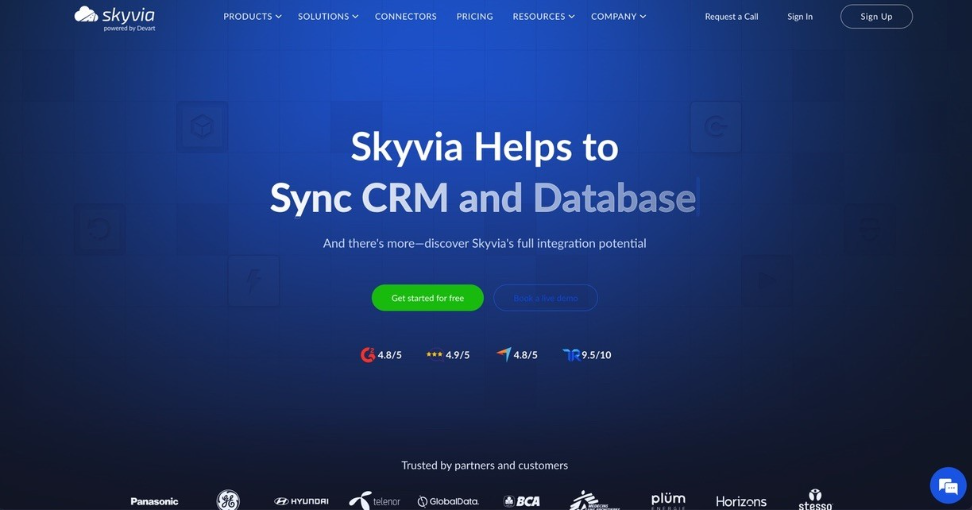
Skyvia is the option I would start with when the goal is to get QuickBooks data into a warehouse without turning the pipeline into a development project.
Best for
Teams that want a visual QuickBooks ETL/ELT setup with support for both QuickBooks Online and Desktop, especially when the same platform also needs to connect accounting data with CRM, billing, marketing, or warehouse systems.
Pros
- Supports both QuickBooks Online and QuickBooks Desktop.
- 200+ connectors across SaaS apps, databases, warehouses, and file storage.
- Published pricing with clear monthly record limits and optional overage that can be enabled when more capacity is needed.
- Visual setup for imports, replication, synchronization, and Data Flow pipelines.
- Direct replication into major warehouses and relational databases.
- Incremental loading for recurring QuickBooks syncs.
- Data Flow supports lookups and multistage transformations.
- Hosted dbt Core for warehouse-side modeling.
- Reverse ETL can move enriched warehouse data back into QuickBooks.
Cons
QuickBooks Desktop requires more setup than the Online connector because the Skyvia Agent has to run alongside the local QuickBooks installation.
Some QuickBooks objects, including invoices and bills, contain nested line-item data. If you need that flattened into a reporting model, you may need extra transformation in Data Flow or dbt.
Skyvia uses scheduled polling rather than true event streaming, with syncs as frequent as once per minute on Professional. That works well for near-real-time warehouse updates, but not for sub-minute or streaming use cases.

Why Is Fivetran Best for Large Enterprises with Dedicated Engineering Teams?
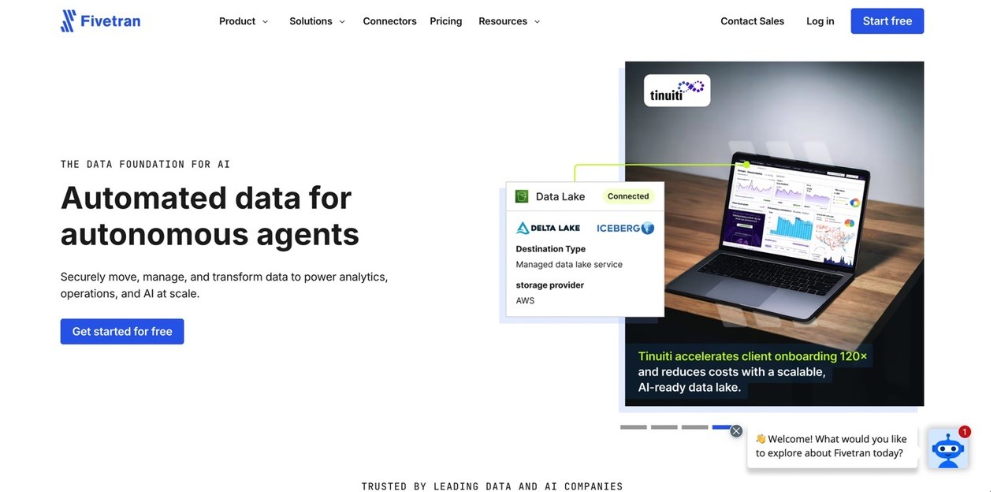
Fivetran makes the most sense when the priority is to keep the QuickBooks pipeline running with as little day-to-day connector work as possible.
Best for
Larger data teams that want fully managed QuickBooks Online replication and already do most transformation and financial modeling in the warehouse.
I would look at Fivetran especially closely when QuickBooks is only one part of a broader analytics stack and reducing connector maintenance matters more than having a visual ETL workflow.
Pros
- Fully managed QuickBooks Online connector.
- Incremental syncs after the initial historical load.
- Automatic handling of supported schema changes.
- Tracks deleted or inactive records for supported QuickBooks tables.
- 1-minute syncs are available on Enterprise and Business Critical for supported Standard connectors.
- Built-in support for dbt Core and warehouse-side modeling.
- Minimal infrastructure to operate once the connector is configured.
Cons
Fivetran supports QuickBooks Online, not QuickBooks Desktop, so it is less suitable for businesses still running local QuickBooks environments.
Its MAR-based pricing can also be harder to predict as transaction volume grows across invoices, payments, line items, customers, and other related tables.
Finally, Fivetran is much more warehouse-centric than visual ETL tools. Teams that want finance users to build or adjust transformations directly inside the integration platform may find it less flexible.
When Should You Choose Airbyte for Custom Open-Source Infrastructure Control?
Airbyte is the option I would look at when the team wants more control over where the pipeline runs and is comfortable owning more of the infrastructure behind it.
Best for
Engineering teams that want more control over how QuickBooks pipelines are deployed and maintained, including self-hosting and connector customization.
Pros
- Supports QuickBooks Online with full-refresh and incremental sync modes.
- Available in both managed cloud and self-managed deployment models.
- Airbyte Core is free and open source for teams that want to run the platform themselves.
- Incremental syncs avoid reloading unchanged QuickBooks records on every run.
- Connector Builder and extensibility options are useful when standard connector behavior is not enough.
- Works with 50+ destination connectors for warehouse and database loading.
Cons
The biggest trade-off is operational work. Self-hosting gives the team more control, but someone still has to manage deployment, upgrades, resources, monitoring, and troubleshooting.
Airbyte actively maintains the QuickBooks connector, but its current sync-success rating is Medium. I would still test the exact QuickBooks objects and volumes you need before using it for a production finance workflow.
Airbyte is also primarily a replication/ELT platform. If the pipeline needs more complex pre-load transformations, teams will usually handle those downstream rather than building everything visually inside Airbyte.
Why Is Hevo Data a Strong Option for Managed Incremental QuickBooks Replication?
Hevo Data is a good fit when the goal is to keep QuickBooks Online data moving into a warehouse without managing the extraction infrastructure yourself.
Best for
Teams that want a managed QuickBooks Online pipeline with incremental loading and relatively little day-to-day maintenance.
Pros
- Native QuickBooks Online source connector.
- Historical load followed by incremental ingestion of new and updated records.
- Minimum ingestion frequency of 30 minutes for newer Hevo teams.
- 150+ connectors on paid plans.
- Visual pipeline setup with no infrastructure to operate.
- Built-in dbt integration on Starter and higher plans.
- Historical data does not consume the same Events quota as ongoing changed data.
Cons
Hevo supports QuickBooks Online, not QuickBooks Desktop, so it is not the right fit for businesses that still depend on a local QuickBooks installation.
Pricing is based on Events, with inserted, updated, and deleted records contributing to usage. That can become harder to estimate when a QuickBooks environment has a lot of frequently changing transactions.
And despite Hevo offering streaming pipelines for some sources on higher plans, QuickBooks Online itself is not a streaming connector. For newer accounts, the shortest documented QBO ingestion interval is 30 minutes.
Why Is CData Sync the Go-To Tool for Hybrid and QuickBooks Desktop Environments?
CData Sync is the option I would look at when QuickBooks Desktop still matters, or the wider data stack spans both on-premises and cloud systems.
Best for
Teams that need QuickBooks Desktop or hybrid deployment support and want to keep replication jobs close to their own infrastructure.
Pros
- Supports both QuickBooks Desktop and QuickBooks Online.
- Can run on-premises, in a private cloud or VPC, or as a managed cloud service.
- Replicates QuickBooks data to 100+ databases, warehouses, and lakes.
- Point-and-click setup for standard replication jobs.
- Supports SQL transformations plus dbt Core and dbt Cloud.
- Flexible ETL/ELT and reverse ETL patterns for more complex hybrid environments.
Cons
CData Sync gives you more deployment control than most cloud-only tools, but that also means more infrastructure choices to manage. A self-hosted or hybrid setup takes more planning than a fully managed SaaS connector.
Its transformation options are also more technical. SQL and dbt are powerful, but they are a better fit for data teams than finance users who want to build everything through a simple visual workflow.
And if you only need a straightforward QuickBooks Online-to-warehouse pipeline, CData’s hybrid flexibility may be more than you actually need.
Why Is Integrate.io a Viable Alternative for Flat-Rate Budget Constraints?
Integrate.io is worth considering when the team wants managed QuickBooks replication but prefers a flat monthly price instead of row-, event-, or MAR-based billing.
Best for
Teams that want predictable pricing for QuickBooks Online pipelines and expect data volume or the number of pipelines to grow over time.
Pros
- Native QuickBooks Online source using OAuth.
- Supports an initial historical sync followed by ongoing API-based synchronization.
- Core costs $1,999/month with unlimited data volumes, pipelines, and connectors.
- Pipeline frequency down to 60 seconds on Core.
- Managed platform, so there is no extraction infrastructure to operate.
- Supports warehouse destinations including Snowflake, Redshift, BigQuery, and S3.
- Schema changes can propagate to the destination without manually rebuilding the pipeline.
Cons
The main drawback is the entry price. $1,999 per month can be difficult to justify for a small QuickBooks pipeline, even if the flat-rate model becomes more attractive as usage grows.
The QuickBooks connector is also for QuickBooks Online, not QuickBooks Desktop.
And although Integrate.io labels the product ELT & CDC, QuickBooks synchronizes through API polling rather than database log-based CDC. So I would not position it as a true streaming QuickBooks pipeline.
How Should You Choose the Right QuickBooks ETL Tool for Your Business?
Most of the choice comes down to a few practical questions: Are you on QuickBooks Online or Desktop? Who will maintain the pipeline? Do you want to manage infrastructure yourself? And how predictable does pricing need to be?
| If this sounds like your setup… | Tool |
|---|---|
| Visual ETL/ELT with QuickBooks Online and Desktop | Skyvia |
| Managed warehouse-first replication | Fivetran |
| Self-hosted or more customizable pipelines | Airbyte |
| Managed incremental QuickBooks Online loading | Hevo Data |
| Hybrid or QuickBooks Desktop environment | CData Sync |
| Flat-rate pricing for larger workloads | Integrate.io |
I would not overthink the feature count. Pick the tool that fits how your team already works and where QuickBooks sits in the stack.
If you want a visual setup without building the pipeline around custom code, Skyvia is an easy place to test the workflow first.

FAQ for QuickBooks ETL Tools Best for Data Warehousing

How Do You Prevent Pipeline Failures Caused by QuickBooks Online API Rate Limits During Historical Backfills?
Use pagination, smaller batches, incremental loads, and automatic retries with backoff. A good connector should slow requests when QuickBooks starts throttling rather than failing the whole backfill.
Can ModCloud ETL Tools Extract Data from On-Premises QuickBooks Desktop as Well as QuickBooks Online?
Some can, but support is less common than for QuickBooks Online. Tools such as Skyvia and CData can connect to QuickBooks Desktop through a local component, while many cloud-first ETL platforms support Online only.
Why Does MAR-Based or Per-Connector Pricing Escalate Rapidly with QuickBooks Data Replication?
One QuickBooks transaction can affect invoices, line items, payments, customers, and other related rows. With MAR or connector-based billing, frequent updates and multiple QuickBooks companies can push usage up faster than expected.
How Do You Track Deleted Transactions and Historical Status Changes in the Data Warehouse for Financial Audits?
Keep deletion flags, load timestamps, and historical versions. Check how your connector handles hard deletes: for example, Airbyte syncs QuickBooks soft deletes, but permanently deleted records can remain in the destination.
What Is the Best Way to Model and Reconcile QuickBooks Data with Stripe and CRM Data in Your Warehouse?
Start with shared business keys such as customer, invoice, order, and payment IDs. Then build warehouse models that connect CRM opportunities to invoices and Stripe payments, with separate reconciliation checks for missing or mismatched records.