Summary
- To load app and database data without a data engineer, pick Skyvia.
- For a serverless warehouse on Google Cloud with a free monthly tier, pick Google BigQuery.
- For one platform from ETL pipelines to machine learning, pick Databricks.
- For open-source batch and streaming processing you run yourself, pick Apache Spark
- For dashboards in a Microsoft shop, pick Power BI.
We’ve never seen a big data stack that runs on a single product. Somebody loads the data, something stores it, a job processes it, and then a manager wants a report that makes sense. Pick the wrong tool for any one of those layers, and you’ll spend your weeks fixing problems or wondering why the bill keeps climbing.
That’s why we sorted twelve big data tools by the layer each one covers (integration, storage, processing and BI). Every entry tells you who it’s for and how its bill grows as your data grows. You also get the entry price with its billing basis, plus where it runs. We pulled every price and limit from the vendor’s own pages and checked them on October 29, 2026.
How we chose and checked these tools
We paid particular attention to what happens to the bill as data volumes grow. Some tools charge for rows, credits or bytes scanned. Others bill by user. And with open-source tools, the software might be free, but the servers and people keeping it running certainly aren’t. That’s why we looked beyond the starting price.
Every entry answers the same questions:
- How the bill grows: what the tool counts as data and usage grow, and what you run yourself.
- Best for: the buyer and the job it was built for.
- Pricing: the entry price with its billing basis, or the free plan or trial.
- Deployment: cloud, self-hosted or hybrid.
The facts come from each vendor’s pricing pages, documentation and release notes, viewed from the US, and prices and plan limits are accurate as of October 29, 2026.
Full disclosure: we make Skyvia, and we judged every tool here, Skyvia included, on the same criteria and fields, limits included.
Who made the cut? The tools most teams shortlist for each layer. A few were left out on purpose. Apache Cassandra is one (MongoDB covers the NoSQL slot here). Kafka and Flink are the streaming layer, so they get their own section below. Apache Airflow schedules the other tools rather than replacing any of them. And query engines and table formats such as Hive, Trino and Iceberg work inside the storage and processing layers, so they don’t get a slot of their own.
Big data integration tools: getting data into the stack
Here the job is plain: get data out of apps, databases and files, and drop it where the rest of the stack can reach it.
Best for no-code pipelines without a data engineer: Skyvia
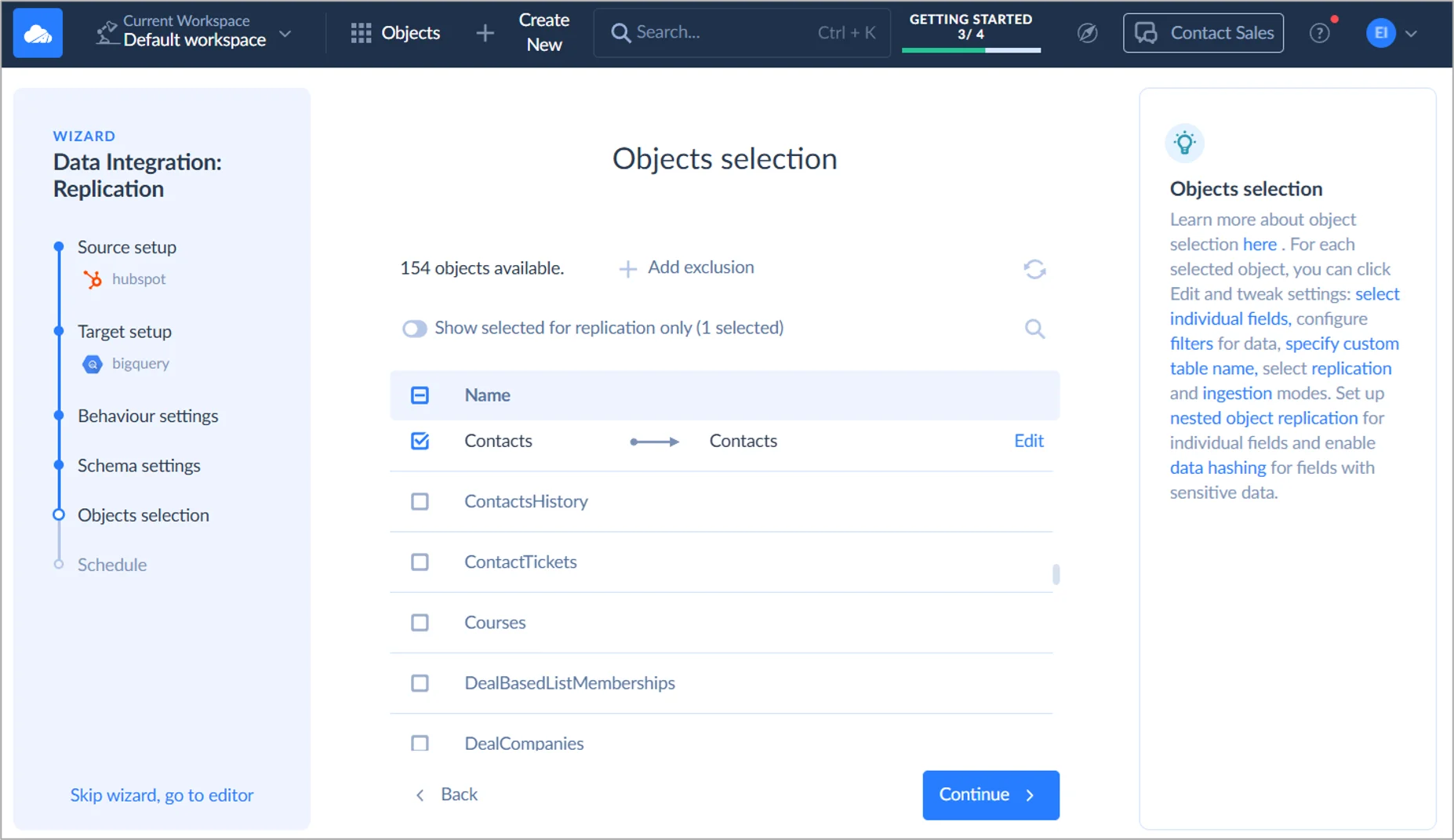
Skyvia is our no-code cloud data platform. The Data Integration product covers replication into a warehouse as well as import (reverse ETL included), export, two-way sync and visual Data Flow pipelines, priced on record-based tiers. It’s built for filling BigQuery, Snowflake or a database from your apps with no code, as long as you can live without real-time streaming. That’s the team it suits.
- Best for: teams that load SaaS app and database data into a warehouse and sync it back again.
- How the bill grows: by records written each month, one tier at a time. Overage is off by default. Hit the limit and runs pause until the next period, unless you’ve turned on extra records ($0.06 per 1,000 on Standard, $0.02 per 1,000 on Professional). Users and connections are unlimited.
- Pricing: Basic costs $99 a month billed monthly ($79 billed annually) and gives you 5M records with daily runs. For the same 5M records, Standard costs $199 a month billed monthly ($159 billed annually) and adds hourly runs and Data Flow. Professional starts at $499 a month billed monthly ($399 billed annually) for 10M records, with runs every minute. On the Free plan you get 10K records a month.
- Deployment: cloud. There’s also an on-premises Windows agent that reaches databases behind a firewall over outbound HTTPS on port 443.
Strengths
- Replication, import, export, two-way sync and Data Flow pipelines all come under one subscription, with 200+ connectors.
- Replication can remove deleted source records, flag them or keep them, while History Mode preserves previous record versions for supported objects.
- Because tiers count records and overage stays off unless you switch it on, you know the monthly bill in advance.
- With Connect, any connection becomes an OData or SQL endpoint that Power BI, Tableau and Excel read live. Skyvia also supports MCP endpoints, letting AI assistants such as Claude query live data from connected apps and databases using natural language.
Limitations
- Native change capture is SQL Server only (through Change Tracking). Every other source loads by timestamp-based incremental updates.
- Skyvia doesn’t detect source schema changes automatically, so a new column means a manual step.
- If you want runs every minute, that’s Professional. Real-time streaming isn’t on offer at all.
Best for hands-off managed connectors: Fivetran
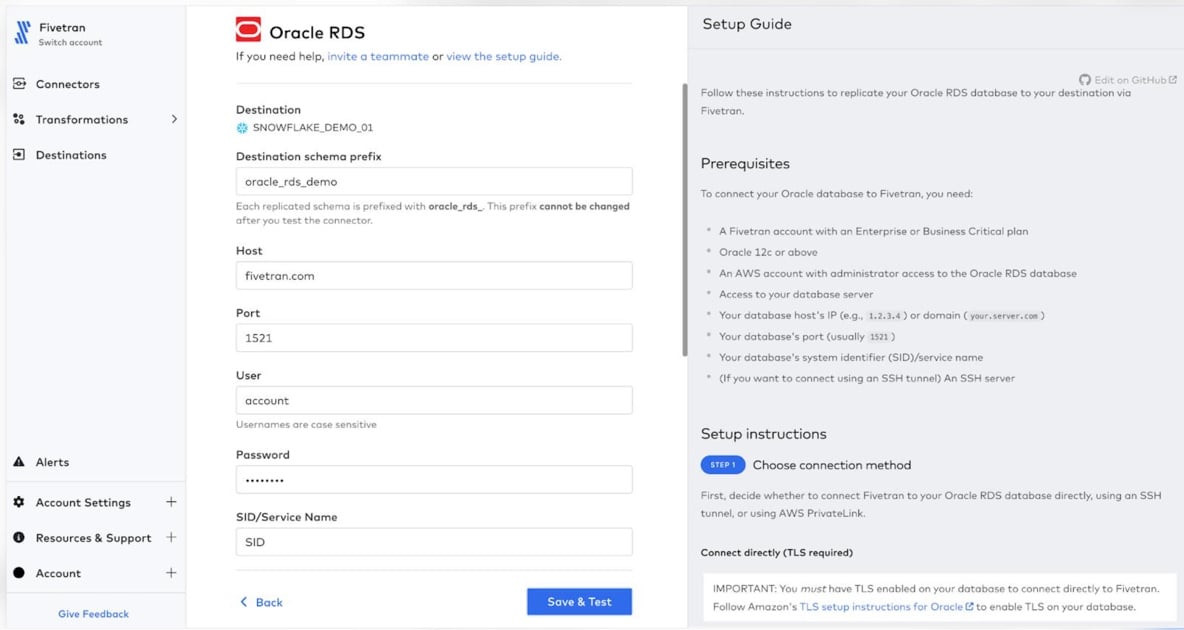
Fivetran runs your ELT for you, fully managed. You get 700+ prebuilt connectors pulling SaaS, database and file data into a warehouse or lake. The same plan quietly covers transformations (dbt) and reverse ETL too (Activations, formerly Census). The dbt Labs merger wrapped up on June 1, 2026. Paying per row beats babysitting connectors? Then Fivetran is the obvious pick.
- Best for: warehouse-first teams that want connectors nobody has to look after.
- How the bill grows: monthly active rows (MAR), counted per connection on a curve, and the per-million rate drops as each connection gets bigger. The real cost drivers are how many connections you have and how much your tables churn. Two changes from January 1, 2026 matter here: deletes now count as paid MAR, and history mode bills every repeated update.
- Pricing: Standard runs pay-as-you-go and is billed monthly, in arrears. Every connection pays a $5 base charge plus $495 per million MAR up to 1M, and $170 per million from 1M to 4M. Prefer an annual contract? Those begin at $12,000 a year. To try it, there’s a Free plan with 500,000 MAR a month, and new accounts also get a 14-day trial.
- Deployment: managed cloud. Hybrid Deployment (an agent inside your own network) comes with Enterprise and Business Critical.
Strengths
- You set schema change handling per connection (Allow all, Allow columns, Block all), and you can block single tables and columns.
- A failed sync gets retried automatically for the first 24 hours.
- Connectors, transformations and reverse ETL land on one plan and one invoice.
Limitations
- On Standard, syncs run every 15 minutes at the fastest; 1-minute syncs mean Enterprise or Business Critical.
- Lots of small connections cost more than their row counts suggest, because each one carries the $5 monthly base charge and starts at the top of its own price curve.
Best for replication with data quality and governance: Qlik Talend Cloud
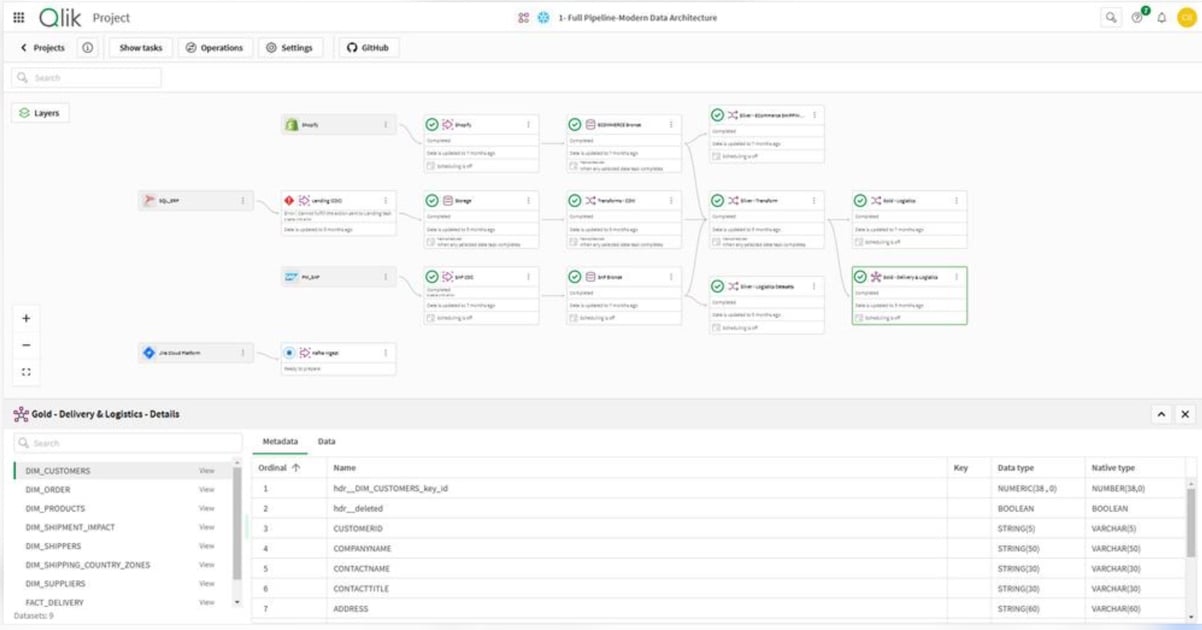
These days Talend is sold as Qlik Talend Cloud, which puts Qlik’s replication together with Talend’s integration, data quality and governance. The free Talend Open Studio was retired on January 31, 2024, so what you get now is a commercial cloud product. Larger teams that want CDC and data quality from a single vendor are the fit.
- Best for: organizations that replicate databases in real time and want data quality checks as the data comes in.
- How the bill grows: you buy capacity, measured on data moved (Premium and Enterprise also count job executions and job duration). Go past it and usage carries on as overage, up to 10 times what you bought, billed monthly, with alerts at 80%, 90% and 100%. Data moved is counted per target. Send the same data to two targets? It counts twice.
- Pricing: qlik.com lists no prices, and every edition is a sales quote. Qlik’s own AWS Marketplace listing does put a number on Starter, though: $6,000 for a 12-month contract, covering up to 50GB of data moved a month. The 14-day trial needs no credit card.
- Deployment: Qlik-hosted cloud. Standard and up can also go hybrid or client-managed through the Data Movement gateway, which you host.
Strengths
- With the gateway, Standard and up get log-based CDC and continuous replication from databases.
- Data movement, transformations, data quality and governance all come from one vendor.
Limitations
- Qlik’s site has no list prices for any edition.
- Starter syncs hourly at best, and it has no low-latency CDC or self-hosted gateway.
- There’s been no free open-source edition since January 2024.
Best for custom connectors and running it yourself: Airbyte
Airbyte pulls from APIs, databases and files and loads warehouses and lakes. Two flavors exist. Airbyte Cloud is hosted for you, while Airbyte Core runs on a Kubernetes cluster you own.
Airbyte makes sense when you want to run pipelines on your own servers or build a connector that doesn’t already exist.
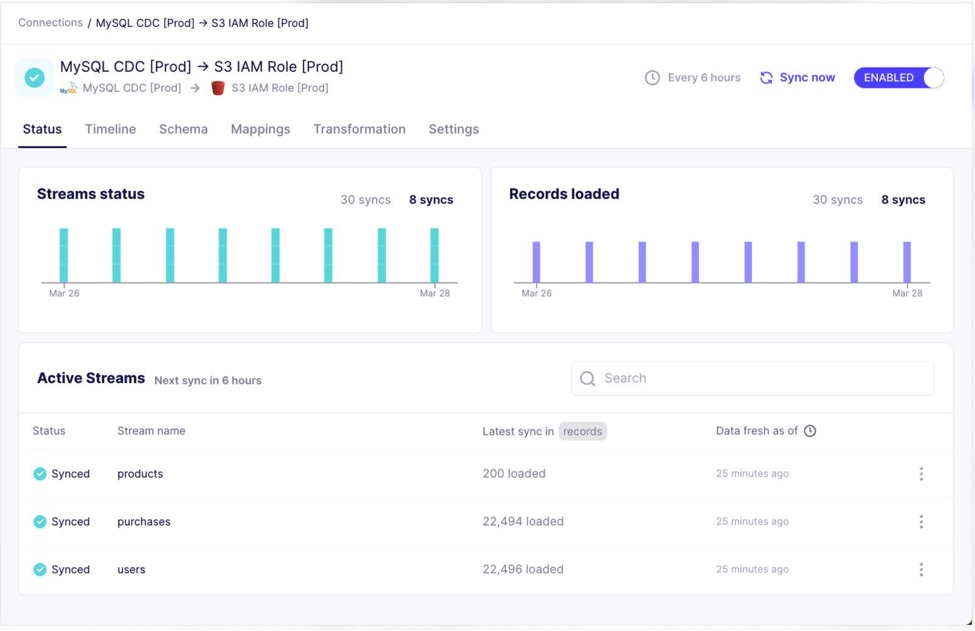
- Best for: engineering teams that self-host or need custom connectors.
- How the bill grows: Core has no license fee. You run (and pay for) the Kubernetes infrastructure and handle the upgrades; for a single machine, Airbyte recommends 4 or more CPUs and 8 GB of memory. Cloud Standard and Plus bill in credits: 6 per million rows from APIs, 4 per GB from databases and files. And no, running out of credits doesn’t pause syncs. The overage just gets billed.
- Pricing: Standard starts at $20 a month with 5 credits included, and extra credits are $5 each. Plus comes in monthly credit packages, from $189 for 40 credits. Pro and Enterprise Flex are capacity quotes. The 14-day trial includes 400 credits and doesn’t ask for a credit card, and Core costs nothing to self-host.
- Deployment: Airbyte Cloud, Enterprise Flex with data planes you run, or Core self-hosted on Kubernetes with Helm.
Strengths
- All Cloud plans come with 700+ connectors; for anything missing, there’s the Connector Builder and the low-code CDK.
- CDC is there for Postgres, MySQL, SQL Server, MongoDB and other databases.
Limitations
- Standard syncs hourly at most. For 15-minute syncs you need Plus, while 5-minute syncs take Pro or Enterprise Flex.
- Database and file syncs bill per GB in Airbyte’s record format, which (by Airbyte’s own account) is likely larger than the data sitting in your database.
- Go with self-hosted Core and Kubernetes and Helm become your job.
Big data storage: warehouses and databases
This layer keeps the data, and most of your queries end up running against it. Warehouses split the bill into compute and storage. An operational database, by contrast, bills for the cluster.
Best for paying for compute and storage separately: Snowflake
Snowflake is a cloud data warehouse that someone else fully manages, available on AWS, Azure and Google Cloud. Your queries run in virtual warehouses, and those cost money only while switched on; storage is billed on its own line. Need extra muscle during month-end? Scale up, then scale back down, and storage doesn’t notice.
Snowflake also supports Apache Iceberg tables, so teams can query data in an open table format without first copying it into ordinary Snowflake tables.
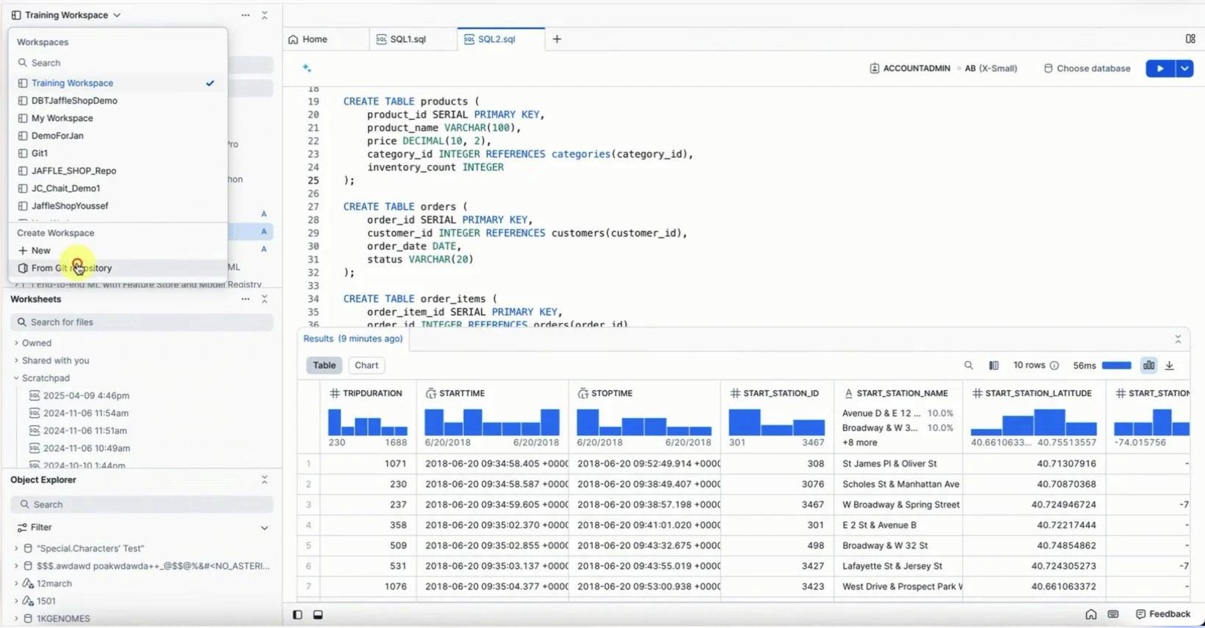
- Best for: analytics teams who want a managed warehouse on the cloud they already use and pay for.
- How the bill grows: a running warehouse burns credits by the second, and starting or resuming one always costs at least 60 seconds. Each step up in warehouse size doubles the credits per hour, and a suspended warehouse uses none. Storage is a flat rate per TB a month (Time Travel and Fail-safe history count as storage too).
- Pricing: there’s no monthly plan. In AWS US East, on demand, Standard costs $2.00 per credit, Enterprise $3.00 per credit and Business Critical $4.00 per credit; storage costs $23 per TB a month. You can try it for 30 days with $400 in free credits, which is a one-time balance with no monthly fee.
- Deployment: cloud only (AWS, Azure or Google Cloud).
Strengths
- Compute and storage grow and bill independently. Idle warehouses suspend themselves, too.
- Dropped a table by mistake? Time Travel can bring it back (1 day by default, up to 90 days on Enterprise and higher).
- Snowpark for Java, Python and Scala comes with Standard.
Limitations
- Lots of people querying at once? Multi-cluster warehouses scale out for that, but only on Enterprise.
- Each resume is billed for at least a full minute. A warehouse that stops and starts all day pays for a lot of idle seconds.
Best for serverless SQL analytics on Google Cloud: Google BigQuery
Google Cloud’s data warehouse, BigQuery, is serverless. There are no clusters to size; you pick between paying per byte scanned and paying per slot-hour. It fits teams already on Google Cloud, and anyone who’d like to start for free.
BigQuery also has Iceberg managed tables, which keep data in Google Cloud Storage using an open table format that other compatible processing engines can read.
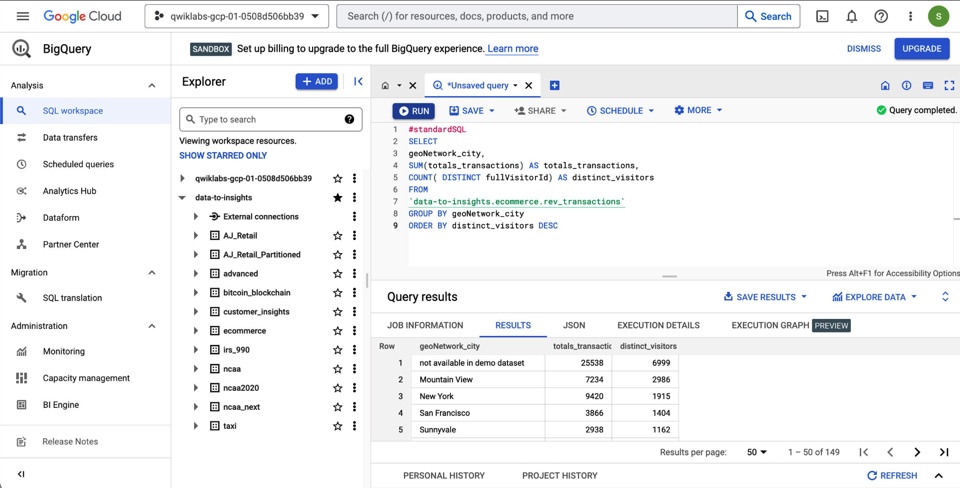
- Best for: Google Cloud teams that want SQL analytics and no infrastructure of their own to look after.
- How the bill grows: on demand, you pay for the bytes each query reads, and every table counts as at least 10 MB. A LIMIT clause won’t cut the bytes billed on non-clustered tables, either. Capacity pricing charges slot-hours per second with a 1-minute minimum, unless fluid scaling is on. Storage bills per GiB a month.
- Pricing: $6.25 per TiB processed for on-demand queries, with the first 1 TiB each month free. Capacity is the other option, at $0.04 per slot-hour on Standard, $0.06 on Enterprise and $0.10 on Enterprise Plus (pay as you go, us-central1). Every month the free tier gives you 10 GiB of storage and 1 TiB of queries. The sandbox doesn’t even want a credit card.
- Deployment: Google Cloud only.
Strengths
- Nobody sizes servers here, because on-demand projects are given compute automatically.
- It’s also one of the easier places to start for free (a monthly free tier with no end date, plus a sandbox that skips the card).
- BigQuery ML trains and runs models in SQL, so your data stays put in the warehouse.
Limitations
- A LIMIT clause won’t save you money on a non-clustered table. Even if you ask for just ten rows, BigQuery still charges for the columns the query scans.
- Slot commitments stay in one region, and you can only buy them on Enterprise or Enterprise Plus.
- Sandbox tables disappear after 60 days, and sandbox storage can’t go past 10 GiB.
Best for flexible document data: MongoDB
MongoDB is a document database for operational and application data. You can buy it as MongoDB Atlas (fully managed) or run it yourself as Community Edition or Enterprise Advanced. It’s a good match for apps whose data won’t sit in neat tables, and for teams that need to scale out by sharding.
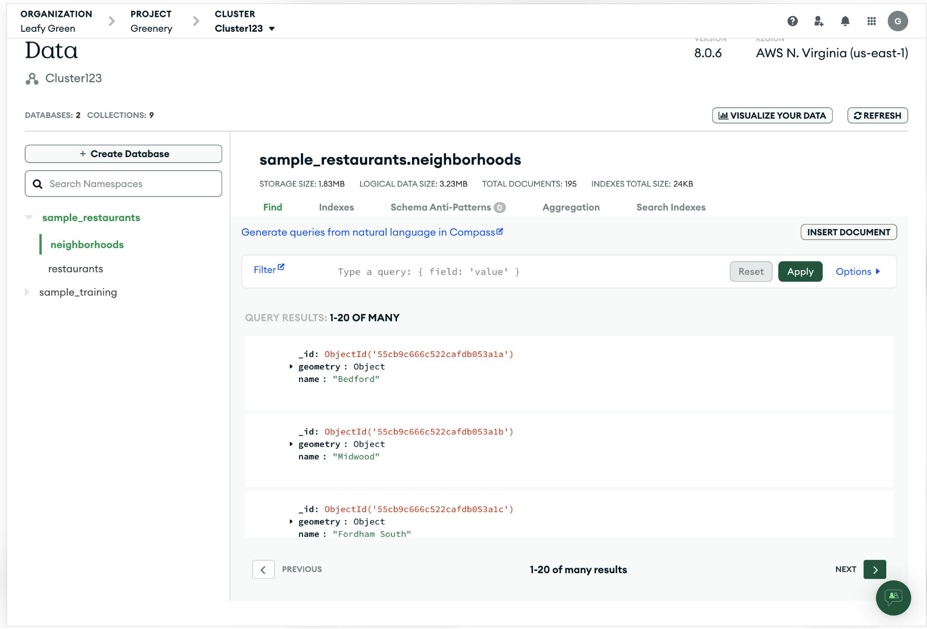
- Best for: application teams storing JSON-like documents at scale.
- How the bill grows: on Atlas Flex, the price climbs with operations per second until it caps at $30 a month. After that you move to Dedicated, billed per hour by cluster tier, plus storage, backups and data transfer. Community Edition carries no license fee, but the servers are yours to run.
- Pricing: Atlas Free (M0) is free forever and comes with 512 MB of storage. Flex costs $0.011 an hour, which works out to $8 to $30 a month depending on throughput. Dedicated starts at M10, $0.08 an hour (MongoDB lists it as starting at $56.94 a month). Enterprise Advanced is a sales quote.
- Deployment: Atlas on AWS, Google Cloud and Azure; Community Edition and Enterprise Advanced self-managed.
Strengths
- Your app decides the document’s shape, not a schema, and sharding scales the database out across machines.
- Atlas runs on AWS, Google Cloud or Azure, and a Dedicated cluster comes with a 99.995% uptime SLA.
- Community Edition now includes full-text, vector and hybrid search.
Limitations
- The Free tier stops at 512 MB and 100 operations per second.
- Community Edition doesn’t auto-scale, so sharding and resizing are manual jobs.
- Atlas Serverless and the M2 and M5 tiers are gone. Any remaining clusters were moved to Flex, Free or Dedicated by January 22, 2026.
Big data processing engines: transform and compute
Processing engines do the heavy lifting on top of the stored data: transformations, batch jobs and machine learning.
Best for one platform that covers ETL through machine learning: Databricks
Underneath Databricks, a managed lakehouse platform, is Apache Spark. You’ll find ETL pipelines, SQL warehousing for BI, notebooks for data science and ML, and AI apps in the same place, which is the draw for teams who don’t want four tools on their cloud.
Delta Lake is Databricks’ native table format. With UniForm, compatible Iceberg clients can also read Delta tables without requiring a second copy of the data.
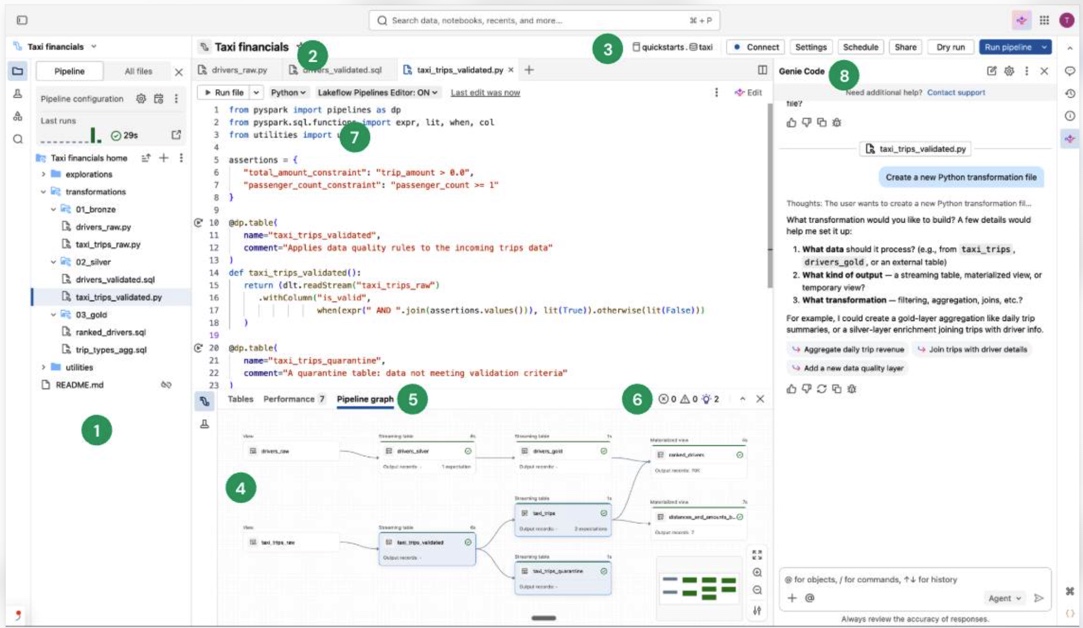
- Best for: data engineering and data science teams who’d rather keep pipelines, SQL and ML on one platform.
- How the bill grows: you pay DBUs per second of compute, at a rate that depends on product, compute type, tier, cloud and region. Classic compute means two bills (Databricks DBUs plus your cloud provider’s VMs). Serverless folds the VM cost into a higher per-DBU rate, so jobs cost $0.35 instead of $0.15 per DBU, and SQL costs $0.70 instead of $0.22 per DBU. Switch on Photon for classic jobs and the DBU rate gets multiplied by 2.9.
- Pricing: pay as you go, nothing up front. Data Engineering starts at $0.15 per DBU, Data Warehousing at $0.22 per DBU and interactive workloads at $0.40 per DBU. A 14-day trial comes with free usage credits, and the Free Edition is meant for learning.
- Deployment: managed service on AWS, Azure and Google Cloud. There’s no self-hosted edition.
Strengths
- Pipelines, SQL warehousing, notebooks and AI share one platform, though each is priced as its own product line.
- Serverless compute starts and scales quickly, without the cluster management that comes with classic compute.
Limitations
- Forecasting gets harder, because costs spread across product rates and (on classic compute) two separate bills.
- The Free Edition is quota-limited, with no SLA or support. It isn’t for production.
Best for open-source batch and streaming processing: Apache Spark
Much of big data processing runs on Apache Spark, an open-source engine. Batch jobs, streaming jobs, distributed SQL and machine learning all run on it, in Python, SQL, Scala, Java or R. Running your own clusters takes engineers, though.
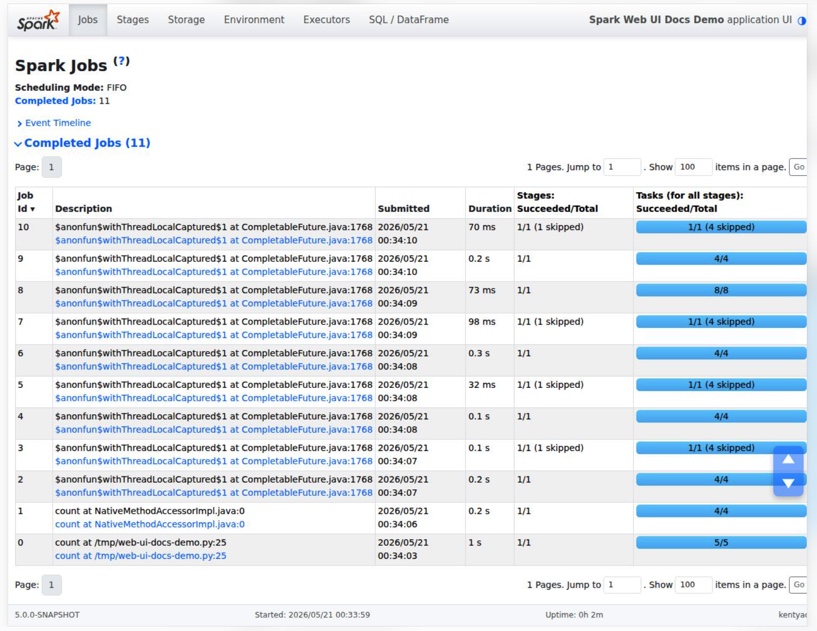
- Best for: engineering teams that want a free, flexible engine and can operate it themselves.
- How the bill grows: there’s no license bill at all. What you pay for is the infrastructure you run (driver and executor machines), the storage Spark reads from, and the people who configure, tune and upgrade the cluster. More data, or tighter deadlines? Then you need more executors, or bigger ones.
- Pricing: free, with no license fee or paid plan: it’s under Apache License 2.0, free to download. Databricks and the cloud providers sell managed Spark separately.
- Deployment: a single machine, or a cluster run by Spark’s standalone manager, Hadoop YARN or Kubernetes.
Strengths
- Batch and streaming jobs run on one engine, and Spark SQL tunes plans on the fly with Adaptive Query Execution.
- You can cache data in memory, so reusing it goes faster.
- MLlib comes built in as a machine learning library.
Limitations
- Everything is on you: the cluster manager, memory, upgrades and support.
- By default streaming happens in micro-batches, so expect about 100 ms at best. Sub-second processing needs Real-Time Mode, which only arrived with Spark 4.1 in December 2025.
- And Spark 4 dropped Scala 2.12, so check your older jobs and libraries before upgrading.
Best for teams that already run their own clusters: Apache Hadoop
Apache Hadoop is open source. It splits storage (HDFS) and processing (YARN, MapReduce) across clusters of ordinary servers. It isn’t standing still, either: Hadoop 3.5.0 shipped on April 2, 2026. It makes most sense for organizations already running Hadoop clusters on their own hardware.
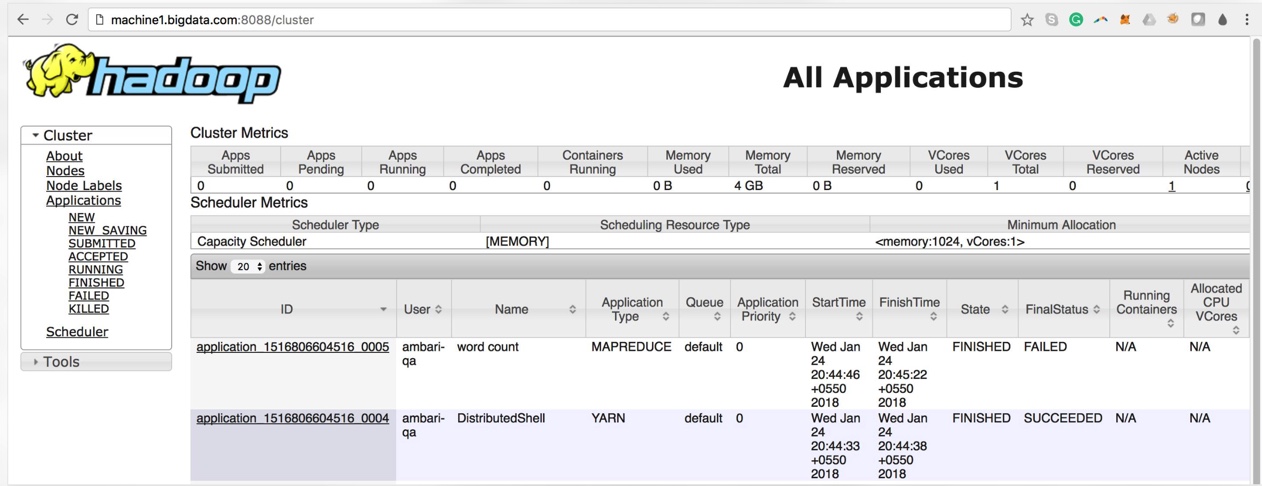
- Best for: teams with existing on-premises clusters and the staff to run them.
- How the bill grows: there’s no license bill. Each node gives you storage and compute at once, so the bill is the nodes plus the people who keep them alive. Disk fills faster than you’d guess. HDFS keeps 3 copies of every block by default, so 1 TB of data ends up needing about 3 TB of disk.
- Pricing: free, with no license fee or paid plan, because it’s released under Apache License 2.0. Third parties sell distributions.
- Deployment: you manage it, on physical clusters or in the cloud, and connectors cover Amazon S3 and Azure storage.
Strengths
- Fault tolerance is handled in software, not hardware. When nodes fail, replicated blocks keep the cluster going.
- YARN runs other engines on the same cluster, Spark, Hive and HBase among them.
Limitations
- It was built for batch throughput, and low latency isn’t its strength.
- Security is your problem. Skip Kerberos and anyone who can reach the servers over the network can get to the data.
- Hadoop 3.5.0 needs Java 17 on servers; upgrading the cluster means upgrading the JDK on every node as well.
Big data BI and visualization tools
For most companies, this layer is the whole stack: dashboards and reports on top of the processed data.
Best for interactive dashboards and visual exploration: Tableau
With Tableau, a Salesforce company, you build interactive dashboards on data read live or loaded as extracts, and then share them. It’s sold three ways: Tableau Cloud, self-managed Tableau Server and Tableau Next. Exploring data visually across lots of sources is where Tableau earns its keep.
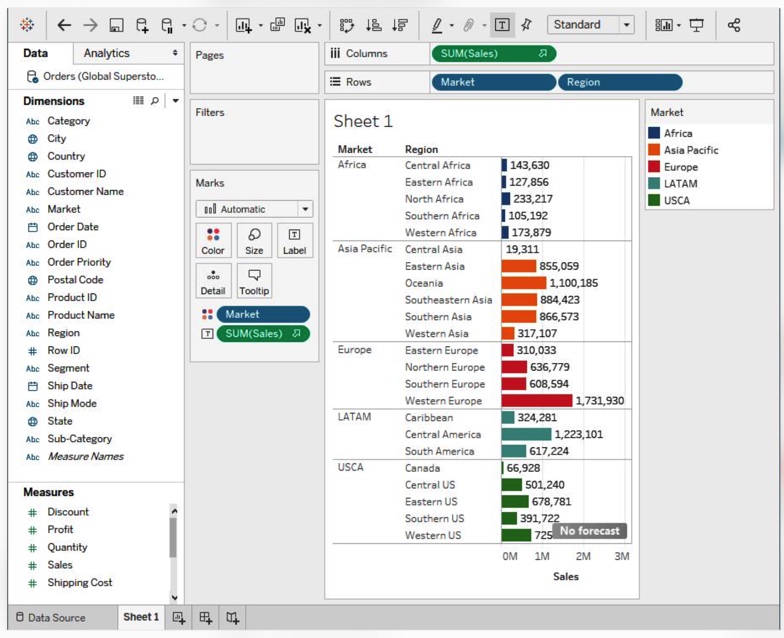
- Best for: analysts who build interactive dashboards that many people view.
- How the bill grows: with headcount, not data. Every Creator, Explorer and Viewer is a seat on an annual contract. Growing data bumps into site capacity instead (1 TB of storage per site on Tableau Cloud Standard).
- Pricing: Tableau Cloud Standard costs $75 per Creator, $42 per Explorer and $15 per Viewer a month, billed annually. On Enterprise it’s $115, $70 and $35 per user a month, also billed annually. Every deployment needs at least one Creator. Tableau Desktop Free Edition is free for local work you don’t share, and Tableau Cloud has a free trial.
- Deployment: Tableau Cloud, or Tableau Server on-premises or in your own cloud, with Tableau Desktop on Mac and PC.
Strengths
- You pick live or extract per data source, and one view can blend several sources.
- For regulated industries that have to self-host, there’s Tableau Server.
Limitations
- Contracts are annual only, with no monthly plans.
- On Tableau Cloud, extract refreshes run hourly at most and time out after 2 hours.
- AI features such as Tableau Agent need Cloud+ or the Tableau+ bundle, and those are priced by quote.
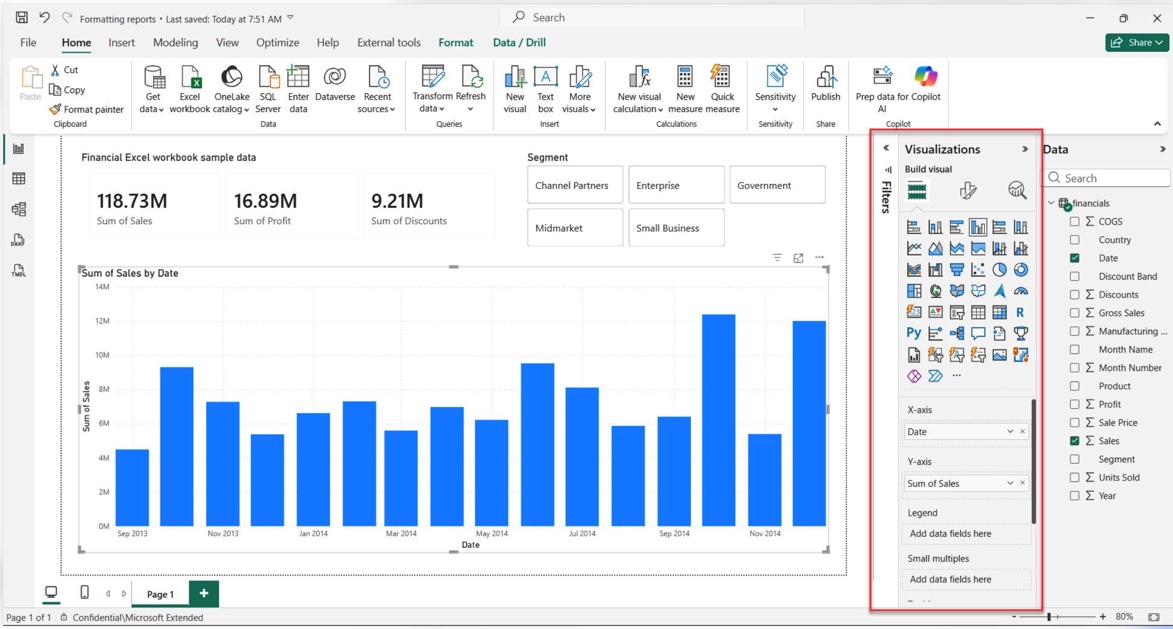
Best for Microsoft shops: Power BI
Power BI is Microsoft’s BI service. You build reports in Power BI Desktop and then share them through the Power BI service, which is now part of Microsoft Fabric. It’s the natural choice for companies on Microsoft 365, since some of them already have Pro in their plan.
- Best for: Microsoft 365 teams after inexpensive dashboards and reports.
- How the bill grows: per creator and per viewer. On Pro, anyone who publishes or views shared content needs Pro, and as data grows, Pro’s limits are the first wall you hit (1 GB per model, 8 refreshes a day). Premium Per User lifts those to 100 GB models and 48 refreshes a day; beyond that, you buy Fabric capacity. Below F64, each viewer still needs a Pro or Premium Per User license.
- Pricing: Pro is $14.00 per user a month and Premium Per User is $24.00, paid yearly. Pro is included in Microsoft 365 E5 and Office 365 E5. Fabric capacity starts at F2, at $262.80 a month pay-as-you-go, and F64 runs $8,409.60 a month pay-as-you-go. The free account and Power BI Desktop cost nothing.
- Deployment: cloud service (Power BI in Microsoft Fabric) plus Power BI Desktop, a Windows app.
Strengths
- Getting started is cheap, with free Desktop authoring and a free account.
- Power Query connectors reach many sources, and DirectQuery handles live queries wherever a connector supports it.
Limitations
- Sharing depends on licenses. Free users can’t share at all, and Pro users can share only with other Pro users unless the content sits on F64 or larger capacity.
- Power BI Desktop is Windows-only.
- Microsoft has stopped selling new Premium P capacity and is moving customers over to Fabric F capacity.
What about streaming? Kafka and Flink, in brief
We’ve covered storage, scheduled integration and processing, but what if your data needs to move and be analyzed continuously? They need data within seconds, and usually two open-source Apache projects make that happen.
Apache Kafka handles event streaming. Events from databases, sensors, apps and cloud services get captured as they happen, retained according to the topic’s storage settings, and delivered to systems that subscribe to them. Kafka 4.4.0 is the latest release.
Apache Flink processes data streams as they arrive. It can keep track of state across events, making it useful for continuous calculations, fraud detection and other jobs where waiting for the next batch isn’t an option. Flink 2.3 is the current line.
You can use both for free. You won’t pay for a license, but the clusters still need running (by your team, or by a managed service you pay for). Would a daily or hourly refresh be enough for you? Then the scheduled data pipelines above will do the job, and you skip stream processing, which is one more layer to operate and scale.
Which big data tool fits which job
- Loading app and database data into a warehouse without a data engineer: Skyvia, as long as record-based tiers with hourly runs (or every minute on Professional) cover what you need.
- Connectors you never want to maintain, with a budget for usage pricing: go with Fivetran.
- Self-hosting or building your own connectors: Airbyte.
- Real-time database replication with data quality from one vendor: that’s Qlik Talend Cloud.
- A managed warehouse on the cloud you already use, with compute you can pause: Snowflake.
- Serverless SQL on Google Cloud, starting free: Google BigQuery is the pick.
- Application data as JSON-like documents: MongoDB.
- ETL, SQL and machine learning on one platform: Databricks.
- A free processing engine and the engineers to run it: Apache Spark. Already running clusters on your own hardware? Then Hadoop.
- Interactive dashboards across many sources: Tableau.
- Reports for a company that runs on Microsoft 365: Power BI.
- Events in seconds, not hours: Kafka and Flink, added alongside the tools above.
Big data tools compared: how the bill grows and the entry price
| Tool | Layer | How the bill grows | Entry price | Deployment |
|---|---|---|---|---|
| Skyvia | Integration | Records written per month; runs pause at the limit unless extra records are on | Basic $99 a month billed monthly ($79 billed annually) for 5M records; Free plan | Cloud, on-premises agent |
| Fivetran | Integration | MAR per connection; $5 base charge each | Standard $5 per connection plus $495 per million MAR, billed monthly; Free plan | Cloud, hybrid on Enterprise and Business Critical |
| Qlik Talend Cloud | Integration | Data moved per target; overage to 10 times capacity | Sales quote; Starter $6,000 a year on AWS Marketplace | Cloud, hybrid from Standard |
| Airbyte | Integration | Credits per million rows or per GB; Core: your Kubernetes | Standard from $20 a month; Core free | Cloud, self-hosted |
| Snowflake | Storage | Credits per second of warehouse time, plus storage per TB | $2.00 per credit on Standard (AWS US East) | Cloud |
| Google BigQuery | Storage | Bytes scanned or slot-hours, plus storage | $6.25 per TiB after 1 TiB free a month | Cloud |
| MongoDB | Storage | Atlas cluster tier per hour, plus storage and transfer | Flex $8 to $30 a month; Free M0 | Cloud, self-managed |
| Databricks | Processing | DBUs per second by product; cloud VMs on classic compute | Data Engineering from $0.15 per DBU | Cloud |
| Apache Spark | Processing | Your cluster and the people who run it | Free (Apache License 2.0) | Self-managed |
| Apache Hadoop | Processing | Your nodes; HDFS stores 3 copies of each block | Free (Apache License 2.0) | Self-managed |
| Tableau | BI | Seats by role, annual contract | Viewer $15, Creator $75 per user a month, billed annually | Cloud, Server, Desktop |
| Power BI | BI | Seats, then Fabric capacity | Pro $14.00 per user a month, paid yearly | Cloud, Desktop |
How the four layers fit together in a big data stack
Everything starts at the integration layer. Skyvia, Fivetran, Qlik Talend Cloud and Airbyte sit here. They take structured data from apps and databases on a schedule and drop it into storage for everything downstream.
Which storage? That depends on your data. Data warehouses like Snowflake and BigQuery take structured, query-ready tables for SQL analytics. MongoDB is for semi-structured, JSON-like documents behind applications. Unstructured files and the biggest datasets? Data like that tends to go into a data lake on cloud object storage, where Spark, Hadoop and Databricks can read it as is.
Next, processing engines do the large jobs: transformations, joins over big volumes, machine learning. Spark and Databricks scale out over clusters for this. Hadoop spreads batch jobs over ordinary servers. A good deal of the SQL, though, the warehouses handle themselves.
BI tools sit on top. Tableau and Power BI query the warehouse live or work off extracts. Either way, a dashboard is only as fresh as its pipeline.
Real-time analytics adds streaming on top. Kafka carries events, and Flink or Spark processes them before anything reaches storage or a dashboard.

FAQ for big data tools

Is Hadoop still used in 2026?
It is. Version 3.5.0 came out on April 2, 2026, and companies that own on-premises clusters still run Apache Hadoop. Greenfield projects mostly go with Spark, Databricks or a cloud warehouse, though, because Hadoop is batch-first and the whole cluster is yours to run.
What’s the difference between Spark and Hadoop?
Hadoop gives you distributed storage (HDFS) and batch processing on clusters of ordinary servers. Spark is just the processing part. It runs batch and streaming jobs, though, and can keep data in memory. It reads from HDFS, cloud storage and databases, and it’s happy running on a Hadoop cluster under YARN.
Which big data tools are free?
Apache Spark, Apache Hadoop, Kafka and Flink cost nothing to license as open-source software; you pay for servers and the people running them. Airbyte Core and MongoDB Community Edition are free to self-host. BigQuery, Fivetran, Skyvia and MongoDB Atlas have free tiers or plans with usage caps, and for local work Power BI Desktop and Tableau Desktop Free Edition are free too.
Do you need a streaming tool like Kafka?
Only if data has to arrive within seconds, for things like fraud checks, live dashboards or event-driven apps. Just daily or hourly reports? Then a scheduled pipeline into a warehouse is plenty, and much easier to keep running.
Need app and database data in a warehouse first, without an engineering project? Start with Skyvia Data Integration on the Free plan, which gives you 10K records a month with no credit card required.