Summary
- Skyvia is a no-code cloud data integration platform that lets non-technical teams migrate SugarAI data to Amazon S3 visually, without writing a single line of code.
- Fivetran automates the entire pipeline with managed connectors, making it the most hands-off option for teams that prioritize reliability over flexibility.
- Airbyte gives engineering teams full control over the migration pipeline through open-source connectors, at the cost of more setup and ongoing maintenance.
- SugarAI's native CSV export is the simplest option — free and built-in, but entirely manual and impractical for anything beyond a one-off data snapshot.
SugarAI (formerly SugarCRM) is where your sales team lives. Amazon S3 is where your data team works.
Here’s what that gap usually looks like in practice. Someone exports a CSV from SugarAI, uploads it to S3 manually, and two days later the data is already stale.
Eventually somebody writes a bash script to automate it — and six months later it breaks silently on a Thursday night and nobody notices until Friday’s board meeting.
This guide covers the exact methods to fix that, segmented by your team’s technical skill and project scale. And since we’re the team behind Skyvia, we’ll be upfront: we have a product to sell. But we’ve been building pipelines long enough to know that recommending the wrong tool just to close a sale creates a customer who leaves in three months — so this is an honest comparison.
How Did We Test These Integration Tools?
We didn’t test these tools against a clean, perfectly normalized database. That would be too easy and too dishonest. SugarAI instances in the real world are messy. They have custom modules nobody fully documented, fields that were added by a consultant a few years back and never cleaned up, and account records that have been updated so many times the audit log is longer than the record itself. So, we built our test environment to reflect that — a SugarAI instance with Accounts, Contacts, and heavily customized modules, pushing data into an Amazon S3 bucket on the other end.
For each tool, we measured the same things:
- How fast the initial sync actually ran
- How the tool handled SugarAI’s API rate limits when the volume got heavy
- What happened when we deliberately changed the schema mid-sync to simulate the kind of thing that happens in real CRM environments all the time.
The results weren’t always what we expected. Some tools that looked great on paper got complicated fast once the custom fields entered the picture. Others surprised us in the opposite direction. That’s what this guide is based on — not feature lists or vendor documentation, but what actually happened when real data started moving.
What Are the Core Comparison Criteria?
Most tool comparisons hand you a feature matrix and call it done. We wanted something more honest than that — criteria that actually predict whether a tool will hold up six months into production, not just during a clean demo.
Pricing Model: How does the bill grow as your data does?
This one matters more with CRM data than most people expect. SugarAI records don’t just grow — they change constantly. Lead statuses update, account owners change, contacts get re-assigned. Tools that charge by Monthly Active Rows (MAR) like Fivetran can get expensive fast when your sales team runs a mass update on 50,000 account records. That’s not a sync — that’s a billing event. Volume-based and connector-based pricing models tend to be more predictable for CRM workloads specifically.
Sync Frequency: How stale can your data afford to be?
There’s a real difference between a tool that syncs every minute and one that syncs every six hours — and it’s not just a technical difference, it’s a business one. If your analytics team is building dashboards that sales managers check every morning, six-hour-old data is probably fine. If you’re feeding a real-time lead scoring ML model, it isn’t. Know what your actual tolerance is before evaluating this category.
API & Transformation Complexity: Who’s going to maintain this?
SugarAI is notorious for custom fields and relational tables that don’t flatten cleanly into S3 objects. Some tools handle that visually, with drag-and-drop mapping that a user can manage. Others require Python scripts, Docker containers, and someone who knows what a JSON schema looks like at 11pm when the pipeline breaks. Be honest about who on your team is actually going to own this day to day — because that person exists whether you plan for them or not.
Which Integration Tool is Best for Your Specific Use Case?
Is Skyvia Best for No-Code Teams?
Not every team that needs data in S3 has an engineer to set it up. Sometimes it’s a data analyst who’s comfortable with spreadsheets and SQL but has never touched a Docker container. Sometimes it’s a Salesforce admin who just got handed a SugarAI instance and a mandate to “get the data into the data lake.” If that’s your situation, here’s what the setup actually looks like.
Setting Up SugarAI CSV File to Amazon S3 in Skyvia
The starting point is two connections — one to SugarAI, one to S3. You click +Create New → Connection, select SugarAI, enter your instance URL and credentials, and you’re authenticated.
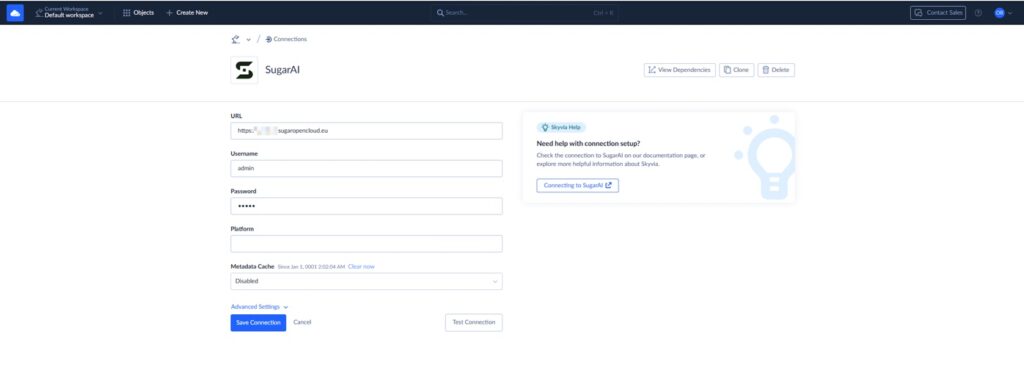
Same for S3 — select the connector, drop in your bucket name and AWS credentials, save.
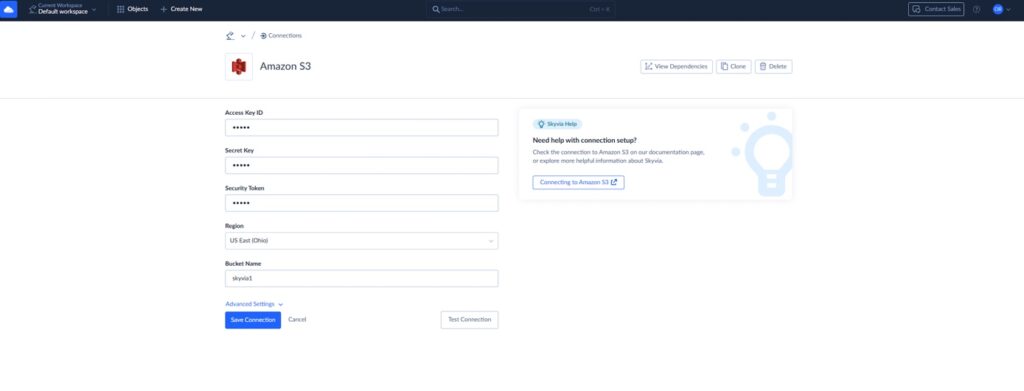
From there, you create an integration and add the CSV export task. You select the Leads module as your source, point it at your S3 bucket as the target, and Skyvia pulls the available fields automatically.
You configure your filters, set a sync schedule anywhere from every minute to once a day, and run it. The output lands in your S3 bucket as a clean CSV.
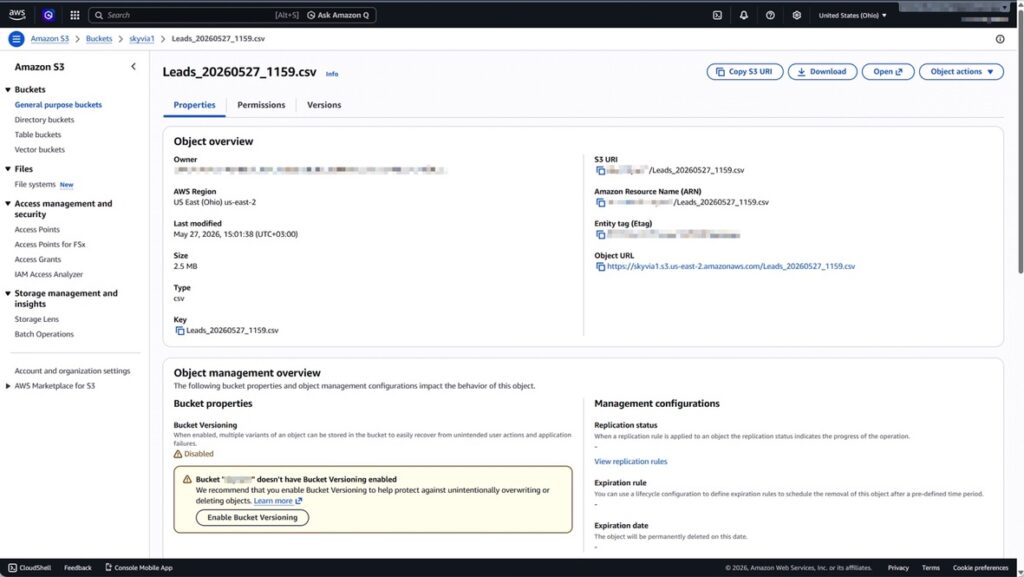
The whole setup takes under fifteen minutes for a first run with no prior Skyvia experience. The second run takes five.
With the Skyvia export you can:
- Upload multiple objects at once
- Set up multi-level filters
- Change the structure of the output file
- Change the column names of the future file and their order
- Run custom SQL commands for more flexible data selection
And this is just one module in one direction. Skyvia handles bidirectional syncs, multi-object workflows, and transformation logic that goes well beyond a flat CSV export — all through the same visual interface, without the workflow suddenly requiring an engineer to maintain it. t.
Rating
G2: 4.9 / 5 (25 reviews)
Capterra: 4.9 / 5 (116 reviews)
Pricing
Subscription-based with a free tier available. See full pricing details on the Skyvia pricing page.
Pros
- Zero-code visual builder that data analysts and business users can own without engineering support
- Custom Sugar AI fields appear automatically in the mapper — no manual JSON wrangling
- Predictable volume-based pricing that doesn’t spike when your sales team runs a mass update
Cons
Skyvia is a cloud-native SaaS platform. If you’re building a strictly air-gapped system — think banking infrastructure or defense contractors with zero external internet access — we’re not the right fit. You’ll need a self-hosted on-premise solution like Airbyte instead.

Is Fivetran Best for Enterprise High-Volume Replication?
Not every SugarAI migration is a fifteen-minute setup job. Some enterprises are moving millions of records, running pipelines that can’t afford downtime, and dealing with schema changes that happen without warning. If your data team’s biggest fear isn’t “how do I set this up” but “what happens when it breaks at 3am,” that’s where Fivetran starts making sense.
Setting Up SugarAI to Amazon S3 in Fivetran
The starting point is familiar — you connect SugarAI as a source and S3 as a destination through Fivetran’s connector library. Authentication is straightforward: OAuth for SugarAI.
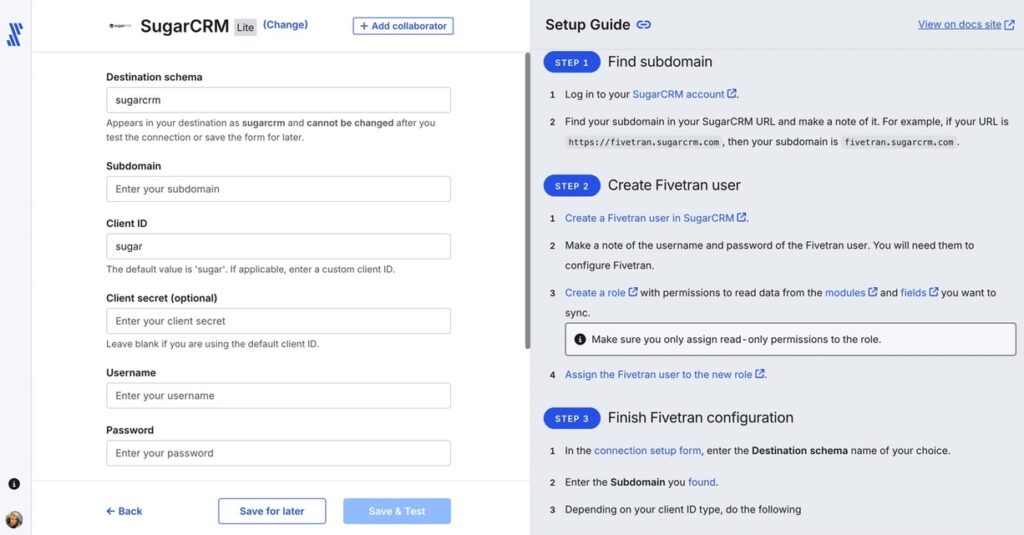
Then bucket credentials for S3. No infrastructure to manage, no Docker containers, no YAML files.
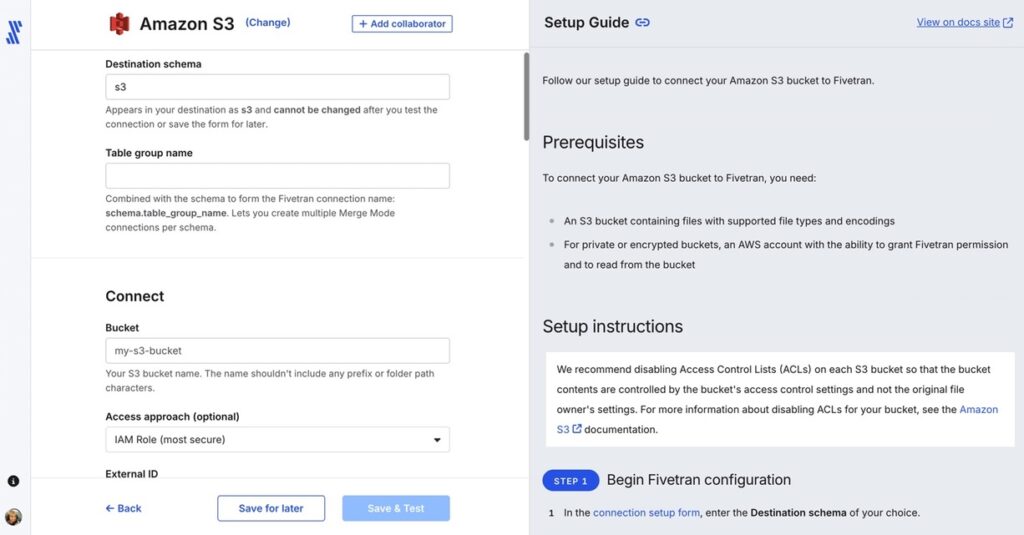
Here, Fivetran automatically detects your SugarAI schema (Accounts, Contacts, Leads) and maps everything to your S3 destination without asking you to touch the field configuration manually. This is where Fivetran earns its reputation: the pipeline practically builds itself.
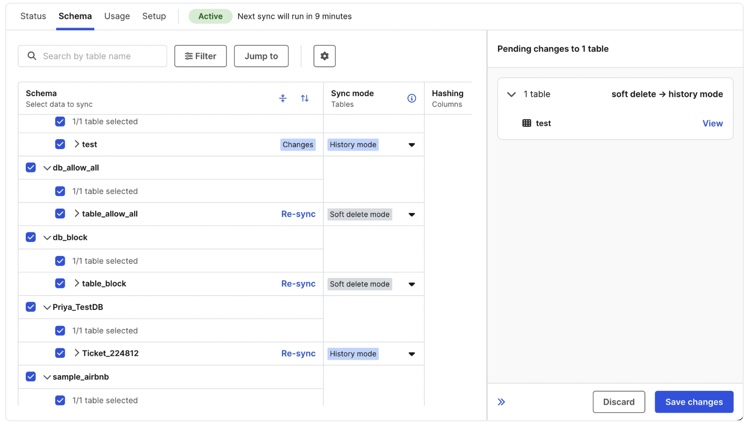
We deliberately changed part of the SugarAI schema mid-sync during testing — the kind of thing that happens in real CRM environments when someone adds a custom field or renames a module. Fivetran caught the change, updated the destination schema automatically, and kept the pipeline running. No manual intervention, no broken sync, no Tuesday morning support ticket.
The whole setup is fast. But more importantly, once it’s running, it mostly stays running — which is the thing enterprise teams actually care about once pipelines move into production.
Rating
G2: 4.4 / 5 (1,009 reviews)
Capterra: 4.4 / 5 (25 reviews)
Pricing
Usage-based pricing on the Monthly Active Rows (MAR) model. See full pricing details on the Fivetran pricing page.
Pros
- Automated schema drift handling — pipeline keeps running even when SugarAI schema changes mid-sync
- Minimal day-to-day maintenance once the pipeline is live
- Large connector ecosystem that covers SugarAI, S3, and everything in between
Cons
The MAR pricing model catches teams off guard — and it got more complicated in 2026. Since January, every standard connection carries a $5/month floor charge, and deleted rows now count toward paid MAR. For CRM data like SugarAI — where records get merged, cleaned, and purged regularly — that’s a real line item. A routine mass-update of Account Statuses on a Monday morning quietly becomes a billing event. Run the math before committing, not during the renewal conversation.
Is Airbyte (Self-Hosted) Best for Developer-Heavy Teams?
Some teams don’t want a managed platform making decisions for them. They want to see exactly what’s happening inside the pipeline, customize every connector, and host the whole thing on their own infrastructure. If your data team thinks in Python and considers a well-configured docker-compose.yaml file a form of art, Airbyte is likely already on your radar.
One important thing to know upfront: Airbyte has no native SugarAI API connector. The way you connect SugarAI to Airbyte is through its underlying database — MySQL, MSSQL, Oracle, or Db2. That means this approach only works if you’re running a self-hosted SugarAI instance with direct database access. If you’re on SugarAI Cloud, this isn’t the path for you.
Setting Up SugarAI to Amazon S3 in Airbyte
The starting point is different from every other tool in this guide. Before you connect anything, you need a running Airbyte instance — which means Docker, a server to run it on, and someone who’s comfortable with both. If that sentence just made you slightly nervous, scroll back up to the Skyvia section.
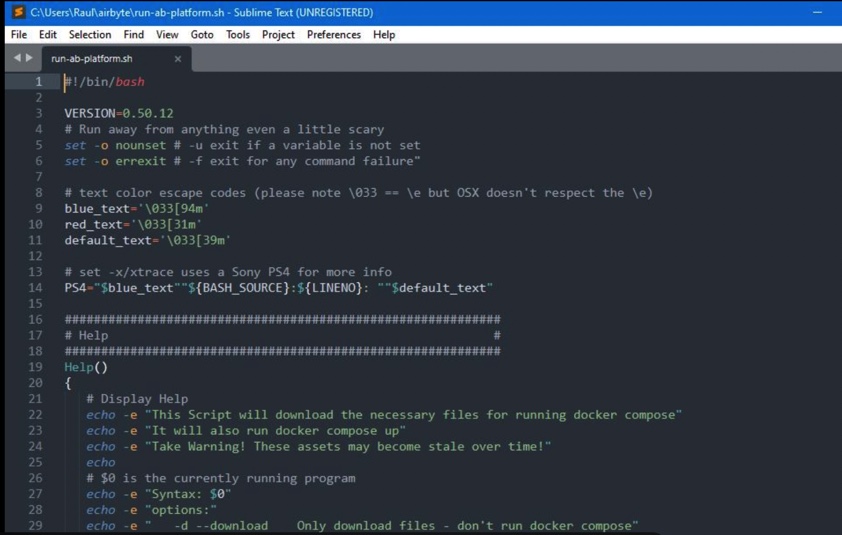
Once the instance is up, you connect to SugarAI’s underlying MySQL database as the source and S3 as the destination. You’ll need your database host, port, credentials, and direct access to the SugarAI schema. This is database-level access — you’re not selecting objects through a friendly UI, you’re querying tables directly.

From there, you’ll configure which tables to sync, set your sync frequency, and point the output at your S3 bucket. The data lands in S3 as raw database tables rather than CRM-structured objects, which means some transformation work is usually needed downstream to make it useful for analytics.
Working at the database layer means you’re not browsing a list of “Leads” and “Contacts” — you’re looking at raw table names like accounts, calls_cstm, and prospect_lists_prospects. If you know the SugarAI schema well, that’s manageable. If you don’t, expect to spend time in the VarDefs documentation before you sync a single useful row.
Rating
G2: 4.4/ 5 (478 reviews)
Capterra: No review data available
Pricing
Open-source and free to self-host. Cloud version available with usage-based pricing. See full pricing details on the Airbyte pricing page.
Pros
- Free open-source core with no platform licensing fees
- Extremely customizable for engineering teams comfortable with Docker and Python
- Full visibility into connector behavior and sync logic
Cons
The hidden costs aren’t in the pricing page — they’re in engineering salaries. DevOps maintenance, server hosting, connector troubleshooting, and the occasional Tuesday afternoon spent chasing an API timeout add up fast. For teams without dedicated infrastructure resources, the “free” label can be misleading.
Is the Native CSV Export Best for One-Off Ad-Hoc Reports?
Not every data problem needs a pipeline. Sometimes the marketing team needs a one-time snapshot of the customer base for a campaign. Sometimes the CFO wants a clean export of closed deals from last quarter for a board presentation. Deploying a full ETL pipeline for a request you’ll run once is like hiring a plumber to fix a dripping tap — technically it works, but it’s a lot of infrastructure for a very small problem.
How the Native Export Actually Works
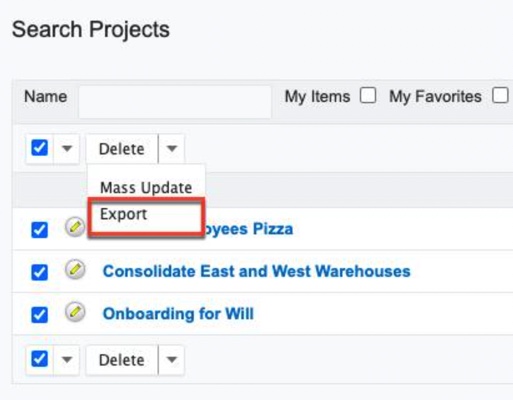
There’s nothing to install and nothing to configure. Inside SugarAI, you navigate to the module you need — Contacts, Leads, Accounts, Reports — apply whatever filters you want, hit Actions → Export, and a CSV lands in your downloads folder.
From there, you open your S3 bucket in the AWS console, click Upload, and drag the file in.
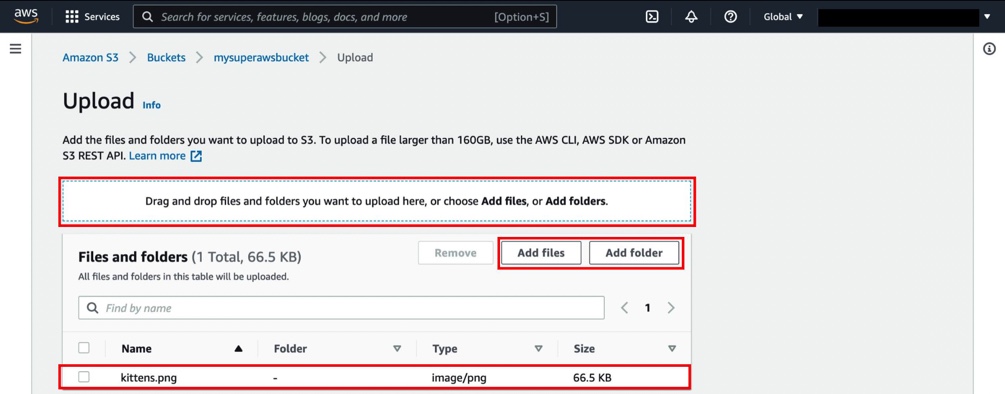
That’s the entire process. Two screens, zero cost, five minutes.
Rating
G2: 4.0/ 5 (1188 reviews)
Capterra: 3.8/5 (413 reviews)
Pricing
Free. Built into SugarAI out of the box, no additional tools required.
Pros
- Completely free with no setup, no accounts, and no infrastructure
- Works with custom filters through the Reports module — you control exactly what goes into the export
- Anyone on the team can do it without technical knowledge
Cons
For occasional reporting, this approach is perfectly reasonable. The friction only starts showing up once the exports become routine. If someone on the team is manually pulling and uploading large CSVs every morning, the process eventually becomes more operational overhead than convenience.
How Do These Tools Compare Technically?
If the individual sections gave you depth, this table gives you the quick side-by-side. One glance at where your team sits — budget, technical capacity, sync frequency needs — and the right option usually becomes obvious.
| Comparison Criteria | Skyvia | Fivetran | Airbyte (Open Source) | SugarAI Native Export |
|---|---|---|---|---|
| Pricing Predictability | High (Volume & Connector tiers) | Low (Variable based on MAR) | High ($0 + server costs) | Free ($0) |
| Minimum Sync Frequency | 1 Minute | 5 Minutes | 5 Minutes (Depends on server) | Manual only |
| API & Setup Complexity | Visual Wizard (100% No-code) | Automated, rigid schema | High (Requires Docker & JSON) | Zero (Just point & click) |
A few things worth reading between the lines here:
- Skyvia’s “High” pricing predictability holds as long as you stay within your volume tier — which for most SMB and mid-market CRM workloads is straightforward to plan for. Where it gets less predictable is if your data volumes grow significantly faster than expected, so it’s worth checking the tier thresholds against your actual record counts before committing.
- Fivetran’s “Low” pricing predictability isn’t a knock on the platform — it’s a warning about the pricing model. For stable, low-churn datasets it’s perfectly manageable. For CRM data that updates constantly, it deserves careful monitoring.
- Airbyte’s sync frequency depends entirely on the server you’re running it on. A well-provisioned instance can match or beat the managed tools. An underpowered one will make that 5-minute figure theoretical.
- The Native Export has no sync frequency because there is no sync. That’s not a limitation to work around — it’s a signal about what the tool is actually for.
Are You Ready to Automate Your S3 Pipeline?
The right tool here isn’t the most powerful one. It’s the one your team will actually maintain six months from now.
If you’re moving enterprise-scale data and reliability matters more than cost, Fivetran is the hands-off choice that justifies its price tag at volume. If your engineers want full control over the pipeline and have the DevOps resources to back that up, Airbyte gives you that freedom at the cost of ongoing maintenance. And if you only need a one-time snapshot, the native export costs nothing and takes five minutes — no pipeline required.
But if you’re looking for something your data analyst can set up this afternoon, your sales ops team can understand without a training session, and your engineering team doesn’t have to babysit on weekends — that’s what Skyvia is built for.
If you want to see how the workflow looks in practice, Skyvia has a free tier you can test against your own Sugar AI instance and S3 bucket.

FAQ for SugarACRMI to Amazon S3

Why shouldn’t I just use SugarAI’s native CSV export to back up to S3?
The native export works for one-off snapshots. For recurring syncs, someone has to manually export and upload every single time, which doesn’t scale.
Do I need a data engineer to connect SugarAI to Amazon S3?
Not with no-code tools like Skyvia. A data analyst can set up and maintain the full pipeline without engineering support.
How do these integration tools handle SugarAI API rate limits?
Managed tools like Skyvia and Fivetran handle rate limiting automatically. With Airbyte, it depends on connector configuration and may require manual tuning.
Can I sync data from SugarAI to S3 in real-time?
Near real-time, yes. Skyvia syncs as frequently as every minute. True event-driven streaming requires a different architecture entirely.
Is it secure to transfer sensitive CRM customer data to an S3 data lake?
Yes, when configured correctly. All major tools use encrypted connections, and S3 bucket policies control who can access the data once it lands.