Summary
- Skyvia is a practical choice for teams that want to replicate Jira data into BigQuery visually, with incremental loading, automatic destination schema creation, and broader ETL/ELT options in the same platform.
- Fivetran suits larger data teams that want managed Jira replication with built-in handling for custom fields, issue history, deletions, and BigQuery as a supported destination.
- Estuary stands out when Jira data needs to reach BigQuery with lower latency, including support for Jira changelogs, sprints, comments, and other engineering data.
- Airbyte gives engineering teams more control over Jira-to-BigQuery pipelines, with managed and self-hosted deployment options and configurable replication.
- Hevo Data offers a managed, no-code route for moving Jira Cloud data into BigQuery without maintaining the pipeline infrastructure yourself.
Jira is great for tracking work, but it becomes much less convenient when you need to analyze that work alongside product, sales, or engineering data. Jira to BigQuery integration tools solve the part that usually gets messy: pulling issues, changelogs, sprints, custom fields, and other Jira data into the warehouse without rebuilding exports every week.
The pain usually shows up when teams outgrow Jira dashboards. CSV files get stale, API scripts need maintenance, and custom fields change just often enough to break something downstream.
Once Jira data is in BigQuery, it becomes much easier to compare delivery work with GitHub activity, CRM data, support metrics, or business KPIs. This guide looks at the tools that can get it there, how much work they create after setup, and what they actually cost.
Why Should You Connect Jira to Google BigQuery for Engineering and Business Analytics?
Jira is useful for managing work, but it is not where most teams want to do serious analysis. The moment you need to compare delivery data with code activity, support tickets, CRM records, or revenue, a warehouse becomes much more practical.
Loading Jira into BigQuery gives analysts one place to work with that data and lets engineering metrics sit next to the rest of the business.
What Critical Jira Data Entities Should You Centralize in Google BigQuery?
Issues are the obvious starting point, but they are only part of the picture.
For useful reporting, teams usually need projects, users, sprints, statuses, comments, changelogs, worklogs, issue links, and custom fields as well. Changelogs are especially important because the current issue record only tells you where the ticket is now, not how it got there.
Custom fields matter too. Many Jira setups rely on them for team ownership, customer impact, severity, story points, or internal workflows, so leaving them out can make warehouse reporting much less useful.
What Cross-Functional Analytics Use Cases Are Unlocked by Loading Jira Data into BigQuery?
Once Jira data is in BigQuery, it becomes much easier to answer questions that Jira alone cannot.
Engineering teams can combine issues with GitHub or GitLab activity to look at cycle time, deployment frequency, or how long work sits between code changes and release. Product teams can compare roadmap delivery with customer requests, while RevOps can connect bugs or feature work with CRM accounts and revenue.
Support data adds another useful layer. You can see whether certain customers generate more engineering work, whether recurring incidents affect renewals, or which product areas create the most support load.
Why Do Manual CSV Exports and Custom Jira API Scripts Fail at Scale?
CSV exports work until the report needs to stay current. Then someone has to repeat the export, clean the same columns, and deal with custom fields or nested values all over again.
API scripts solve part of that problem, but they create another one. Jira APIs have pagination, rate limits, authentication, changelogs, and changing schemas to deal with. A script that works for a few thousand issues can become much harder to maintain once the dataset and number of projects grow.
That is usually the point where a managed pipeline starts to make more sense than another round of fixes to the same export or script.
How Did We Test and Evaluate These Jira to BigQuery Integration Tools?
Getting a Jira connector to run once is easy enough. The more useful question is what happens a few weeks later, when someone adds a custom field, the issue history gets heavier, or a failed sync needs fixing.
That is what we paid attention to here: setup, maintenance, pricing, and how much extra work is needed after Jira data reaches BigQuery.
How Did We Assess Setup Simplicity and No-Code Usability for Non-Engineers?
We started with the first pipeline.
How quickly can someone connect Jira and BigQuery, choose the right data, and schedule a sync without writing code? More importantly, can the same person come back later and change the setup without calling an engineer?
That difference matters. A tool can look easy during onboarding but still become awkward once mappings, schedules, or objects need changing.
How Reliably Do Tools Handle Jira Schema Drift, Changelogs, and Custom Fields?
Jira rarely stays tidy for long.
Custom fields appear, workflows change, and teams start using Jira in ways that were never part of the original setup. We paid close attention to whether those changes are picked up automatically or turn into another manual fix.
Changelogs were another big one. They are what let you calculate things like time in status or cycle time. If a connector only brings over the latest issue state, a lot of that history disappears from the analysis.
How Transparent and Predictable Is Each Platform’s Pricing Model?
Jira pricing can get tricky because an issue is not always just one row.
Comments, changelogs, worklogs, sprint data, and custom fields can all increase the amount of data moving through the pipeline. That is why we looked beyond the headline price and checked what each vendor actually bills for: rows, MAR, credits, volume, or capacity.
The main question was simple: can you roughly predict the bill before the pipeline gets busy?
What Warehouse-Side Transformation and Orchestration Capabilities Are Supported?
Getting raw Jira data into BigQuery is only half the job.
Issues usually have to be joined with users, sprints, status history, or custom fields before the numbers make sense in a report. Some tools let you do part of that inside the pipeline. Others expect most of the work to happen later in SQL or dbt.
We also considered the boring but important parts: scheduling, retries, dependencies, and whether several jobs can run together without another orchestration layer around them.
How Do the Top 6 Jira to BigQuery Integration Tools Compare at a Glance?
The tools look fairly similar at first. The gaps show up later, especially around issue history, field changes, sync frequency, and how pricing behaves as the Jira dataset grows.
| Tool | Setup Complexity | Jira Data & History Coverage | Sync / Freshness | Schema Handling | Transformation & Orchestration | Pricing Model | Best For |
|---|---|---|---|---|---|---|---|
| Skyvia | Low – visual setup | Issues, projects, users, and other Jira objects; incremental replication supported where source objects allow it | Scheduled from daily to once per minute on Professional | Can create BigQuery tables automatically and add new source fields during incremental replication | Visual ETL with Import/Data Flow plus Control Flow for multi-step pipelines | Published tiers based mainly on monthly processed records | Teams that want visual Jira-to-BigQuery ETL/ELT without maintaining code |
| Fivetran | Low – managed SaaS | Deep Jira model with custom fields, issue history, multiselect history, changelogs, and delete capture for supported tables | Managed scheduled syncs | Managed schema handling; Jira connector continues to evolve as Atlassian data structures change | Warehouse-first approach with a dbt-compatible Jira data model | Usage-based MAR; inserts, updates, and deletes can count toward paid MAR under 2026 rules | Larger teams that want detailed Jira history with little connector maintenance |
| Estuary | Low-Medium – visual but more streaming-oriented | Jira Platform, Software, and Service Management data including issues, comments, changelogs, projects, boards, sprints, users, and workflows | Configurable from low-latency to batch; the Jira-to-BigQuery setup defaults to 30 minutes if no schedule is chosen | Built-in schema inference and evolution | Supports streaming/batch transformations and pipeline automation | Based on data moved + active connector instances | Teams where fresher Jira data and streaming-oriented architecture matter |
| Airbyte | Medium – UI-based, with more engineering control | Airbyte-supported Jira connector with 55 streams | Scheduled batch; incremental support exists, although many configuration streams still reload fully | Stream schemas are managed by Airbyte; Jira custom fields arrive with generated IDs that can be mapped through the issue-fields stream | Primarily ELT – BigQuery SQL/dbt is a natural place for modeling | Cloud pricing varies by volume/capacity; self-managed options are also available | Engineering teams that want more control over deployment and stream selection |
| Hevo Data | Low – managed visual setup | Jira Cloud source; Issues load incrementally after history, while other objects generally use full-load behavior | Minimum Jira ingestion interval is currently 30 minutes; newer teams default to 6 hours | Managed schema mapping, with behavior tied to the objects exposed by the Jira source | Warehouse modeling plus managed pipeline scheduling | Event-based plans; inserted, updated, and deleted events can affect usage | Teams that want a managed Jira Cloud-to-BigQuery pipeline with little infrastructure work |
| Custom Python + Google Cloud | High – fully custom | Whatever the team builds against Jira APIs, including custom handling for changelogs, fields, pagination, and history | Completely configurable | Entirely your responsibility, including schema changes and backward compatibility | Full freedom with Python, BigQuery SQL, Cloud Run/Functions, schedulers, and other GCP services | GCP consumption plus engineering and maintenance time | Teams with unusual requirements that justify owning the pipeline code |
Which Jira to BigQuery Tool Best Fits Your Technical Resources and Budget?
The tools differ most in how much setup they require, how they handle Jira-specific structures, and what happens to the cost once the pipeline starts processing more data.
Why Is Skyvia the Best Overall No-Code Tool for Jira to BigQuery Replication?
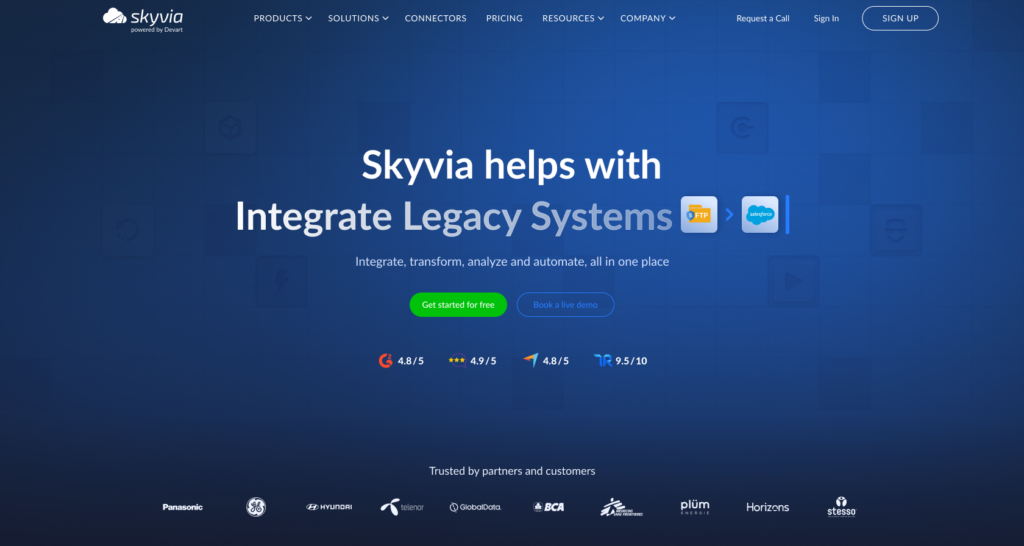
Skyvia is a practical starting point when the goal is to get Jira data into BigQuery without building and maintaining the pipeline in code. Its Replication tool can create the BigQuery schema, run incremental loads for supported Jira objects, and schedule updates automatically.
Best for
Teams that want a visual Jira-to-BigQuery setup with incremental replication, custom-field support, and room to add more advanced ETL or orchestration later.
Pros
- Visual setup for Jira to Google BigQuery replication without custom pipeline code.
- Supports Jira Cloud and Jira Server connections.
- Jira custom fields can be exposed through strongly typed project and issue-type objects.
- Incremental replication is available for Jira objects that expose creation or update timestamps.
- Skyvia can create the target BigQuery tables automatically and apply supported schema additions without reloading everything.
- Data Flow and Control Flow are available on higher plans when the pipeline needs transformations or multi-step orchestration.
- Published tiered pricing starts at $99/month for Basic, with Standard at $199/month and Professional at $499/month; Standard and Professional also support optional paid overage for extra processed records.
Cons
Incremental replication is not available for every Jira object. It depends on whether the object exposes suitable creation or modification timestamps.
Source-schema changes also need some attention. Skyvia can update the target schema for supported additions, but it does not automatically discover every metadata change in the source, so renamed, removed, or newly added Jira fields may require updating the replication configuration.
Very frequent Jira loads also need care because Jira does not filter timestamps with second-level precision, which can produce duplicate rows when replication runs within the same minute.

When Does Fivetran Make Sense for Enterprise Jira to BigQuery Replication?
Fivetran is a good fit when Jira reporting depends heavily on issue history and custom fields, but the team does not want to maintain the extraction layer itself. Its Jira connector keeps dedicated history tables for field changes and supports all custom issue fields for newer connections.
Best for
Larger data teams that want managed Jira-to-BigQuery replication with detailed issue history and prefer to handle most modeling inside the warehouse.
Pros
- Captures Jira issue-field history, including separate handling for regular and multi-select fields.
- Supports all custom issue fields for Jira connections created after April 1, 2024.
- Captures deletes for supported tables such as issues, projects, boards, sprints, and assets.
- Uses incremental Jira updates through JQL while preserving historical field changes.
- Fivetran creates and manages the base destination tables in BigQuery and checks source schemas for changes.
- A prebuilt dbt Core-compatible Jira data model is available for warehouse-side reporting.
- SaaS and Hybrid Deployment are both supported for Jira, although Hybrid requires Enterprise or Business Critical.
Cons
Fivetran’s MAR-based pricing can be harder to estimate for Jira. One ticket change may touch the issue record and its history tables, so usage does not always track neatly with the number of issues in the project.
Delete capture also needs the right webhook setup. Fivetran can register the webhook automatically when the connected account has the Administer Jira permission. Without it, or when using Service Account OAuth 2.0, the webhook has to be registered manually or some deleted issues and projects may be missed.
Fivetran is also mainly warehouse-first. If you want a lot of visual transformation before Jira data reaches BigQuery, it gives you less in-pipeline flexibility than a traditional ETL builder.
When Does Estuary Make Sense for Faster Jira to BigQuery Syncs?
Estuary (formerly Estuary Flow) is worth considering when you want Jira data in BigQuery more frequently than a typical batch pipeline allows. Its native Jira connector reads Jira Platform, Software, and Service Management APIs and can capture issues, comments, changelogs, boards, sprints, users, workflows, and other resources.
Best for
Teams that want low-latency Jira-to-BigQuery replication and like the option to tune delivery frequency instead of working with a fixed batch schedule.
Pros
- Native Jira connector covers issues, comments, changelogs, projects, boards, sprints, users, workflows, and other Jira resources.
- Supports Jira Platform, Jira Software, and Jira Service Management APIs.
- BigQuery delivery frequency is configurable rather than fixed at the default 30-minute schedule.
- BigQuery supports both standard merge updates and delta updates, which can be useful for keeping a raw history of incoming changes.
- Pricing is usage-based: the Cloud plan charges $0.50 per GB moved plus connector-instance fees, while the Developer tier includes up to 10 GB/month and two connector instances for free.
- Estuary supports both streaming and batch pipelines, so the same platform can handle workloads with different freshness requirements.
Cons
The native Jira connector reads Jira through its REST APIs, so I would not describe this pipeline as true sub-second Jira streaming. Estuary can deliver data into BigQuery on very short schedules, but the practical freshness still depends on how frequently Jira itself is captured.
BigQuery also puts a limit on load jobs per table. Estuary warns that 30-second or continuous materialization schedules can exceed that quota and recommends five minutes or longer as the safer default for most workloads.
Estuary’s pricing is straightforward, but it combines data volume with active connector instances. For a small Jira-to-BigQuery pipeline, that can be easy to estimate; once several sources and destinations are added, both parts of the bill need to be considered.
When Should You Choose Airbyte for Self-Hosted Jira to BigQuery Pipelines?
Airbyte is a better fit when the team wants to stay close to the pipeline rather than hand the whole thing over to a managed service. Its Jira connector exposes 55 streams, so you can be fairly selective about what actually lands in BigQuery.
Best for
Teams that want to run the Jira pipeline themselves and decide exactly which Jira data should be copied into BigQuery.
Pros
- 55 Jira streams cover issues, changelogs, comments, worklogs, boards, sprints, and workflow data.
- Incremental sync is available for several issue-related streams, including Issues, Issue Changelogs, Issue Comments, Issue Worklogs, Board Issues, and Sprint Issues.
- Airbyte Core gives you a self-managed deployment option rather than forcing the pipeline into a hosted SaaS setup.
- Individual streams can be turned on or off, which helps avoid loading Jira data you never plan to use.
- Once the data is in BigQuery, SQL or dbt can handle the heavier modeling work.
- Teams can extend existing connectors or build their own when the standard catalog does not quite fit.
Cons
Not every Jira stream can be synced incrementally. Some configuration data still has to be read in full, so larger Jira instances may repeat more work than expected on frequent runs.
Running Airbyte yourself also means running Airbyte yourself. Upgrades, monitoring, connector problems, and infrastructure become part of the team’s workload.
And while that control is exactly why many engineering teams choose it, it may be unnecessary if the goal is simply to keep Jira data refreshed in BigQuery with as little maintenance as possible.
How Does Hevo Data Compare for Automated Jira to BigQuery Syncing?
Hevo Data is aimed at teams that want Jira Cloud data flowing into BigQuery without running the pipeline infrastructure themselves. After the initial load, Hevo incrementally picks up new and updated Jira issues, while most other Jira objects are refreshed using full-load behavior.
Best for
Teams using Jira Cloud that want a managed pipeline and would rather configure the sync than operate the infrastructure behind it.
Pros
- Native Jira Cloud source with Google BigQuery as a supported warehouse destination.
- Historical Jira data can be loaded first, followed by incremental ingestion for new and updated Issue records.
- Jira ingestion can run as often as every 30 minutes.
- Hevo manages the pipeline infrastructure, scheduling, and warehouse loading rather than leaving those pieces to your team.
- BigQuery loads use primary keys for deduplication when they are available.
- Pricing is usage-based around Events loaded to the destination, and Hevo provides pipeline-level usage reporting to help estimate consumption.
Cons
Only the Jira Issue object is incrementally ingested after the historical load. The remaining objects use full-load behavior, although Hevo optimizes those loads to process only new or updated data where possible.
The connector is for Jira Cloud, so teams running Jira Data Center need another approach.
Hevo also bills on destination Events. Inserts, updates, and deletes are billable, so a busy Jira environment can consume quota faster than the raw number of issues might suggest.
Should You Build and Maintain a Custom Python / Cloud Function Pipeline for Jira to BigQuery?
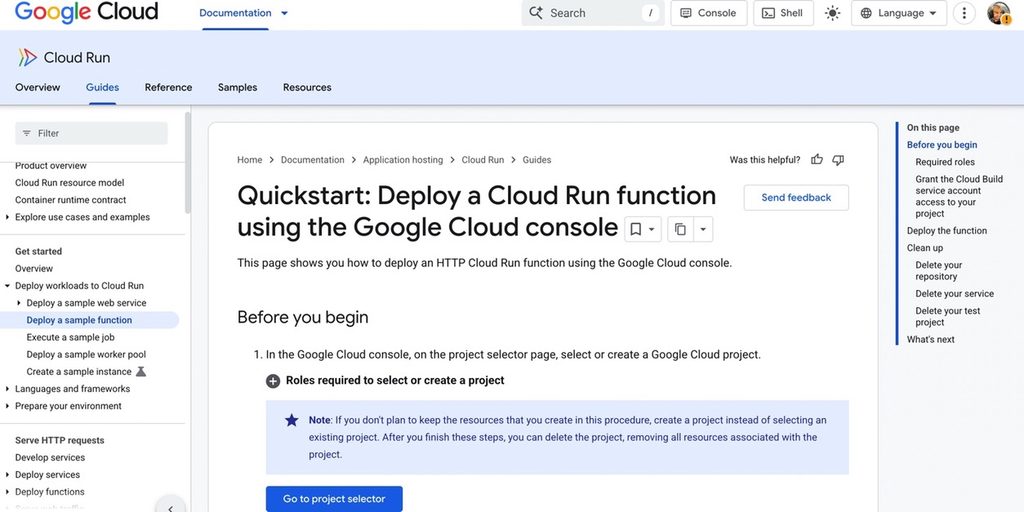
A custom pipeline is still a reasonable option when the Jira setup is unusual enough that packaged connectors keep getting in the way. Python can call the Jira REST API directly, reshape the response, and write only the data you actually need into BigQuery.
On Google Cloud, this would typically run with Cloud Run functions – the current name for what Google previously called Cloud Functions.
Best for
Teams with strong Python and Google Cloud skills that need custom Jira extraction logic and are prepared to own the pipeline after launch.
Pros
- Complete control over which Jira endpoints, fields, projects, and histories are extracted.
- Custom logic can handle awkward fields or company-specific Jira workflows before the data reaches BigQuery.
- Python works directly with both the Jira REST API and Google Cloud services.
- Cloud Run functions remove the need to maintain a dedicated server and scale automatically with requests or events.
- You decide the BigQuery table design instead of accepting a vendor-defined schema.
- There is no separate ETL-platform subscription, which can make a small pipeline inexpensive in infrastructure terms.
Cons
The first version of the script is usually the easy part.
After that, someone still has to deal with pagination, expired credentials, retries, failed requests, incremental state, and Jira API limits. If Jira starts returning 429 errors, the pipeline also needs to slow down and try again rather than just fail.
Maintenance is the bigger trade-off. A renamed custom field, an API change, or a broken credential can stop the load, and no vendor support team is watching it for you.
So, the infrastructure bill may stay low, but the pipeline is not really free. You are paying for it with engineering time.
Which Jira to BigQuery Tool Should You Choose Based on Your Team Structure?
The easiest way to narrow this down is to look at who will own the pipeline after launch. A tool that fits a data engineering team may be overkill for an analytics team that just wants Jira data in BigQuery without babysitting the sync.
| If your team needs… | Tool to consider |
|---|---|
| A visual Jira-to-BigQuery setup with low maintenance and clear pricing | Skyvia |
| Managed replication with deep Jira history and warehouse-first modeling | Fivetran |
| Faster Jira delivery with configurable sync frequency | Estuary |
| Self-hosting, stream-level control, and connector customization | Airbyte |
| A managed Jira Cloud pipeline with little infrastructure work | Hevo Data |
| Full control over extraction logic and BigQuery table design | Custom Python + Cloud Run |
For smaller analytics or RevOps teams, Skyvia is the simpler place to start because most of the setup stays visual. Fivetran fits better when Jira history and managed warehouse pipelines matter more than in-pipeline flexibility.
Estuary is worth a look when freshness matters, while Airbyte makes more sense when engineers want to own deployment and connector behavior. Hevo works well for a straightforward managed Jira Cloud setup. A custom Python pipeline is the outlier: it gives you the most control, but you also inherit every maintenance problem yourself.

FAQ for Best Jira to BigQuery Integration Tools

What Is the Difference Between Snapshot Replication and History Mode for Jira Data in BigQuery?
Snapshot replication keeps the latest Jira record state. History mode preserves changes over time, such as status or field updates, which is necessary for metrics like cycle time and time in status.
How Are Jira Nested JSON Fields and Multi-Select Values Structured in BigQuery Tables?
It depends on the connector. Nested values may be flattened into columns, stored as repeated records or arrays, or split into related tables. Multi-select fields often need extra modeling before they are dashboard-ready.
Can You Sync Data from Both Jira Cloud and Self-Hosted Jira Data Center into BigQuery?
Yes, but connector support varies. Some tools support Jira Cloud only, while others can connect to Jira Server or Data Center as well. Check the exact Jira edition before choosing a pipeline tool.
How Do You Calculate Sprint Velocity and Cycle Time by Combining Jira with GitHub or CRM Data in BigQuery?
Load Jira sprint and status history alongside GitHub commits or CRM records, then join them on shared IDs, users, or dates. Velocity comes from completed work per sprint, while cycle time comes from status-change timestamps.
Will Schema Changes in Jira Break Your Downstream BigQuery Views and Dashboards?
They can. New or renamed custom fields may change the destination schema. Tools with schema-change handling reduce the risk, but stable views or modeling layers in BigQuery are still useful for protecting downstream reports.