Summary
- Skyvia fits teams that want to clean and reshape app data visually, with a free plan and pricing by records.
- dbt and Coalesce fit analytics engineers who transform data inside the warehouse with SQL.
- Informatica, IBM DataStage and Pentaho fit large organizations with hybrid estates and governance needs.
- Denodo transforms data without copying it, and Alteryx Designer Cloud suits analysts who prep data without SQL.
- Several tools changed owners, names or plans over the past year, so check current pricing before you budget.
Your CRM says Company. Billing says account_name, and the spreadsheet your finance lead keeps spells one customer three different ways. Every report built on top needs the same cleanup, and someone does it by hand each month. Data transformation tools exist to do that work once and run it on a schedule.
Picking one got harder over the past year. dbt now belongs to the same company as Fivetran, Informatica is part of Salesforce, Trifacta sells under the Alteryx name, and several vendors reworked their plans. Many roundups still describe the old versions.
We checked every plan and price below on the vendors’ own pages and compared 11 tools on who builds the logic, where it runs and what it costs. Here’s the side-by-side.
Which data transformation tool fits your team? Quick answer
Two questions cut a long list of data transformation tools down to size. First, where will the transformed data live? Second, who on your team writes the logic? Pick dbt and you need someone who writes SQL daily. Teams without that person need a visual builder.
| Tool | Who builds the logic | Where it runs | Free option | Pricing unit | Starting paid price |
|---|---|---|---|---|---|
| Skyvia | No-code, with expressions and SQL | In the pipeline (cloud) | Yes, 10k records a month | Records per month | $79 a month billed annually ($99 monthly) |
| dbt | SQL and Python | In the warehouse | Developer plan (1 seat) | Seats and models built | $100 per user a month (Starter) |
| Coalesce | Visual, generates SQL | In the warehouse | Developer plan (1 user) | Users and production actions | $150 per user a month, billed annually |
| Matillion | Low-code canvas plus SQL and Python | In the warehouse | Free trial | Credits | Not published |
| Informatica Cloud Data Integration | Visual mappings, low-code and pro-code | Cloud or hybrid | 30-day trial, free Cloud Data Integration offer | IPUs | Quote |
| IBM DataStage | Visual designer, Python SDK | Cloud, on-premises, hybrid | Free trial | Capacity Unit-Hours | From USD 1.75 per CUH (as a Service) |
| Pentaho Data Integration | Drag-and-drop, scripting | On-premises, cloud, containers | 30-day trial | License, usage-based available | Quote |
| Keboola | SQL and Python | Managed cloud | Free plan | Compute minutes | $0.14 per extra minute |
| Datameer | Visual plus SQL | Inside Snowflake | Free trial | Seats | Quote |
| Denodo | Visual views plus SQL | Virtual layer, no copy | 60-day Developer Tier | Consumption (Agora) | Quote |
| Alteryx Designer Cloud | No-code, drag-and-drop | Cloud | 30-day trial | Users and automation runs | $250 per user a month, billed annually (Starter) |
Fastest route, by team:
- No engineers, data in cloud apps: that’s Skyvia or Alteryx Designer Cloud territory.
- Analytics engineers with a warehouse: dbt or Coalesce usually wins here, though you’ll still need a loader in front of it.
- Enterprise with on-premises systems and strict governance: you’ll probably end up comparing Informatica, IBM DataStage and Pentaho.
So before a trial starts, there’s one question we’d put to every vendor. Can this tool read my sources and write to my target on a plan I can afford? Connector lists and plan limits shift faster than feature lists do (that’s where surprises hide).
What is a data transformation tool?
A data transformation tool closes the gap between the format a source hands over and the shape your target (or the report sitting on it) expects. It converts formats and types. It cleans values and strips out duplicates. Plus joins across systems, aggregation and masking of sensitive fields.
HubSpot and Salesforce make the point nicely. Both are CRMs. Ask each how a field is named, typed or nested, and you’ll get two different answers. Merging their contacts into one table? You’d be mapping fields, converting types and deduping everyone who shows up in both. That’s transformation, the T in ETL and ELT.
Where this step runs isn’t where it ran a decade ago. Back when ETL ruled, data got cleaned in the middle of the pipeline and was loaded only afterward. ELT flipped that sequence: raw data now lands in a warehouse such as Snowflake, BigQuery or Databricks and gets shaped with SQL once it’s in.
Four types of data transformation
A common way to group transformations is by what they do to the data. Here’s each type on a made-up orders table.
| Type | What it does | Example on an orders table |
|---|---|---|
| Constructive | Adds or copies data | Add order_total_usd from amount * fx_rate |
| Destructive | Removes data | Drop test orders where email ends in @example.com |
| Aesthetic | Standardizes values | Turn “ca”, “Calif.” and “CA ” into CA |
| Structural | Changes the shape | Split one customer JSON field into first_name, last_name, city columns, or pivot monthly rows into columns |
Most real jobs mix all four. A nightly load might filter out test records, standardize states, compute totals and flatten nested fields in one run.
How we compared these tools
We stuck to data transformation tools that reshape data in flight (so open-source frameworks share the page with heavyweight enterprise platforms) and wrote down the same details for each:
- Who builds the logic: someone on a no-code screen, a SQL writer, a Python developer, or several of those folks.
- Where transformation runs: mid-pipeline, the warehouse, a virtual layer, or an analyst’s own workspace.
- Deployment: cloud only, servers you run, or hybrid.
- Free plan or trial, plus how many days you get.
- Pricing unit and starting price, as each vendor publishes them. Where a vendor only quotes, we say so.
- Connectors and platforms: the sources, targets and warehouses that each plan lets you use.
- Real limits: the things the tool simply doesn’t do, plus what you lose on a lower plan.
We didn’t use review-site opinions as evidence. Old gripes age badly, since a 2019 complaint can’t account for a product that has changed hands, plans and interface since then.
How to choose: where should transformation happen?
We’d rank placement above features. Get it right and you’ve decided who maintains the logic, how much compute costs and how current the numbers are.
| Your situation | Tool type | Why | How to check it in a trial |
|---|---|---|---|
| Data sits in SaaS apps and databases; no warehouse yet | In-pipeline ETL (Skyvia, Informatica, Pentaho) | Transforms on the way, loads clean data to an app or database | Build one flow with a lookup and a filter, then run it on a schedule |
| You already load raw data into Snowflake, BigQuery or Databricks | In-warehouse ELT (dbt, Coalesce, Matillion) | Uses warehouse compute, keeps raw history, logic lives in Git | Rebuild one existing report’s model; compare run time and cost |
| Everything lives in Snowflake and analysts want to help | Snowflake-native (Datameer) | Visual and SQL steps pushed down into Snowflake | Let an analyst build one view without help |
| You can’t copy the data (regulation, size, ownership) | Virtual (Denodo) | Combines sources at query time without moving them | Join two live sources and time a typical query |
| Analysts clean files and extracts for reporting | Analyst prep (Alteryx Designer Cloud) | Drag-and-drop with live previews | Prepare a messy CSV export end to end |
| Large on-premises estate, many teams | Enterprise ETL (IBM DataStage, Informatica) | Parallel engines, governance, hybrid deployment | Run a job against your largest table and check the cost model |
The other lever is skill, and the learning curve follows from it. Teams fluent in SQL tend to like dbt and Coalesce, mostly because version control, tests and documentation come as part of the daily routine. Pipelines owned by RevOps or finance staff are another matter, and a visual builder they can manage without an engineer fits them better. And complex logic that only one person understands? That’s a risk the day they leave.
Many stacks use two tools. One replicates app data into the warehouse, and dbt then models it in place. Skyvia handles both: replication brings the data in, and with a Control Flow on the Professional plan your dbt Core project runs as soon as the load ends.
What changed in data transformation tools in 2026
Several products on most “best tools” lists changed owners, names or plans in the past year. Here’s what’s different now.
- Fivetran and dbt Labs merged. Closing day was June 1, 2026, and the company now goes by Fivetran + dbt Labs. dbt Core is still open source, and the v2.0 alpha of dbt Core opens up the dbt Fusion engine under Apache 2.0.
- Informatica is part of Salesforce. That acquisition was completed in November 2025. Informatica’s site now pitches CLAIRE Copilot for building pipelines from natural language.
- Trifacta is Alteryx Designer Cloud. The trifacta.com domain redirects to Alteryx, and the product sells as part of Alteryx One.
- Denodo Express is gone. The Developer Tier replaced it: the full Denodo Platform for 60 days, limited only by usage capacity.
- Matillion reorganized its plans. Editions are now Developer, Teams and Scale, all paid in credits, and every plan includes Maia, Matillion’s AI agents that build and fix pipelines.
- AI assistants landed everywhere. dbt Wizard, Coalesce Copilot, CLAIRE Copilot, IBM’s AI pipeline assistant and Skyvia’s AI assistant for expressions (August 2026) all write or fix transformation logic.
Best data transformation tools in 2026: our 11 picks
For each one we cover what it is, who it’s for, its strengths, where it stops and what you’ll pay.
1. Skyvia
We’ll start with Skyvia, a no-code cloud data platform. Connector count? 200+, across cloud apps, databases, data warehouses and file storage. The heavy lifting sits in Data Integration. Besides import, export, warehouse replication and two-way sync, it has Data Flow, where you lay out multi-step transformations visually.
Best for: teams that need app data cleaned without writing code, and ELT teams hoping to schedule dbt alongside their loads.
What it does well:
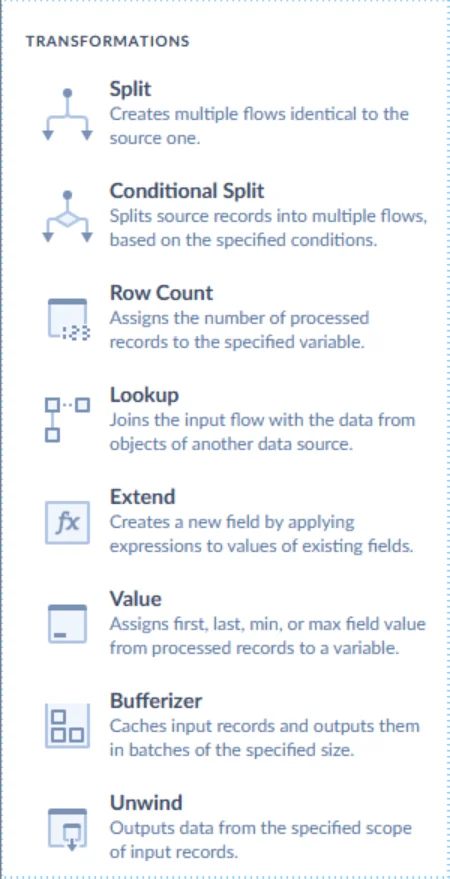
- With Data Flow (Standard plan and up), several sources and targets share one pipeline. Its components handle the usual jobs: Lookup, Extend (calculated fields), Split, Conditional Split, Value, Row Count, Bufferizer, and Unwind for nested data.
- Mapping in import and sync: column, expression, lookup, constant and relation mapping, with an AI assistant that writes and fixes expressions.
- SQL where you want it: imports can pull from a SQL query, while Skyvia Query lets you run SQL against cloud apps such as Salesforce and HubSpot.
- dbt Core runs: after replication, Skyvia runs your dbt project straight from Git on BigQuery, Snowflake, Redshift, SQL Server, PostgreSQL or MySQL.
- Debug mode with breakpoints, plus an error output that catches failed rows.
Limits:
- You need Standard or higher for Data Flow, and Professional for Control Flow, which sequences flows and dbt runs.
- Your plan sets the pace. Free and Basic run daily, Standard hourly, and Professional as often as every minute.
- No dbt editor: you write models elsewhere and Skyvia runs them.
- Schema changes in a source aren’t picked up automatically.
Pricing: the free plan gives you 10k records a month and runs once a day. Paid Data Integration plans go by records per month. Basic starts at $79 a month billed annually ($99 monthly) for 5M records; Standard starts at $79 ($99) for 500K records, trading volume for hourly runs and Data Flow; Professional starts at $399 ($499) for 10M records. Every signup begins with a 14-day trial. See Skyvia pricing.

2. dbt
Hand dbt your SQL select statements and you get tables and views back in the warehouse, tests and documentation included. It won’t pull or load data for you (that’s someone else’s job), so another tool delivers the data before dbt starts.
Best for: analytics engineers who spend their day in SQL and like version control, tests and documentation kept together.
What it does well:
- Models are modular, written in SQL (or Python), and you can reuse them across projects.
- Tests and docs are stored in Git next to the models they describe.
- You can work from the open-source dbt Core CLI, from a VS Code extension, or from the Studio IDE in the browser on the dbt platform.
- dbt Wizard, an AI agent for writing and fixing models, and a dbt MCP Server.
Limits:
- Someone has to write and review SQL; there’s no drag-and-drop builder.
- The free Developer plan allows one seat, one project and 3,000 successful models built a month.
Pricing: dbt Core is free, and so is the dbt platform’s Developer plan. Starter costs $100 per user a month for up to five developer seats and 15,000 models built a month. Enterprise and Enterprise+ are quoted.
3. Coalesce
Coalesce gives you a visual way to build transformations and writes the SQL for Snowflake, Databricks, BigQuery and Microsoft Fabric. It also comes with a data catalog and data quality checks.
Best for: warehouse teams who want dbt-level discipline but would rather work visually, with automation that tracks individual columns.
What it does well:
- Column-aware development: change a column once and dependent models update.
- Reusable templates that enforce team standards.
- Transform, Catalog and Quality share a single platform, with Coalesce Copilot handling the AI side.
Limits:
- If your warehouse isn’t on that list, look elsewhere.
- The bill counts users and production actions alike, which is why heavy schedules get expensive.
Pricing: one user with up to 2,000 actions a month pays nothing on the Developer plan. Starter costs $150 per user a month billed annually, for up to four Transform users and 15,000 actions a month. Enterprise and the top security tier are quoted. Development runs are free.
4. Matillion
Pipelines in Matillion are sketched on a canvas, and you add code components only where they pay off. The jobs then run on Snowflake, Databricks, BigQuery or Redshift. Matillion’s own number is 150+ connectors.
Best for: teams on a cloud warehouse who like visual ELT but don’t want to give up code.
What it does well:
- Low-code canvas, SQL and Python components, and a built-in Git repository on every edition.
- Maia, Matillion’s set of AI agents, plans, builds and fixes pipelines, and you review each plan before it runs.
- The Scale edition adds hybrid deployment, lineage and streaming change data capture.
Limits:
- Developer covers one developer user; Teams and Scale cover five.
- Matillion doesn’t publish its credit price, so you need a quote to budget.
Pricing: consumption credits on the Developer, Teams and Scale editions, each with a free trial.
5. Informatica Cloud Data Integration (Salesforce)
Informatica is an enterprise data management platform. These days it’s a Salesforce company. Mappings come together visually or in code, using transformations like Joiner, Filter, Lookup, Router and Expression; mapplets let you package rule sets for reuse.
Best for: big companies juggling hybrid estates and tough governance requirements.
What it does well:
- A deep transformation library for structured data, plus processing of unstructured data for AI use cases.
- CLAIRE Copilot builds and summarizes pipelines from natural language.
- Low-code and pro-code developers can share the same work.
Limits:
- Consumption pricing in IPUs needs a sales conversation to estimate.
- The platform is broad; small teams pay for scope they may not use.
Pricing: Informatica Processing Units (IPUs), quoted. Informatica offers 30-day trials and a free Cloud Data Integration offer.
6. IBM DataStage
At its core, IBM DataStage is enterprise ETL and ELT on top of a parallel processing engine. It’s sold today as part of IBM watsonx.data integration, which throws in streaming, replication and observability.
Best for: enterprises shuttling big data volumes between cloud and on-premises systems.
What it does well:
- High-volume jobs run on a parallel engine.
- Prefer code? Use the Python SDK. Rather work in a GUI? The graphical designer covers that, and you can hop between the two whenever you like.
- There’s also an AI pipeline assistant: describe the job in plain language and it builds it for you.
Limits:
- Pricing in Capacity Unit-Hours takes effort to forecast.
- It’s a heavy platform for a small team with a handful of SaaS sources.
Pricing: IBM DataStage as a Service begins at USD 1.75 per Capacity Unit-Hour, an indicative price that varies by country. Enterprise editions are quoted. A free trial is available.
7. Pentaho Data Integration
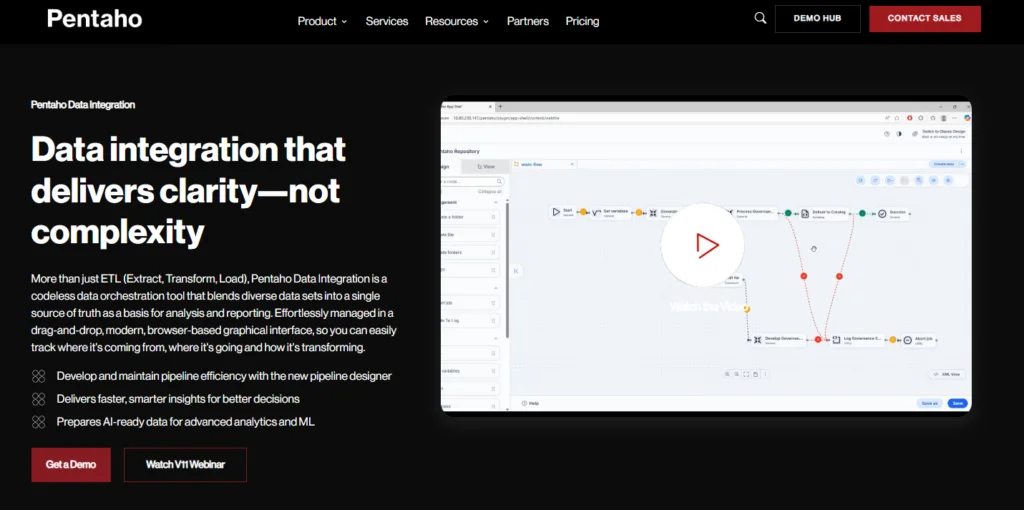
You drag and drop your way to an ETL job, and the pipeline designer runs in a browser tab. Where it runs is up to you: on-premises, Azure, AWS, GCP, Docker or Kubernetes.
Best for: teams that self-host ETL and keep reusing transformation templates between projects.
What it does well:
- Reusable transformation templates through metadata injection.
- Runs Spark, R, Python and Scala models inside pipelines.
- Plugins for SAP, Salesforce, Kafka and others.
Limits:
- The free Community Edition is now the Developer Edition, for students and universities only.
- No public prices.
Pricing: Starter, Standard, Premium and Enterprise are quote-only (usage-based pricing is an option, too). A 30-day trial costs nothing.
8. Keboola
On Keboola, one managed platform covers extraction, SQL and Python transformations, orchestration and storage. Keboola claims 1,500+ data sources.
Best for: technical teams who’d sooner load, transform and orchestrate in one tool than stitch three together.
What it does well:
- SQL and Python transformations on the Free plan; R, Julia and Spark on subscriptions.
- Extractors, transformations and writers get chained together in Flows.
- AWS, Azure and GCP are all supported, and enterprise customers can pick a region or go private cloud.
Limits:
- Free projects run on Snowflake SQL and Python only and are hosted in Azure in the EU.
- Change data capture and streaming are Enterprise features.
Pricing: Free costs $0, asks for no credit card, and gives you 120 minutes of compute in month one, then 60 minutes every month after. Need more? Each extra minute is $0.14. Enterprise is custom.
9. Datameer
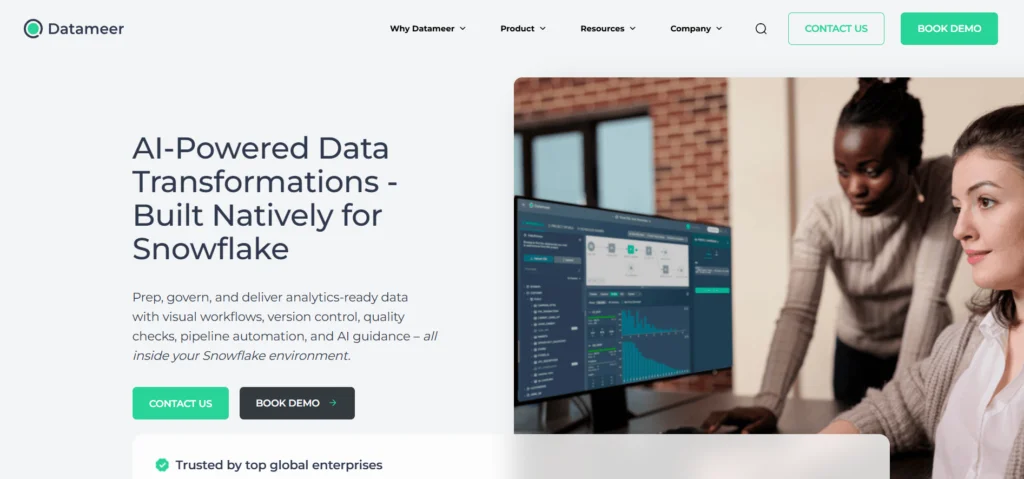
Datameer is a transformation tool made for Snowflake and nothing else. Analysts click through visual steps, engineers write SQL, and either way Datameer runs the work inside Snowflake.
Best for: Snowflake teams where analysts and engineers share the transformation load.
What it does well:
- Visual workflows plus SQL, with version control and data quality checks.
- Job management and cost dashboards for Snowflake spend.
- Moves files from cloud storage into and out of Snowflake.
Limits:
- Snowflake only. Datameer says it isn’t a data integration tool, so you still need a loader.
Pricing: per seat, quoted. A free trial is available.
10. Denodo
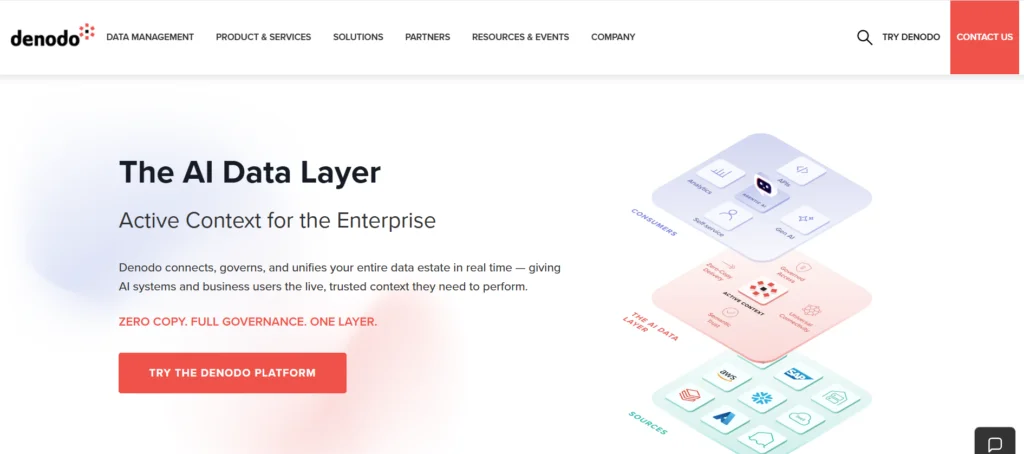
Denodo describes its product as a logical data management platform. No copies. Denodo builds virtual views over many sources and transforms data when you query it.
Best for: organizations that can’t copy data into one warehouse, or simply won’t.
What it does well:
- Databases, files and cloud sources come together in one virtual layer.
- Its semantic layer puts business names on technical fields.
- Its managed service, Agora, runs on AWS or Azure while the processing stays in your own cloud account.
Limits:
- Because everything happens at query time, your sources’ response speed sets the pace.
- No public prices.
Pricing: consumption-based pricing for Agora, quoted. For 60 days, the Developer Tier gives you the full platform at no cost.
11. Alteryx Designer Cloud (the former Trifacta)
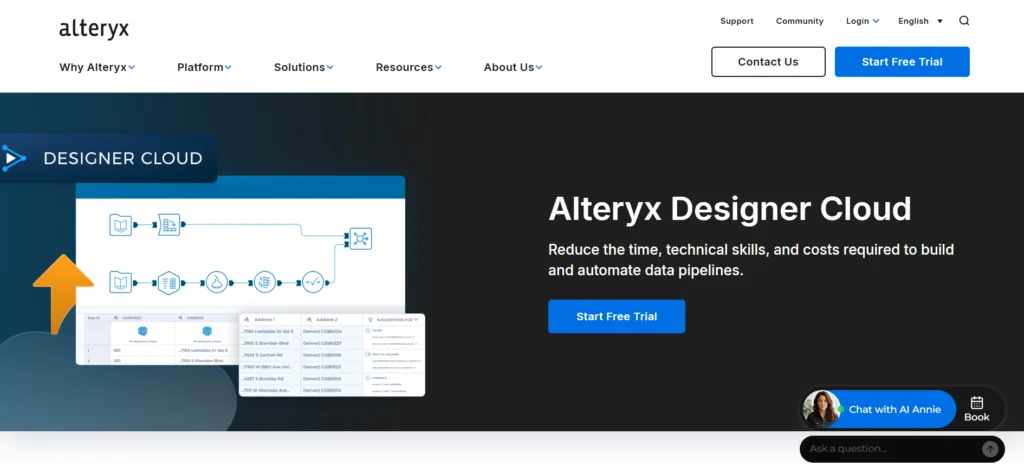
Think of Alteryx Designer Cloud as Alteryx Designer in the cloud, built on Trifacta’s technology. Analysts drag steps onto its canvas to profile data, prep it and build pipelines, and the live preview keeps pace with each change.
Best for: analysts who clean and blend reporting data and don’t write SQL.
What it does well:
- You get data profiling plus real-time previews of transformation results.
- Joins, aggregations and blends happen in a no-code interface.
- Part of Alteryx One, with scheduling and AI assistance on higher editions.
Limits:
- The Starter edition is cloud only and connects to file sources (CSV, XLSX, JSON). Connecting to 100+ data sources, such as Snowflake and Databricks, needs Professional.
Pricing: Starter costs $250 per user a month billed annually, for one to 10 users. Professional and Enterprise are quoted. A free 30-day trial covers Alteryx One.
A checklist for your trial
Trials last anywhere from 14 days (Skyvia) to 60 days (Denodo’s Developer Tier), and Skyvia, dbt, Coalesce and Keboola have free plans on top. Feed them your own data, not the demo set. Drop this list into your notes and fill it out for each tool:
- Tool:
- Plan tested:
- [ ] Connects to my sources: ______ and my target: ______ on this plan
- [ ] Ran one real transformation: filter + lookup/join + calculated field
- [ ] Handled a nested or JSON field
- [ ] Bad rows go to an error output or log, not silently dropped
- [ ] Ran on a schedule at the frequency I need: ______
- [ ] Someone other than the builder could read and change the logic
- [ ] Monthly cost at my real volume (records / seats / credits / minutes): $______
- [ ] What happens at the plan limit: pause, overage or upgrade
Those final two lines are where budgets usually go sideways. Since every tool bills on its own unit, cost out a month at your real volume and ignore the entry price.
Data starting in cloud apps, and a team that would rather configure than code? Try Skyvia Data Integration: build a Data Flow with a lookup and a calculated field on your own records, then put it on a schedule.

F.A.Q. for Best Data Transformation Tools 2026

Is dbt an ETL tool?
No. Transformation is all it does. dbt turns SQL models into tables and views inside a warehouse that already holds your data, and loading is left to another tool. Skyvia can fill that gap: it replicates app data into the warehouse, and on the Professional plan it starts your dbt Core project once the load wraps up.
What are the four kinds of data transformation?
Constructive, destructive, aesthetic and structural, to be exact. Constructive steps add something, like a calculated total. Destructive steps take something out, such as test orders. Aesthetic steps make values consistent. Structural steps change the shape of the data (flattening a JSON field into columns is a classic case).
Is there a free data transformation tool?
Yes. dbt Core is open source, and dbt’s Developer plan is free for one seat. Skyvia’s free plan gives you 10k records a month and Coalesce has a free Developer plan. Keboola’s Free plan starts with 120 minutes in month one, then 60 minutes of compute each month.
Do I need a data warehouse to transform data?
Not always. You do need one for in-warehouse tools like dbt, Coalesce, Matillion and Datameer. In-pipeline tools such as Skyvia, Informatica and Pentaho are different: they transform data in transit and can load it right into an app or a database. Denodo goes further and skips the copy, transforming data at query time.
Why do transformation bills climb faster than planned?
Most of them bill on a usage unit tied to how often you run, not just how much data you have. Skyvia counts records per month, Coalesce counts production actions, Matillion bills credits, and Keboola charges compute minutes. So price a month at your real volume and run frequency before signing, and ask what happens once you hit the plan limit.
How long is a typical data transformation tool trial?
Use the whole trial on your own data. Trials vary: 14 days for Skyvia, 30 for Informatica, Pentaho and Alteryx, and 60 for Denodo’s Developer Tier. Run one real job with a filter, a join and a calculated field, and schedule it the way production would.