Summary
- Database changes in seconds, inside your Snowflake account: Snowflake Openflow, or Estuary if you want a free tier to start.
- Hundreds of SaaS sources with no pipeline code: Fivetran (1-minute syncs on Enterprise) or Airbyte (700+ connectors, self-hosted Core for free).
- No-code loads into tables you already modeled, on a published price: Skyvia.
- SAP, mainframe or Db2 sources: Qlik Talend Cloud or Informatica.
Snowflake ETL tools all promise fresh data. How that data actually gets there is the part most of them leave out. One group writes files to a stage and then runs COPY INTO and MERGE on your warehouse every few minutes, which is why some of the bill lands in Snowflake credits. Other tools stream rows in through Snowpipe Streaming, and the load never wakes a warehouse at all. Which camp fits? That comes down to how fresh the data needs to be, who pays for the compute, and how much of the pipeline your team is willing to own.
So we sorted the tools by mechanics, not by marketing. You'll find 10 here, Openflow from Snowflake itself among them. Read with a shortlist in mind. Two or three names should be enough for a trial.
Plenty of teams face that choice. In Practical Data's 2026 State of Data Engineering Survey, 44% of 1,101 respondents named a cloud data warehouse such as Snowflake, BigQuery or Redshift as their main storage and processing environment.
How we chose and checked these tools
One question settled most of the comparison: how it loads Snowflake. Snowflake offers every tool the same three doors.
- Bulk loading with COPY INTO: you put files in a stage and run the command. It runs on a virtual warehouse that you size and pay for by the time it runs.
- Snowpipe: files load as they land in a stage, on serverless compute billed per GB. Expect them to arrive typically within a minute after Snowpipe learns about a file.
- Snowpipe Streaming: rows go in through an SDK or API, with latency as low as 5 seconds. This one is serverless too. Rows flush every second by default, and the MAX_CLIENT_LAG setting stretches that anywhere from 1 second to 10 minutes. Snowflake advises setting it as high as your latency target allows, because longer buffering builds better-sized partitions.
Our guide to loading data into Snowflake shows how to do each of these by hand.
Most tools here stage files and then merge them into your tables with SQL on your warehouse. Four (Openflow, Estuary, Qlik Talend Cloud and Informatica) can use Snowpipe Streaming as well. That choice sets how fresh the data can get and whose compute does the work.
Then we put the same questions to each tool.
- Can it capture changes from database logs (CDC)?
- How often can it sync, and on which plan?
- Does transformation happen before the load or inside Snowflake?
- What does the bill count, and is there a free plan or a trial?
We read every vendor's pricing page and documentation in the US view, so prices and plan limits are accurate as of November 10, 2026.
One change touches every tool here. Snowflake is phasing out passwords for service users, the accounts that pipelines sign in with, so plan on key-pair or OAuth authentication, whatever you pick.
A disclosure: we make Skyvia, which is one of the ten. We judged it on the same fields as everything else here, limitations included.
We left some names out on purpose.
- Apache Airflow and dbt are in a different line of work: they orchestrate and transform, but neither pulls data from a source and loads it on its own, so teams usually run them beside one of the loaders below.
- Stitch is part of Qlik now, and its own site points new users to Qlik Talend Cloud, which we cover here.
- AWS Glue and Azure Data Factory fit teams already committed to those clouds.
- Coalesce transforms data inside Snowflake instead of loading it.
- IBM StreamSets is now also sold inside IBM's watsonx.data integration suite, so it makes most sense for teams already buying from IBM.
- Astera pitches itself as an agentic data management platform built around document extraction, EDI and AI agents, and loading Snowflake is a small part of that.
What changed for Snowflake ETL tools in 2026
- Snowflake runs its own pipelines now. Openflow added Snowflake-hosted deployments in November 2025, an Oracle CDC connector in February 2026, SQL Server CDC in August 2026 and second-generation deployments in September 2026.
- Passwords are on the way out. Snowflake is moving service users off single-factor passwords, and vendors have followed: Airbyte's Snowflake destination deprecated username and password authentication in September 2026. Whatever tool you pick, check Snowflake's rollout schedule and plan on key-pair or OAuth authentication for the pipeline's service user. Estuary, Qlik Talend Cloud and Informatica already require key pairs for their Snowpipe Streaming loads.
- Ownership changed at two vendors. Salesforce completed its acquisition of Informatica in November 2025, and Fivetran and dbt Labs completed their merger on June 1, 2026.
- Prices and plans moved. Airbyte raised Standard from $10 to $20 a month in September 2026. Integrate.io now publishes a single flat Core plan. Hevo's pricing page lists no free plan, only a 14-day trial.
- Pre-load transformation narrowed at Hevo. In mid-2026, it retired new Python and drag-and-drop transformations in favor of dbt and SQL models in the warehouse.
The 10 best Snowflake ETL tools
Best for staying inside your Snowflake account: Snowflake Openflow
Openflow is Snowflake's own managed integration service, built on Apache NiFi. Snowflake will host it on Snowpark Container Services if you like; otherwise, its data plane lives in an AWS account of yours (BYOC). The connector set spans databases, SaaS apps and Kafka, and it also reaches unstructured content in SharePoint and Google Drive. Want one vendor and one bill? Price this one first.
- Best for: Snowflake teams that want database CDC or SaaS loads without another vendor, and don't mind working on a NiFi-based canvas.
- How it loads Snowflake: the database CDC connectors (MySQL, PostgreSQL, Oracle, SQL Server) load through Snowpipe Streaming into journal tables. A MERGE then applies the changes to the destination table on a warehouse you choose. The docs call CDC "near real-time or on a specified schedule," and the Salesforce connector refreshes every 1 minute to 24 hours.
- Pricing: Snowflake credits, with no separate subscription. Snowflake-hosted deployments bill compute pools per second with a 5-minute minimum. BYOC bills per vCPU of active runtimes per second with a 60-second minimum, plus your own AWS bill. Ingestion and the warehouse for merges come on top. There's no free tier, and Openflow isn't switched on in trial accounts unless your Snowflake account team enables it.
- Deployment: hosted by Snowflake on AWS, Azure or Google Cloud, with BYOC limited to AWS.
Strengths
- Because runtimes use a Snowflake-managed token by default, nobody on your team has to rotate key pairs.
- The CDC connectors keep full change history because journal tables store every state of every row.
Limitations
- Even with no runtimes running, a Snowflake-hosted deployment keeps billing its management compute pool for as long as the deployment exists.
- Nothing cleans up journal tables. They stay forever unless you prune them, and storage keeps growing in the meantime.
To see how much storage the journals take, and to clear one, run this in a Snowsight worksheet (replace MY_DB with your destination database):
-- List journal tables by size
SELECT table_schema, table_name, row_count,
       ROUND(bytes / POWER(1024, 3), 2) AS size_gb
FROM MY_DB.INFORMATION_SCHEMA.TABLES
WHERE table_name ILIKE '%JOURNAL%'
ORDER BY bytes DESC;

-- Clear one journal table (its change history goes with it)
TRUNCATE TABLE MY_DB.MY_SCHEMA.ORDERS_JOURNAL_1700000000_2;
Best for managed SaaS connectors at large scale: Fivetran
Fivetran runs managed ELT on 700+ connectors. Sources get replicated into Snowflake as they are, and the transformation happens later, inside the warehouse. It's been operating as Fivetran + dbt Labs since June 1, 2026.
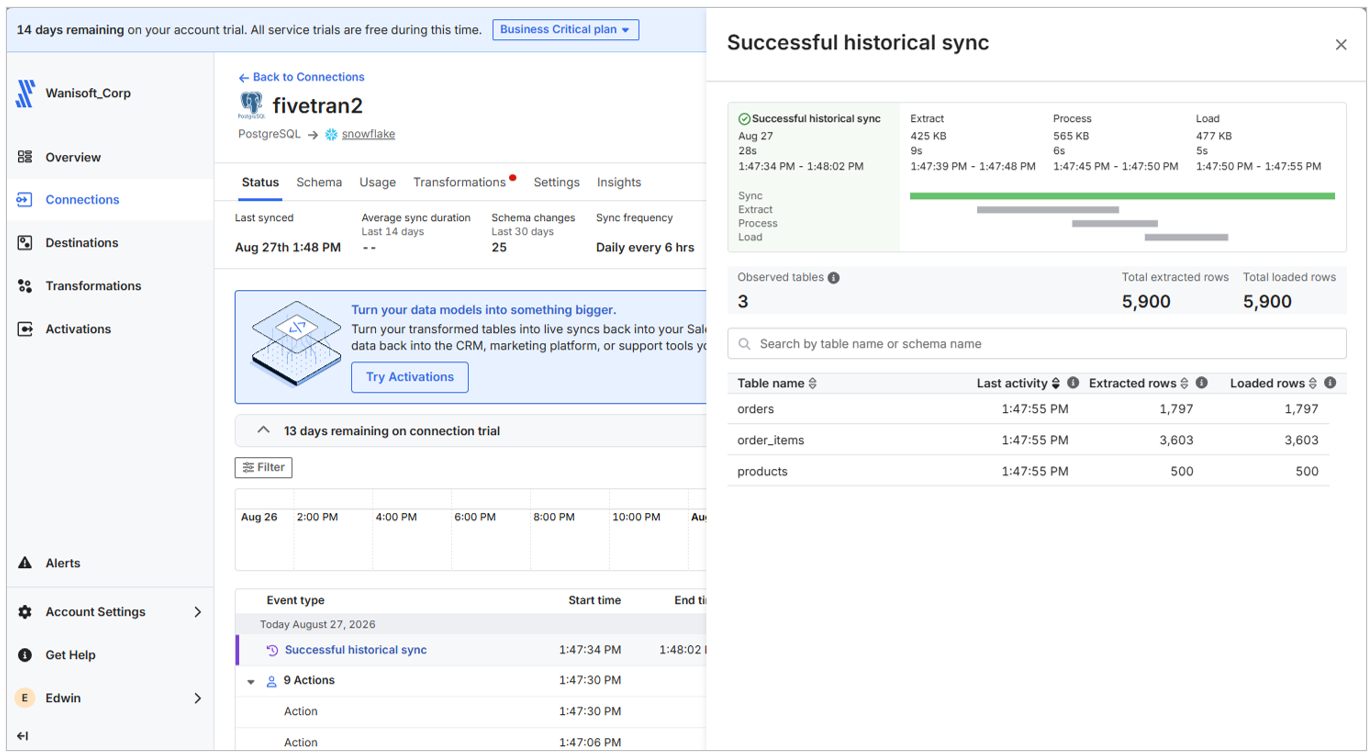
- Best for: data teams that need many SaaS and database sources in Snowflake, would rather not maintain pipelines, and can live with usage pricing.
- How it loads Snowflake: batches go to a stage first (by default, a Snowflake internal stage), and SQL running on your warehouse merges them into the tables. According to Fivetran, most customers use 10 to 20% of an X-Small warehouse for this, though frequent syncs push that up. For MySQL, PostgreSQL, SQL Server, Oracle and other databases, CDC reads the logs. Free and Standard sync every 15 minutes, while Enterprise and Business Critical get it down to every minute.
- Pricing: you pay per connection for monthly active rows (MAR), and the rate drops as your volume grows. Standard has no flat list price (the estimator prices it), plus a $5 base charge per connection with 1 to 1M MAR a month. The Free plan covers 500,000 MAR a month with no credit card, and each new connection gets a 14-day trial.
- Deployment: cloud. Hybrid Deployment, which keeps pipelines on your own hosts, comes with Enterprise and Business Critical.
Strengths
- Schema changes are handled connection by connection, and you get three settings for what happens with new tables and columns.
- Want a column kept out of Snowflake? Block it or hash it before the data gets there.
Limitations
- Standard syncs no more often than every 15 minutes. To get 1-minute syncs, though, you'd be on Enterprise or higher.
- Since that MERGE work lands on your Snowflake warehouse, every extra sync adds Snowflake credits to the Fivetran bill.
Best for low-code modeling inside Snowflake: Matillion
Matillion's Data Productivity Cloud (now sold as Maia) loads data, then transforms it in Snowflake on a visual canvas. SQL, Python and dbt take over where the canvas runs out. Teams that do most of their modeling after the load will feel at home here.
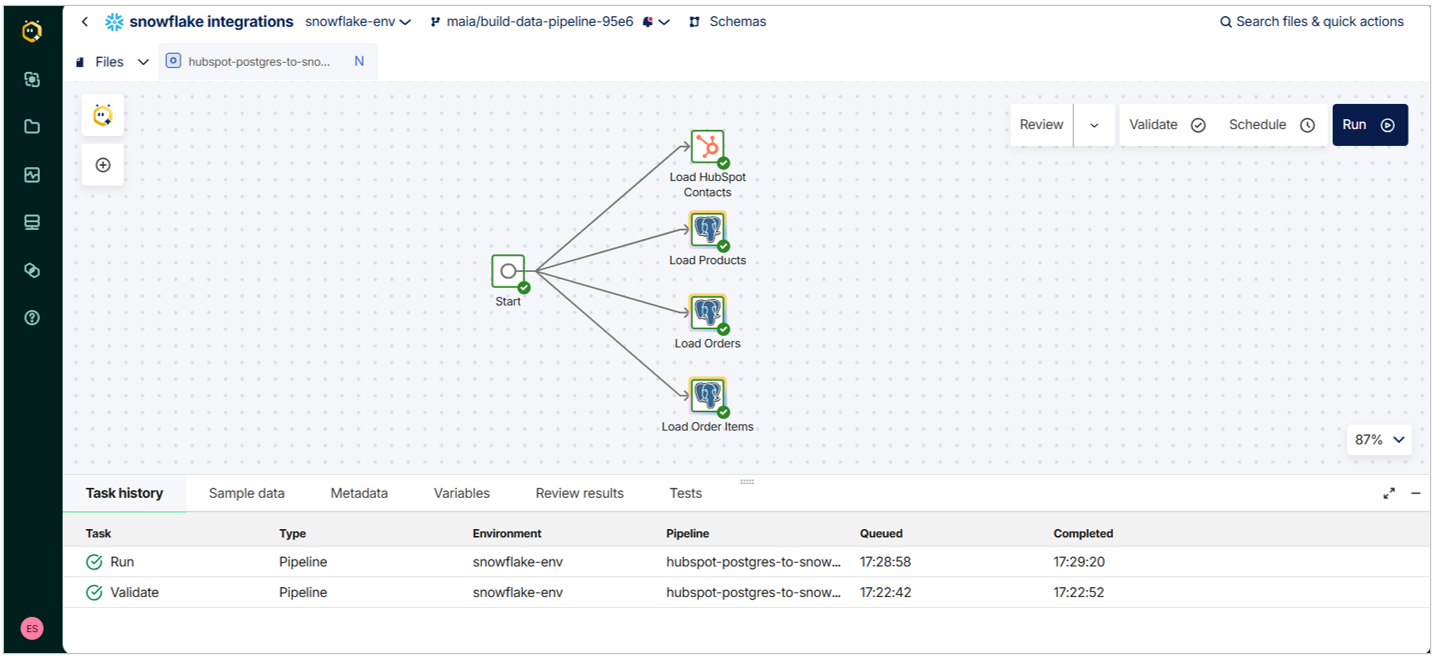
- Best for: analytics engineering teams that want a single low-code tool for building and transforming Snowflake pipelines.
- How it loads Snowflake: connector components put the data in a stage, which can be a Snowflake internal stage or S3, Azure Blob or Google Cloud Storage, and from there it goes into a table. Change data capture works through Streaming pipelines from SQL Server, MySQL, Oracle, PostgreSQL and Db2 for IBM i, which drop Avro files into an internal stage for your warehouse to merge. You can schedule runs as tightly as once a minute.
- Pricing: you spend credits on task hours (the time pipeline tasks run) and on any extra developer users. No price is published, and Teams and Scale are sales quotes. The 14-day trial comes with 500 credits.
- Deployment: Matillion hosts the whole thing, unless you're on the Scale plan and choose hybrid, with the runner in your own cloud.
Strengths
- Transformation happens inside Snowflake, using low-code components, SQL, Python Pushdown, dbt Core or dbt Cloud.
- Since March 2026, a run that fails can be restarted from the failed step, so you don't lose the work that already finished.
Limitations
- Streaming CDC, hybrid deployment, and lineage are Scale-only.
- No plan has a published price, so any cost comparison starts with a sales call.
Best for self-hosting and long-tail connectors: Airbyte
Airbyte matches Fivetran's 700+ connectors, and it's the only tool here you can self-host for free (Airbyte Core). Raw data goes in first, and modeling is left to dbt.
- Best for: engineering teams that need long-tail connectors or want to self-host, and are fine owning dbt for transformation.
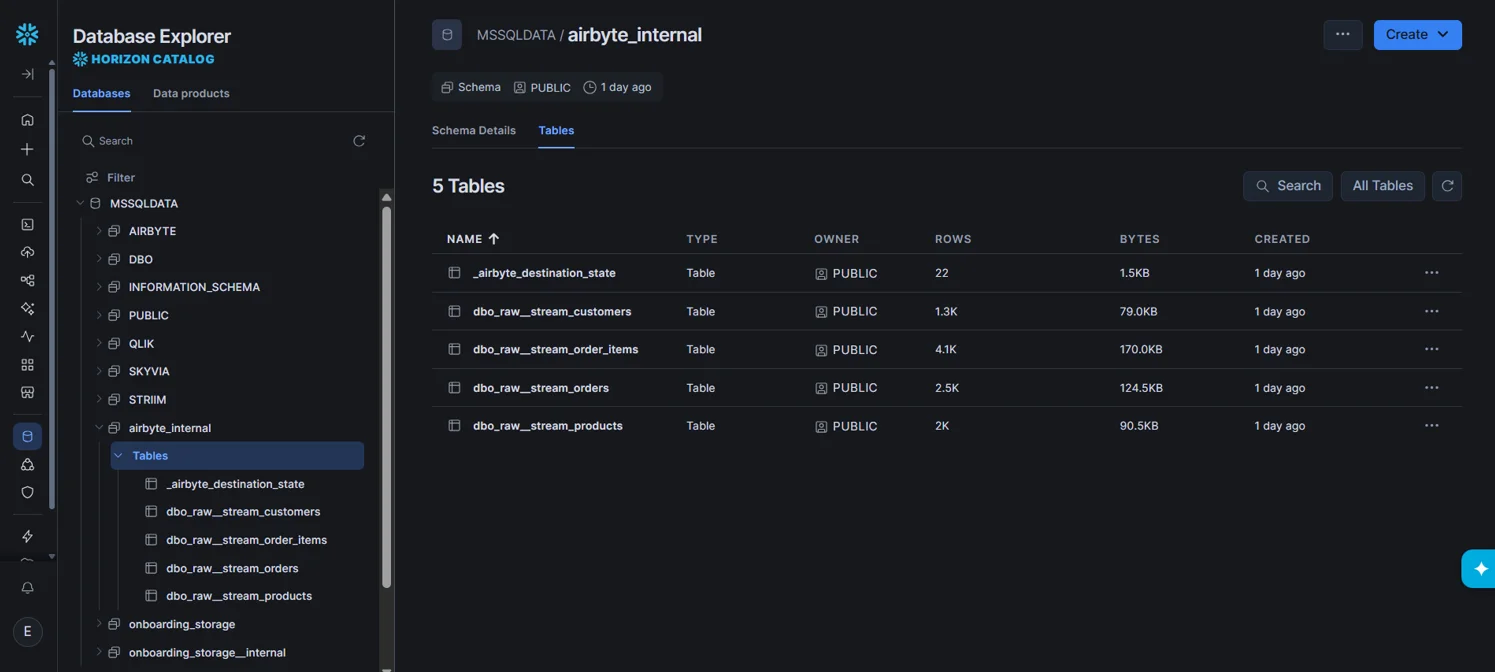
- How it loads Snowflake: data travels through a Snowflake internal stage into a raw table per stream (in the airbyte_internal schema) and a typed final table. Deduplicating sync modes MERGE into the final table. Log-based CDC for Postgres, MySQL, SQL Server and MongoDB runs as scheduled syncs rather than a continuous stream. The fastest sync is every hour on Standard, 15 minutes on Plus, and 5 minutes on Pro and Enterprise Flex.
- Pricing: credits on Standard and Plus. Standard starts at $20 a month, billed monthly, with 5 credits (about 1 GB of syncs), and extra credits cost $5 each. Plus is $189 a month for 40 credits. Pro and Enterprise Flex are sales quotes. There's no charge for self-hosting Airbyte Core, while Cloud offers a 14-day trial with 400 credits.
- Deployment: cloud, self-hosted through Airbyte Core, or hybrid on Enterprise Flex.
Strengths
- Snowflake gets new source columns automatically, and columns removed at the source are kept.
- A Connector Builder covers APIs that aren't in the catalog.
Limitations
- The sync floor covers manual runs too: on Standard you can't sync a connection more than once an hour (every 15 minutes on Plus), which slows down testing a new pipeline.
- Before the load, transformation stops at mappings (hash, encrypt, rename fields, filter rows). Real modeling needs dbt Cloud after the load.
Best for no-code loads into tables you already modeled: Skyvia
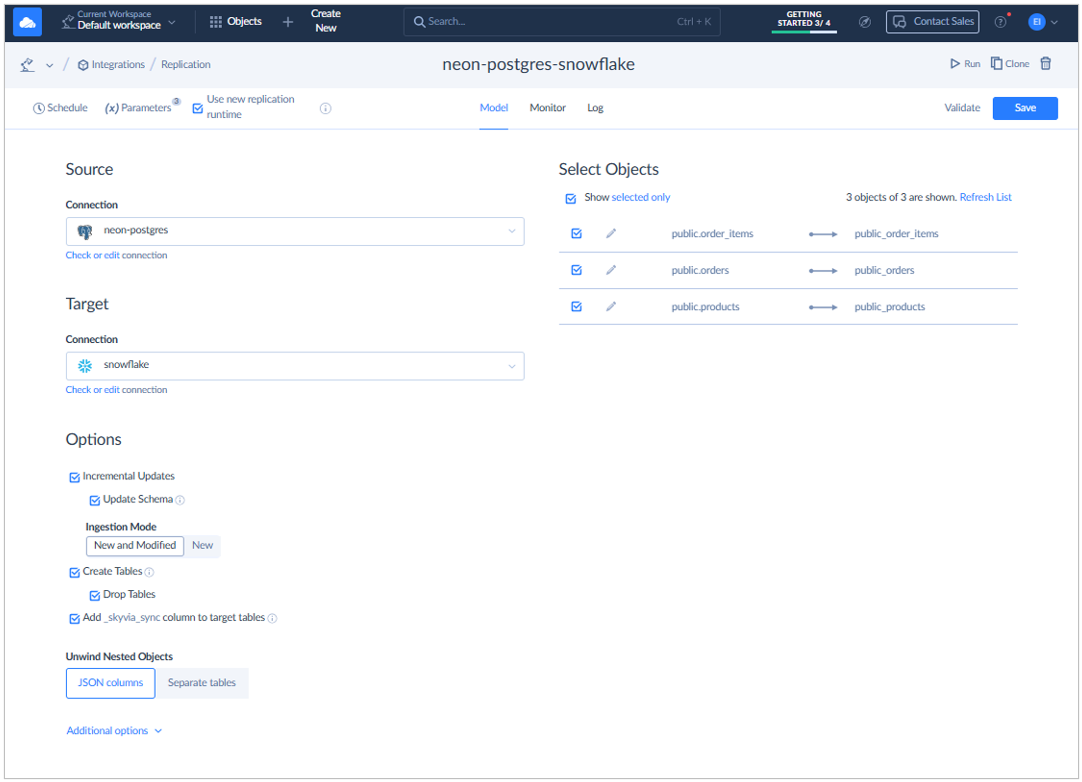
Skyvia is a no-code cloud platform. It moves data from 200+ apps, databases and files into Snowflake and back out to business apps. What sets it apart on this list is mapping: it can replicate sources into new tables, but it can also load into Snowflake tables you already built, with expressions and lookups applied on the way in.
- Best for: teams with no dedicated data engineers who load SaaS and database data into Snowflake (into existing tables too) and push results back to apps with reverse ETL.
- How it loads Snowflake: for bulk loads, Skyvia writes temporary CSV files to its own storage, Amazon S3 or Azure Blob Storage, loads them into Snowflake and then deletes them. Replication handles table creation itself, runs one full load, and from then on moves only new and changed records. The schedule follows the plan, so Professional and Enterprise can run every minute, Standard every hour, and Free and Basic once a day.
- Pricing: records written per month, with unlimited users and connections. At 5M records, Basic costs $79 a month billed annually ($99 billed monthly), while Standard costs $159 a month billed annually ($199 billed monthly). Every-minute schedules come with Professional, which starts at $399 a month billed annually ($499 billed monthly) for 10M records. On the Free plan, you get 10,000 records a month and daily runs.
- Deployment: cloud (Azure, Western US).
Strengths
- Import and Data Flow can map source fields into Snowflake tables that already exist, using expressions, lookups and filters, and that keeps your current models and reports working.
- Skyvia can also run your dbt Core project from Git against Snowflake straight after a replication, inside a Control Flow (Professional).
Limitations
- Nothing detects source schema changes automatically. When a source adds fields, you select them in the replication or add them to the mapping yourself. If a replicated field is renamed or deleted at the source, the replication fails until you fix it.
- Log-based CDC isn't offered. SQL Server sources use Change Tracking, and every other source uses timestamp-based incremental updates. There's also no Snowpipe Streaming path, so freshness stops at every-minute schedules.
CashMe, a fintech lender, uses Skyvia to load Microsoft Dynamics, PostgreSQL and marketing data into Snowflake for Power BI, and some of that data now refreshes more than once a day instead of weekly.
Best for sub-minute database CDC on a free plan: Estuary
Estuary (formerly Estuary Flow) reads database changes straight from the logs and hands them to Snowflake as a stream or in scheduled batches, your call. Both log-based CDC and Snowpipe Streaming are on its free plan.
- Best for: data engineers who need operational databases in Snowflake within seconds and would rather start without a sales contract.
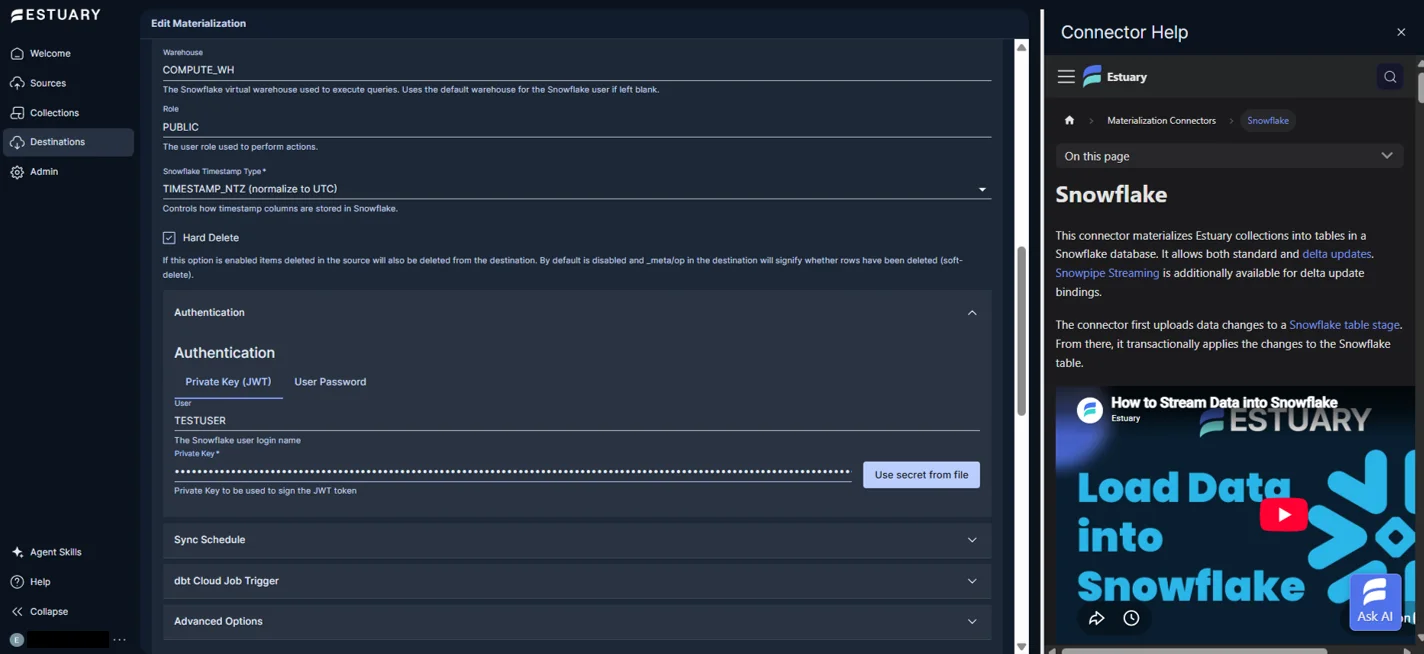
- How it loads Snowflake: changes are uploaded to a Snowflake table stage and then applied to the table as one transaction, with merge as the default. Bindings set to delta updates switch to Snowpipe Streaming, which needs key-pair authentication. Out of the box, standard materializations sync every 30 minutes, though you can drop the sync frequency all the way to 0 seconds. Postgres, MySQL, SQL Server, MongoDB and Oracle all get log-based CDC.
- Pricing: data moved plus connector instances. The Developer plan is free for up to 10 GB a month and 2 connector instances. Cloud is $0.50 per GB plus $100 a month per connector instance ($50 for each after the sixth), billed monthly, with a 30-day trial. Enterprise is an annual contract.
- Deployment: Estuary-managed cloud, with private deployment and BYOC on Enterprise.
Strengths
- Exactly-once delivery and automatic schema evolution come with every plan, even the free one.
- Several destinations can share one capture, so the source is read just once.
Limitations
- Snowflake setup involves some manual work, since a SQL script has to create the role, user, warehouse and grants, and key-pair authentication needs configuring.
- Delta updates, the streaming path, don't fully reduce the table, which rules them out for some workloads. The default merge mode follows the sync schedule instead.
Best for teams buying via Snowflake Marketplace: Hevo Data
Hevo Data offers no-code ELT and 190+ connectors. The modeling happens after the data reaches Snowflake, with dbt or SQL. Snowflake Marketplace is another way to buy it, and a purchase there can count against your Snowflake capacity commitment.
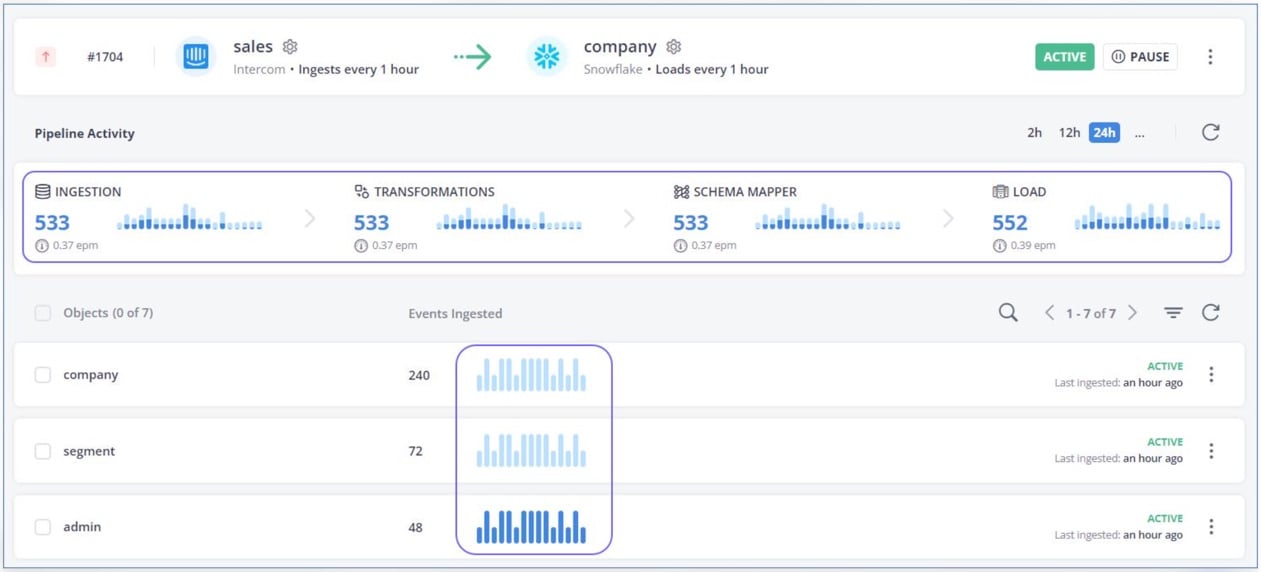
- Best for: smaller data teams that want managed pipelines into Snowflake and intend to model in the warehouse.
- How it loads Snowflake: files are staged in Hevo's S3 bucket (or your own S3 bucket), loaded with COPY INTO into a temporary table and deduplicated, and a MERGE then moves them into the target table. CDC from databases is log-based. Starter syncs every hour, while Professional and Enterprise add streaming pipelines.
- Pricing: events (each record inserted, updated or deleted). Starter is $299 a month billed monthly ($265 billed annually) for 5M events. Professional starts at $849 a month billed monthly ($750 annually) for 20M events. Enterprise is a quote. There's a 14-day free trial.
- Deployment: cloud.
Strengths
- Hevo maps source schemas to Snowflake tables on its own and promotes data types as the sources change (for tables under 50 GB).
- On the Snowflake side, you get Partner Connect setup, Marketplace purchase and PrivateLink.
Limitations
- New pre-load transformations, Python or drag-and-drop, can't be created anymore since mid-2026. Transformation now means dbt or SQL models after the load.
- Every load goes through S3, and Snowflake columns over 16 MB are skipped.
Best for a flat price with no volume meter: Integrate.io
Integrate.io charges one flat fee for ETL, ELT, CDC and reverse ETL, and data, pipelines, connectors and users are all unlimited. Heavy Snowflake loaders get a fixed line on the budget instead of a usage bill that moves every month.
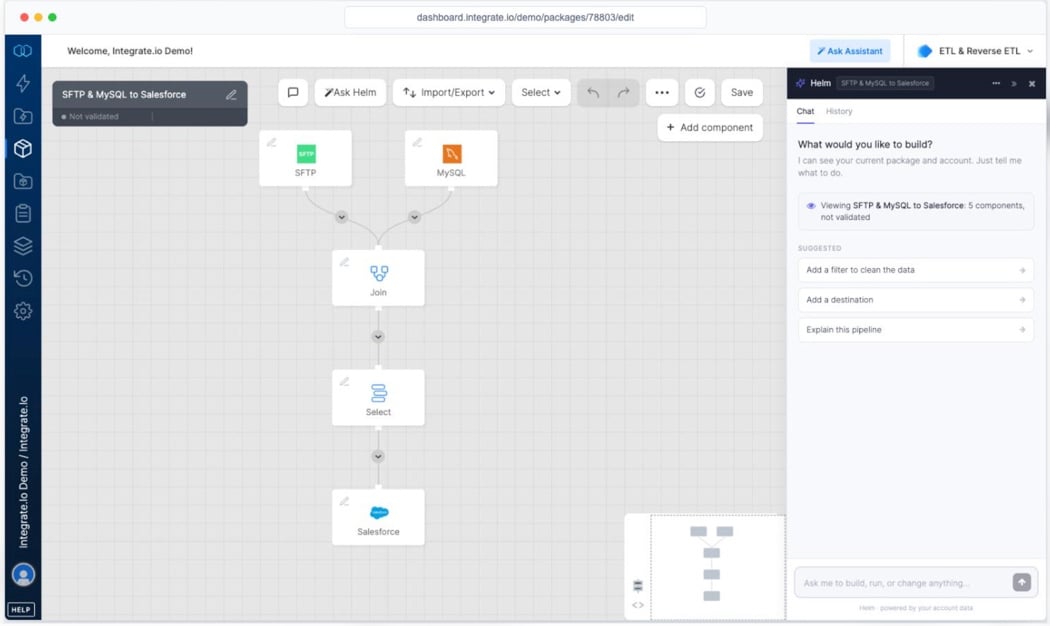
- Best for: teams with large or growing volumes that want a predictable bill and visual ETL capable of real transformation before the load.
- How it loads Snowflake: ETL packages stage data in S3 and load it with COPY, appending unless you choose overwrite or MERGE. ELT and CDC pipelines, meanwhile, load from an external stage every 60 seconds and use log-based CDC for PostgreSQL, MySQL, SQL Server and Oracle.
- Pricing: a flat fee rather than a usage meter. That fee is $1,999 a month billed annually for Core, which includes unlimited data volume, pipelines, connectors and users, and a custom plan adds security and support options on top. There's no free plan, but you can try it for 14 days without a credit card.
- Deployment: cloud.
Strengths
- Transformation before the load comes with 220+ functions, plus Python or LLM steps.
- Every plan includes 24/7 support by email, chat, phone and video call.
Limitations
- The published entry price is $1,999 a month billed annually, which is a lot for a few small sources.
- By default, a failed load on one table stops and restarts the whole ELT pipeline. A setting added in September 2026 lets healthy tables keep loading.
Best for choosing between bulk loads and Snowpipe Streaming: Qlik Talend Cloud
Qlik Talend Cloud brings Qlik's replication together with Talend's integration and data quality tools. The Snowflake target lets you set the load method for each task, choosing between bulk loading through a stage and Snowpipe Streaming, which doesn't involve the warehouse.
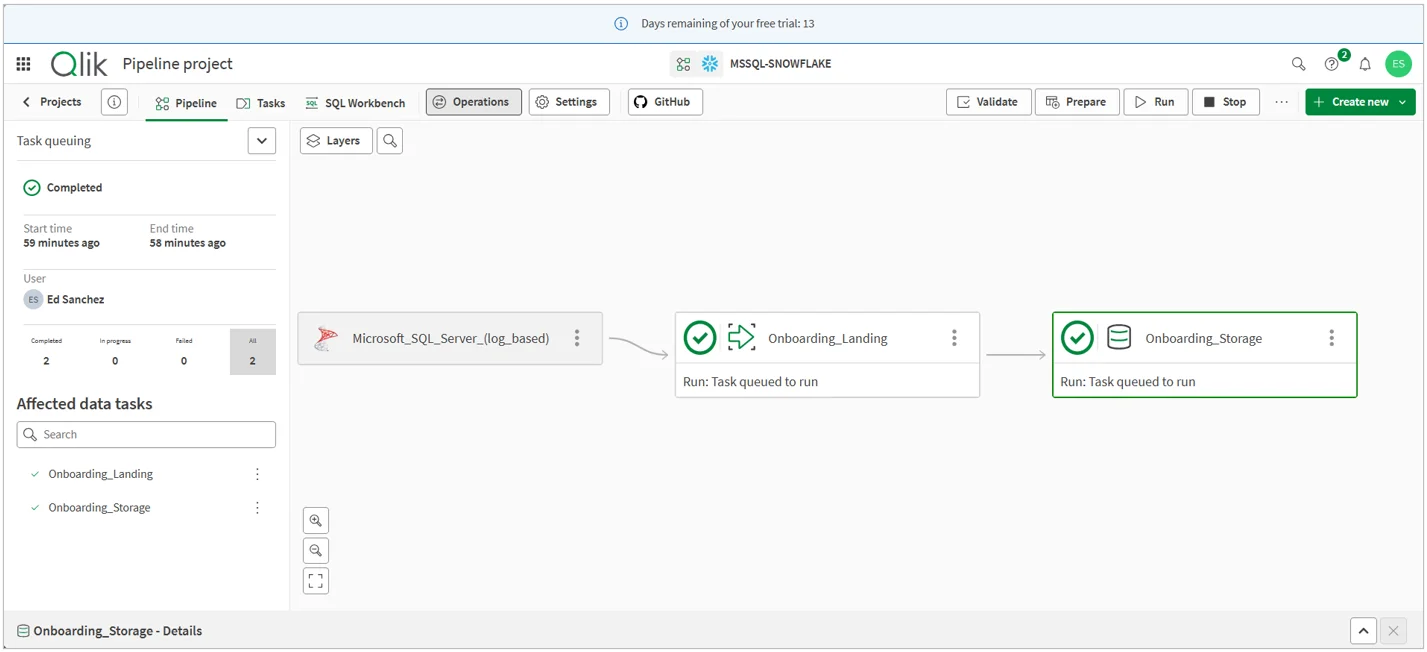
- Best for: enterprises replicating databases, SAP or mainframe sources into Snowflake that also want data quality and governance on one platform.
- How it loads Snowflake: the default is bulk loading through a staging area. The alternative is Snowpipe Streaming (key-pair authentication, Store changes mode only), which streams to the target tables without a warehouse but makes the initial full load slower. Log-based CDC starts at Standard. Without a self-hosted gateway, database sources sync every hour on Starter and Standard and every 30 minutes on Premium and Enterprise. With the gateway, they sync continuously (Standard and up).
- Pricing: not published, so all four editions are sales quotes. Starter and Standard are metered on data volume and Premium and Enterprise on volume, job runs and duration. Want to test it first? You won't need a credit card for the 14-day trial.
- Deployment: cloud, customer-managed, or hybrid through a Data Movement gateway (Standard and up).
Strengths
- Snowpipe Streaming loads skip the Snowflake warehouse, so the load adds no warehouse time.
- Enterprise connects to SAP applications and mainframe sources.
Limitations
- Starter can't use the gateway and doesn't support low-latency CDC.
- Snowpipe Streaming can only store changes, not apply them as merges. Turning on Apply changes sends the task back to bulk loading.
Best for mainframe and enterprise database CDC: Informatica
Informatica's Intelligent Data Management Cloud, owned by Salesforce since November 18, 2025, handles both ingestion with CDC and full ETL mappings into Snowflake. Db2 for z/OS and SAP HANA are on its database CDC list, sources most of the other tools here can't reach.
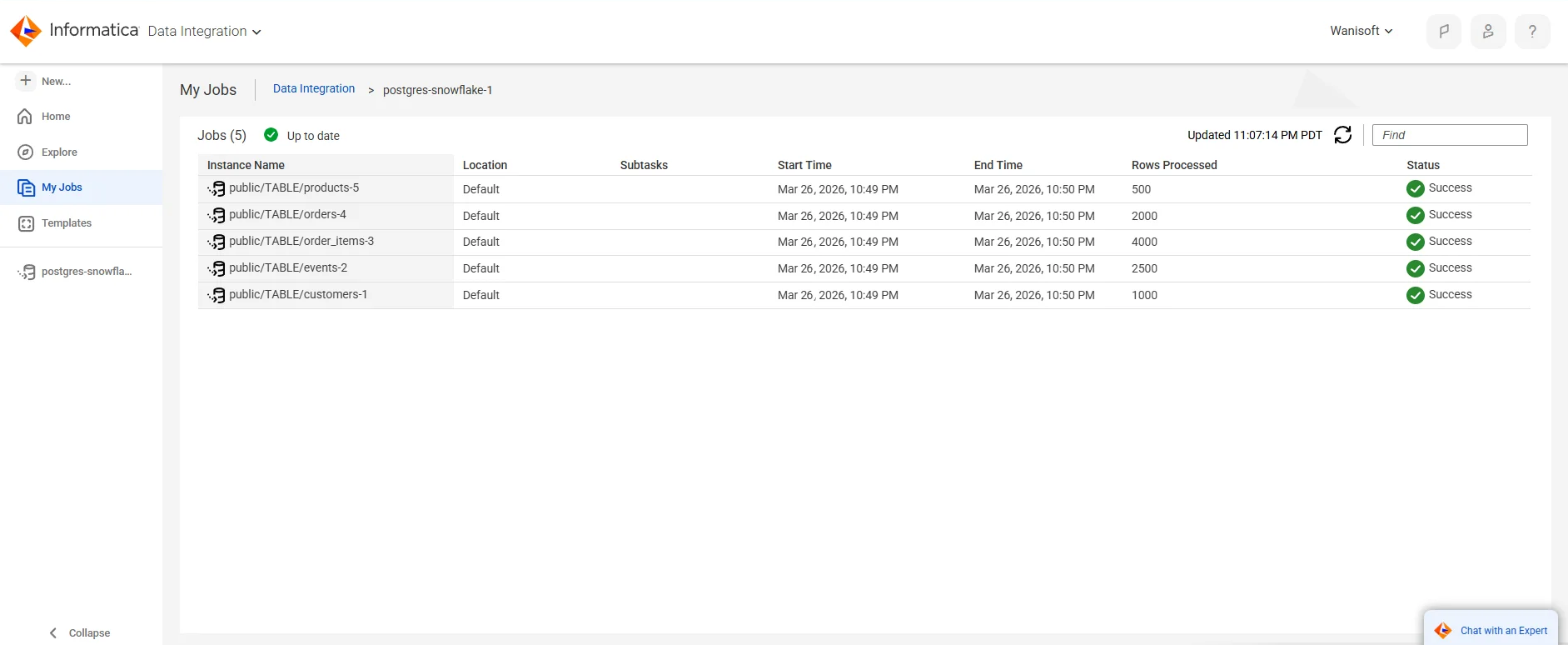
- Best for: large enterprises that have mainframe, Db2 or SAP HANA sources and real governance requirements.
- How it loads Snowflake: Superpipe is on by default, and with it, ingestion jobs stream rows through the Snowpipe Streaming API (key-pair authentication required). Without it, data lands in files in an internal stage first. CDC jobs run continuously and merge change rows into the target tables. Mappings can push their logic down to Snowflake as SQL (SQL ELT).
- Pricing: not published. It's prepaid Informatica Processing Units (IPUs), metered per service, on a sales quote. Cloud Data Integration has a 30-day free trial.
- Deployment: cloud service, with jobs on Informatica's Secure Agent.
Strengths
- Its CDC covers Oracle, SQL Server, PostgreSQL, Db2 for z/OS, Db2 for i, Db2 for LUW, MongoDB, SAP HANA and MySQL into Snowflake.
- SQL ELT can push an entire mapping into Snowflake, provided every transformation in it is compatible.
Limitations
- There are no list prices, and IPU consumption depends on the services you use.
- Restart a stopped Superpipe job before the change stream expires, or the data left in the stream is lost.
Picking a Snowflake ETL tool by job
- You need database changes in Snowflake within seconds: Snowflake Openflow or Estuary (Snowpipe Streaming) fit, and Informatica covers mainframe and Db2 sources.
- You have dozens of SaaS sources and little engineering time: Fivetran or Hevo Data.
- You want to self-host or need long-tail connectors: Airbyte.
- Your models live in Snowflake, and you want low-code transformation there: Matillion.
- You load into existing Snowflake tables and send data back to apps, without code: Skyvia.
- Your volume is large, and you want a fixed bill: Integrate.io.
- You need SAP or mainframe data with data quality in one platform: Qlik Talend Cloud.
Pause before paying for streaming and ask whether the business needs it. Ben Rogojan, who runs the Seattle Data Guy consultancy, is blunt about the cost:
"Even in 2026, real-time set-ups tend to be more expensive one way or another."
Ben Rogojan, founder of Seattle Data Guy
Most reporting is fine with hourly or 15-minute loads. Fivetran, Airbyte, Skyvia and Hevo Data all offer those below their top plans.
Ask, too, how each tool tells you something broke. In another post, on silent pipeline failures, Rogojan describes an API that stopped sending data without throwing an error, and extracts cut short while the job still reported success. During a trial, check whether the tool alerts on a drop in row counts, a table that stops updating and a source schema change.
Snowflake ETL tools compared: how they load Snowflake and price
| Tool | How it loads Snowflake | Fastest sync (plan) | Entry price |
|---|---|---|---|
| Snowflake Openflow | Snowpipe Streaming, then MERGE on a warehouse (CDC) | near real-time (no plans) | Snowflake credits, per second |
| Fivetran | Internal stage, then MERGE | 1 minute (Enterprise) | Free up to 500,000 MAR a month; usage-based Standard |
| Matillion | Stage, then load; CDC as Avro files, then MERGE | 1 minute (schedules) | Not published: sales quote |
| Airbyte | Internal stage, raw and final tables, MERGE for dedup | 5 minutes (Pro) | $20 a month billed monthly (Standard) |
| Skyvia | Staged CSV bulk load, or INSERT, UPDATE, DELETE | 1 minute (Professional) | $79 a month billed annually for 5M records (Basic) |
| Estuary | Table stage and merge, or Snowpipe Streaming | configurable down to 0 seconds (all plans) | Free up to 10 GB a month; $0.50 per GB on Cloud |
| Hevo Data | S3 stage, COPY INTO, then MERGE | streaming (Professional) | $299 a month billed monthly (Starter) |
| Integrate.io | S3 stage and COPY, or external stage (CDC) | 60 seconds (Core) | $1,999 a month billed annually (Core) |
| Qlik Talend Cloud | Bulk via staging, or Snowpipe Streaming | continuous with gateway (Standard) | Not published: sales quote |
| Informatica | Snowpipe Streaming (Superpipe), or internal stage | continuous CDC | Not published: sales quote |
Four kinds of Snowflake ETL tools: native, managed, open-source and enterprise
Grouped by how they run, the ten tools fall into four kinds, and the kind tends to decide the cost model before individual features matter.
- Native: Snowflake Openflow runs in your Snowflake account or your AWS account and is billed in Snowflake credits, which puts pipeline costs on the same invoice as storage and queries. It does take more setup than a SaaS connector, because you size the runtimes and schedule the merges.
- Managed SaaS connectors: Fivetran, Hevo Data, Skyvia, Integrate.io and Estuary operate the pipelines themselves and include scheduling, monitoring and schema handling. The bill counts rows, events, records, or GB moved. Integrate.io's flat fee is the exception.
- Open-source and self-hosted: Airbyte Core is free to run on your own infrastructure, under the Elastic License 2.0. Airbyte describes it as open-source, although that license comes with use limitations. Skipping the subscription means your team takes on hosting, upgrades and monitoring, and orchestration typically comes from Airflow or dbt running beside it.
- Enterprise platforms: Informatica, Qlik Talend Cloud, and Matillion combine loading with governance features such as lineage, data quality, and SAP and mainframe sources. They sell on sales quotes and fit large, regulated workloads.
Part of the cost lands in Snowflake compute no matter which group you pick. Staged loads and MERGE statements run on your warehouse, while Snowpipe and Snowpipe Streaming bill their own serverless compute.
FAQ for Snowflake ETL Tools

ETL or ELT: which works better for Snowflake?
Usually ELT. The raw data goes in first, and the transformation happens in Snowflake afterward. That works because Snowflake's compute handles transformation well, and the raw copy stays available if you need to rebuild something. ETL, which transforms data before the load, is still useful for masking personal data, dropping what you don't need, or mapping into tables that already exist.
Is Snowflake SQL or Python?
Both. SQL is what most people use to query and transform data there, and Snowpark adds Python inside Snowflake for data processing and machine learning.
Why does an ETL tool make my Snowflake bill go up?
Tools that stage and merge data run the MERGE on your own Snowflake warehouse. Each sync therefore costs some warehouse time, and the more often you sync, the more it costs. Some tools also store a raw copy of every table next to the final one, which adds to storage. Snowpipe Streaming is the exception, because those loads use serverless compute rather than your warehouse.
Is there a cheaper alternative to Fivetran for Snowflake?
The question usually comes up once a few high-volume database sources dominate the monthly active rows bill. You don't have to move everything: keep Fivetran for SaaS connectors and shift only those large pipelines. Airbyte Core is free to self-host if your team can run it, Estuary charges per GB moved plus a fee per connector, Skyvia counts records written, and Integrate.io charges a flat fee. If your data already lands as files in cloud storage, Snowpipe loads it with no third-party subscription, though your team then owns the extraction.
The fastest way to see which kind fits is to run your own data through one. A Skyvia signup starts a free 14-day trial on the Professional plan, with 5M records and no credit card. That's enough to replicate a few real sources into Snowflake on every-minute schedules, or map them into tables you already have, and then check how much warehouse time those loads use.