Summary
- Workato Free gives 50,000 one-time credits, and Workato Pro starts at $75 a month for 2,500 credits.
- The enterprise editions, from Standard to Workato ONE, are sold by quote only.
- Every bill combines an edition, usage in Workato credits, and optional add-ons.
- Recipe design changes the task count, so measure real recipes on the free plan before you buy.
- Bring a monthly task estimate and your required add-ons to the first sales call.
So you’re budgeting an automation project, and Workato’s pricing page hands you edition names, feature lists, and a “Get a quote” button. No number. Your finance team still wants one before the sales call, and the figures floating around online disagree by tens of thousands of dollars.
Workato pricing is less opaque than it looks, though. Part of it went public once Workato launched self-service plans (a free plan with 50,000 one-time credits, and Pro from $75 a month). Enterprise editions? Still quote-only. What the billing docs do spell out is how usage gets counted, and usage is what moves the quote.
As you can see, there’s a lot to go through to find the answer that is based on your use case, which we will do here. We will cover the published prices, what each enterprise edition includes, and how tasks turn into credits. For dessert, we will look at what pushes a quote up and what to have ready for that first call.
How Much Does Workato Cost?
Workato sells in two ways. Its self-service plans have public prices, and its enterprise editions are sold by quote only.
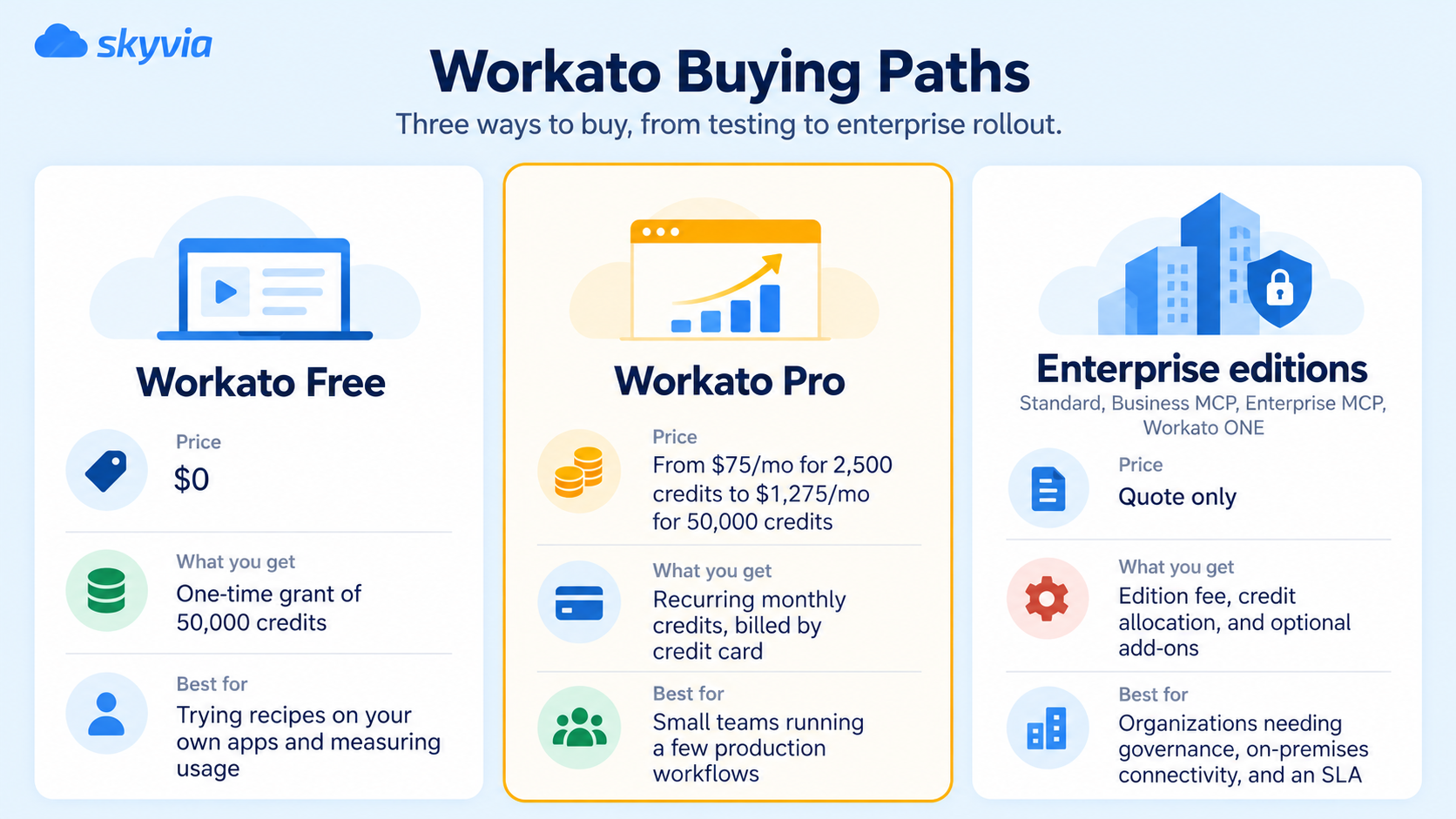
For the enterprise path, the only public reference is third-party buyer data rather than Workato’s own pricing. Vendr reports a median Workato contract of $64,772 per year across 344 purchases, with buyers saving 19% on average.
Start by working out which path you’re actually on. Need on-premises agents, Data Pipelines, unlimited users, or enterprise support? Then you’re headed for a quote, and the Pro price list won’t tell you much about your budget.
What Makes Up Workato Pricing: Editions, Credits, and Add-ons
Every bill, per Workato’s billing documentation, has three parts:
- A platform edition. This sets the capabilities you get. Higher editions carry everything from the lower ones.
- Usage, measured in Workato credits. This is the variable part. You buy a balance of credits, and every capability draws on the same balance.
- Optional add-ons. Add-ons, such as extra on-premises agents or more concurrency, show up on the invoice apart from your credits.
Credits work like store currency: one balance, spent on whatever you run. Each capability keeps its own count first (tasks for workflows, calls for APIs, rows for data pipelines, pages for document processing), and only then does Workato turn that count into credits.
One caveat for long-standing customers. The usage-based model applies to customers who joined in or after February 2024. Accounts older than that are on a different model. Workato’s pricing page also warns that plan structures depend on contract terms and on when you joined. Renewing one of those older contracts? Ask which model the new quote is built on.
Workato Free and Workato Pro: The Published Prices
Most Workato pricing guides still describe the platform as quote-only, but Workato now offers a self-service Free plan and a paid self-service tier.
Workato Free includes a one-time grant of 50,000 Workato credits (does not renew monthly), while Workato Pro provides recurring monthly credits purchased with a card. That makes Free best understood as an evaluation or prototyping budget rather than a plan designed for sustained production workloads.
| Monthly price | Credits a month | Price per 1,000 credits (our math) |
|---|---|---|
| $75 | 2,500 | $30.00 |
| $100 | 3,500 | $28.57 |
| $275 | 10,000 | $27.50 |
| $780 | 30,000 | $26.00 |
| $1,275 | 50,000 | $25.50 |
The pricing card on Workato’s free-plan page shows the $100 tier, while the documentation lists $75 as the entry point. At the top tier, Pro costs $15,300 a year.
A few terms matter before you subscribe:
- Unused Pro credits expire at the end of the billing month. They don’t roll over.
- Need more? Pro sells add-on credits.
- Hit the limit, and nothing stops right away. You’ll get warnings on the way there, plus a grace period before Workato restricts usage.
- Free and Pro share the same core platform capabilities. For support, both get live chat, documentation, and the community.
What no price list tells you is how many credits a task, an API call, or a row uses, because Workato’s pricing pages don’t publish it. So how many tasks fit into 2,500 credits? The website won’t tell you. Find out the practical way (build your real recipes on Free, feed them test data, then read the Usage Dashboard) and only then pick a Pro tier.
Workato Enterprise Editions Compared
The enterprise editions carry no public price. What Workato does publish is what each edition adds, and the caps that often decide which one you need.
| Edition | What it adds | On-premises agents (OPAs) | Concurrency | Log retention |
|---|---|---|---|---|
| Standard | Application integration and process automation, recipe lifecycle management, dev/test/production environments, 1 Standard Workbot, SAML SSO, MFA, role-based access control | None listed | 1 | 30 days |
| Business MCP | Pre-built MCP servers, AI/MCP Gateway, Enterprise Skill builder, data integration (ETL, ELT, reverse ETL), API platform, 10 Enterprise Workbots | 3 | 1 | 30 days |
| Enterprise MCP | Data Pipelines, Event Streams, Intelligent Document Processing (IDP), AI by Workato, Insights, unlimited Enterprise Workbots, data masking and activity audit | 10 | 15 | Flexible 90 days |
| Workato ONE | Agent Studio, Workato Knowledge Base, Workato GO | 30 | 30 | Flexible 90 days |
The OPA and concurrency numbers are the totals for each edition, not amounts added on top of the tier below. An OPA is what connects Workato to on-premises apps and databases, so a company with several data centers can outgrow Business MCP on agents alone.
Workato’s enterprise pricing page lists 1,200+ pre-built connectors for every user, plus unlimited workspaces and users. Add-ons sit on top: extra on-premises agents and concurrencies, an Advanced Security and Governance add-on, Private Link, RobotiQ RPA, Workato EDI powered by Orderful, Workflow Apps, Workato Data Hub powered by Reltio, and Virtual Private Workato. None has a public price.
How Workato Counts Tasks and Credits
Workflow recipes are measured in tasks. According to Workato’s documentation, a task is one action step a recipe executes, and the rules for counting them are precise:
| Step | Counts as |
|---|---|
| Trigger (and trigger conditions) | Nothing |
| An action in an app | 1 task |
| An action inside a Repeat for each or Repeat while loop | 1 task per iteration |
| A bulk or batch action | 1 task, however many records it processes |
| IF conditions, error handlers, Stop job | Nothing (steps nested inside count when they run) |
| A failed action that succeeds on retry | 1 task |
| A failed operation or a skipped branch | Nothing |
| An AI by Workato action step | More than one task (the contract sets how many) |
Reruns count too, as do operations that finished before a job failed. On some older plans, the meter is business actions, so look for the metric your contract actually names.
Other capabilities have their own meters. Managed APIs count API calls, Data Pipelines count rows extracted from the source, IDP counts pages, Event Streams count published messages (consumed ones are free), Genies count one Genie action per prompt, and Workato GO and Workflow Apps count seats.
A worked example: the same job, two recipe designs
We built this example to show how much recipe design moves the count. Picture a deal closing in your CRM, which is the trigger. From there, the recipe finds the customer in your ERP, adds 20 order lines, and sends a Slack message.
- One line at a time. Because each line is a separate step, the loop alone costs 20 tasks, while the lookup adds 1 task and the Slack post 1 more. That’s 22 tasks per deal. At 1,000 deals a month, you’ve burned through 22,000 tasks.
- One bulk action for the lines. Now the lookup, the bulk create, and the Slack post are 1 task each, which gives 3 tasks per deal and 3,000 a month.
Same business result, about a seventh of the tasks. Workato doesn’t publish how many credits either version uses, which is why measuring on Free comes first.
What Pushes a Workato Quote Up
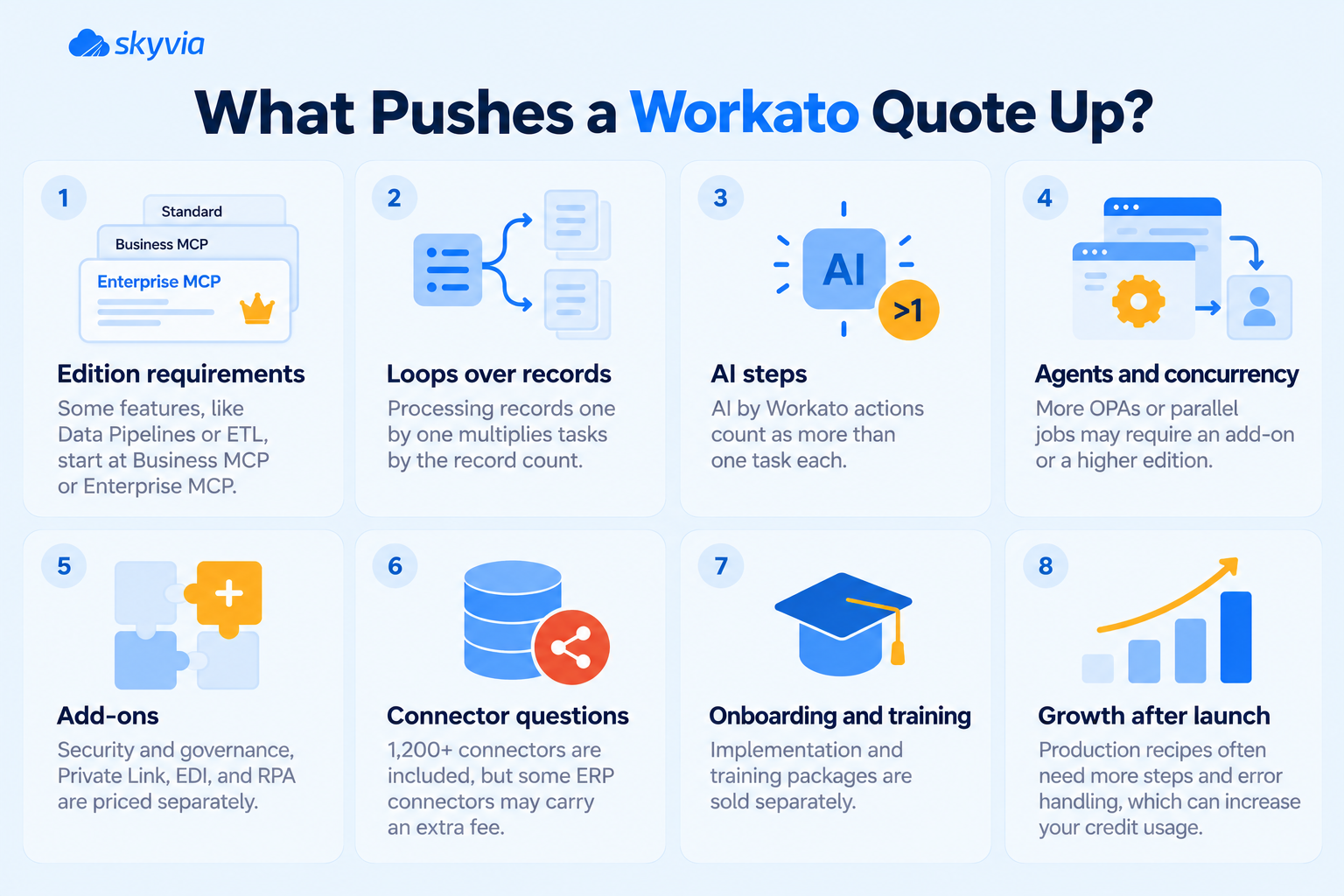
The edition fee, the credits, and the add-ons each grow for their own reasons:
- One feature can set the edition. Data Pipelines, Event Streams, and IDP start at Enterprise MCP. MCP servers and the ETL, ELT, and reverse ETL features start at Business MCP. If you need one of them, you pay for the whole edition.
- Loops over records. A recipe that handles records one by one multiplies its tasks by the record count. Batch actions keep it flat.
- AI steps. AI by Workato actions count as more than one task each.
- Agents and concurrency. Needing more OPAs or parallel jobs than your edition includes means an add-on or the next edition.
- Add-ons. Security and governance, Private Link, EDI, and RPA are all priced separately.
- Connectors you assume are included. Workato’s pricing page lists 1,200+ pre-built connectors for every user and doesn’t mention a surcharge for any of them. A few guides insist ERP connectors cost extra. Worth a direct question, then: does anything on your list carry its own fee?
- Onboarding and training. Workato sells onboarding and training packages on request, outside the platform fee.
- Growth after launch. Production recipes pick up error handling and extra steps. A quote sized on a simple pilot can run short by the first renewal.

What Companies Report Paying for Workato
Workato customers aren’t exactly lining up to show off their invoices. Fortunately, procurement platforms have collected enough real-world contract data to give us a peek behind the “Contact Sales” curtain.
According to Vendr, the median buyer pays $64,772 a year. That’s based on 344 purchases, with reported contracts ranging from about $20,300 to $183,000. Buyers also saved an average of 19% through negotiation. Apparently, the first quote isn’t always the final word.
The numbers get more interesting as companies grow. SpendHound, drawing on spend data from 55 Workato customers, puts average annual spending at $84,520 for smaller businesses. Enterprise customers are far ahead of everyone, at $378,803 a year on average. Different datasets and methodologies, of course, so don’t treat these figures as interchangeable.
What about recognizable names? Here’s where things get slippery. Workato’s customer stories are much happier discussing money saved than money spent.
Pure Storage expected to save up to $300,000 annually in agency costs. Gulf Marine reported almost $800,000 in yearly savings, while Unity cited $441,000 saved in iPaaS total cost of ownership. Impressive figures, but none reveal the actual Workato subscription price.
So, what’s a realistic budget? Buyer data suggests around $65,000 annually as a broad benchmark, with enterprise deployments potentially running into the hundreds of thousands. Not exactly impulse-purchase territory. Before signing, make sure your quote reflects the workload you actually expect, rather than the one your sales rep hopes you’ll eventually have.
What to Bring When You Ask Workato for a Quote
The call goes better when you show up with numbers. Ask for every answer in writing, too. The checklist below follows the cost drivers from earlier:
- List every system you’ll hook up; the ones sitting behind a firewall are the ones that need an OPA.
- Estimate monthly tasks from a test run on Workato Free. Do it twice, for an ordinary month and for your busiest one.
- Count environments and parallel jobs: how many workspaces you’ll use, and how many jobs need to run side by side.
- Name the feature that sets your edition, whether that’s Data Pipelines, Event Streams, MCP servers, or IDP. It’s easy to land on a pricier tier for a single checkbox you could have lived without.
- List add-ons, onboarding, and support you expect to need.
- Get these in writing: your credit allocation, the cost of any extra credits, the rules at the limit, whether leftover credits expire and how renewal pricing will work.
Workato Alternatives With Published Pricing
If your workflows are app-to-app automations without enterprise governance needs, tools with public price lists are easier to budget. We’re one of them, so weigh this section accordingly.
- Zapier prices by tasks. There’s a Free plan with 100 tasks a month, and above that you pay by task volume.
- Make bills in credits. A typical action costs one credit, and the Free plan gives you 1,000 credits each month.
- Skyvia Automation is priced by monthly tasks as well, starting at $99 a month billed annually ($119 billed monthly) for 50K tasks, and there’s a free plan, with unlimited users on paid plans. Workflows can start on a schedule, on new or changed records, or from a webhook, and the logic covers If, Foreach, Parallel, and Try Catch.
Enterprise buyers tend to collect quotes from other quote-based iPaaS vendors as well, MuleSoft and Boomi among them. Units don’t line up across vendors, so compare tools by running the same workflow on each free plan. If you also move data into a warehouse, Skyvia Data Integration is priced by records per month rather than tasks. For the wider field, see our guide to the best iPaaS solutions and our reviews of MuleSoft alternatives and Boomi alternatives.
Want to see what your workflow costs on a public price list? Build it in Skyvia Automation on the free plan and check the task count before you commit to anything.

FAQ for Workato Pricing

How much does Workato Pro cost per month?
The cheapest tier is $75 a month for 2,500 credits, the biggest is $1,275 a month for 50,000, and you pay monthly by credit card. Three tiers fill the gap: $100, $275, and $780. Bigger tiers are a bit cheaper per credit, too: $30.00 per 1,000 at the bottom versus $25.50 at the top.
Do unused Workato credits roll over?
Not on Workato Pro. Credits you haven’t used when the billing month closes simply expire. That’s why it makes sense to buy for a typical month and cover the busy ones with add-on credits. On Enterprise, though, credit terms come from your contract, so raise the question with sales before you sign anything.
How does Workato count a task?
A task is one action step a recipe executes. Triggers cost nothing, and neither do IF conditions or error handlers. Loops are where it adds up, because every iteration counts, though a bulk or batch action stays at one task, whatever the record count. Creating 20 records in a loop? That’s 20 tasks, versus one for the bulk version.
Why is Workato so expensive for some companies?
Usually it’s the edition, the credit volume, and the add-ons together. A single feature can do it, because Data Pipelines or Event Streams can move you up an edition. On top of that, loops multiply tasks, and you pay separately for extra on-premises agents, concurrency, and security add-ons. Onboarding and training packages, if you buy them, add to the first year.
Can you negotiate Workato pricing?
Yes. Vendr’s purchase data shows buyers saving 19% on average, with a median contract of $64,772 a year. Bring a monthly task estimate built from real recipes, and get overage, rollover, and renewal terms in writing.
What happens when your Workato credits run out?
As you get close to the limit, Workato sends warnings, and access stays open for a while past it before usage is restricted. From there, Pro customers either buy add-on credits or upgrade to a bigger tier. Checking the Usage Dashboard now and then means the warning won’t be your first clue.
Who competes with Workato on price?
Self-service tools with public prices are the usual comparison: Zapier prices by tasks and Make by credits, and both have free plans. Skyvia Automation begins at $99 a month (billed annually) for 50K tasks. Bigger enterprise deals tend to be compared with MuleSoft, Boomi, and other iPaaS vendors that also price by quote.