Summary
- Skyvia fits teams that map between cloud apps, databases and warehouses without code and want a published price.
- Altova MapForce is the pick for converting XML, JSON, EDI and other file formats on a desktop.
- Informatica and IBM DataStage suit large organizations that need governance and enterprise workloads, priced by quote or capacity.
- Talend Open Studio and Pentaho's free edition are no longer options for businesses, so most tools now start with a trial.
- A written mapping spec with a test case per field makes any tool easier to evaluate.
Your CRM says Email. The warehouse wants contact_email, and billing keeps the same address in uppercase, trailing space included. Now picture 300 fields like that on a nightly schedule (that spreadsheet of field pairs won’t hold up for long). That’s the point where teams start comparing data mapping tools.
The list has also changed more than most roundups admit. The free Talend Open Studio was retired in January 2024, Pentaho’s free edition is now limited to students and universities, and two of the bigger names, Informatica and webMethods, changed owners. We checked each vendor’s own product and pricing pages in October 2026.
Below, we compare 10 tools on how mapping works, where they run, how they charge and what they’re best at. You’ll also get the rule types every mapping is built from and a mapping spec you can copy.
Best data mapping tools at a glance
Data mapping tools differ less in their feature lists than in what they map and where they run. Quick picks by job:
- Cloud apps, databases and warehouses, no code: Skyvia.
- XML, JSON, EDI or XBRL file conversion on a desktop: Altova MapForce.
- Enterprise data management with governance and masking: Informatica or IBM DataStage.
- Oracle-heavy estates: we’d point you at Oracle Data Integrator.
- Already on Qlik: Qlik Talend Cloud, with Talend Data Mapper added to Talend Studio for the mapping.
- Self-managed ETL on Kubernetes or your own servers: Pentaho Data Integration.
- B2B partner data, EDI and APIs: your shortlist is Adeptia Automate, IBM webMethods Integration and Jitterbit Harmony.
Just three of the 10 show a price before you talk to sales. The table shows how each one charges.
| Tool | Best for | How you map | Deployment | Pricing model | Published entry price | Free option |
|---|---|---|---|---|---|---|
| Skyvia | No-code integration of cloud apps, databases and warehouses | Visual mapping: column, expression, lookup, constant, relation | Cloud; on-premise Agent for databases behind a firewall | Records written per month | $79/month billed annually, $99 billed monthly | Free plan; 14-day trial |
| Altova MapForce | XML, JSON, EDI, XBRL and flat-file conversion | Graphical mapper with debugger and code generation | Desktop app; MapForce Server for recurring runs | Per license, by edition | From $349 (Basic) to $1,099 (Enterprise) | 30-day trial |
| Informatica | Enterprise data management with lineage and masking | Mapping designer with transformations and mapplets | Cloud (Intelligent Data Management Cloud) | Informatica Pricing Units (IPUs) | Quote only | Free Cloud Data Integration offer |
| Qlik Talend Cloud | Teams already on Qlik; CDC and data quality | Talend Studio and Talend Data Mapper | Cloud, client-managed or hybrid | Usage-based | Quote only | Free trial |
| IBM DataStage | Large ETL and ELT workloads | Graphical pipelines, Python SDK, AI pipeline assistant | IBM Cloud, AWS, on-premises, hybrid via remote engine | Capacity Unit-Hours (as a service); quote for Enterprise | From $1.75 per Capacity Unit-Hour (indicative) | Free trial |
| Oracle Data Integrator | Oracle databases and GoldenGate users | Declarative, flow-based designer | Downloadable; also on Oracle Cloud Marketplace | Not published | Not published | Not listed |
| Pentaho Data Integration | Self-managed ETL with container deployment | Drag-and-drop pipeline designer, metadata injection | On-premises, Azure, AWS, GCP, Docker, Kubernetes | Subscription tiers; usage-based available | Quote only | 30-day trial |
| Adeptia Automate | B2B customer data onboarding | AI mapping co-pilot | Adeptia-hosted; on-premises from Professional | Workloads (processing engines) | Quote only | Demo |
| IBM webMethods Integration | Hybrid app, API and B2B integration | Integration designer with the Flow Pilot AI assistant | Hybrid | Not published | Quote only | Free trial |
| Jitterbit Harmony | Mid-size iPaaS with EDI and APIs | Studio Visual Designer, AskJB AI assistant | Cloud agents and private agents | Annual contract, by connections | Quote only | Trial on request |
What does a data mapping tool do for you?
Strip away the jargon and it’s simple: every source field gets a partner in the target, plus whatever rules it takes for the values to fit. It reads both schemas and lets you match fields by drag and drop or from suggestions. It converts types on the way, and the saved mapping reruns on a schedule as often as you need.
Picture a move from Salesforce to Zoho. Names, addresses and phone numbers live in both CRMs. The field names don’t line up, though, and neither do the picklist values or phone formats. Your mapping is the rulebook: this field lands there, and its value changes like so along the way.
Manual mapping hasn’t gone away. Got a one-off migration of a few objects? A spreadsheet listing source and target fields, plus a short SQL or Python script, will carry you. It’s a different story once the job runs every night, a field gets renamed, or five people want to read the rules. Around here automated data mapping starts to pay off, because the spreadsheet can’t keep up. A visual mapper reads the source and destination schemas for you and checks the types, though the bigger win is that it flags required fields nobody mapped and keeps all the rules together.
Compliance comes into it as well, since a mapping tells you where the sensitive fields are. If you know where personal data sits, you can mask or hash those fields while the data moves. Informatica has a Data Masking transformation for this, and Skyvia’s replication can hash personal data with SHA-256 before it reaches the warehouse.
Most data mapping tools on this list handle mapping as one part of a wider integration platform. Altova MapForce is the exception: mapping and conversion are all it does. For background on the concept itself, see our explainer on what data mapping is.
Types of data mapping rules, with an example
Every mapping, however large, is built from a handful of rule types. Here they are on one example: contact records from a CRM loaded into a warehouse table called dim_contact. The records are made up.
| Target field | Rule type | Rule | Edge case to test |
|---|---|---|---|
| Direct (one-to-one) with cleanup | Copy Email, trim spaces, lowercase | “Ana@Example.com” and “ana@example.com” must end up as one contact | |
| full_name | Merge (many-to-one) | FirstName + space + LastName | A blank LastName must not leave a trailing space or a null name |
| channel | Conditional | Web or Webinar becomes inbound; anything else becomes outbound | A new picklist value nobody planned for |
| account_key | Lookup | Find the key in dim_account by the CRM account ID | The account hasn’t loaded yet when the contact arrives |
| created_at | Type conversion | Parse the text timestamp, convert to UTC | An invalid date string such as 2026-13-40 |
| source_system | Constant | Always crm | None; check it isn’t left blank on reruns |
Tools name these rules differently. In Skyvia, they map to the mapping types in Data Integration: Column for direct copies; Expression for cleanup, merges, conditions and type conversions; Source or Target Lookup for keys from another object; and Constant for fixed values. Skyvia’s documentation also lists Relation mapping, which rebuilds foreign keys when you load related objects together, and External ID mapping for Salesforce references.
Skyvia’s docs state a rule that holds in nearly every tool: whatever you map has to match the target column’s data type. Types don’t match? Write an expression that converts the value, and don’t count on the target to cast it for you.
A data mapping spec you can copy
Write the rules down before you build them. A spec like this one doubles as the test plan, because the last column says what each rule must survive.
source_object,source_field,target_table,target_field,target_type,rule_type,rule,required,if_null,test_case
Contact,Email,dim_contact,email,varchar(255),direct,"trim + lowercase",yes,reject row,"' Ana@Example.com' -> 'ana@example.com'"
Contact,"FirstName, LastName",dim_contact,full_name,varchar(200),merge,"FirstName + ' ' + LastName, trimmed",no,use FirstName only,"LastName blank -> 'Ana'"
Contact,LeadSource,dim_contact,channel,varchar(20),conditional,"Web, Webinar -> inbound; else outbound",yes,outbound,"'Partner' -> 'outbound'"
Contact,AccountId,dim_contact,account_key,int,lookup,"dim_account.account_key where crm_id = AccountId",no,null + log,"unknown AccountId -> null, row logged"
Contact,CreatedDate,dim_contact,created_at,timestamp,conversion,"parse ISO 8601, convert to UTC",yes,reject row,"'2026-13-40' -> rejected"
(none),(none),dim_contact,source_system,varchar(10),constant,"'crm'",yes,n/a,"every row = 'crm'"
Keep one row per target field, and add an owner column if several teams edit the rules.
The data mapping process in seven steps
- Profile the data sources and the destination. List objects, fields, data types, required fields and keys on both sides. Note picklists and their values.
- Match the fields. Start with the obvious pairs, then the ones with different names. Mark target fields with no source.
- Write the rules. For each pair, decide the rule type from the table above and how nulls are handled.
- Record it in the spec. One row per target field, with a test case.
- Test on a small batch. We’d grab 50 to 100 records (make sure the weird ones from the spec are in there) and check each output row against the one you expected.
- Fix and retest. Update the spec before you touch the mapping (that way the two never drift apart).
- Run it in full and schedule it. Did the first full load land with the row counts you expected, and do a few records you pick at random look right? Good, now switch on the schedule.
A demo shows you the happy path; steps 5 and 6 show you the tool. Here’s where debug modes, error outputs and logs of rejected rows matter. They name the record and the rule it broke, so you’re not guessing.
How we compared these tools
We compared the data mapping tools below on the same criteria, using each vendor’s own pages in October 2026:
- How mapping works: drag and drop, code, or some of each, plus the rule types you get out of the box and any AI help.
- Formats and sources: what it can read (cloud apps, databases, files) and how it deals with XML, JSON and EDI.
- Deployment and timing: cloud, your own servers, hybrid or a desktop install, and if data moves on a schedule or as it changes in real time.
- Pricing model and published price: the meter the vendor bills you on, be it records, capacity, workloads, licenses or connections, and if there’s a price you can read without a call.
- Free option: is there a free plan, a trial, or neither?
- Fit: which team and which job it suits, and where it falls short.
Older versions of this article scored each tool out of 10. We dropped the scores: several rested on facts that are no longer true, which the next section covers.
What changed in data mapping tools since 2024
A lot of lists of data mapping tools are still stuck in 2023. If you’re shortlisting today, five changes matter.
Talend Open Studio is gone. On January 31, 2024, Qlik retired the free, open-source Talend Studio, and it isn’t hosted or updated anymore. What’s left is Qlik Talend Cloud plus the commercial Talend Studio. Any list still calling it “open source” or “free” is out of date.
Pentaho’s free edition is for students and universities only. The Pentaho Developer Edition, formerly the Community Edition, is available only to students and universities through Pentaho’s Academic Access Program. Businesses get a free 30-day trial of Pentaho Data Integration instead.
IBM owns webMethods. That deal, which also covered StreamSets, closed on July 1, 2024, when IBM bought both from Software AG. The product is now IBM webMethods Integration. IBM InfoSphere DataStage is now sold as IBM DataStage, and its capabilities are also part of IBM watsonx.data integration.
Salesforce owns Informatica. Salesforce completed its acquisition of Informatica in November 2025, and Informatica’s site now carries Salesforce’s copyright. Informatica says it will continue as part of Salesforce, alongside MuleSoft.
Pricing moved further behind sales. Adeptia now prices by Workloads, its processing engines, rather than by connectors or endpoints. Qlik Talend Cloud prices by usage. You won’t find a number from either.
So the free on-ramps of 2023 have mostly closed. And an acquisition can change your contract at renewal. Ask about both before signing.
Top 10 data mapping tools
Skyvia
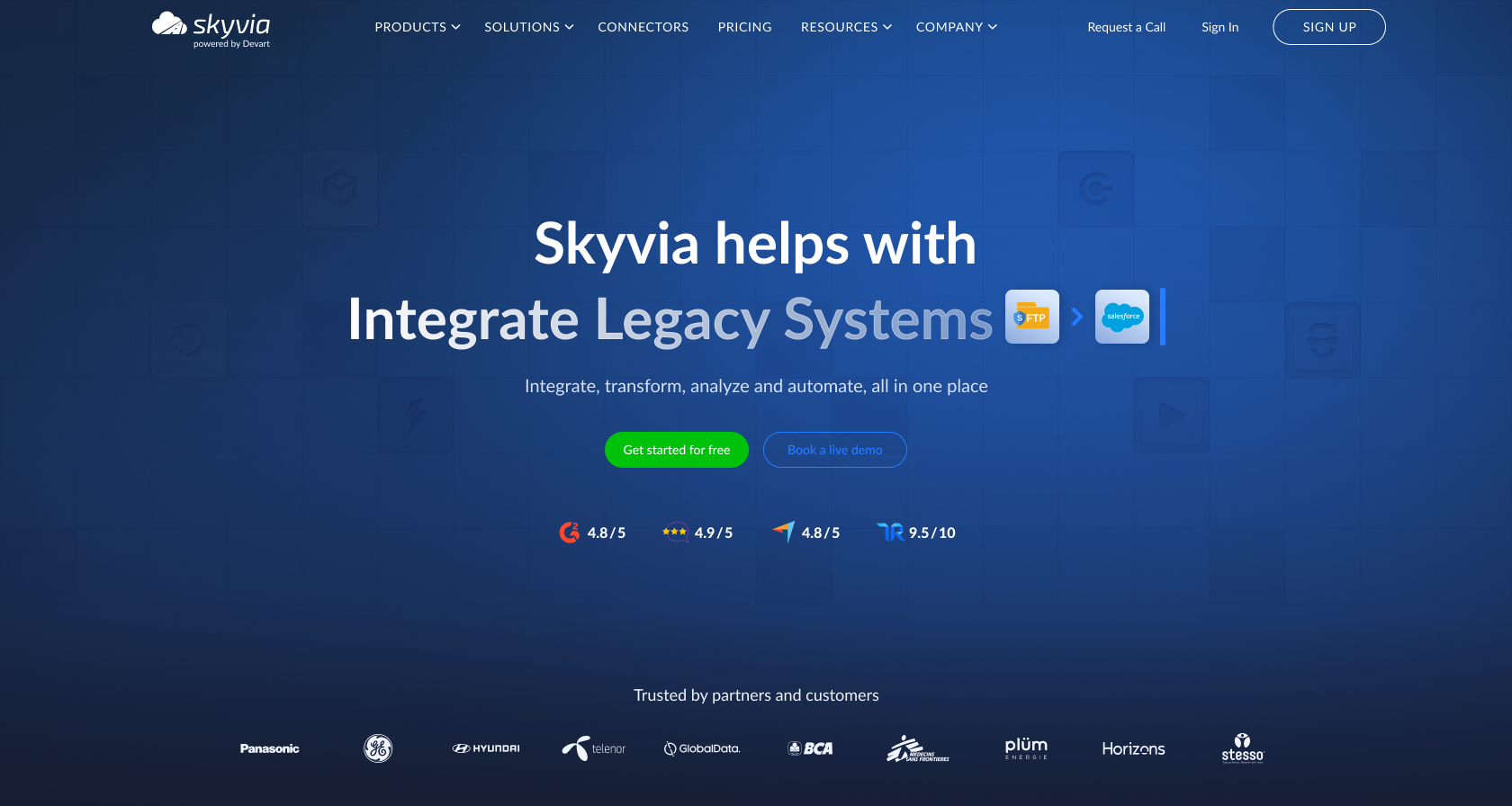
Skyvia is ours: a no-code cloud data platform. You get 200+ connectors to cloud apps, databases, data warehouses and file storage services. Inside it, the Data Integration product does import and export, replication into a warehouse, two-way synchronization, and visual pipelines.
How mapping works: there’s a mapping step in every integration. You map each target column with Column, Expression, Source or Target Lookup, Constant, Relation or External ID mapping; required target columns are labeled, and filters show what’s mapped, unmapped or valid. For nested output such as JSON objects and arrays, Skyvia’s Mapping Editor offers Object Map and Array Map. An AI assistant in the expression and mapping editor writes and fixes expressions. More than one source in play? Data Flow (Standard plan and up) is the answer there. You get multi-source pipelines that can do lookups, conditional splits and calculated columns, and when something breaks there’s an error output plus a debug mode with breakpoints.
Deployment: Skyvia is a cloud service on Azure with SOC 2, GDPR and HIPAA compliance behind it. Databases behind a firewall are reachable too, through the on-premise Agent over outbound HTTPS.
Pricing: Skyvia charges by records written per month. Data Integration Basic costs $79 a month billed annually, or $99 billed monthly, for 5M records. Standard costs the same $79 annually ($99 monthly) yet covers 500K records, since it adds hourly schedules and Data Flow. At 5M records, it’s $159 billed annually ($199 monthly). On the free plan you get 10K records a month and daily runs, and you can sign up without a credit card.
Limits: how often it runs depends on the plan. Free and Basic run daily, Standard hourly, and Professional and Enterprise every minute. It isn’t real-time sync. Record triggers poll for changes, and only webhooks in Automation fire instantly. Log-based change capture works for SQL Server only; other sources load changes incrementally by timestamp. Export produces CSV files. One more catch: Skyvia won’t notice on its own when source metadata changes, so look over your mappings after any schema change in a source.
Best for: no-code teams mapping between cloud apps, databases and warehouses who’d like to know the price before a sales call.

Altova MapForce
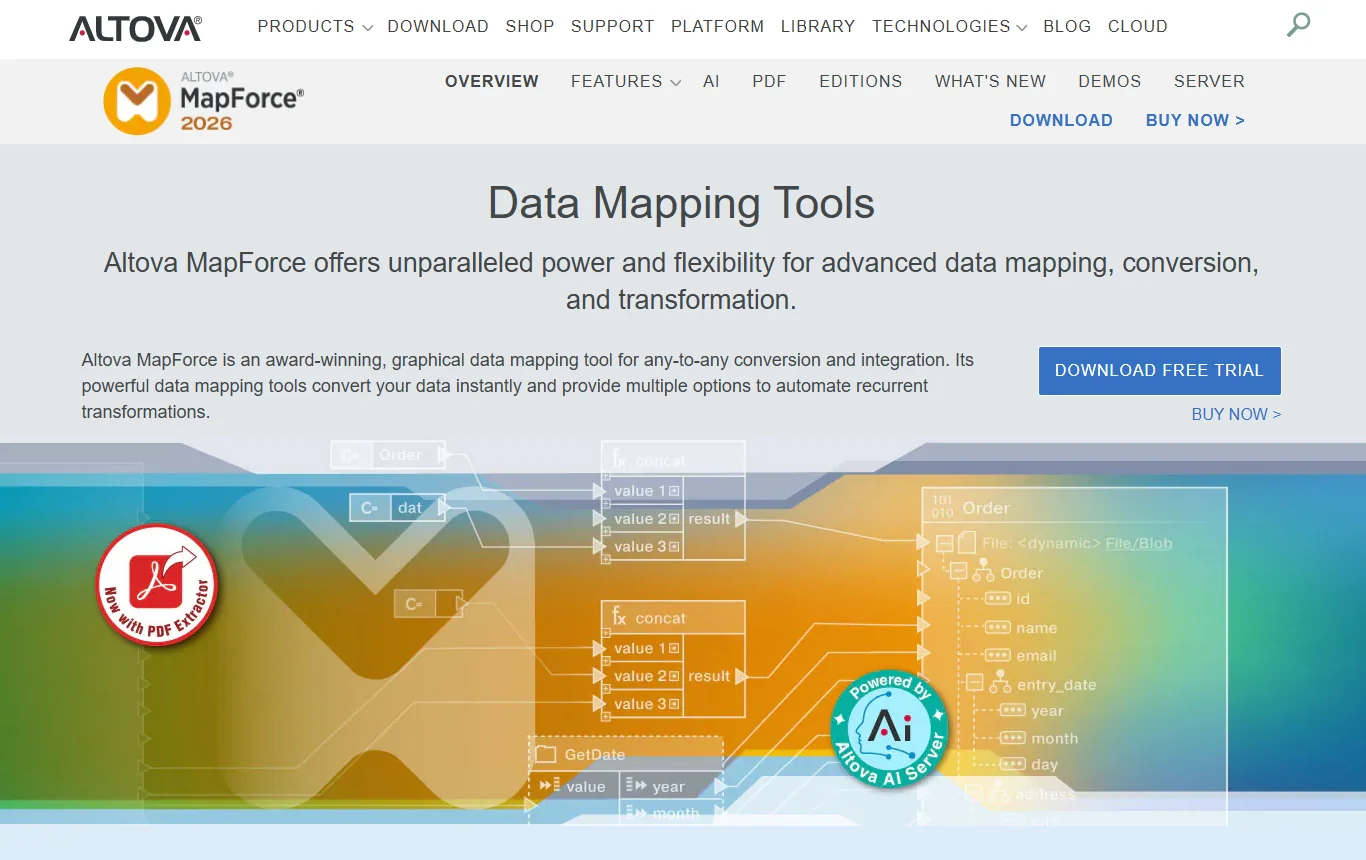
Of everything here, MapForce is the tool most focused on mapping. It maps and converts any-to-any, graphically, across XML, JSON, databases, flat files, Excel, EDI, XBRL, PDF and Protobuf, and there’s an interactive debugger for your mappings.
How mapping works: everything happens on a canvas, so you connect source and target structures by drawing lines between them and drop functions or filters in wherever a value needs work. When the mapping is right, MapForce can also export it as code in XSLT, XQuery, Java, C++ or C#. Altova AI, which writes mappings for you, came in Version 2026 Release 2, released on May 27, 2026. MapForce Server runs mappings on a schedule.
Pricing: per license. Basic is $349 and covers XML-to-XML mapping. Professional is $679 and adds databases, flat files and code generation. For $1,099, Enterprise adds JSON, Excel, EDI, XBRL, PDF and web services. A 30-day free trial is available.
Limits: MapForce runs on a developer’s desktop, so don’t expect a hosted pipeline. Need JSON, Excel or EDI mapping? That takes the Enterprise edition, so check before you buy Basic.
Best for: developers who convert structured files and messages for a living, XML and EDI in particular.
Informatica
Informatica sells its Intelligent Data Management Cloud (IDMC) as one bundle covering data integration, data quality, catalog, governance and master data management. These days it belongs to Salesforce.
How mapping works: you chain transformations together, for example Joiner, Filter, Lookup, Router, Expression and Data Masking. Mapplets package reusable sets of rules, and parameters let one mapping serve several sources. IDMC runs on Informatica’s CLAIRE AI engine.
Pricing: consumption-based, in Informatica Pricing Units (IPUs). There’s no public price; you request a quote. To get started, there’s a free Cloud Data Integration offer listed on Informatica’s site.
Limits: with IPU pricing, it’s hard to know the cost before a proof of concept, and a platform this broad asks for more learning time than a tool that only maps.
Best for: large organizations wanting mapping, masking, lineage and governance in a single platform. Compare options in our guide to Informatica alternatives.
Qlik Talend Cloud
Talend is part of Qlik. Four plans are on offer: Starter, Standard, Premium and Enterprise. Log-based change data capture (CDC) arrives in Standard, along with cloud, client-managed or hybrid deployment. Premium layers on ETL and ELT transformations, column-level lineage and data quality.
How mapping works: Talend Data Mapper, a Talend Studio feature you install through the Feature Manager, maps complex records and documents. You drag elements from an input structure to an output structure and use expressions for the harder rules.
Pricing: every plan is quote-only and usage-based. There’s a free trial, but no free edition since Open Studio’s retirement.
Limits: no published prices, and Data Mapper is an add-on to Studio, not part of the default install.
Best for: organizations already on Qlik, or those that need CDC and data quality in one subscription. Our Talend alternatives roundup covers other options.
IBM DataStage
IBM DataStage, formerly InfoSphere DataStage, handles ETL and ELT with a parallel processing engine. Its capabilities are also available inside IBM watsonx.data integration.
How mapping works: there are three ways in. If you like low-code, you design pipelines graphically; if you’re an engineer, there’s a Python SDK; and if you’d rather describe the job in plain language, the AI pipeline assistant builds the pipeline from that. You don’t have to recode anything to run the same design as ETL or as ELT. A remote engine runs the jobs wherever the data sits.
Pricing: IBM DataStage as a Service, fully managed on IBM Cloud, starts at $1.75 per Capacity Unit-Hour, an indicative price that varies by country. DataStage Enterprise and Enterprise Plus run on IBM Cloud Pak for Data, with unlimited users, by quote. A free trial is available.
Limits: billing is capacity-based, so you’ll want a workload estimate before you sign, and the Enterprise editions assume you’re running Cloud Pak for Data.
Best for: enterprises whose batch workloads are large and whose estate is hybrid.
ODI: Oracle Data Integrator
Oracle built ODI for high-volume batch loads, though it also handles event-driven trickle-feed processes and data services. It has a flow-based declarative designer and works with Oracle GoldenGate. The documentation you’ll find today is for ODI 14c (14.1.2), and the product is listed on Oracle Cloud Marketplace as well.
How mapping works: mappings are designed in the flow-based declarative interface Oracle redesigned for ODI 12c, which also added parallelism when integration processes run.
Pricing: there’s no price for ODI on Oracle’s product page, so you’ll go through Oracle sales.
Limits: ODI is at its best when your stack is built around Oracle databases. If it isn’t, the setup work is hard to justify.
Best for: data warehouses that run on Oracle, and teams already using GoldenGate. See our list of ETL tools for Oracle for lighter options.
Pentaho Data Integration
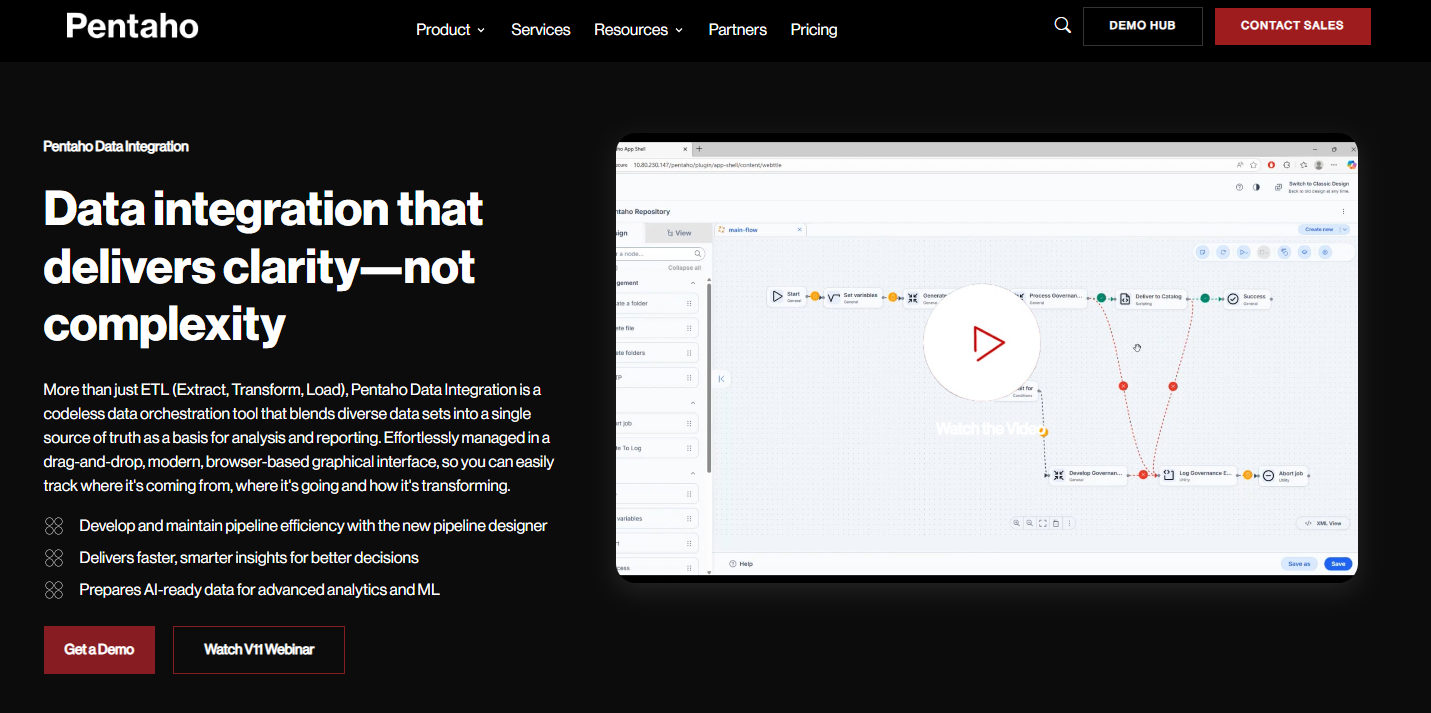
Pentaho Data Integration (PDI) is low-code ETL and orchestration software. V11, the current release, ships a browser-based drag-and-drop pipeline designer.
How mapping works: you build transformations visually. With metadata injection, you reuse transformation templates across projects instead of hand-building one transformation per similar source.
Deployment: on-premises works, so do Azure, AWS and GCP, and Docker and Kubernetes are supported.
Pricing: there are Starter, Standard, Premium and Enterprise subscriptions, sold by Pentaho’s sales team, with a usage-based option if a flat tier doesn’t suit. Businesses can try PDI free for 30 days. The free Developer Edition is now limited to students and universities.
Limits: you run and maintain the servers yourself, and there’s no free production edition anymore.
Best for: teams that want ETL they run themselves, in containers if they like.
Adeptia Automate
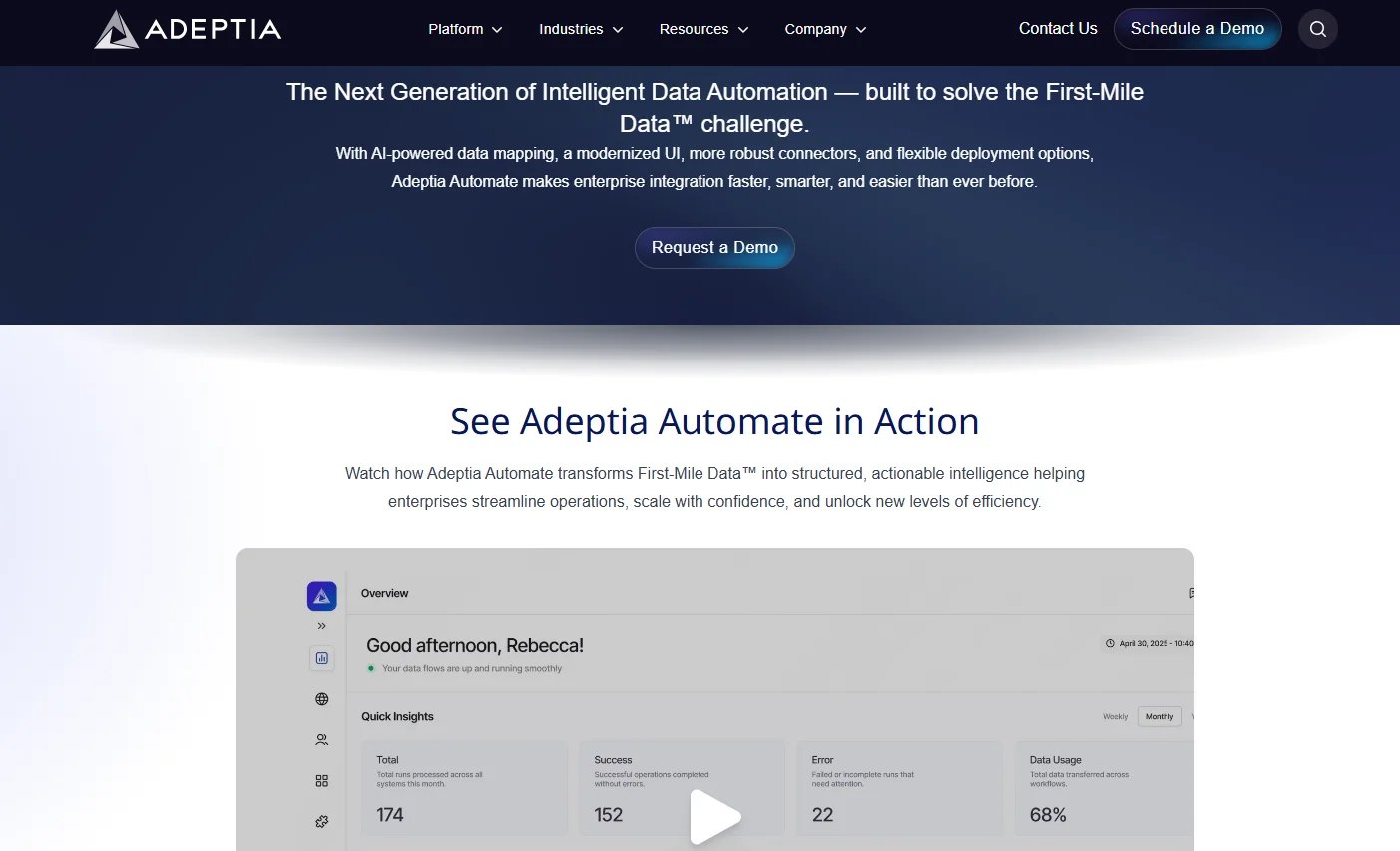
Adeptia Automate is built around onboarding partner and customer data, and it also covers integration, transformation and automation. All plans come with an AI mapping co-pilot with IDP, the full connector library, and a way to publish integrations as REST APIs.
Pricing: you pay for Workloads (Adeptia’s dedicated processing engines) rather than for users, connectors or endpoints. Basic, Professional and Enterprise plans are quote-only.
Deployment: Adeptia hosts it on every plan. On-premises or private cloud and VPN access start at Professional, which also includes single sign-on; on Basic, SSO is an add-on.
Limits: prices aren’t published, and on-premises needs Professional at minimum.
Best for: companies taking in data from lots of customers or partners, each in its own format.
IBM webMethods Integration
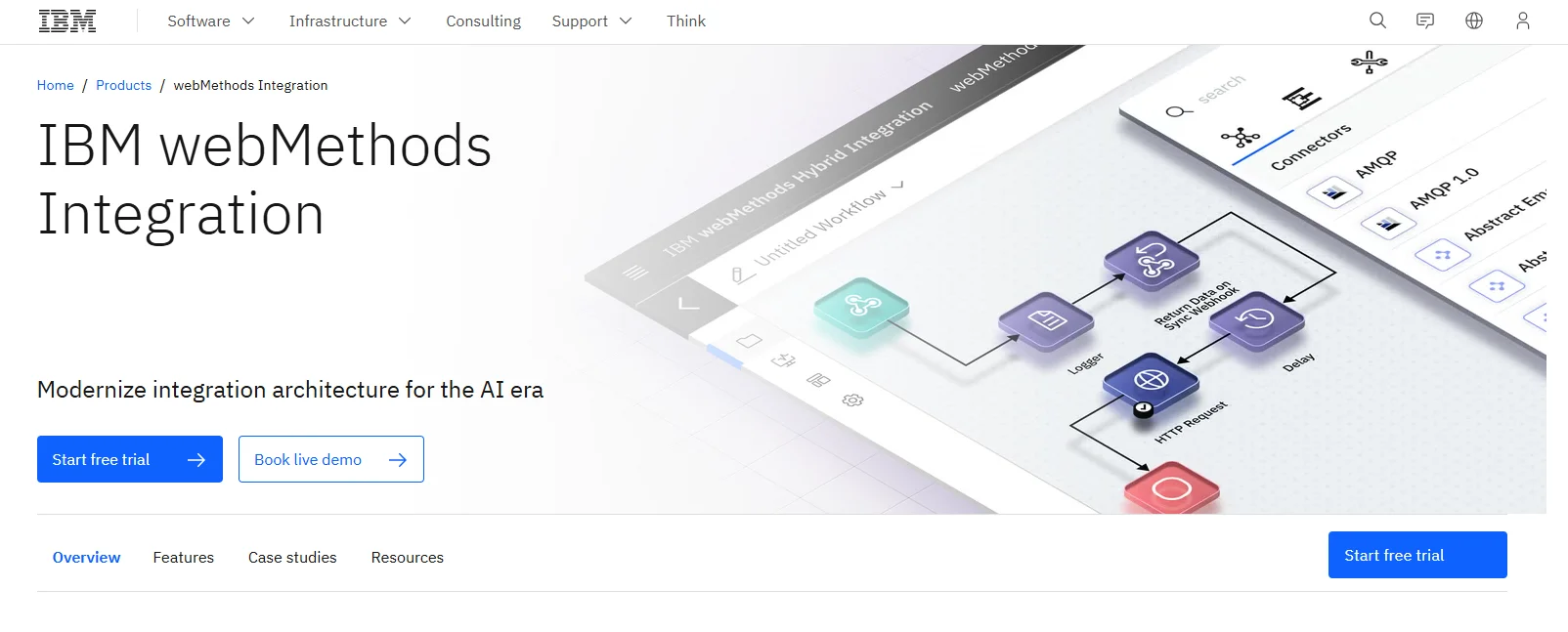
This is IBM’s platform for linking applications, APIs, events, files and trading partners across hybrid environments. It’s on version 12.1 now. Then there’s Flow Pilot, which brings the AI assistant of your choice into integration development, for authoring and also for documentation and testing.
How mapping works: you design, build, test and run integrations on the same platform that handles B2B and file-based workflows.
Pricing: no published price, though IBM offers a free trial and a live demo.
Limits: this is a full enterprise integration platform, and a job that’s only mapping may not need that much.
Best for: enterprises with API, event and B2B integration under one team.
Jitterbit Harmony
Harmony bundles iPaaS, EDI, API Manager, MCP and App Builder under the Jitterbit name. Integrations are built in the Studio Visual Designer, and the plan grid lists the AskJB AI assistant.
Pricing: there are three plans, each on an annual contract and priced by quote. Standard comes with 2 to 3 connections, Professional with 5, and Enterprise with 8 or more. Higher plans buy faster support (48 hours on Standard, 24 on Professional, 6 on Enterprise) and more environments, 2 on Standard against 99 on the other two.
Limits: when you run out of connections, adding another system to map means moving up a plan.
Best for: mid-size companies that need EDI and API management next to integration. Our Jitterbit alternatives post compares similar tools.
AI-assisted data mapping: what it does and doesn’t do
AI help is now standard in data mapping tools. Adeptia ships an AI mapping co-pilot. Altova added Altova AI for generating mappings, IBM DataStage has an AI pipeline assistant, and webMethods has Flow Pilot. Jitterbit has AskJB, Informatica has CLAIRE, and in Skyvia the mapping editor comes with an AI assistant for expressions.
Let it write the first draft: suggesting a match when names differ (cust_email to Email), producing an expression you’d otherwise look up, or putting a rough version of a big mapping on screen.
Your business logic is invisible to it. Nobody told it that Webinar leads count as inbound, that a blank account ID gets logged rather than rejected, or that your two source systems disagree on time zones. So take its suggestions as a starting point. The spec stays the source of truth, and the edge-case batch from step 5 runs before anything goes live.
Is your mapping job about moving data between cloud apps, databases and warehouses? Then give Skyvia’s free plan a try: set up one import with a lookup and an expression, and read through the run log before scaling anything up.

FAQ for Best Data Mapping Tools

Is there a data mapping tool I can use for free in 2026?
Skyvia has a free plan that covers 10K records a month with daily runs. Most other tools offer trials instead: Altova MapForce and Pentaho Data Integration give 30 days, and Qlik Talend Cloud, IBM DataStage and IBM webMethods Integration have free trials. The two free editions older lists recommend, Talend Open Studio and Pentaho’s Community Edition (now the Developer Edition), are no longer options for businesses.
Is Talend Open Studio still available?
No. Qlik pulled the open-source Talend Studio on January 31, 2024 and stopped hosting and updating it. Talend now ships as Qlik Talend Cloud, priced by quote, and as the commercial Talend Studio.
Why does a mapping fail when source and target fields use different data types?
In most cases the mapped value and the target column have different data types. If text is headed for a date or number column, a plain column mapping won’t work, so convert it with an expression instead. It’s worth testing that with a row that holds a bad value, just to see how the tool rejects it.
What’s the best way to test a data mapping before the full load?
Build a batch of 50 to 100 records that holds every edge case from your mapping spec, such as blank names, unknown picklist values and invalid dates. Check the output row by row. Fix the spec, then the mapping, and only after that run the full load and set the schedule.
What happens to my mapping if the source schema changes?
That varies by tool, so ask before buying. Skyvia doesn’t detect source metadata changes automatically, so check your mappings whenever someone adds, renames or removes a field. Keeping a test case per field in the spec makes that review fast.
Can I do data mapping in Excel instead of a tool?
A spreadsheet of field pairs and a script will do for a one-off migration of a few objects. Once the job runs nightly, fields get renamed, or several people need to see and edit the rules, it falls apart.