Summary
- HubSpot and Salesforce now run official hosted MCP servers that can update CRM records under your existing permissions.
- GitHub, Atlassian, Context7 and Playwright cover the core developer jobs, from pull requests to browser tests.
- Skyvia MCP endpoints connect AI assistants to databases and cloud apps with no code, with a free plan to start.
- Slack, Notion and Google Workspace bring team conversations, documents and email into the assistant.
- Keep two or three servers active, start read-only, and check each server's write scope before connecting production data.
Your team already asks an AI assistant to draft emails and summarize documents. The next question is always the same: can it look at our CRM, our tickets or last night’s orders, and fix what it finds? That’s the job MCP servers do, and picking the best MCP servers deserves real thought, because the server decides what the assistant can see and change.
The choice also got simpler this year. HubSpot, Salesforce, Google, Atlassian and others now run their own hosted servers, so you sign in with OAuth instead of installing a package and pasting a token into a config file.
We checked 15 servers on their vendors’ docs, changelogs and repositories in October 2026 and compared them on who runs them, what they can write, what they cost to use and which permissions they respect. Here’s how they stack up.
Our Top MCP Server Picks at a Glance
Pick the app your team lives in all day, and begin there. Does that vendor host its own server? Then skip the third-party wrappers, since you’ll sign in with OAuth and keep the permissions you already have.
| MCP server | Category | Who runs it | Official | Can it write? | Access and pricing |
|---|---|---|---|---|---|
| HubSpot | Marketing and sales | HubSpot (hosted) | Yes | Yes, CRM records (custom objects too), activities, content, campaigns | Any HubSpot account, an MCP connector |
| Salesforce Hosted MCP | Marketing and sales | Salesforce (hosted) | Yes | Yes, SObject create, read, update, delete | Enterprise Edition or above, Flex Credits (usage may be billed) |
| Ahrefs | Marketing and sales | Ahrefs (hosted) | Yes | No, read-only SEO data | Ahrefs Lite plan or higher (uses API units) |
| GitHub | Development | GitHub (hosted) or local | Yes | Yes, issues, pull requests, files | A GitHub account, OAuth or a personal access token |
| Atlassian (Jira, Confluence) | Development | Atlassian (hosted) | Yes | Yes, work items and pages | Atlassian Cloud, Rovo credits |
| Docker Hub | Development | You (local) | Yes | Yes, your repositories (with a token) | Docker, a Docker Hub token for private repos |
| Context7 | Development | Upstash (hosted) | Yes | No, documentation lookups | A free API key for higher rate limits |
| Playwright MCP | Development | You (local) | Yes (Microsoft) | Acts in a browser | Node.js 18 or newer |
| Skyvia MCP endpoints | Data | Skyvia (hosted) | Yes | Yes, where the connection allows | A Skyvia account; Connect Free covers 1 endpoint |
| Peliqan | Data | Peliqan (hosted) | Yes | Yes, writeback on PRO and Enterprise | Peliqan Connect plan or trial |
| K2view | Data | Your K2view deployment | Yes | Depends on the data product | The K2view platform |
| Vectara | Data | You (local) | Yes | No, search and RAG | A Vectara API key and corpus |
| Slack | Collaboration | Slack (hosted) | Yes | Yes, messages, canvases, lists | Admin approval of the MCP client |
| Notion | Collaboration | Notion (hosted) | Yes | Yes, pages and databases | A Notion workspace, OAuth sign-in |
| Google Workspace | Collaboration | Google (hosted, preview) | Yes | Yes, Gmail, Drive, Calendar, Chat | Google Workspace, preview access |
Two columns matter most. “Who runs it” tells you whether you paste a URL and sign in, or install and maintain something yourself. “Can it write?” tells you how much damage a confused prompt can do, so read it before you connect a production CRM.
What Is an MCP Server?
In plain terms, an MCP server is a small adapter that lets an AI assistant or AI agent work inside one of your apps, using the Model Context Protocol. What it publishes is a menu: tools for things the assistant can do, resources for things it can read, and prompts, which are ready-made instructions. If a question calls for live data or an action, the model picks a tool and gets structured results back rather than guessing.
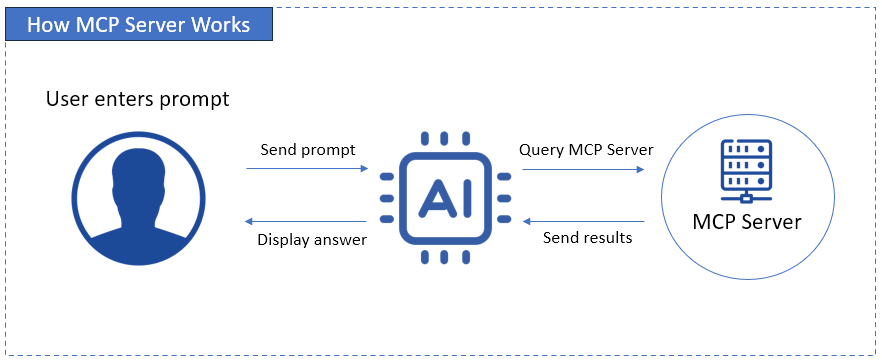
The flow is short. You type a question, the assistant picks an MCP tool, the server calls the app’s API with your credentials, and the result comes back for the assistant to summarize. For a longer explanation with examples, see our guide to MCP servers.
MCP is no longer one company’s project. Anthropic contributed it to the Linux Foundation’s new Agentic AI Foundation, announced on December 9, 2025, alongside Block’s goose and OpenAI’s AGENTS.md. The current specification is version 2026-07-28, and an official MCP Registry lists public servers with their versions.
Hosted or Local: How MCP Servers Changed in 2026
A year ago, a typical server in an MCP roundup was a package you installed with npx, plus a token pasted into a JSON file on a developer machine. In 2026, the big SaaS vendors started running the servers themselves.
- HubSpot made its remote MCP server generally available on April 13, 2026, for all HubSpot accounts, with write access added in the same release.
- Salesforce made its Hosted Standard MCP Servers generally available in April 2026.
- Google opened its Workspace MCP server to a public developer preview on May 1, 2026.
- Atlassian moved to v2 of its hosted server; v1 clients switch to v2 automatically on March 1, 2027.
- GitHub, Notion, Slack and Ahrefs also run their own hosted servers.
What changes for you: a hosted server signs you in with OAuth, so no API key sits in a config file on someone’s laptop. The vendor patches it, and your existing permissions apply. Local servers still make sense for tools that act on your machine or your own account, like Playwright, Docker Hub and Vectara.
Most hosted servers take a single URL. These are the published endpoints for servers in this list:
| Server | Endpoint URL | Sign-in |
|---|---|---|
| HubSpot | https://mcp.hubspot.com | OAuth with PKCE, through an MCP connector |
| GitHub | https://api.githubcopilot.com/mcp/ | OAuth or a personal access token |
| Atlassian | https://mcp.atlassian.com/v2/mcp | OAuth 2.1 or an API token |
| Ahrefs | https://api.ahrefs.com/mcp/mcp | Ahrefs account consent screen, MCP-scoped key |
| Context7 | https://mcp.context7.com/mcp | API key in an Authorization header (optional) |
| Notion | https://mcp.notion.com/mcp | OAuth |
| Skyvia | Shown on each endpoint’s Overview tab | None, or endpoint user name and password |
To add one in Claude Code, run the add command with a name and the URL, then open /mcp inside Claude Code to sign in and confirm the server shows as connected:
claude mcp add –transport http notion https://mcp.notion.com/mcp
In Claude on the web or Desktop, add the same URL as a custom connector and approve the sign-in. Other clients, such as ChatGPT and Cursor, take it through their own MCP settings screen. Note that claude mcp add saves the entry without testing credentials, so a typo in a token only shows up when the server fails to connect.
How We Picked the Best MCP Servers
The best MCP servers for a business team are the ones that do a real job in an app you already pay for, without giving the assistant more access than a person would get. We scored each one on five questions.
- Is it official? Vendor-maintained servers track API changes. We replaced last year’s third-party Salesforce pick with Salesforce’s own hosted servers for that reason.
- What job does it do? Each pick covers a distinct task: CRM updates, SEO research, code review, data questions, team chat.
- Is the write scope documented? We list what each server can change, because “full access” and “read-only” carry different risks.
- Does it respect existing permissions? The strongest servers act as the signed-in user, so a sales rep’s assistant can’t see what the rep can’t.
- What does it cost to use? Pricing varies more than the features do. Some servers are free with the app; others draw on API units, credits or a separate plan.
Marketing and Sales MCP Servers
These servers put CRM and SEO data inside the assistant, so a question like “which deals close this week?” gets answered from live records.
HubSpot MCP Server: Best for CRM Work in HubSpot
April 13, 2026 is when HubSpot’s remote MCP server went generally available, and reading stopped being its only trick. These days it also creates and edits CRM records (contacts, companies, deals, tickets, leads, line items, products and custom object records) and logs calls, meetings, notes, tasks and emails. On the marketing side, it can draft and publish landing pages, website pages and blog posts, update campaigns and build static segments; quotes are in beta for Revenue Hub Professional and Enterprise accounts.
Setup is a three-step job. You create an MCP connector under Development > MCP Connectors, point your client at the HubSpot endpoint with OAuth, then start asking questions. Every action respects the user’s HubSpot permissions. There’s a catch for accounts with sensitive data turned on. In that case the MCP server blocks activity data (calls, emails, meetings, notes and tasks) and conversation data.
Try asking it to summarize the last three calls with Acme Example Corp, or to create a follow-up task for every deal in Contract Sent with no activity in 14 days.
Best for: HubSpot teams who’d rather have the assistant update deals and log activity than just report on them.
Salesforce Hosted MCP Servers: Best for Salesforce Orgs
Salesforce now runs its own MCP servers, generally available since April 2026 for every Enterprise Edition org and above. Standard servers include SObject servers for create, read, update and delete operations, SOQL queries and search. Any MCP client, including Claude, ChatGPT, Cursor or a custom agent, connects with OAuth, and Salesforce hosts the infrastructure. Budget for it: Salesforce says the hosted servers are only for customers with Flex Credits, and server usage may be billed.
When the standard set isn’t enough, admins can build custom MCP servers that expose only chosen tools and prompts. Custom servers respect the org’s sharing and security model, which is the setting to review first; see our Salesforce security guide.
Best for: Salesforce admins and RevOps teams that want the assistant to query and update records under the org’s own security rules.
Ahrefs MCP Server: Best for SEO Research
Ahrefs hosts an MCP server for any plan from Lite up, not only Enterprise. The assistant calls the Ahrefs API for keyword research, competitor rankings, backlinks and traffic history, and each call spends API units from your plan.
| Ahrefs plan | API units a month | Max rows per request |
|---|---|---|
| Lite | 200,000 | 100 |
| Standard | 800,000 | 250 |
| Advanced | 2,000,000 | 500 |
| Enterprise | Custom | Unlimited |
A call costs at least 50 units, and the same pool covers the Ahrefs API and Ahrefs Connect. Admins can set a unit cap on each MCP key, and it’s smart to do that before the whole marketing team discovers two-year traffic charts.
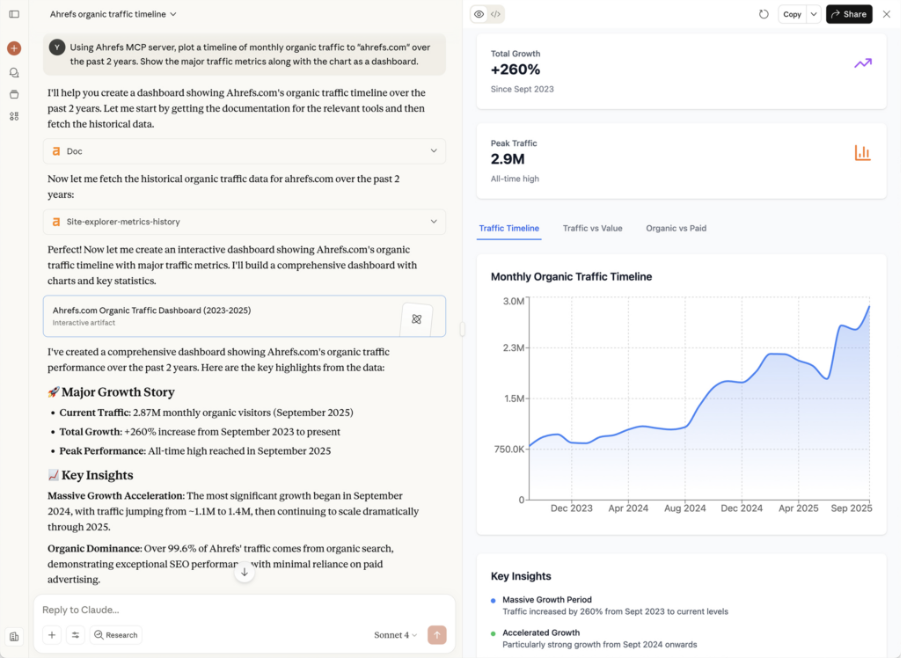
Best for: SEO and content people who want keyword and competitor numbers right in the chat where content gets planned.
Development MCP Servers
Search results for this topic lean hard toward developer lists. That makes sense, since coding assistants were the first heavy MCP users. Our five picks span repositories, tickets, containers, documentation and the browser, which covers most of a developer’s day.
GitHub MCP Server: Best Pick for Repositories and Pull Requests
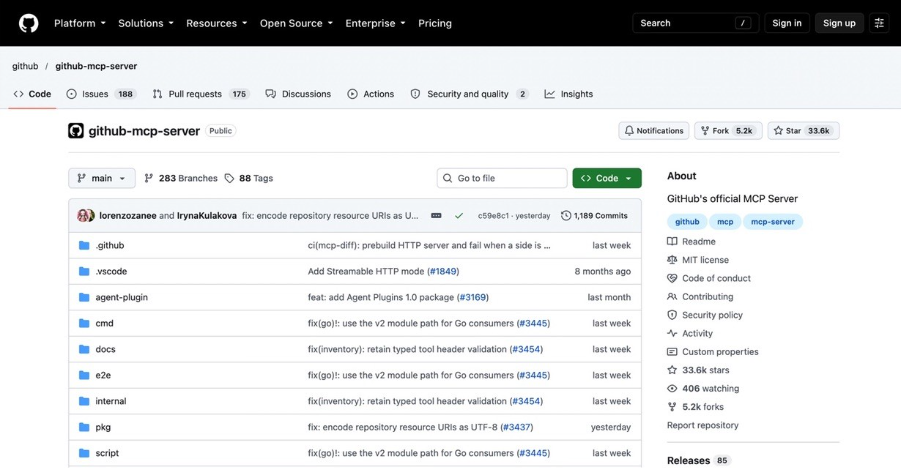
With GitHub’s official server, the assistant reads code, handles issues and pull requests, checks Actions runs, and flags code security alerts. GitHub hosts a remote version that works in VS Code 1.101 or later, Claude, Cursor, JetBrains, Visual Studio, Eclipse, Xcode and more. If your client can’t reach remote servers, run the local one instead.
Secrets are the risk to plan for. Since August 2025, the remote server blocks tool calls that would push a detected secret to a public repository by default (users can bypass the block unless they’ve opted out of push protection). Then in May 2026, secret scanning through the server went generally available for repositories with GitHub Secret Protection. Stick to a fine-grained token or read-only access until the workflow has earned your trust.
Best for: developers who want to triage issues, review pull requests and ask repo questions from inside the editor.
Atlassian MCP Server: Best for Jira and Confluence
The official Atlassian server is hosted in the cloud. Jira, Jira Service Management, Confluence, Bitbucket, Compass and Loom are all covered. From there your assistant can search and summarize, and it can create or update work items and pages as well. Type “Create five Jira work items from these meeting notes” and that’s exactly what happens.
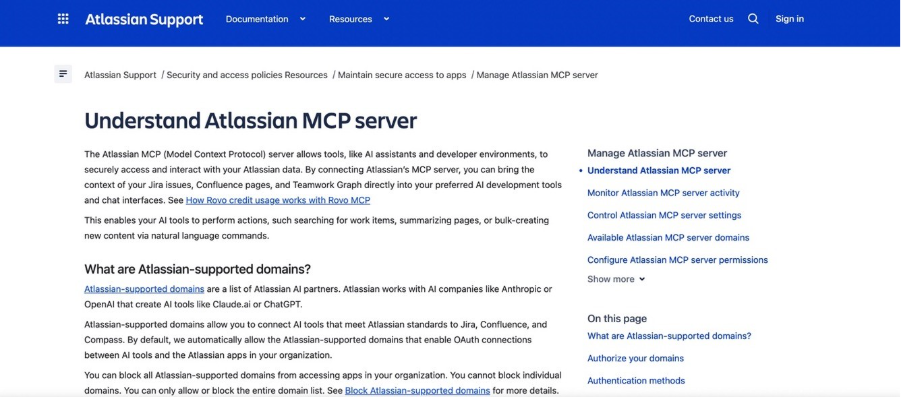
Access is granted per permission group, and every tool inherits whatever its group allows. Cost is the part people miss. Each MCP call eats Rovo credits from the same pool that Rovo Chat and Rovo agents draw on. Atlassian also keeps a GitHub repository, though all it does is package the hosted server for different clients, so it isn’t something you self-host.
Best for: agile teams that like getting ticket updates and sprint summaries straight from the chat window.
Docker Hub MCP Server: Best for Finding Container Images
One thing to know up front: Docker’s server talks to Docker Hub, and it doesn’t touch your running containers. It finds images and tags and lists Docker Hardened Images. Give it a personal access token and it manages your repositories too. Without a token it sees public content only.
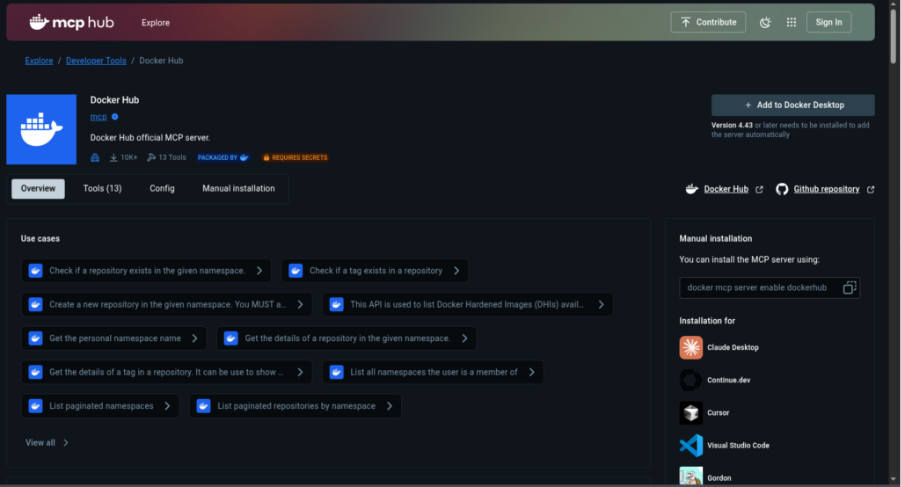
Where possible, keep it local over stdio. Here’s why: Docker’s README warns that the HTTP transport uses the operator’s Docker Hub identity, so whoever reaches that port is effectively you.
Best for: developers tired of the assistant guessing tags when it could suggest the right base image.
Context7: Best for Current Library Docs
Ever had an assistant suggest a function the library dropped two versions ago? It still happens.
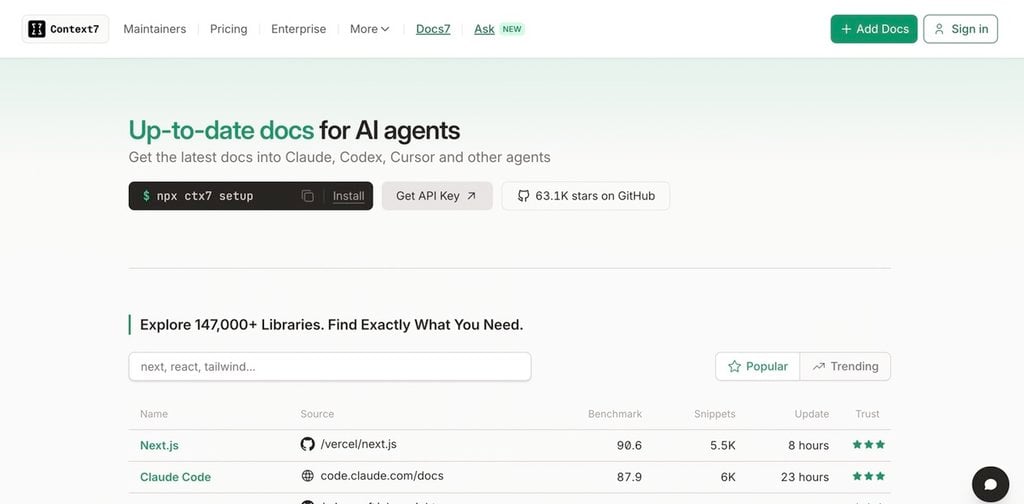
Context7, which comes from Upstash, solves this by pulling version-specific docs and code examples into the prompt, so answers fit the library version you actually use. It’s MIT-licensed open source that Upstash hosts for you, and a free API key raises the rate limits.
Best for: any coding setup where library APIs change often.
Playwright MCP: Best for Browser Automation
Playwright MCP, from Microsoft, hands the assistant a real browser (Chrome, Firefox, WebKit or Edge) for interacting with web pages.
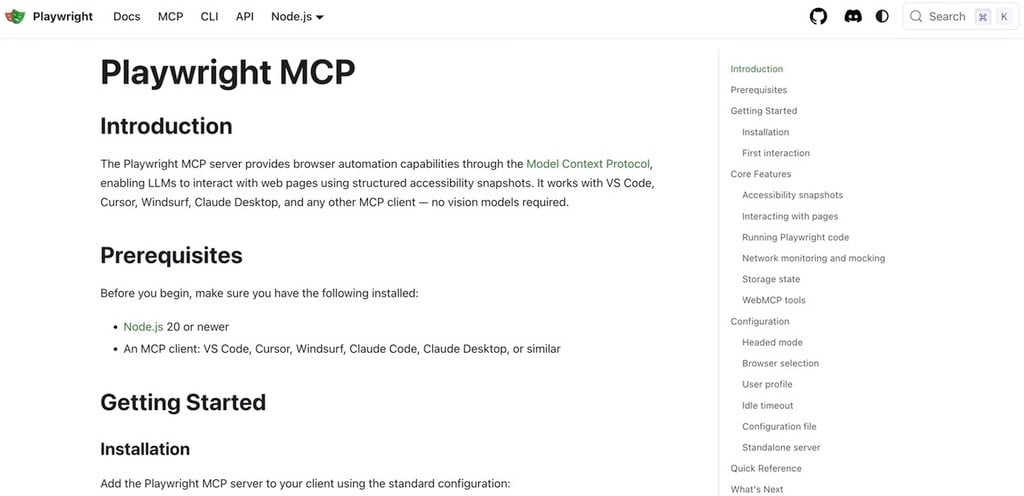
That’s how it checks UI changes and runs test flows. Instead of looking at pixels, it reads the page through Playwright’s accessibility snapshots, so no vision model is involved. Want PDF output, DevTools or coordinate-based (vision) clicks? Those are opt-in capabilities, off until you switch them on.
Best for: frontend teams who want the assistant to verify its own UI changes, plus testers building end-to-end flows.
Data MCP Servers
Most questions about revenue, orders or churn end up in a database or a warehouse, and quite often the answer is split across several apps. These servers give the assistant that data without an export.
Skyvia MCP Endpoints: Best No-Code Pick for Databases and Apps
Skyvia itself is a no-code cloud data platform, with 200+ connectors that reach cloud apps, databases and data warehouses. Through Skyvia Connect, each of those connections can turn into an MCP server in three steps, because you only choose the connection, add security if you need it, and name the endpoint. After that, the assistant reads data through the endpoint, and it can create or update records there too.
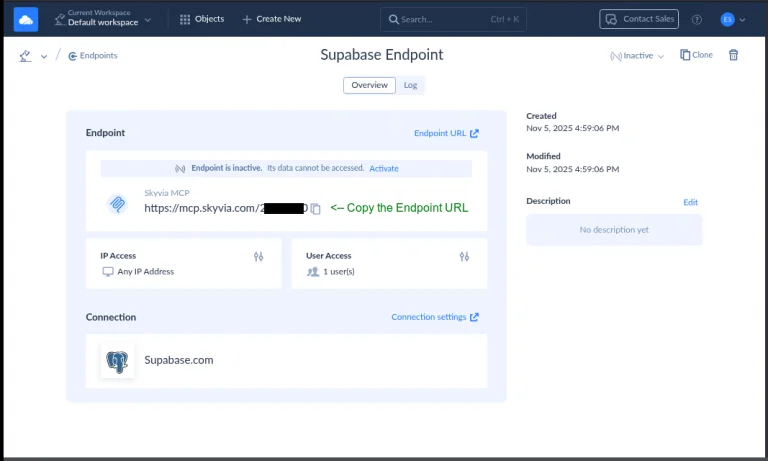
There are limits worth knowing first. Whatever the connection can see, the endpoint exposes. So set access through the connection’s own database user, because the endpoint itself doesn’t narrow it. Security comes from endpoint user accounts (HTTP basic authentication), IP allowlists and a request log. Claude is the tested client: a public endpoint works in Claude web or Desktop as a custom connector, while an endpoint with users needs Claude Desktop and the mcp-remote package.
To try it, Connect’s free plan gives you one endpoint and 100 KB of traffic a month, which is enough for a single source. If you outgrow that, paid Connect plans begin with Basic at $15 a month billed annually, or $19 billed monthly. For step-by-step setups, we’ve written walkthroughs for PostgreSQL, SQL Server, BigQuery and Google Sheets.
Best for: analysts and ops teams with no spare engineers, who’d like the assistant working on live database or app data by the end of the afternoon.

Peliqan MCP Server: Best for Questions Across ERP, CRM and Accounting
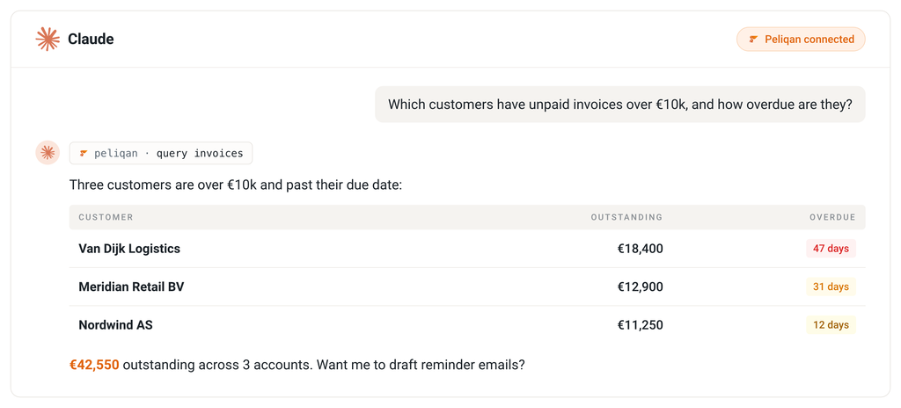
On the PRO and Enterprise plans, the assistant can also write back where a connector supports it, and credentials stay inside Peliqan. On compliance, Peliqan lists SOC 2 Type II, ISO 27001 and GDPR, and it hosts in the EU. Pricing starts with the Connect plan at $85 a month per data source on a 12-month contract, and that plan includes the MCP server; there’s a 14-day trial with no credit card.
Best for: finance and ops teams whose numbers are scattered across ERP, CRM and accounting tools.
K2view MCP Server: Best for Governed Enterprise Data
In K2view, every data product doubles as an MCP server. Each one gathers one business entity, such as a customer or an order, from many systems, and then unifies, masks and cleans that data. When a request comes in, the K2view MCP Orchestrator picks the right products and applies governance on the spot. Prompt templates come with the server, so nobody has to write SQL.
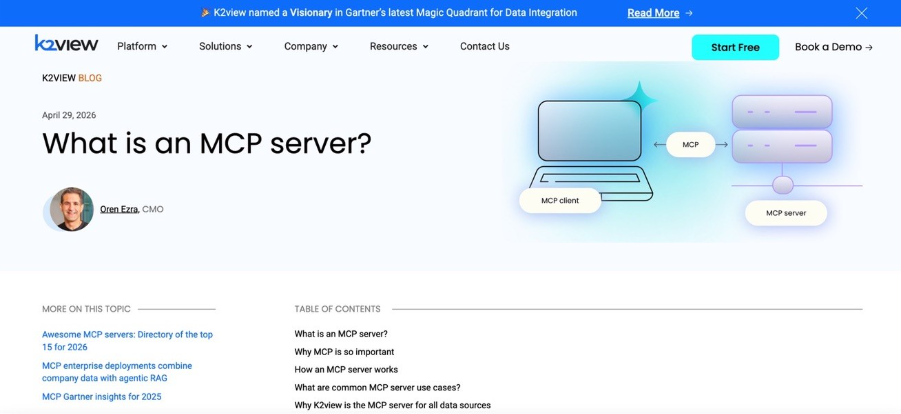
Sign-in is by API key or OAuth, and access control has two levels: the whole server, or individual entities. Tool-level permissions aren’t supported.
Best for: large enterprises where customer data is spread across CRM, ERP and legacy systems.
Vectara MCP Server: Best for RAG Over Your Documents
Vectara’s server is open source (Apache 2.0), and its two query tools do the main job: ask_vectara for a RAG query that returns a generated answer plus the matching results, and search_vectara for semantic search with no generation.
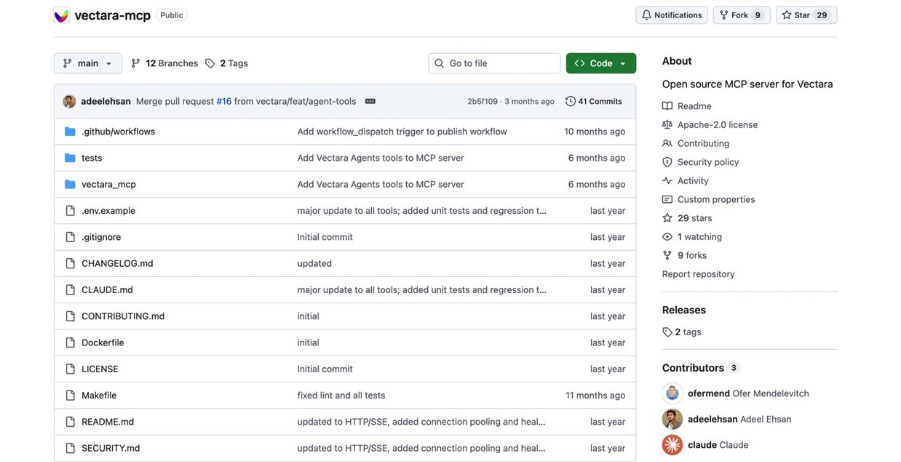
Both query corpora you’ve indexed in Vectara, picked by corpus key. Two more tools check generated text against source documents, one correcting hallucinations and one scoring factual consistency.
Best for: teams that build assistants on help centers, wikis or policy documents already indexed in Vectara.
Collaboration MCP Servers
These servers let the assistant act where the team talks and writes.
Slack MCP Server: Best for Team Conversations
Slack’s server lets the assistant search messages, files, users and channels, read entire channels and threads, and send, schedule or draft messages for you.
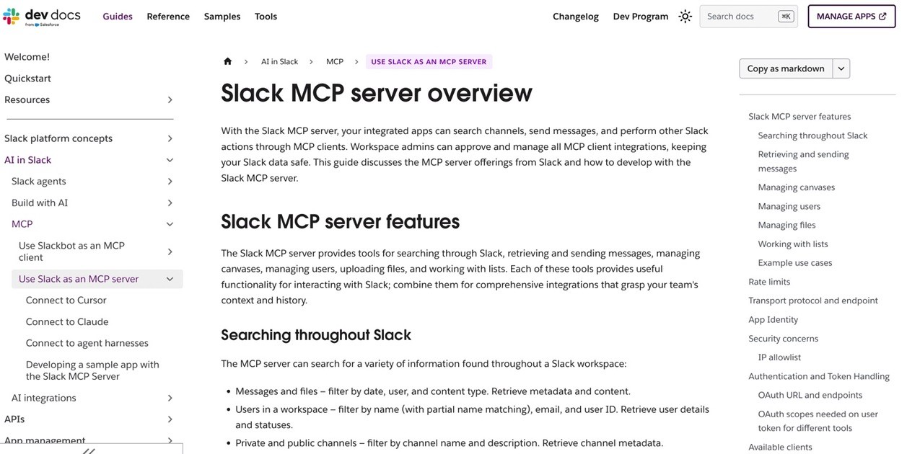
Canvases and lists? It creates and updates those too, and it uploads files and adds reactions. Workspace admins approve and manage every MCP client, which keeps a stray integration out.
Best for: support, engineering and ops teams that want past decisions found and status updates posted from the assistant.
Notion MCP Server: Best for Knowledge Bases
Notion hosts its MCP server. You authorize it with OAuth, and after that the assistant can search Notion and connected sources, read and update pages, and create pages and databases, though only within what you can access.
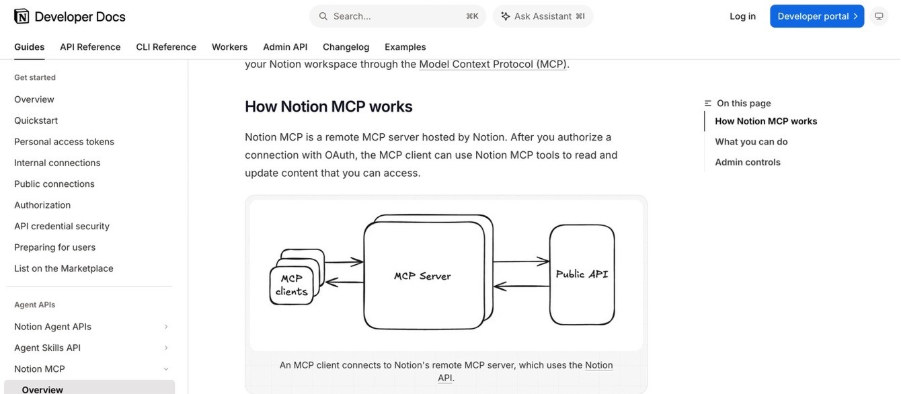
Who gets MCP access is up to workspace owners, who manage it under Settings > Connections.
Best for: product and content teams that keep their specs, wikis and task lists in Notion.
Google Workspace MCP Server: Best Fit for Gmail, Drive and Calendar
Google’s official Workspace MCP server entered public developer preview on May 1, 2026, and it’s rolling out gradually. It reaches Gmail (search, drafting, read and write), Drive (fetch, list, upload, permissions), Calendar (free times and events), Chat (search, read, reply) and People. Access stays in admins’ hands through the Admin console, under Security > API Controls.
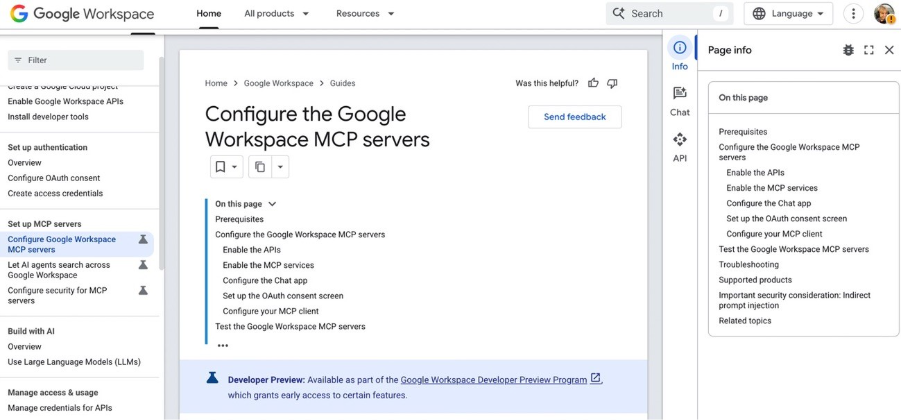
Plenty of guides titled Google Workspace MCP actually cover community servers, such as the open-source google_workspace_mcp project. Those work fine. The difference is that you host them and review their scopes yourself.
Best for: teams that work in Gmail, Drive and Calendar every day and don’t mind a preview release.
How Many MCP Servers Should You Run?
Probably fewer than you’d guess. Every server you add puts its tool list into the model’s context window. And the longer that list grows, the harder it gets for AI agents to pick the right tool. A sensible start is two or three servers for the apps you open daily, adding more only when a real question needs one.
This is also why some coding agents now skip MCP for a few jobs. Playwright’s own README notes that agents increasingly favor a command-line tool with Skills, since CLI calls load less into the context window than tool schemas and page snapshots do. It also notes that MCP remains the better choice for long-running work that needs persistent state. For business apps such as a CRM, a database or a wiki, though, MCP is still the way assistants get in.
Security Checklist Before You Connect Business Data
Before anyone hooks up a production system, paste this list into the ticket:
- It’s the vendor’s own server, or someone has read the community server’s code and scopes.
- OAuth handles sign-in, or the token carries the minimum scope (start read-only).
- The assistant’s user has just the access the task needs, and no admin account is involved.
- You know which objects the server can write to (HubSpot, Salesforce and Atlassian document this; a Skyvia endpoint can change whatever its connection’s user can).
- An admin approved the client where the app supports it (Slack, Notion, Atlassian, Google Admin console).
- Sensitive fields are masked or blocked (HubSpot’s sensitive data setting, K2view masking).
- Network access is limited where possible (Skyvia IP allowlists; no open HTTP port for local servers).
- Someone watches usage: request logs, Ahrefs API units, Rovo credits.
- Testing happened first on a sandbox org or a copy of the database.
Which MCP Server Fits Your First Use Case?
| If your team needs to… | Start with | Why | How to check it works |
|---|---|---|---|
| Update CRM records from chat | HubSpot or Salesforce Hosted MCP | Official, writes core records, respects user permissions | Ask it to log a test call on a sandbox record |
| Research keywords and competitors | Ahrefs | Live Ahrefs data from the Lite plan up | Ask for one keyword’s volume and compare with Ahrefs |
| Review code and triage issues | GitHub plus Context7 | Repository access plus current library docs | Ask for open bugs from the last seven days |
| Ask questions of a database | Skyvia MCP endpoints | No code, 200+ sources, works with Claude | Ask for yesterday’s order count and match it in SQL |
| Join CRM and accounting data | Peliqan | One endpoint over a synced warehouse | Ask a two-system question you can check by hand |
| Find past decisions in chat and docs | Slack plus Notion | Hosted, admin-approved, read and write | Ask where a known decision was made |
Is your data stuck in a database or cloud app that has no vendor MCP server? Then create a Skyvia MCP endpoint on the free Connect plan and point Claude at it

FAQ for Best MCP Servers

Are MCP servers still useful in 2026?
Yes. HubSpot and Salesforce made their hosted servers generally available this year, and Google opened a Workspace MCP server in preview. MCP is still how assistants connect to CRMs, databases and wikis.
What is replacing MCP servers?
Nothing replaces them across the board, but some coding agents now use command-line tools with Skills for jobs like browser automation. Playwright’s README says CLI calls load less into the context window, while MCP still fits long-running work that needs persistent state.
Can an MCP server change data in my CRM?
Yes, as long as the server supports writes and your user has edit rights. HubSpot’s server, for instance, creates and edits contacts, companies, deals, tickets, custom object records and activities. On the Salesforce side, SObject servers can create, update and delete records. Try it on a sandbox before production.
Does setting up an MCP server require a developer?
Not for hosted servers. For those, you paste a URL into your AI client and approve the sign-in. Skyvia goes a step further and builds an endpoint from a connection you already have, with no code. Local servers are different: Playwright and Docker Hub still need Node.js or Docker installed on your machine.
Are MCP servers free to use?
Many are free with the app, but some meter usage. Ahrefs MCP needs a Lite plan or higher and spends API units, Atlassian calls consume Rovo credits, and Peliqan’s Connect plan costs $85 a month per data source on a 12-month contract.
Why does my assistant pick the wrong MCP tool?
Most of the time, it’s because too many servers are connected. Every server adds a tool list to the context window, so disconnect the ones you don’t use each day and keep two or three running.
Got answers that cross several apps, none of which has its own MCP server? With Skyvia, you can replicate that data into one database and expose that database through a single MCP endpoint, all without code. Start with a free Skyvia account and connect your first source today.