Google Sheets often starts as a lightweight business tool and quietly becomes part of the analytics stack. Finance maintains forecasts there, marketing updates campaign data, and operations keeps reference tables that eventually need to reach BigQuery.
Manual exports and scripts can handle this for a while. The trouble starts when spreadsheets change, refreshes fail, or dashboards depend on data nobody remembered to reload.
This guide compares seven Google Sheets to BigQuery integration tools by setup, schema handling, scheduling, monitoring, maintenance, and cost.
Why Do Data Teams Need to Automate Google Sheets to BigQuery Data Pipelines?
The difficult part is rarely getting a spreadsheet into BigQuery once. It is keeping BigQuery current while people continue editing the source.
An automated pipeline removes repeated exports and uploads, keeps refreshes on schedule, and makes failures visible. This matters once spreadsheet data feeds Power BI, Tableau, Looker Studio, or downstream SQL models.
Why Do Manual CSV Exports and Google Apps Scripts Inevitably Break at Scale?
CSV works perfectly well for an occasional transfer. At scale, someone has to remember what to export, which version is current, and how it should be loaded.
Apps Script removes some manual work, but it creates something else to maintain. Columns get renamed, data types change, credentials expire, and APIs fail. Writing the first script is usually the easy part. Keeping dozens of small scripts working is where the cost shows up.
Dedicated integration tools move scheduling, mappings, retries, logs, and notifications out of custom code and into the platform.
How Does Centralizing Spreadsheets in BigQuery Power Reliable BI Dashboards and Reporting?
Loading Sheets into BigQuery gives reporting a more consistent data layer. Spreadsheet data can be joined with CRM, finance, advertising, or product data before reaching BI tools.
It does not fix messy source data, but it gives the team one place to validate, transform, and monitor it. Google Sheets can remain convenient for business users while BigQuery handles analytics at scale.
How Did We Evaluate and Compare the Top Google Sheets to BigQuery Integration Tools?
Having Google Sheets and BigQuery connectors is only the starting point. I would compare what happens after the first successful load: setup and maintenance, schema changes, refresh frequency, troubleshooting, security, and cost.
Those factors usually tell you much more about how a pipeline will behave in production than the connector list itself.
How Do Setup Complexity and Maintenance Overhead Impact Lean Data Teams?
Setup may take minutes with a managed connector or hours with custom code. The bigger question is what each option requires six months later.
Some platforms manage credentials, scheduling, retries, connector updates, and monitoring. Others give engineers more control but leave them with more infrastructure to own. For lean teams, I generally prefer boring pipelines that do not need attention every morning.
How Do Connectors Handle Automatic Schema Drift and Cell Data Type Changes?
Sheets lets users rename columns, add fields, change formats, and mix data types freely. BigQuery expects structure.
I therefore looked at how a connector detects schema changes, updates mappings, handles changing data types, and reports problems. A column full of numbers works nicely until somebody types TBD. The pipeline needs a predictable answer when that happens.
What Is the Difference Between Volume-Based, Event-Based, and Connector-Based MAR Pricing?
Integration platforms measure essentially the same pipeline in different ways.
Volume-based pricing charges according to records or data processed. Event-based pricing counts billable operations or events. MAR-based pricing, such as Fivetran’s, is based on rows that become active during the billing period.
I would compare these models using the actual workload: spreadsheet size, number of sources, refresh frequency, change rate, and expected growth. The lowest starting price is not necessarily the lowest bill.
How Reliable Are Execution Logs, Alerting Systems, and Incremental Sync Frequencies?
Almost every tool promises scheduling and monitoring. I looked deeper: Can I identify the failed run? See affected records? Understand the error? Get notified without checking the platform manually?
Refresh frequency matters too, but faster is not always better. A reliable 15-minute pipeline with useful logs is more valuable than a theoretical one-minute sync that regularly needs babysitting.
How Securely Do These Tools Handle Google Sheets and BigQuery Credentials?
I look for secure credential storage, OAuth or service-account support, encryption, and least-privilege access. Larger teams may also need RBAC, SSO, audit logs, and compliance certifications.
The operational side matters as well. Credentials expire, and permissions change, so rotating access should not turn into a broken pipeline every time.
Quick Comparison: Which Google Sheets to BigQuery Tool Leads in 2026?
| Feature | Skyvia | BigQuery External Tables / Native GCP | Fivetran | Airbyte | Hevo Data | Coupler.io | Custom Python + GCP |
|---|---|---|---|---|---|---|---|
| Primary Deployment | Managed cloud | Google Cloud | Managed cloud | Cloud or self-managed | Managed cloud | Managed cloud | Serverless / self-managed code |
| Setup Time | Minutes | Minutes to hours | Minutes | Minutes to hours | Minutes | Minutes | Hours to days |
| Schema Handling | Visual mapping and schema configuration | Mostly user-managed | Managed schema handling | Connector-dependent | Managed schema mapping and handling | Visual transformations and destination mapping | Fully custom |
| Bidirectional / Reverse ETL | Reverse ETL broadly supported, but no native bidirectional Sheets ↔ BigQuery sync | No built-in Reverse ETL workflow | Yes, through broader activation capabilities | Available through broader destination / activation workflows | Primarily ingestion-focused | Multiple destinations, but not conventional Reverse ETL | Whatever you build |
| Pricing Model | Record / volume-based; Free plan available | Google Cloud usage-based | MAR-based | Volume / capacity-based Cloud; free self-managed Core | Event-based | Plan / run / data-volume dependent | GCP consumption + engineering cost |
| Best For | No-code pipelines and broader data integration | Simple Google-native access to Sheets | Mature managed ELT environments | Open-source and deployment control | Managed multi-source ingestion | Marketing, operations, and analyst-led pipelines | Custom logic and engineering-controlled workflows |
What Are the Top 7 Google Sheets to BigQuery Integration Tools?
The seven options below solve different versions of the same problem, from simple scheduled loads and native Google Cloud access to managed integration platforms and custom pipelines. The right choice depends on how much control, automation, and maintenance your team needs.
Why Is Skyvia the Best No-Code, Predictably Priced Integration Platform for Google Sheets and BigQuery?
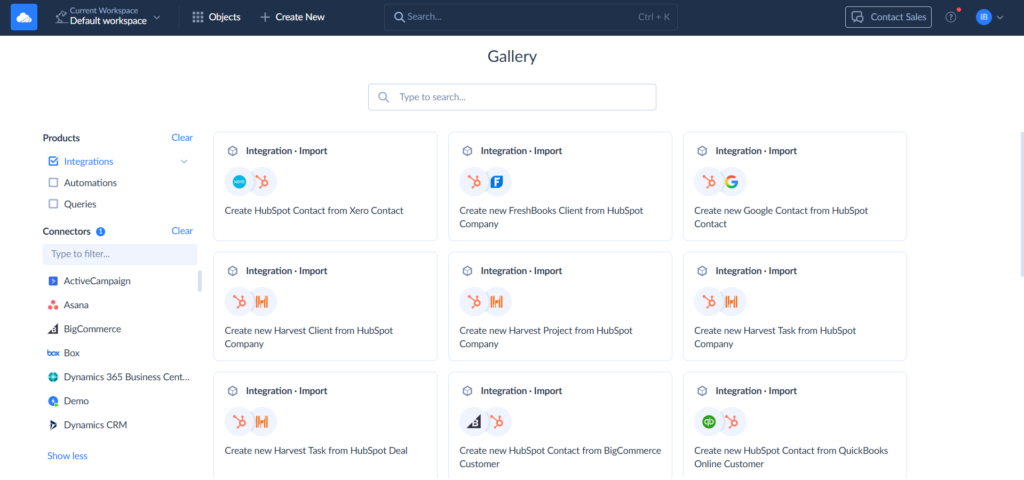
Skyvia is a good fit when Google Sheets is one part of a broader integration environment rather than a one-off import. You can configure and schedule a Google Sheets to BigQuery pipeline visually, without writing code.
For straightforward transfers, Replication can create corresponding BigQuery tables and run scheduled loads. Import adds mapping and transformations, while Data Flow and Control Flow cover more complex multi-source workflows. This gives teams room to expand the pipeline without switching platforms.
There are two Google Sheets-specific limitations to keep in mind. Skyvia does not support incremental replication for Google Sheets, and each connection represents one spreadsheet. The platform also provides execution history, error details, notifications, and scheduling.
Pricing is volume-based. The Free plan includes 10,000 records per month, while paid Data Integration plans start at $99/month, or $79/month with annual billing, with unlimited users and source/target connections.
Best for
Data and analytics teams that want a managed no-code Google Sheets to BigQuery pipeline, particularly when they also need to connect BigQuery with other SaaS applications, databases, files, or data warehouses.
Pros
- Direct Google Sheets and BigQuery connectors with visual configuration.
- Supports straightforward replication as well as mapped ETL and more complex multi-source pipelines.
- Scheduling, execution history, notifications, and error logging are built in.
- Volume-based pricing with unlimited users and connections.
- Free plan for smaller workloads.
Cons
- Google Sheets does not support incremental replication, so this source is better suited to scheduled batch loading than change-only replication.
- Each Google Sheets connection works with a single spreadsheet, so setups involving many separate spreadsheet files require additional connections.
- A dedicated integration platform can be more than you need if the requirement is simply to query one stable spreadsheet from BigQuery.

When Should You Use BigQuery Data Transfer Service (BQDTS) and Native External Tables?
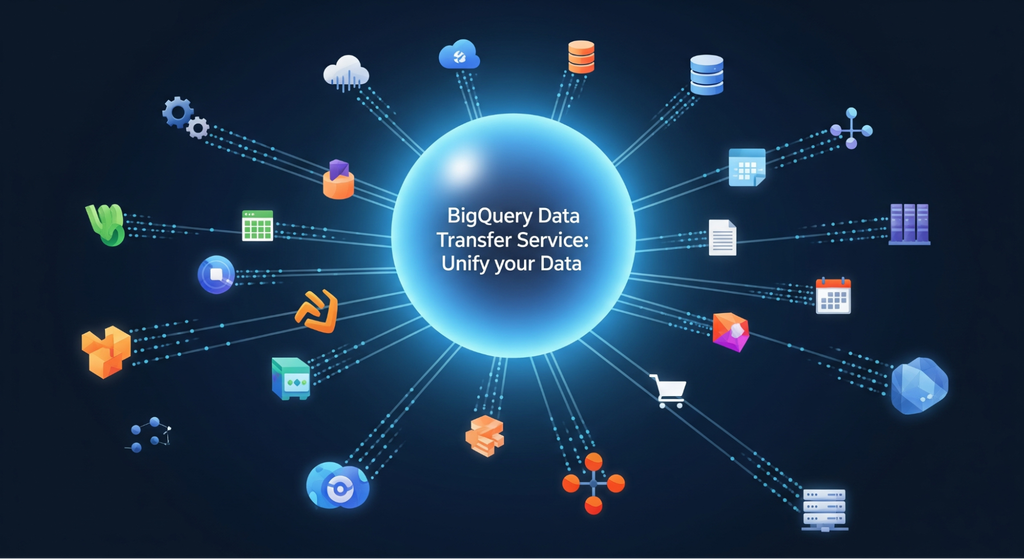
Before adding another integration platform, it is worth checking whether Google’s native functionality is enough.
The key distinction is that BigQuery Data Transfer Service does not provide a direct Google Sheets transfer source. Instead, BigQuery can access Sheets as external tables through Google Drive.
You provide the spreadsheet URI, select Sheets as the format, and optionally specify a sheet or cell range. BigQuery can then query that data with GoogleSQL without first copying it into a standard table. This works particularly well for small reference datasets such as targets, mappings, categories, or manually maintained assumptions.
The tradeoff is that the data remains in Google Drive. External tables can be slower than native BigQuery tables, require access to both BigQuery and the source file, and may have consistency issues if the Sheet changes during a query. For production workloads where performance matters, loading the data into native BigQuery tables is usually the better approach.
Best for
Teams already working heavily in Google Cloud that need lightweight access to relatively stable Google Sheets data and are comfortable managing Google Cloud permissions, schemas, and SQL themselves.
Pros
- Native integration with the Google Cloud ecosystem.
- No separate third-party integration platform is required for external-table access.
- BigQuery can query a Google Sheet directly without first copying its data into a native table.
- Supports permanent and temporary external tables.
- A specific sheet or cell range can be selected.
- Makes particular sense for small reference datasets and occasional analytical queries.
Cons
- BQDTS does not provide a direct scheduled Google Sheets-to-BigQuery connector.
- External tables leave the data in Google Drive rather than materializing it as standard BigQuery tables.
- Query performance can be slower than native BigQuery tables.
- Changes to the underlying Sheet during a query can produce consistency issues.
- Permissions must be maintained for both BigQuery and the underlying Drive file.
When Does Fivetran Make Sense for Google Sheets Ingestion Despite Higher Costs?
Fivetran makes the most sense when Google Sheets is one source in a larger managed ELT environment. Its main advantage is low operational overhead: the same platform can handle Sheets alongside many other sources feeding BigQuery.
For Google Sheets, Fivetran works with a named range, which becomes a destination table. When that range changes, Fivetran replaces its data rather than performing conventional row-level incremental replication. Multiple worksheets require a different setup through its Google Drive connector.
Pricing is based on Monthly Active Rows (MAR). New and changed rows count toward usage, while unchanged rows are not repeatedly billed. This can work well for predictable workloads, but costs become harder to estimate as the number of sources and active rows grows.
I would consider Fivetran when reducing pipeline maintenance matters more than minimizing integration costs. For one or two simple spreadsheet loads, it may be more platform than the job requires.
Best for
Data teams already using a managed ELT stack that value low maintenance, mature monitoring, and standardized ingestion across Google Sheets and many other sources.
Pros
- Managed Google Sheets-to-warehouse ingestion with little infrastructure to maintain.
- Detects changes in the configured named range and keeps the destination table updated.
- Mature scheduling, retries, monitoring, and troubleshooting features.
- MAR billing does not charge repeatedly for unchanged Google Sheets rows.
- Fits well when Fivetran already handles other sources going into BigQuery.
Cons
- MAR pricing can be harder to forecast as the number of active rows and connectors grows.
- The Google Sheets connector works with one named range and one destination table. Multiple worksheets require a different setup through the Google Drive connector.
- A changed Sheet causes the named-range data to be replaced in the destination rather than using true row-level incremental replication.
- Likely excessive for a small number of simple spreadsheet pipelines.
How Does Airbyte Compare for Teams Requiring Open-Source Pipeline Control?
Airbyte is the more engineering-oriented option in this comparison. It supports Google Sheets as a source and BigQuery as a destination, while giving teams considerably more control over deployment and connector infrastructure.
The main distinction is deployment choice. Airbyte Core is free and self-managed, while Airbyte Cloud provides a managed alternative. This makes Airbyte attractive when a team wants to run its own infrastructure, customize connectors, or bring many pipelines under the same open-source ecosystem.
That flexibility comes with operational responsibility. Self-hosting means your team owns upgrades, monitoring, compute, storage, and troubleshooting. The software may be free, but the pipeline still has a maintenance cost.
For a single Google Sheet, that tradeoff is difficult to justify. Airbyte becomes more compelling when engineering control and extensibility are requirements rather than side benefits.
Best for
Engineering-oriented data teams that want a customizable Google Sheets-to-BigQuery pipeline and prefer open-source or self-managed infrastructure over a fully managed black box.
Pros
- Free self-managed Core edition.
- Google Sheets source and production BigQuery destination are available.
- Large connector catalog with 700+ connectors advertised across the current platform.
- Offers both self-managed and managed deployment paths.
- Connector tooling and APIs make it better suited to engineering teams that need customization.
- Cloud options are available if the team later decides it no longer wants to operate the infrastructure itself.
Cons
- Self-hosting shifts upgrades, infrastructure, monitoring, and operational work back to your team.
- More moving parts than necessary for a basic Google Sheets-to-BigQuery job.
- Some advanced governance and support capabilities sit in higher commercial tiers.
- Cloud sync frequency depends on the plan, with Standard currently capped at one hour and Pro at 15 minutes.
Is Hevo Data the Right Option for Near-Real-Time Spreadsheet Replication?
Hevo Data is a managed option for teams that want Google Sheets alongside other sources feeding BigQuery. However, Google Sheets itself is not a near-real-time source in Hevo.
The current minimum ingestion frequency is 30 minutes. Because Google Sheets does not expose row-level changes, Hevo checks the Sheet’s modification timestamp and re-ingests its data when a change is detected. New BigQuery destinations also cannot use Hevo’s older streaming-inserts feature.
Hevo uses event-based pricing, which deserves attention here because repeated spreadsheet ingestion can affect usage. Google Sheets connections also require a Google service account rather than user-account OAuth.
Best for
Teams that want managed, no-code-style ingestion from Google Sheets and other sources into BigQuery and prefer not to operate their own integration infrastructure.
Pros
- Managed pipeline infrastructure with visual configuration.
- Native Google Sheets source and BigQuery destination support.
- Handles recurring spreadsheet ingestion without custom Apps Script.
- Monitoring and scheduling are built into the platform.
- Can bring Google Sheets into the same ingestion environment as other business data sources.
Cons
- Current Google Sheets pipelines have a 30-minute minimum ingestion frequency, so this source is not truly near-real-time.
- Google Sheets does not expose row-level changes, so a detected Sheet modification can cause all of its data to be ingested again.
- New BigQuery destinations cannot enable Hevo’s older streaming-inserts feature.
- Google Sheets sources require service-account authentication rather than a user Google account.
- Event-based pricing needs attention when frequently changing Sheets are involved.
How Effective Is Coupler.io for Marketing and Operational Spreadsheet Syncing?
Coupler.io is geared more toward analysts, marketing, and operations teams than engineering-heavy data infrastructure. Google Sheets to BigQuery pipelines can be configured visually, including source ranges, destination tables, and schema detection.
Its visual transformation layer handles filtering, calculations, column changes, and combining sources before loading. Scheduled refreshes can run as often as every 15 minutes depending on the plan.
That makes Coupler.io a practical step up from manual spreadsheet exports. The tradeoff is that it is primarily a scheduled data automation and analytics platform, not a replacement for complex orchestration or database CDC.
Best for
Marketing, operations, and analytics teams that want to move Google Sheets and other business data into BigQuery on a schedule without maintaining code or integration infrastructure.
Pros
- Straightforward no-code Google Sheets-to-BigQuery setup.
- Visual transformations for filtering, calculations, column management, and combining sources.
- Automated refreshes as often as every 15 minutes, depending on the plan.
- Useful ecosystem of marketing and business-app sources alongside spreadsheets.
- Can send the same data flow to multiple destinations, which is handy when analysts work in BigQuery while business users still need Sheets or dashboards.
Cons
- Scheduled refresh rather than continuous real-time replication.
- Less suited to complex data-engineering pipelines that require database CDC or extensive orchestration.
- The fastest refresh intervals require higher-tier plans.
- Using a third-party platform may be unnecessary for a single small Sheet when BigQuery’s native options already cover the requirement.
When Should Engineers Build and Maintain Custom Python Scripts on GCP Cloud Functions?
Sometimes a custom pipeline is the better fit. Python gives engineers complete control over how Google Sheets data is extracted, validated, transformed, and loaded into BigQuery. A typical setup combines the Google Sheets API, BigQuery client library, and Cloud Scheduler for recurring execution.
The catch is maintenance. Your team still owns authentication, retries, logging, alerts, schema changes, testing, API limits, and deployment. The first working script is rarely the finished pipeline.
I would choose this route when custom logic is the reason for the pipeline, not simply to avoid paying for a connector. Complex validation, company-specific transformations, or unusual routing rules can justify owning the code. A standard scheduled Sheets-to-BigQuery load usually does not.
Best for
Engineering teams with unusual transformation or validation requirements, existing GCP expertise, and a genuine reason to own the pipeline code.
Pros
- Complete control over extraction, validation, transformation, and loading logic.
- Can implement business rules that are awkward or impossible in visual integration tools.
- Fits naturally into an existing Google Cloud environment.
- Serverless execution means there is no dedicated integration server to maintain.
- Scheduling and retries can be built with native Google Cloud services.
- Infrastructure costs can be low for small, infrequent workloads.
Cons
- Your team owns the code, dependencies, API changes, testing, and deployment.
- Logging, alerts, retries, schema handling, and data-quality checks need to be designed rather than simply enabled.
- Duplicate executions need to be handled safely because Cloud Scheduler uses at-least-once delivery.
- Maintenance costs can easily outweigh subscription savings for ordinary integration jobs.
- Scaling from one custom script to dozens can leave the team maintaining an internal integration platform it never intended to build.
Which Google Sheets to BigQuery Integration Tool Fits Your Specific Use Case?
The right choice depends less on the number of features and more on the type of pipeline you need. For a quick shortlist, match the tool to your main requirement:
| Use Case | Tool to Consider | Why It Fits |
|---|---|---|
| No-code Google Sheets → BigQuery and broader integration | Skyvia | Visual pipelines, broader integration workflows, predictable record-based pricing |
| Simple Google-native access to Sheets | BigQuery External Tables / Native GCP | Queries Sheets directly without another integration platform |
| Managed ELT at scale | Fivetran | Mature managed ingestion with low operational overhead |
| Open-source or self-managed pipelines | Airbyte | More control over deployment and connectors |
| Managed multi-source ingestion | Hevo Data | UI-driven pipelines with managed infrastructure |
| Marketing and operational reporting | Coupler.io | Simple scheduled imports and visual transformations |
| Custom processing and validation | Custom Python on GCP | Full control over pipeline logic and execution |

FAQ for Google Sheets to BigQuery integration tools

How do modern integration tools handle mixed data types and formatting errors in Google Sheets?
Most tools infer types from sampled rows, then fall back to STRING when values conflict. Many let you set explicit schemas, coerce or null bad values, and route failed rows to an error table instead of failing the sync.
How can you avoid hitting Google Drive API read quotas during high-frequency syncs?
Batch reads into one range request per tab, sync less often, and use incremental or change-detection checks. Cache results, spread syncs across projects or service accounts, and add exponential backoff on 429 errors.
How do you ingest specific tabs, cell ranges, or exclude summary rows from a Google Sheet?
Most connectors let you pick individual tabs and set A1-notation ranges like Sheet1!A1:F500. Exclude summary rows by bounding the range, skipping header or footer rows, or filtering them out in a downstream transformation.
Can you sync data bidirectionally (Reverse ETL) between BigQuery and Google Sheets?
Yes. Ingestion loads Sheets into BigQuery, while reverse ETL tools or BigQuery’s Connected Sheets push query results back out. Two-way sync needs a clear primary key and conflict rules to avoid overwriting edits.
How do pricing models (volume-based vs. MAR vs. event-based) compare for spreadsheet pipelines?
Volume-based charges by rows or GB moved, MAR by unique rows changed per month, and event-based by each sync event. Spreadsheets are small but often re-synced in full, so MAR or volume pricing usually costs less than event-based.