Summary
- For managed ELT with the most connectors and no maintenance, pick Fivetran.
- To self-host or build your own connectors, pick Airbyte. Fivetran – A solid choice when ingestion needs to run quietly at scale, and cost is secondary to not thinking about pipelines once they’re live.
- For real-time CDC from operational databases, pick Estuary. Hevo Data – Works well when speed matters more than depth, and the goal is to get SaaS and database data into the warehouse with minimal setup.
- For governance, data quality and MDM, pick Informatica or Qlik Talend Cloud. Airbyte – Appeals to teams who want freedom and flexibility, and are comfortable trading convenience for control by running and shaping things themselves.
- For no-code ELT, reverse ETL and two-way sync on record-based tiers, pick Skyvia.Estuary – Built for cases where data freshness matters, not just sounds good, and teams are ready to manage streaming behavior alongside batch work.
The first quote for a data integration tool rarely causes the trouble. Month four is when it starts: a new source doubles the rows, deletes begin to count, or pipelines hit the quota the night before a board report. The meter itself changes from vendor to vendor, too. Some count records or rows, others events or credits, and a few bill by the gigabyte, the message or the endpoint. And once you outgrow the plan, then what? Most comparisons never say.
We compared twelve data integration tools on that question, alongside what each one is built for, its connectors, its fastest sync and where it runs. Every price and limit comes from the vendor’s own pricing pages and documentation, checked on November 4, 2026.
For each tool you get its billing unit, what happens at the limit and its entry price with the billing basis. After the list come picks by job and one table that puts them side by side.
How we chose and checked these tools
Once the connectors you need are covered, one thing decides this purchase: how the bill behaves as your data grows. That’s why each entry gets a When usage grows line, saying what the tool counts and what happens past your plan’s limit. One tool sends an overage invoice. Another pauses your runs, and a third simply stops loading until next month.
The questions, and their order, are the same for every entry:
- When usage grows: which unit you’re billed on, plus what kicks in after the plan’s limit.
- Built for: ELT into a warehouse, application integration and workflow automation, or enterprise data management (whichever the tool was made to do).
- Price: the entry plan and its billing basis (or, failing that, the free plan or trial).
- Speed and deployment: how often the entry plan can sync, and where the tool runs, whether that’s cloud, on-premises or hybrid.
Counts of pre-built connectors and security certifications appear where they help tell tools apart. Prices and plan limits are accurate as of November 4, 2026, taken from each vendor’s own pages in the US view. We didn’t run trial accounts for this version, so the list makes no claims about how the tools behaved in our hands.
Left out on purpose: BladePipe, which has no reviews on G2 or Capterra yet; Stitch, whose site now sends new users to Qlik Talend Cloud (listed below); Talend Open Studio, retired in January 2024; Oracle Data Integrator and IBM DataStage, legacy suites for teams already on those stacks; SnapLogic and Jitterbit, enterprise platforms close to Boomi and MuleSoft; Azure Data Factory and AWS Glue, each tied to one cloud ecosystem; and Workato, Zapier and Make, which are built for task automation first.
We make Skyvia, so we list it first, and we held it to the same fields and checks as every other tool, limits included. After it come the tools that load data into a warehouse, then the app integration platforms and the enterprise suites.
The 12 best data integration tools
Best for no-code ELT, two-way sync and reverse ETL: Skyvia
Skyvia is a no-code cloud data platform you drive through a visual interface. Inside it, the Data Integration product handles ELT replication into a warehouse as well as import (reverse ETL included), export, two-way sync and visual pipelines. Teams can run all of that from one tool, on tiers counted in records, though real-time streaming isn’t part of the deal.
Separately, Skyvia Connect has MCP endpoints that let AI assistants such as Claude work with live data from connected cloud apps and databases, without building an API. It’s a separate product, not part of the Data Integration subscription.
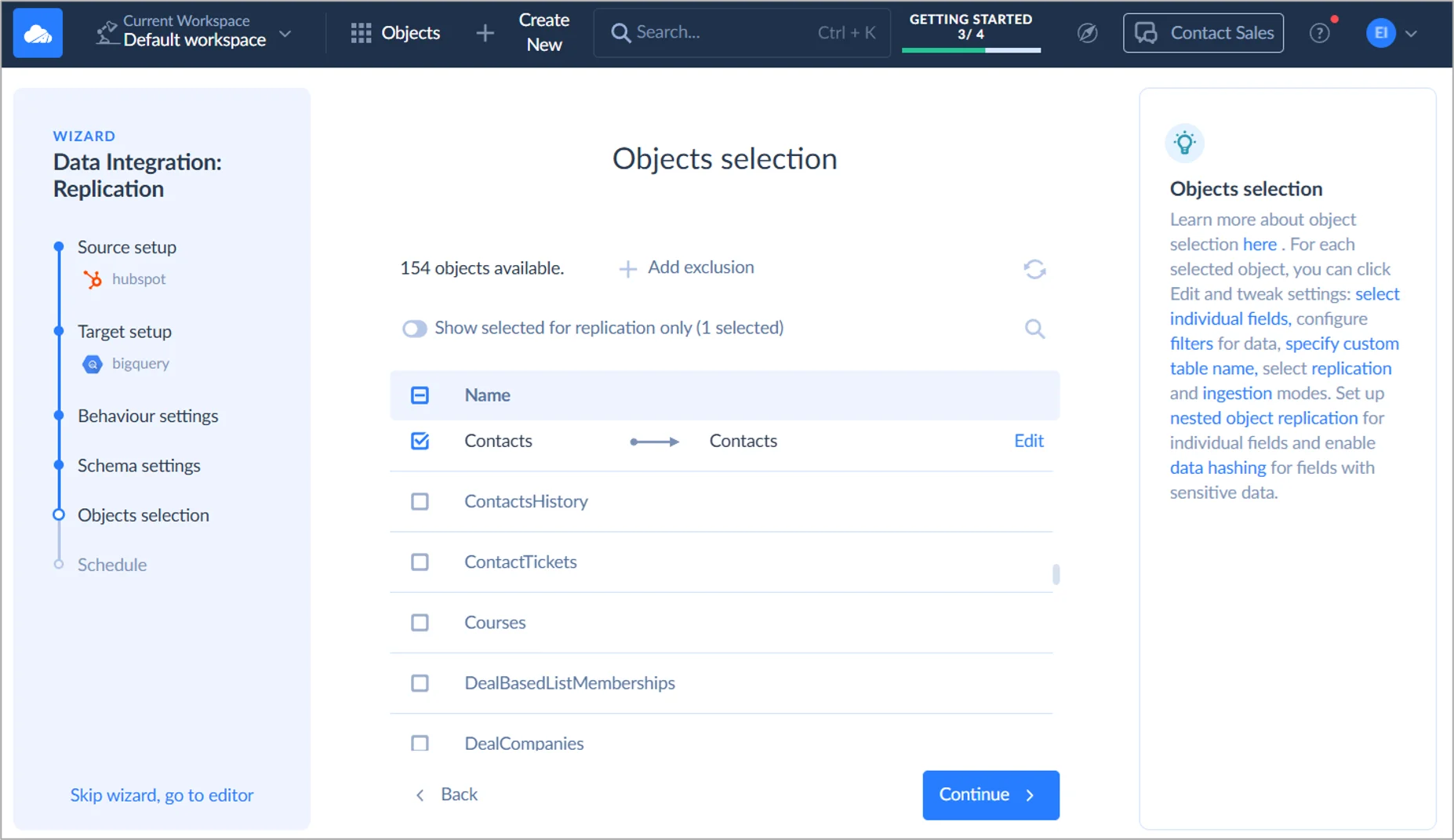
- Best for: a team with no data engineer of its own. You get no-code replication into BigQuery, Snowflake, Redshift, Azure Synapse, Databricks or a database, and reverse ETL and two-way sync come along too.
- When usage grows: overage is off by default. When the month’s record limit is reached, new runs pause until the next period unless you turn extra records on ($0.06 per 1,000 records on Standard, $0.02 per 1,000 on Professional). Failed and canceled records aren’t billed.
- Pricing: billed on records written per month. For 5M records a month, Basic is $79 billed annually ($99 billed monthly) and runs once a day, while Standard is $159 billed annually ($199 billed monthly) and adds hourly runs, Data Flow and advanced mapping. Runs every minute? That’s Professional, from $399 a month billed annually ($499 billed monthly) for 10M records. There’s also a Free plan with 10K records a month.
- Deployment: cloud, with a Windows on-premises agent that gets to databases behind a firewall over outbound HTTPS; for compliance there’s SOC 2 Type 2 and GDPR.
Strengths
- 200+ connectors, and every Data Integration plan comes with unlimited users and connections.
- Replication, import, export, two-way sync, Data Flow pipelines (Standard and up) and hosted dbt Core runs all sit under one subscription.
- When a source deletes a record, replication can delete it too, flag it or keep it, and history mode saves every version.
Limitations
- Only SQL Server changes are captured natively, through SQL Server’s own Change Tracking. Every other source picks up changes incrementally, by timestamp.
- Schema changes in a source aren’t detected automatically.
- It isn’t real time: runs are daily on Free and Basic, hourly on Standard and every minute only on Professional.
Best for hands-off managed ELT: Fivetran
Fivetran’s pitch is simple: ELT you never have to manage. Connectors come pre-built for SaaS apps, databases and files, all headed for a warehouse, and the plan doesn’t stop there: dbt-based transformations and reverse ETL (Fivetran Activations, formerly Census) ride on it too. Its deal with dbt Labs? That merger closed on June 1, 2026. Short on engineers but not on budget, and relaxed about a usage-based bill? Then Fivetran is the obvious choice.
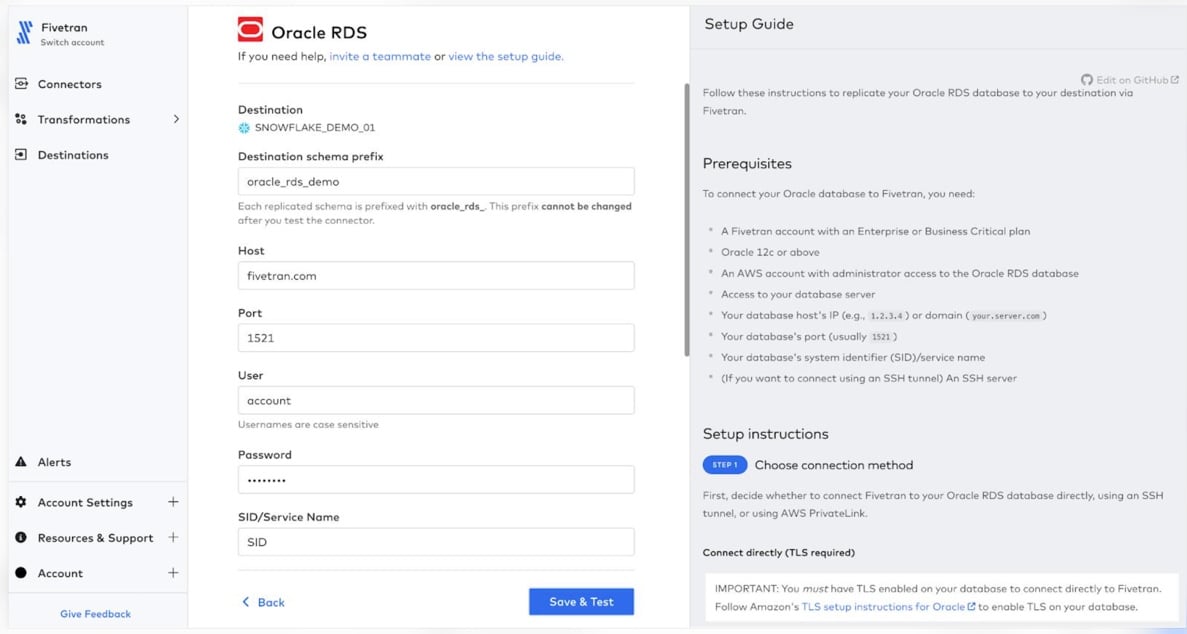
- Best for: warehouse-first teams chasing the largest managed connector catalog, with no one on pipeline maintenance duty.
- When usage grows: pay-as-you-go has no cap and no pause. Each connection’s monthly active rows (MAR) are billed at the end of the month on that connection’s own price curve, and the per-row rate falls as the connection grows. On the Free plan, going past 500,000 MAR a second time freezes the account until you upgrade.
- Pricing: billed on MAR, counted separately for each connection. On Standard, each connection costs a $5 monthly base charge plus $495 per million MAR up to 1M MAR, billed monthly in arrears; annual contracts start at $12,000 a year. The Free plan covers 500,000 MAR a month.
- Deployment: managed cloud, with role-based access control on Standard; hybrid deployment, with an agent inside your network, on Enterprise plans.
Strengths
- 700+ connectors Fivetran manages for you, along with 200+ activation destinations, and a single plan and invoice covers both.
- Database connectors read changes through whatever the engine itself offers, so that’s the binlog on MySQL, logical replication on PostgreSQL, and CDC or Change Tracking on SQL Server.
- Automatic schema migrations on every plan, and the initial historical load doesn’t count toward MAR.
Limitations
- Fastest on Standard is every 15 minutes, and you’ll need Enterprise for 1-minute syncs.
- Running many small connections? Each one pays its own $5 monthly base charge and starts at the top of its own price curve, so the total beats what the rows alone would suggest.
- Since January 1, 2026, deleted rows count as paid MAR, and with history mode on, every repeated update in the month is billed.
Best for self-hosted and custom-built connectors: Airbyte
There’s Airbyte Cloud, hosted for you, and there’s Airbyte Core for your own servers. Both carry data from APIs, databases and files to warehouses and lakes. Prices for self-serve plans changed in September 2026; Standard jumped from $10 to $20 a month. Engineering teams get an extensible connector base, and they can either pay for hosting or run the thing themselves.
Airbyte also supports MCP. You can manage connections, start syncs and investigate failed jobs from Claude or ChatGPT instead of opening the Airbyte interface. Its newer context layer goes further, letting AI assistants read data from supported sources and destinations, though that requires a Cloud account and additional setup.
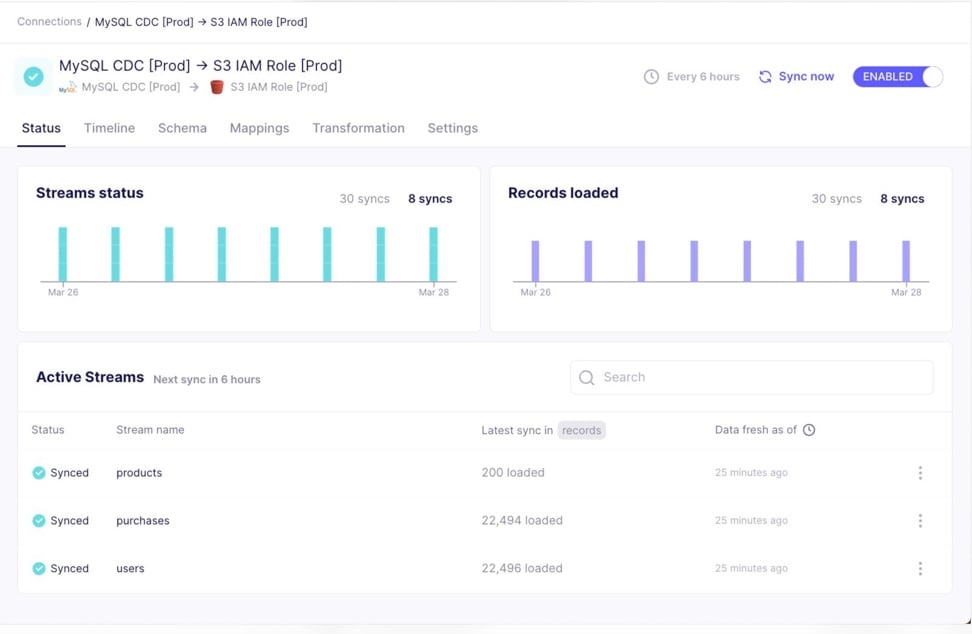
- Best for: engineering-led teams planning to self-host for free or to write their own connectors.
- When usage grows: on Standard and Plus, running out of credits doesn’t stop syncs. Airbyte keeps running them and bills the extra credits in arrears ($5 each on Standard), and past $10,000 of usage in a billing period it charges the card at once. Unused credits roll over for 3 months.
- Pricing: billed in credits: 6 per million rows from APIs, 4 per GB from databases and files. Standard is $20 a month with 5 credits included, billed monthly; Plus starts at $189 a month for 40 credits, also billed monthly. There’s no free Cloud plan, but there’s a 14-day trial with 400 credits; Airbyte Core is free to self-host.
- Deployment: Airbyte Cloud; Enterprise Flex in your own cloud or data center; Core on your own Kubernetes.
Strengths
- 700+ connectors on every Cloud plan, plus a Connector Builder and low-code CDK for sources that aren’t covered.
- Change data capture for Postgres, MySQL, SQL Server, MongoDB, Oracle, SAP HANA and IBM Db2.
- Pro and Enterprise Flex are priced on capacity (Data Workers), not on data volume.
Limitations
- Standard syncs at most once an hour; 15-minute syncs need Plus and 5-minute syncs need Pro.
- Database and file syncs are billed per GB of Airbyte’s record format, which Airbyte says is likely larger than the data in your database.
- Self-hosting Core means running Kubernetes, with 4 or more CPUs and 8 GB of memory recommended.
Best for fixed monthly tiers: Hevo Data
Hevo Data is no-code ELT into warehouses and databases, with change capture for the main databases. It fits analytics teams that want fixed monthly tiers, can test on a 14-day trial, and can plan around a quota.
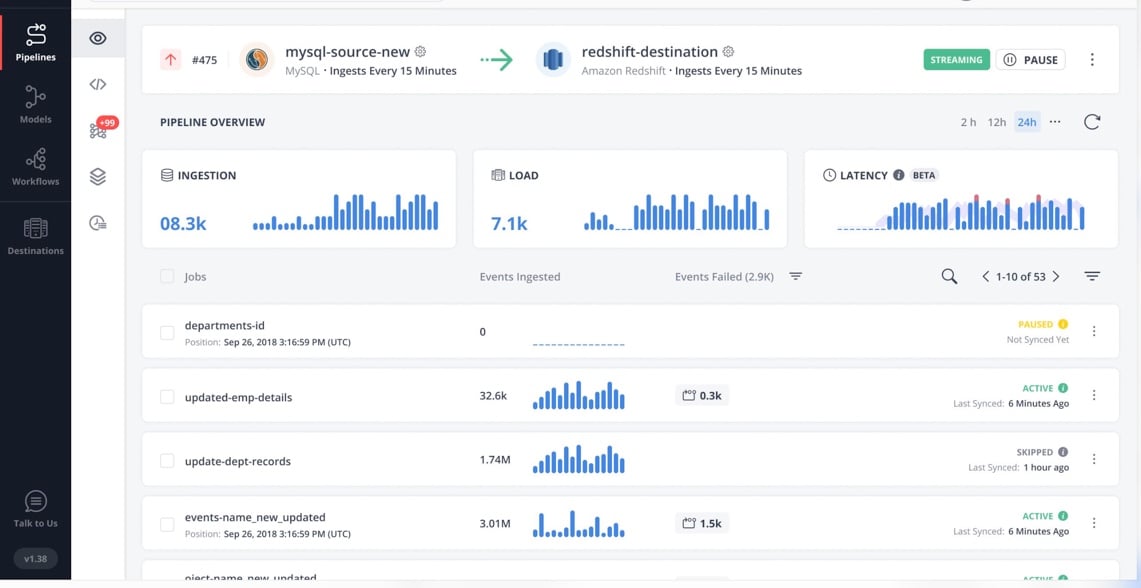
- Best for: SaaS and database data into a warehouse on a fixed monthly tier.
- When usage grows: run out of Events and pipelines keep loading for a grace period: 24 hours on a weekday, or until Monday 4 PM local time when it happens over the weekend. After that, pipelines pause unless you add Events or upgrade, until the quota resets.
- Pricing: billed on Events: each record inserted, updated or deleted in the destination. Starter is $299 a month billed monthly for 5M Events, or $265 a month billed annually. The Free plan covers 1M Events a month.
- Deployment: managed cloud.
Strengths
- Every Starter and Professional tier has a published price, monthly and annual alike.
- MySQL (binlog), PostgreSQL (logical replication), MongoDB, SQL Server (Change Tracking), Oracle (redo logs) and DynamoDB (Streams) all get change-capture pipelines.
- With Auto Mapping on, source schemas get copied as they are, and later schema changes are taken care of too.
Limitations
- Hourly is the best Starter pipelines can do, and continuous streaming is something Hevo’s sales team has to turn on.
- Release 2.51, out in July 2026, took away the option to build new Python or drag-and-drop transformations, so Hevo now steers you toward dbt and SQL models in the destination.
- After the grace period, though, pipelines pause. Nothing loads until you add Events or upgrade, or until the quota resets next month.
Best for real-time CDC from databases: Estuary
Estuary, known as Estuary Flow until March 2026, uses log-based CDC to move data in real time or in batches, and it keeps that data in collections that can feed multiple destinations. It’s made for teams that want low-latency change capture and don’t want to pay extra for speed.
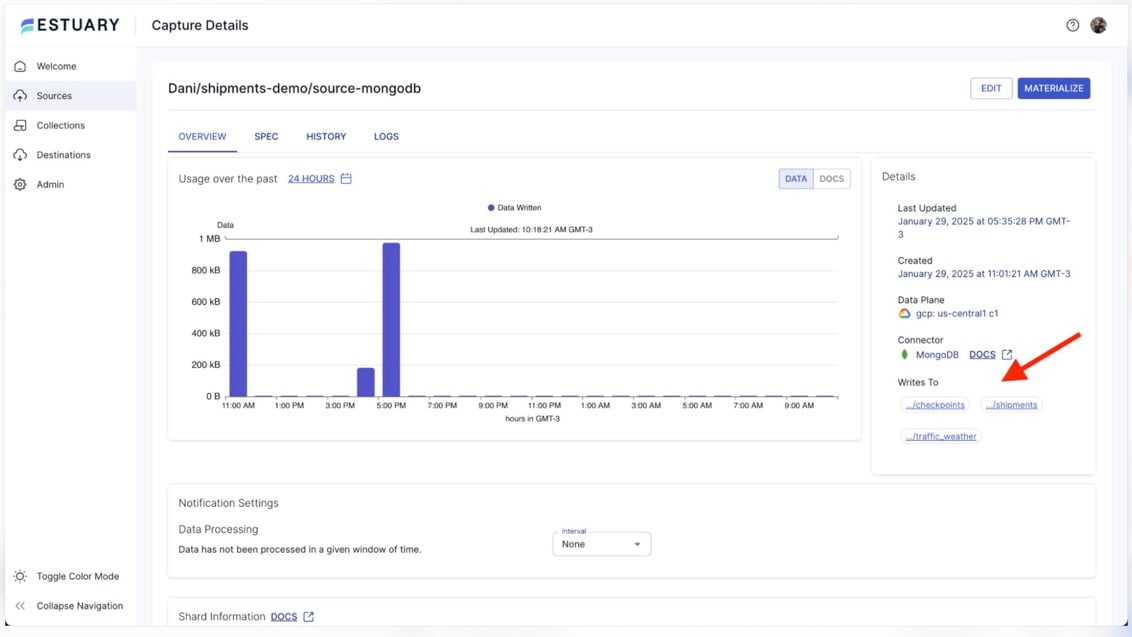
- Best for: real-time change capture (CDC) out of operational databases and into warehouses and other destinations.
- When usage grows: the bill rises in a straight line per GB and per connector-hour, and the per-connector fee halves from the seventh connector. Each GB is billed again for every destination it’s delivered to.
- Pricing: pay-as-you-go at $0.50 per GB plus $100 a month per connector instance for the first six ($50 each after that), metered by the hour and billed monthly. The free Developer plan covers 10 GB a month and 2 connector instances.
- Deployment: Estuary’s cloud (US or EU), a private deployment, or your own cloud account on an annual Enterprise contract.
Strengths
- Real-time and batch cost the same.
- One capture counts as one connector however many tables it reads, and a new destination can backfill from stored data.
- SOC 2 Type II and HIPAA compliance, and a web dashboard as well as a CLI.
Limitations
- Fan-out multiplies the data charge, and Estuary’s own example turns 500 GB captured to two destinations into a 1,500 GB bill.
- Out of the box, warehouse destinations sync every 30 minutes (change it if you like).
- SSO, the SOC 2 report, private networking, bring-your-own-cloud: all of them are Enterprise-only.
Best for transformations inside the warehouse: Matillion
Matillion runs ELT pipelines inside the warehouse itself, whether that’s Snowflake, Databricks, Amazon Redshift or Google BigQuery. In 2026 its Data Productivity Cloud became Maia Foundation, part of Matillion’s Maia AI platform. It fits data teams that build their transformations, complex SQL models included, inside the warehouse. If transformation is the main job, compare dedicated data transformation tools.
Matillion’s Maia AI Agents can also build and troubleshoot pipelines from natural-language prompts. Describe the transformation you need, and Maia creates and configures the components in the visual designer. It can even run pipelines and investigate errors, with your approval.
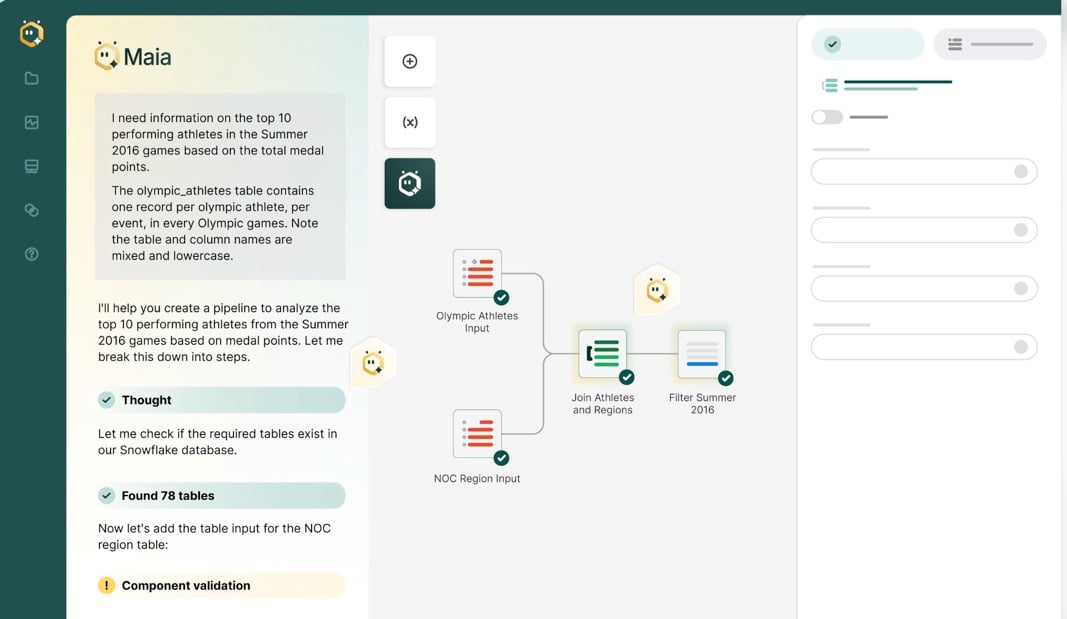
- Best for: transformation pipelines, in SQL or low-code, pushed down into Snowflake, Databricks, Redshift or BigQuery.
- When usage grows: you buy credits as an allowance for the contract term, and anything past it is billed as overage at your order form’s rate, which Matillion doesn’t publish. Budgets and alerts never stop pipelines, and Maia emails an alert at 100% of the allowance.
- Pricing: billed in credits per task hour of pipeline run time (1 credit for orchestration, 3 for transformation) plus 70 credits a month for each extra developer user. Plan prices aren’t published: Matillion quotes them as an annual package or as monthly pay-as-you-go. The trial lasts 14 days and comes with 500 credits.
- Deployment: SaaS hosted by Matillion on every plan, or, on the Scale plan, a hybrid runner inside your AWS or Azure account.
Strengths
- You pay only while pipelines run; validation and sampling aren’t billed.
- One product across four warehouses, with dbt Core available on all four.
- Schedules down to one minute, or any cron expression, on every plan.
Limitations
- No published price per credit, per plan or for overage.
- Only the Scale plan gets streaming CDC, hybrid deployment and lineage.
- Delete a pipeline and it can still cost you, because its schedule keeps running the published copy until you remove or disable that schedule.
Best for reporting in Sheets, Excel and BI tools: Coupler.io
Pulling on a schedule from 400+ business sources (ads, analytics, CRM, finance), Coupler.io lands the data in spreadsheets, BI tools or warehouses. It adds no-code and SQL transformations as well, along with dashboards and AI analysis. Marketing and finance teams with lots of accounts to juggle are its natural crowd.
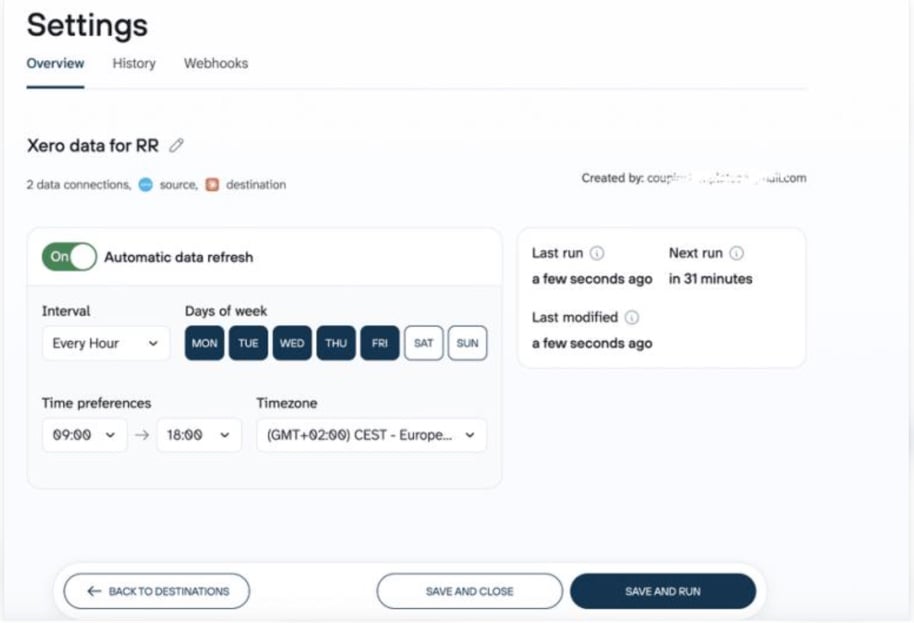
- Best for: the non-technical owner of marketing, sales or finance reports in Google Sheets, Excel, Data Studio, Power BI or BigQuery.
- When usage grows: you pay per connected source account. Pass the account limit and data flows fail until you upgrade or buy more accounts, at $5.99 per account a month billed monthly or $4.49 billed annually. Go past Starter’s row cap and the import gets cut short, with automatic refresh paused.
- Pricing: Starter costs $32 a month billed monthly and $24 a month billed annually, which gets you 3 accounts, 1 destination, daily refresh and 5,000 rows per run. New accounts get a 7-day Pro trial; once it ends, you’re on a limited Free-forever plan.
- Deployment: cloud only, hosted on Google Cloud in the United States, and there’s no EU or UK data residency.
Strengths
- All 400+ sources on every plan, and unlimited data flows per account.
- Custom SQL and AI transformations open to all users since August 2026.
- SOC 2 Type II certification is in place.
Limitations
- Starter and Active refresh daily and Pro hourly; every 15 minutes is for Custom plans only.
- On Starter you get one destination app and 5,000 rows per run.
- Rows are counted before any transformation, which means filtering inside Coupler.io won’t save you from the cap.
Best for e-commerce and NetSuite processes: Celigo
Celigo is an iPaaS, which is to say an integration platform, aimed at application integration and workflow automation. Order-to-cash, inventory, ERP and CRM sync: those are the business processes it’s built for, and it comes with pre-built NetSuite, Shopify and Amazon integrations. Warehouse loading (Celigo sync) arrived in July 2026.
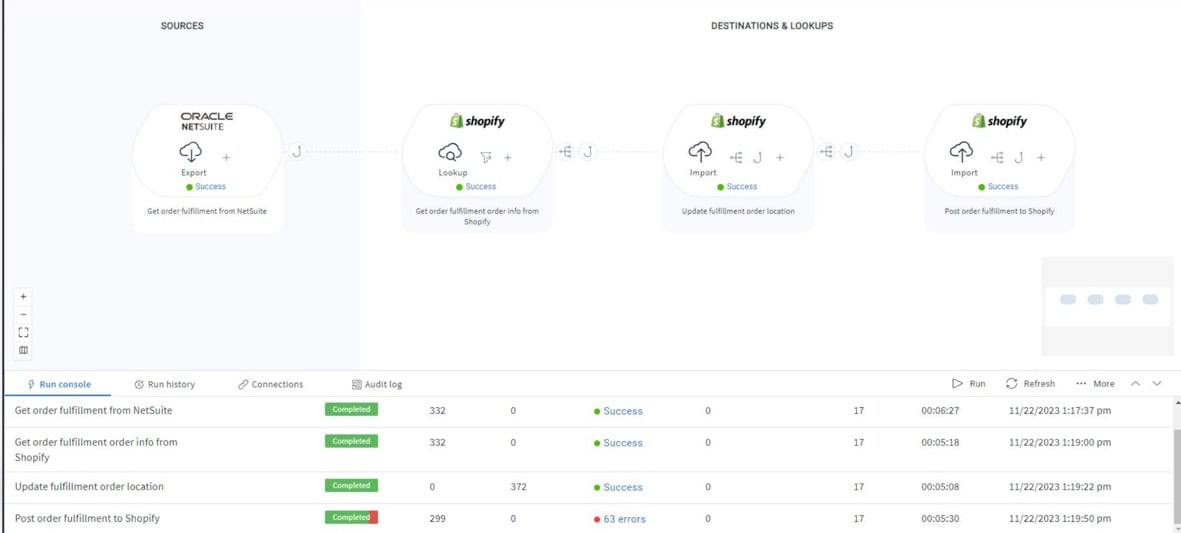
- Best for: operations built around NetSuite or e-commerce, where whole processes, and not just data, have to move between apps.
- When usage grows: exceed your flow or endpoint entitlement and Celigo notifies you while the flows keep running; more capacity comes with an upgrade. Warehouse ingestion has its own cap of 500K to 5M records a month, by edition.
- Pricing: the meter is the distinct flows and endpoints you use each month. Edition prices aren’t published: Celigo quotes them. Trying it costs nothing: 30 days of trial, and after that a free plan with 1 flow and 2 endpoints.
- Deployment: cloud, while an on-premises agent (sold as an add-on) gets to systems behind a firewall.
Strengths
- Running the same flow many times counts once, and test and data loader flows don’t count.
- Pre-built integration apps and templates, such as Amazon Seller Central to NetSuite.
- An error dashboard with bulk retry, and automatic retries for rate-limit failures.
Limitations
- No published prices for any edition.
- Standard has no CDC and no sandbox environment, and is listed with 3 endpoints.
- Endpoints are counted by host, so changing a connection’s domain mid-month can count a second endpoint.
Best for apps and on-premises systems: Boomi
Boomi, independent of Dell since 2021, is an enterprise platform for application and data integration, workflows, API management, B2B and EDI, and master data. It runs in Boomi’s cloud or on your own servers, and it’s one of the few enterprise platforms with a self-serve price.
Boomi also supports AI agents through Agentstudio and MCP. Teams can connect agents to third-party MCP tools or expose existing enterprise APIs as tools through Boomi’s API Control Plane. That gives AI agents a way to retrieve business data and perform supported operations without rebuilding the underlying integrations.
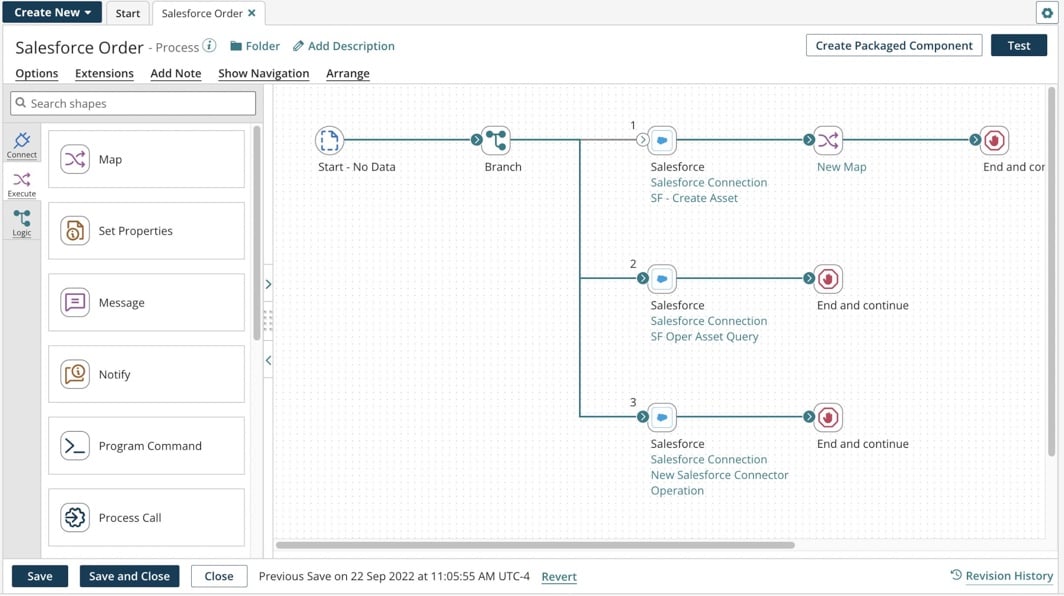
- Best for: organizations tying together many apps and on-premises systems, EDI with trading partners included.
- When usage grows: on Pay-As-You-Go you pay $0.05 for every message, added to the monthly bill; there’s no cap and no volume tiers. Subscriptions advertise unlimited usage, yet connections and Flow launches carry their own price.
- Pricing: Pay-As-You-Go costs $99 a month plus $0.05 per message, billed monthly, and the only time you can opt in is during the 30-day trial. Subscription editions are sold annually, with prices from sales.
- Deployment: Boomi hosts the runtimes, or you run them on-premises or in any public cloud.
Strengths
- Pay-As-You-Go doesn’t limit connections, users, processes or environments, and every component is included.
- The same processes run in either place, and clustered runtimes give you high availability.
- Schedules down to every minute, plus real-time listener processes.
Limitations
- Pay-As-You-Go comes with Standard support only, and existing subscription accounts can’t move to it.
- Test runs on Pay-As-You-Go are billed exactly like production ones.
- Only production deployment is in the base subscription; test and development environments aren’t.
Best for reusable APIs around Salesforce: MuleSoft
MuleSoft is a Salesforce company. Its Anypoint Platform does API-led integration and API management for large organizations and offers the widest choice of hosting in this list. In 2026 MuleSoft switched to Mule Credits and put its entry prices online.
MuleSoft also brings existing APIs into AI workflows through MCP Bridge. Instead of rebuilding integrations for AI agents, teams can expose selected API operations as MCP tools, with access controls and governance policies managed through MuleSoft’s platform.
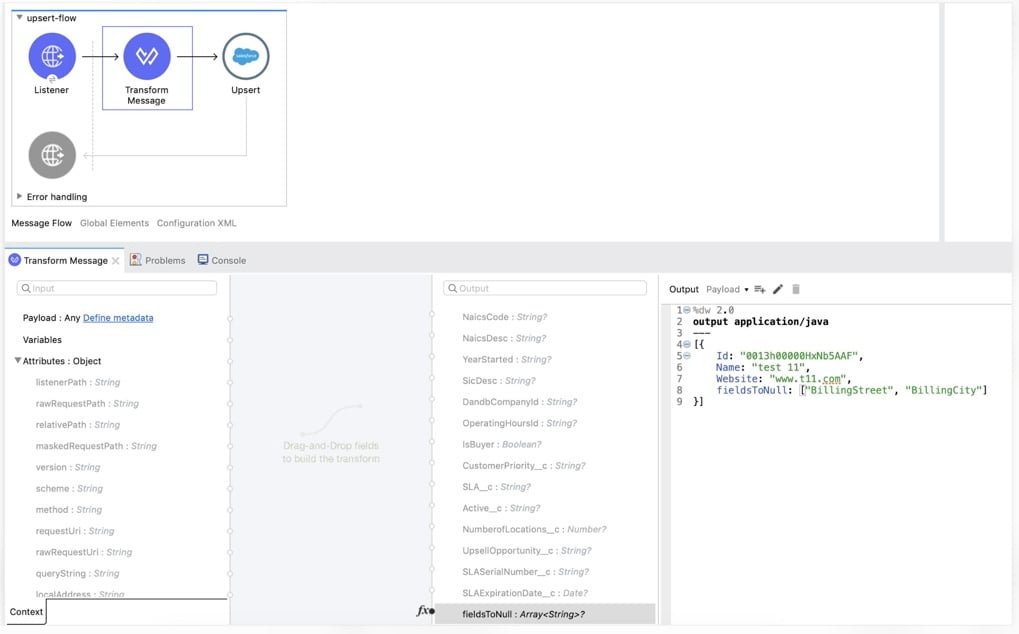
- Best for: enterprises building integrations as reusable APIs, and especially those built around Salesforce.
- When usage grows: rates drop as your monthly credit use climbs, and the tiers reset every month. Go over your allocation and you’ll get a monthly overage invoice at the contracted rate. Unused credits, meanwhile, expire at the end of the order term.
- Pricing: billed in Mule Credits. Packages start at $2,000 a month, billed annually, and the Pre-Commit model needs a $50K minimum a year. A 30-day trial is available without a credit card.
- Deployment: CloudHub, managed by MuleSoft; Runtime Fabric on your own Kubernetes; hybrid or fully on-premises runtimes; or a control plane you host yourself.
Strengths
- Hosting covers everything from fully managed to air-gapped on-premises.
- One credit pool covers integration, API management, agents and document processing, with usage alerts.
- DataWeave handles transformations and doubles as the runtime’s expression language.
Limitations
- The entry package is $2,000 a month billed annually.
- Sandbox and design environments use credits at the production rate.
- Flows are billed on each day’s peak hour, and an active managed API consumes credits even with no calls.
Best for governance and MDM: Informatica
Informatica Intelligent Data Management Cloud (IDMC) is one platform of cloud services that holds ETL and ELT, ingestion and CDC, application integration, data quality, catalog, governance and MDM. Salesforce has owned Informatica since November 18, 2025.
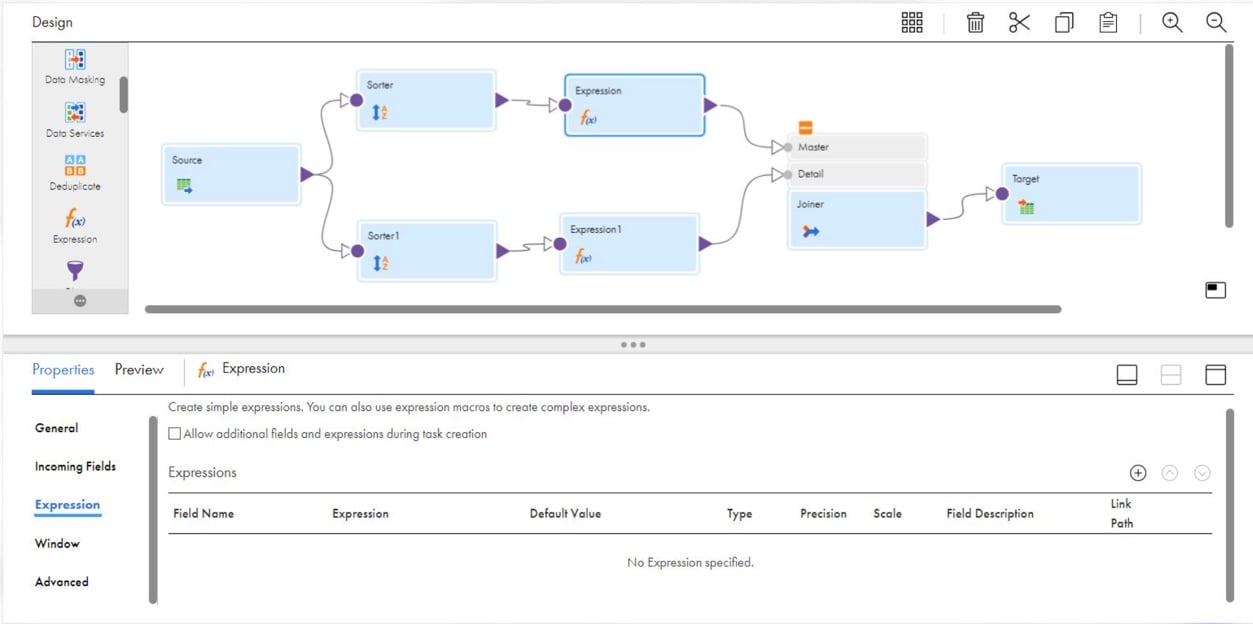
- Best for: large organizations that want data integration, data quality, governance and master data management under one roof.
- When usage grows: capacity is a monthly allowance of Informatica Processing Units (IPUs) that doesn’t carry over. If you use more, you must subscribe to additional IPUs for the rest of the contract; an Overage Protection add-on replaces that with a review.
- Pricing: billed in IPUs, with each service converting its usage into IPUs. Contract prices aren’t published: Informatica quotes them. Cloud Data Integration-Free covers up to 20M rows or 10 compute hours a month, with a self-serve upgrade to pay-as-you-go.
- Deployment: Informatica’s cloud with Secure Agents on your own machines, plus serverless runtimes.
Strengths
- A real free tier for testing, with transformations and orchestration.
- A single IPU pool stretches across integration, CDC, data quality, catalog, governance and MDM.
- Hybrid by design: Secure Agents run jobs inside your network.
Limitations
- No list price per IPU on informatica.com.
- The free edition runs outside the SOC 2 environment, with no availability SLA and no technical support.
- Going over the subscribed IPUs means buying more for the rest of the term, not paying for one month.
Best for data quality checks: Qlik Talend Cloud
Qlik Talend Cloud is what you get when Qlik’s replication and Talend’s integration share one cloud platform. That means SaaS and database replication with log-based CDC, and on top of it transformations, data quality and governance. It replaces Talend Open Studio, retired by Qlik on January 31, 2024.
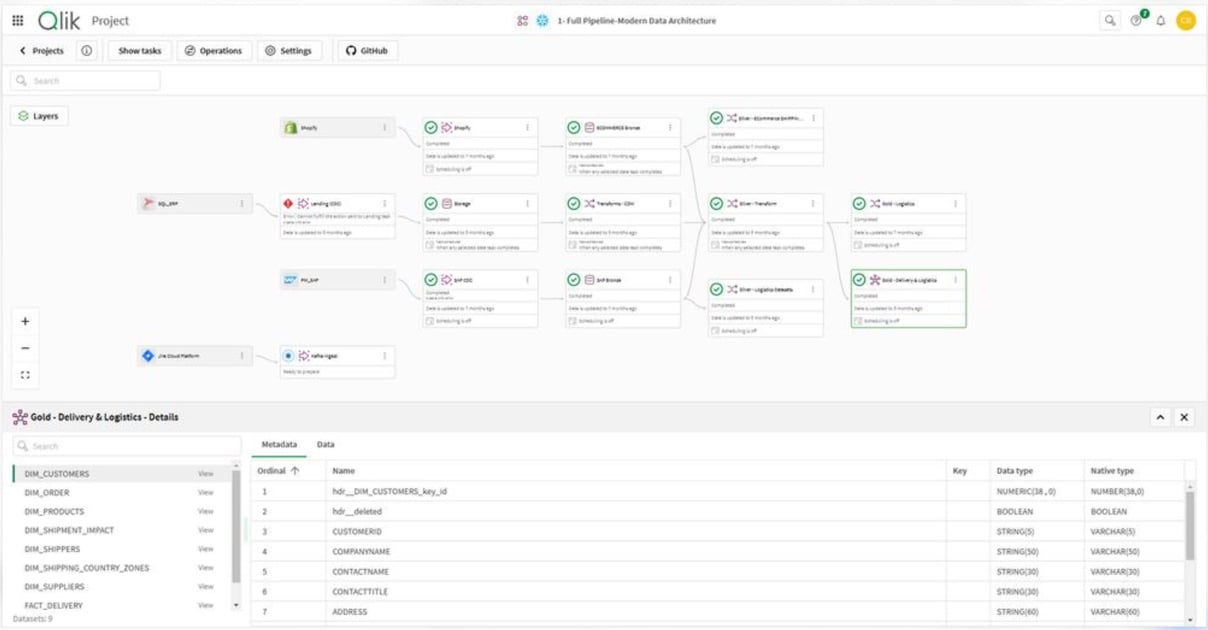
- Best for: teams who’d rather buy replication, data transformation and data quality from a single vendor, with hybrid options as well.
- When usage grows: there’s no interruption until you hit 10 times the purchased capacity; the overage is billed monthly, with notices at 80%, 90% and 100%.
- Pricing: you buy capacity, measured in data moved (per target), job executions and job duration. Sales sets the price for all four editions: Starter, Standard, Premium and Enterprise. You can try it for 14 days without a credit card.
- Deployment: Qlik’s cloud; client-managed or hybrid through the Data Movement gateway from Standard up.
Strengths
- Real-time synchronization with log-based CDC from Standard up.
- When you add tables, their initial full load is free of capacity charges.
- Data movement, transformation, data quality, lineage and governance all come from one vendor.
Limitations
- No prices on qlik.com for any edition.
- Starter is thin: a limited set of databases, no low-latency CDC, and hourly schedules at best.
- Send the same data to two targets and it counts twice, because data moved is counted per target.
Which tool fits which job
- Managed ELT into a warehouse with the most connectors and no maintenance: Fivetran.
- Open source you can self-host, or connectors you build yourself: Airbyte.
- Fixed monthly tiers for warehouse loading: Hevo Data, if you can plan around a quota.
- Real-time CDC from operational databases: Estuary.
- Transformations pushed down into Snowflake, Databricks, Redshift or BigQuery: Matillion.
- Marketing and finance reporting into spreadsheets and BI tools: Coupler.io.
- NetSuite and e-commerce processes: Celigo.
- Many apps and on-premises systems on a self-serve enterprise plan: Boomi.
- API-led integration across a Salesforce-centered enterprise: MuleSoft.
- Data quality, governance and MDM alongside integration: Informatica or Qlik Talend Cloud.
- No-code ELT, reverse ETL and two-way sync on record-based tiers that pause at the limit unless you turn on extra records: Skyvia.
Data integration tools compared: what the bill counts and what happens at the limit
| Tool | The bill counts | When usage grows | Fastest sync on the entry plan | Entry price (accurate as of November 4, 2026) |
|---|---|---|---|---|
| Skyvia | Records written per month | Runs pause unless extra records are on | Daily (Basic), hourly (Standard) | $79 a month billed annually ($99 monthly) |
| Fivetran | Monthly active rows per connection | Billed in arrears, no cap | 15 minutes (Standard) | $5 base per connection plus $495 per million MAR, billed monthly |
| Airbyte | Credits (rows or GB) | Syncs continue, billed in arrears | 1 hour (Standard) | $20 a month with 5 credits, billed monthly |
| Hevo Data | Events | Grace period, then pipelines pause until you add Events or upgrade | 1 hour (Starter) | $299 a month billed monthly ($265 annually) |
| Estuary | GB moved plus connector instances | Linear per GB and connector-hour | Real time (warehouses default to 30 minutes) | $0.50 per GB plus $100 a month per connector, billed monthly |
| Matillion | Credits per task hour | Overage at the contract rate | 1 minute | Not published: sales quote |
| Coupler.io | Connected source accounts | Flows fail past the account limit | Daily (Starter) | $32 a month billed monthly ($24 annually) |
| Celigo | Endpoints and flows | A notification; flows keep running | Real time with webhooks | Not published: sales quote |
| Boomi | Messages (Pay-As-You-Go) | $0.05 per message, no cap | 1 minute | $99 a month plus $0.05 per message, billed monthly |
| MuleSoft | Mule Credits | Monthly overage invoice | Seconds (scheduler) | $2,000 a month billed annually |
| Informatica | IPUs | Buy more IPUs for the rest of the term | Scheduled on the free tier; real-time CDC in paid IDMC services | Not published; free tier of 20M rows a month |
| Qlik Talend Cloud | Data moved, executions, duration | Overage to 10 times capacity | 1 hour (Starter) | Not published: sales quote |
Three kinds of data integration tools
The tools here split into three families. Match your job to a family before anything else, because that cuts the shortlist faster than any feature list.
- Warehouse loaders (ELT): this family (Fivetran, Airbyte, Hevo Data, Estuary and Matillion) runs pipelines from applications and databases into a warehouse. Analytics is what they’re usually for. With customer, sales and product data in one place, the manual CSV exports go away, and so do the copy-paste mistakes. If transformations must run before the load, compare ETL tools instead.
- Integration platforms (iPaaS): Celigo, Boomi and MuleSoft connect applications so one business process can run across all of them, say an e-commerce order that must end up in NetSuite. MuleSoft goes furthest of the three: it builds each integration as a reusable API.
- Enterprise data management suites: in Informatica and Qlik Talend Cloud, integration comes with data quality, governance and master data management. They’re meant for large organizations in which many teams share the same records.
Skyvia and Coupler.io sit somewhere between the first two. Skyvia loads warehouses but also syncs apps and databases both ways. Coupler.io, on the other hand, sends app data to spreadsheets and BI tools for reporting. For a narrower job, we also compare tools for healthcare, finance and ERP, startups, e-commerce, CRM integration, data ingestion and data warehouses, plus Integrate.io alternatives.
How to estimate the bill before you buy
- First, find the unit your vendor bills on. For Fivetran it’s rows changed in a month; Skyvia counts records written, Hevo counts Events, Estuary GB per destination, and Coupler.io source accounts.
- Count the connections and destinations. Small pipelines get expensive sooner than you’d guess when every connection has a base charge (Fivetran) or every destination is billed again (Estuary, Qlik Talend Cloud).
- Check what reaching the limit triggers, and settle on an outcome you can accept. Whichever it is, paused runs or an overage invoice, plan now for the month you outgrow the tier.
- Price the second year. A bill based on changed rows grows with your activity; a flat tier changes only when you upgrade.
If a record-based tier that pauses at the limit fits your data, try Skyvia’s Free plan on one real source and compare the records it writes with the plan limits above.

FAQ for data integration tools

How does ETL differ from ELT?
ETL changes the data first and only then sends it to the warehouse. With ELT, loading comes first, and the transforming happens inside the warehouse. Most loaders in this list take the ELT route and run dbt or SQL models once the data is in, and Matillion also pushes its own transformations down into the warehouse.
Can you use a data integration tool without knowing how to code?
Not for the common jobs. Skyvia, Hevo Data and Coupler.io need no code at all, and neither does setting up Fivetran’s managed connectors. Coding earns its keep with custom connectors (Airbyte’s low-code CDK), with SQL or dbt transformations, and on API-led platforms like MuleSoft.
Does open-source data integration cost less than a cloud service?
The license may cost nothing. Keeping it running is a different story, and your team pays that part. Self-hosted Airbyte Core has no price tag, though it needs Kubernetes (4 or more CPUs and 8 GB of memory recommended), and the upgrades and monitoring are on you. A managed plan trades that work for a monthly bill.
What is reverse ETL?
With reverse ETL, warehouse data goes back into business apps like Salesforce or HubSpot, where people can act on it without switching tools. Fivetran sells it as Activations, Airbyte as data activation, and Skyvia’s Import can write warehouse or database data back into an app.
How can I predict what a data integration tool will cost?
Learn what the tool counts and what passing the plan’s limit does, then measure your own data in that unit. A bill based on changed rows or events grows with activity, and deletes can count. Hit the quota and some tools stop loading, while others keep going and invoice you for the overage.
Create a free Skyvia account and run your first replication into BigQuery, Snowflake or a database on the Free plan’s 10K records a month.