Summary
- Skyvia – A flexible no-code platform that starts simple but doesn’t corner you later, letting teams grow from basic syncs into serious pipelines without a platform switch.
- Fivetran – Built for teams that value reliability over tinkering, quietly delivering data on schedule while staying out of the way once everything’s connected.
- Integrate.io – Designed for complex data environments where structure, validation, and control matter more than speed of initial setup.
- Matillion – A visual layer for teams fully invested in cloud warehouses, turning transformation logic into something you can see while computation stays exactly where it should.
Picture a RevOps lead who needs Salesforce data in the warehouse by Friday, with the engineering queue weeks long. No code ETL tools are built for that moment: data moves through a visual interface, no scripts involved. Most of the setup comes down to a source, a field mapping and a schedule, and the tool runs extraction, transformation and loading from there.
Teams where the data people (analysts, RevOps, finance) don't code get the most out of it. And engineers? They stop spending afternoons patching connectors that someone hand-built years ago.
Here's the plan for this article: the leading no-code ETL tools, the job each one suits, what AI is changing, and how to choose.
What Is ETL, and What Are ETL Tools?
Extract, Transform, Load – ETL – is the process of getting data from where it lives to where you need it, and not having it be completely useless when it gets there.
- Extract: Pull data from your apps (CRM, e-commerce, etc.).
- Transform: Clean duplicates, standardize formats, make things readable.
- Load: Stick it in a warehouse or dashboard where it can finally be useful.
ETL tools run this whole operation on autopilot instead of making you download files and paste them around manually.
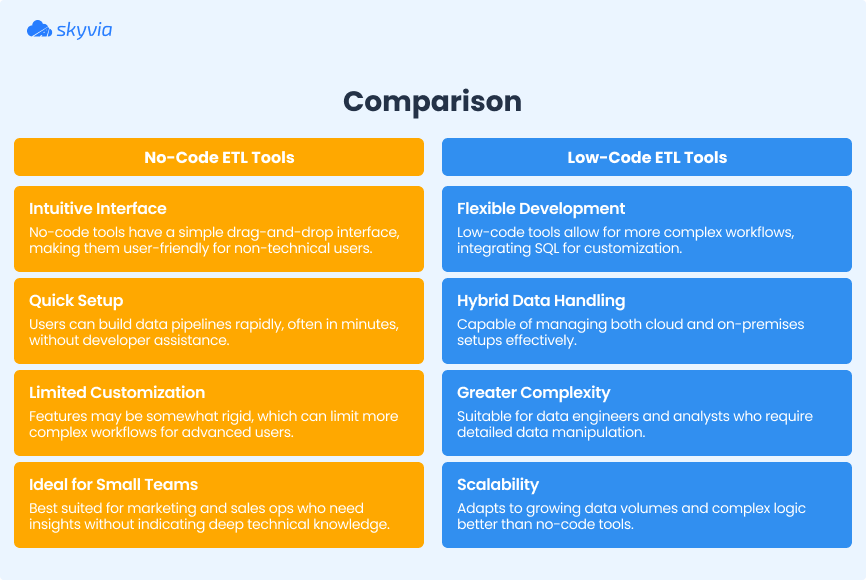
No-Code ETL Tools
Speed and simplicity are the whole point here. Built for people who need to move data around but don’t have “software engineer” on their business card.
- Point, click, drag – no code required.
- Connectors for all your apps are already built in.
- Setup flows that actually make sense.
No-code ETL tools knock out manual exports every other day and data living in twelve different places. Ideal for small teams, marketing ops, sales ops, and anyone who needs insights yesterday and thinks life’s too short for learning how to code.
Low-Code ETL Tools
Low-code ETL tools are software that make it possible to create intricate, unique data pipelines without having to code every single aspect from memory.
Sure, you’ll write SQL sometimes, throw in Python snippets when needed, script occasionally, but these platforms handle most of the boring parts by letting you work in visual interfaces and providing pre-built pieces.
This option is perfect for growing teams, data engineers, or analysts who aren’t scared of tech and have to:
- Handle data at scale.
- Build workflows with actual depth and complexity.
- Make cloud and on-premise systems talk to each other without wanting to scream.
If no-code tools feel like bringing a knife to a gunfight, but full coding feels like building the gun from raw ore, low-code’s your play.

What is a No-Code Data Pipeline?
A no-code data pipeline is an automated system that moves your data around without requiring you to become a programmer first.
Picture a data conveyor belt that:
- Grabs data from wherever it lives.
- Fixes or reformats it if needed.
- Drops it into your warehouse, Google Sheet, BI tool, whatever.
This simplicity is a massive win for non-technical teams who can roll up their sleeves and code but are still looking for a way to optimise their time and get reliable, up-to-date data to run on. These pipelines:
- Kill manual exports.
- Cut out all the human mistakes that screw up your reporting.
- Give you back hours of time you were wasting on repetitive tasks.
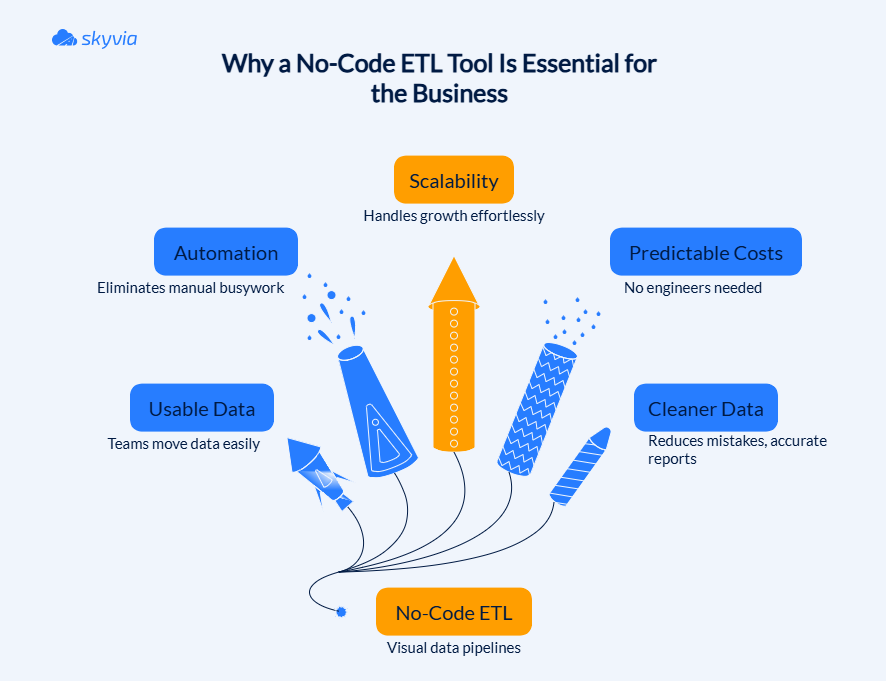
Why Your Business Needs a No-Code ETL Tool
Every business on a mission eventually hits the same wall: apps piling up, data is everywhere, and nothing is syncing properly. You seek clarity, but instead you’re dealing with manual downloads, mismatched data, and spreadsheets that feel like they’re testing how much a person can take.
No-code ETL tools solve this whole situation by giving your team a visual, drag-and-drop way to move and fix data, without needing a developer every time you want to change something.
- They make data work accessible
No-code ETL tools turn data pipelines into something you can literally see. Drag a source here, map a field there, schedule a sync, and you’re done. Analysts, ops teams, and even the “I’m not that technical” crowd can build and adjust workflows on their own. Instead of waiting in an IT queue, you get progress the same day you need it.
- They replace repetition with automation
Get your pipelines running automatically, and all that weekly drudgery disappears. No more file exports, no more reformatting the same columns, no more trying to resuscitate spreadsheets. Pre-built connectors take care of most of it while data moves on schedule, and you get heads-up alerts before anything goes sideways.
- They bend as your business grows
Today, you might only need a couple of sources plugged into a warehouse. Tomorrow, you might add three more tools, run larger dashboards, or expand to new teams. No-code ETL platforms adjust easily – just add connectors, tweak your flows, and keep going. No servers to maintain, no re-architecture required – what a bliss!
- They save money where it matters
Hiring engineers to build and maintain custom ETL isn’t cheap. No-code ETL tools let smaller teams run solid pipelines without expanding their tech department or paying for infrastructure they don’t need. Predictable subscription pricing is a breath of fresh air when you’re trying to keep budgets under control.
- They improve data quality without extra work
Automated pipelines cut down on typos, dropped fields, and those panic moments when you know something is off here, but don’t have the slightest idea what exactly. Clean, up-to-date data drives better decisions – budget planning, metric tracking, and trying new plays. You’re getting real visibility instead of just more mess.
Best No-Code ETL Tools for 2026
Before diving into individual platforms, it’s worth setting expectations. No-code ETL tools all promise simplicity, but they don’t all solve the same problems in the same way. Some focus on fast setup and routine data moves. Others lean into scale, governance, or handling tricky inputs. The right choice depends less on feature counts and more on how your team actually works day to day.
With that in mind, let’s look at the tools that stand out and what each of them does best.
Skyvia
Skyvia is a no-code data integration platform built for teams that want full control over data movement without writing scripts. It covers everyday ETL needs, more complex pipelines, and cross-system workflows, all from a single visual interface that stays approachable as requirements grow.
Best For
- Teams connecting many data sources without custom development.
- Businesses running regular imports, exports, replication, or sync jobs.
- Analysts and ops teams building pipelines without relying on engineers.
- Companies that need scheduled workflows with clear monitoring and alerts.
- Growing organizations handling data migration or backups alongside ETL.
“We’re thrilled to be recognized as Top Data Integration and Data Pipeline Tool by TrustRadius and our customers. Our mission is to make data integration accessible to businesses of all sizes and to all clients, regardless of their coding expertise. Receiving this award confirms that we are moving in the right direction by creating an easy-to-use yet feature-rich solution capable of handling complex scenarios.” Oleksandr Khirnyi, Chief Product Officer at Skyvia, stated.
Key Features
- Visual no-code interface for ETL, ELT, sync, and automation.
- 200+ connectors for apps, databases, warehouses, and files are already available; more to come.
- Advanced transformations like data splitting and conditional splitting, lookups, DML operations (insert, update, delete, and upsert), etc.
- Control Flow and Data Flow designer for multi-step workflows and error paths.
- Scheduling, logging, and notifications are built into every pipeline.
- Support for one-way and bi-directional sync, plus Reverse ETL.
- SQL querying is available where deeper control is needed.
Pricing
Skyvia offers a free Starter plan for small workloads and basic pipelines. Paid plans scale based on data volume rather than users or connectors, with entry plans starting around $79 per month. That keeps costs predictable as usage grows.

Integrate.io
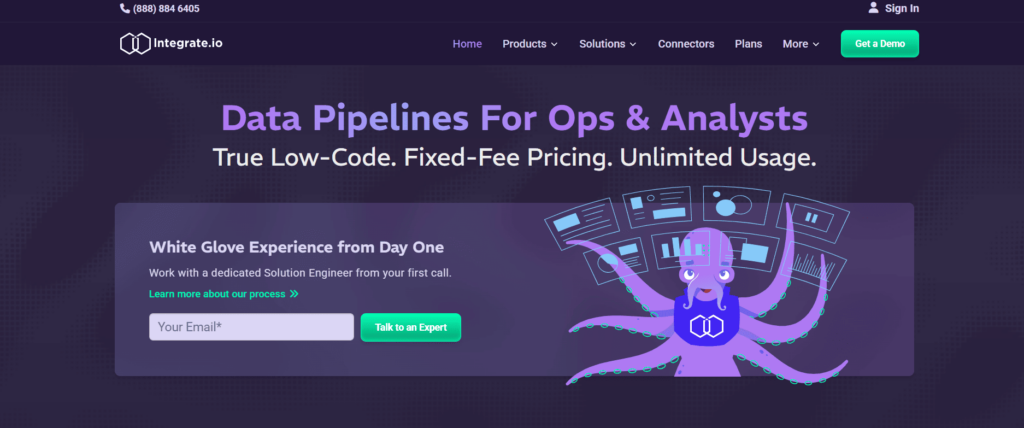
Integrate.io is a cloud native ETL platform built for teams who need more than basic data moves but still want to avoid custom code. It runs in the browser, uses visual pipelines instead of scripts, and focuses on getting complex data flows into production quickly. The emphasis here is on structure and control – large pipelines, many sources, and logic that would be hard to manage with simpler tools.
Best For
- Teams building complex data pipelines across many systems.
- Companies that need near-real-time data movement.
- Organizations with strict security and compliance requirements.
- Data teams working with frequent schema changes or CDC workflows.
- Businesses standardizing data flows across departments.
Key Features
- Drag and drop pipeline builder with branching and conditional logic.
- Large connector catalog covering SaaS apps, databases, and warehouses.
- An extensive set of built-in transformation blocks for shaping and cleaning data.
- Reverse ETL and API generation for sending data back to business tools.
- Monitoring dashboards with alerts and pipeline visibility.
- Security controls, including encryption, access roles, and audit logs.
Pricing
Integrate.io uses a custom pricing model based on data volume and workload characteristics. Plans are usually tailored per customer, with trials or proof-of-concept runs available to evaluate fit before committing.
Keboola
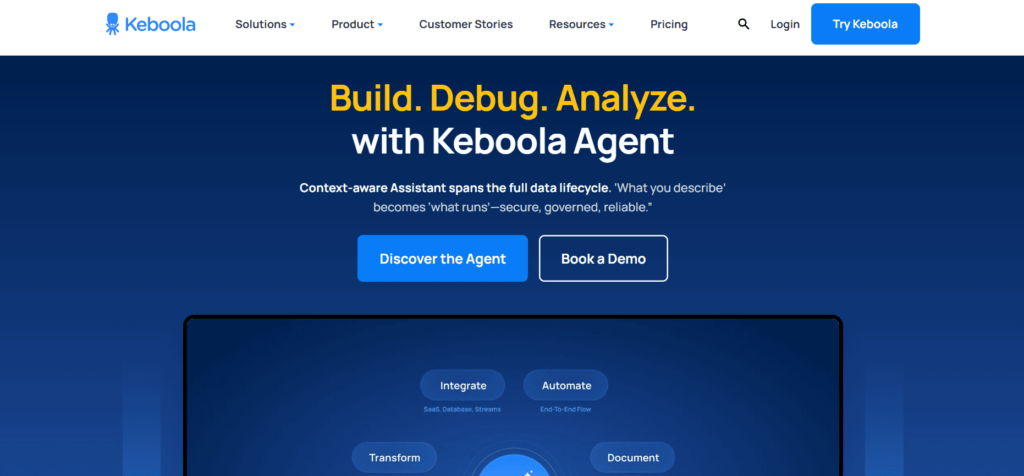
Keboola sits closer to the “data operations” side of no-code ETL. It is a cloud platform where data integration, transformations, orchestration, and governance live together in one workspace. Instead of focusing only on moving data from A to B, Keboola is built for teams that care about how pipelines evolve, how changes are tracked, and how different roles work on the same flows without stepping on each other.
Best For
- Teams managing end-to-end data workflows, not just simple imports now and then.
- Organizations that need visibility into how data moves and changes.
- Data teams working with both analysts and engineers on the same platform.
- Companies with compliance, auditing, or process ownership requirements.
- Use cases that span finance, operations, product, and internal reporting.
Key Features
- Large library of connectors for SaaS apps, databases, and APIs.
- Support for SQL and Python transformations alongside low-code components.
- Scenario-based orchestration with parallel execution.
- Built-in lineage, job metrics, and operational metadata tracking.
- Access control, versioning, and environment management.
- Extensible marketplace for custom components and integrations.
Pricing
Keboola offers a free plan with limited monthly runtime. Paid plans are based on credit usage tied to processing time, users, and projects. This model works well for teams that actively manage workloads, but can become costly at scale. Enterprise plans are available for larger setups with added support and controls.
Fivetran
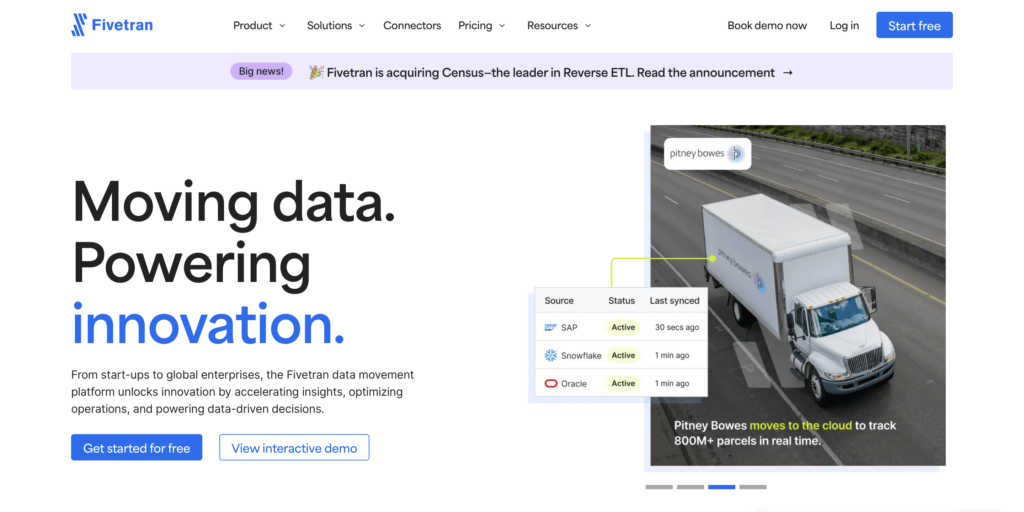
Fivetran takes a very hands-off view of data integration. Once a connection is set up, it’s meant to fade into the background and just keep data moving. There’s little configuration to tweak and few decisions to make, which is exactly the appeal for teams that care more about dependable ingestion than custom ETL pipeline design.
Best For
- Teams that want ingestion to be a solved problem, not an ongoing project.
- Analytics groups that prefer warehouse-native transformations over pre-load logic.
- Organizations dealing with sources that change often and don’t want to adjust schemas manually.
- Companies that prioritize stability and consistency across many data sources.
- Larger teams operating under strict security and compliance expectations.
Key Features
- A broad catalog of connectors covering SaaS platforms, databases, APIs, and CDC sources.
- Automatic handling of schema changes so pipelines keep running as sources evolve.
- Built-in monitoring, alerts, and retry behavior to surface issues early.
- Clear ELT orientation, with transformations handled inside the destination and strong dbt compatibility.
- Enterprise-grade security controls, including encryption and granular access permissions.
- Configurable sync intervals that range from frequent refreshes to slower batch cycles.
- Options for hybrid and on-prem setups when cloud-only isn’t practical.
Pricing
Pricing is usage-based and tied to monthly active rows, typically sold on annual contracts. Entry plans work for modest volumes, but costs rise steadily as data throughput increases, especially for teams operating at scale.
Matillion
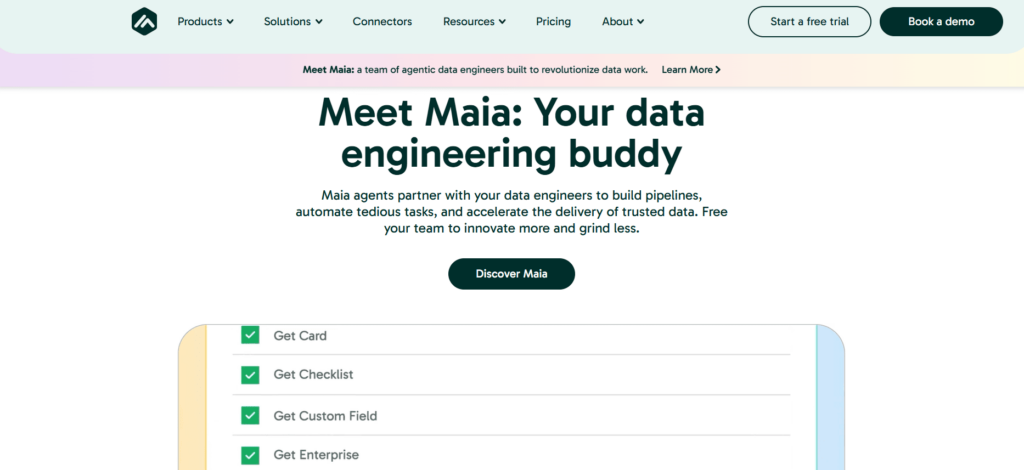
Instead of pulling data out to transform it elsewhere, Matillion allows users to design pipelines visually and let BigQuery, Snowflake, Redshift, or Synapse do the processing. That keeps things fast and predictable, while the interface saves them from maintaining long chains of scripts just to keep daily jobs running.
Best For
- Teams that already rely heavily on cloud data warehouses.
- Analytics and data teams that prefer visual workflows over managing piles of SQL files.
- Organizations running recurring ELT jobs at scale inside cloud platforms.
- Groups that want analysts and engineers working in the same pipelines.
- Companies standardizing transformations across multiple cloud environments.
Key Features
- Web-based visual editor focused on cloud warehouse workflows.
- Push-down ELT execution that runs transformations directly in the destination.
- Job scheduling and dependency management are built into the platform.
- A focused set of connectors covering common SaaS apps and databases.
- Collaboration features for shared pipelines and version control.
- Governance tools, including lineage tracking and access controls.
- Support for both batch processing and incremental updates via CDC.
Pricing
Matillion pricing is tied to credits, which are consumed based on how often jobs run and how much work they perform. Entry plans usually start around $1,000 per month, then scale as usage increases. It makes the most sense when pipelines are well-defined and run regularly, rather than changing constantly week to week.
Build Data Integrations Without Writing Code
Need to connect cloud apps, databases, or data warehouses without building complex pipelines from scratch? Skyvia helps you automate data integration using a visual, no-code interface.
With Skyvia you can:
- ● Connect 200+ SaaS apps, databases, and cloud data warehouses
- ● Build ETL, ELT, and reverse ETL pipelines in minutes
- ● Replicate data automatically with incremental updates
- ● Transform and map data using visual editors or SQL
- ● Monitor integrations with detailed logging and error handling
Start building reliable data workflows without managing infrastructure.
Start Free TrialComparison of Tools
| Tool | Best for | Key features | Pricing |
|---|---|---|---|
| Skyvia | No-code ETL, sync, migration, and backups in one platform | 200+ connectors, visual pipelines, advanced transforms, automation, bi-directional sync | Free tier. Paid plans from ~$79/month, based on data volume |
| Integrate.io | Complex, near-real-time pipelines with firm control and compliance | Visual branching logic, CDC, advanced transforms, monitoring, security controls | Custom pricing based on workload and data volume |
| Keboola | Full data operations with governance and collaboration | SQL/Python + low-code, orchestration, lineage, versioning, marketplace | Free plan available. Credit-based pricing; enterprise options |
| Fivetran | Hands-off, automated data ingestion at scale | Extensive connector catalog, schema auto-handling, ELT with dbt, monitoring | Usage-based (MAR), typically annual contracts |
| Matillion | Cloud warehouse-centric ELT workflows | Visual ELT, push-down processing, scheduling, collaboration, CDC | Credit-based pricing, starting around $1,000/month |
What AI Means for No-Code ETL Tools
The newest no-code ETL tools don't stop at drag and drop. Vendors are bolting on AI for the bits people used to get stuck on, like expressions, mappings and, in a few tools, entire pipelines.
| Tool | AI feature | What it does |
|---|---|---|
| Skyvia | AI assistant in the expression and mapping editor | Writes and fixes expressions while you build a mapping (August 2026 release) |
| Matillion | Maia | Agentic AI that plans, builds, tests, runs and fixes pipelines; a request becomes a step-by-step plan that a human approves before anything changes |
| Databricks Lakeflow Designer | Natural-language pipeline building | A no-code canvas inside Databricks where you can describe steps in plain language; each pipeline becomes a Lakeflow Declarative Pipeline engineers can review |
Will AI replace ETL? Not the process. None of this removes the pipeline. Extract, transform and load still happen on every run. The change is in who builds it, and how fast. AI is good at the repetitive bits, like a date-parsing expression or a first-draft field mapping. It's bad at business rules: which customer record should survive a merge, which revenue field finance signs off on.
We'd treat any AI-built pipeline like a new teammate's first pull request. Run it against a few hundred rows, make sure the row count matches the source, open five or six records, and have a person sign off before it touches production. Matillion's Maia already works like this, since its plans just sit there until someone approves them.
How to Choose the Right No-Code ETL Tool
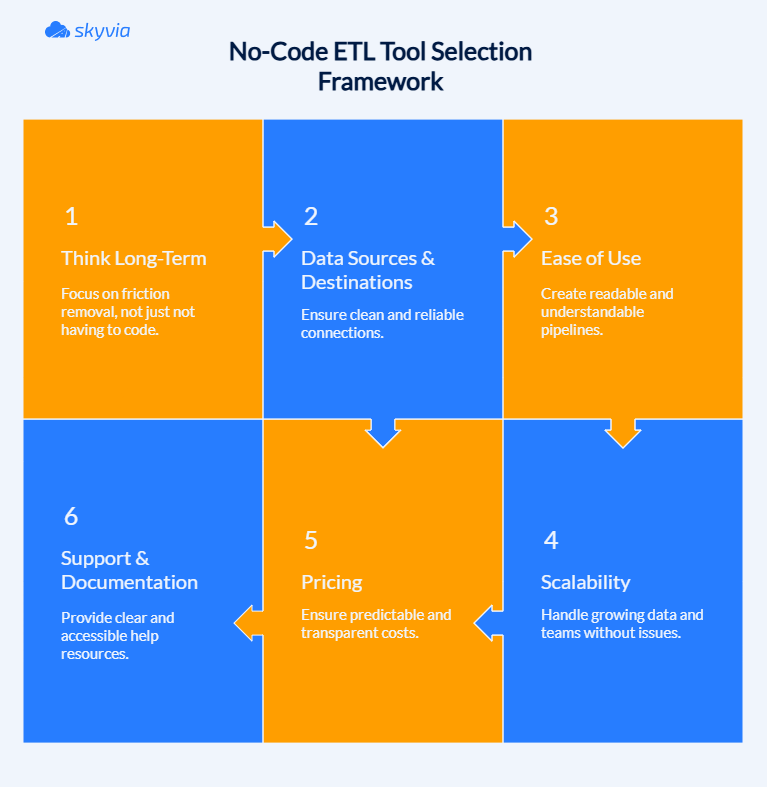
Choosing a no-code ETL tool isn’t a ceremonial decision. It’s something you’ll live with. So the real question isn’t which tool checks the most boxes on a comparison chart. It’s which one still feels workable once the honeymoon phase is over. Remember, the best no-code ETL tools don’t just remove code. They remove friction.
The factors below examine how these platforms operate in production, not in controlled presentations. Consider this your checkpoint before investing your data operations, your resources, and your nerves in a single platform.
- Data sources and destinations
Begin with the essentials: can this thing talk to your systems, both where data originates and where it’s headed? A bloated connector roster is just marketing if your critical integrations aren’t covered.
- Does it support the exact apps, databases, or warehouses you rely on today?
- What happens if you add a new system later? Is it already supported or realistically addable?
- Are the connectors native and maintained, or community-built and loosely supported?
- Can the tool handle differences in schemas and data types without constant tweaking?
If connecting a source feels like a workaround from day one, that friction will only grow.
- Ease of use
“No-code” only works if the interface feels logical and learnable, not just visual. A good tool should explain itself as you use it.
- Is the pipeline easy to read from start to finish without guessing what each step does?
- Are settings and actions named clearly, without internal jargon or cryptic labels?
- Does the platform offer real onboarding help: short videos, walkthroughs, examples you can actually reuse?
- If something breaks or looks wrong, is it clear where to look and what to adjust?
If you need constant documentation checks just to understand what’s happening on screen, the tool is too opaque.
- Scalability
Think beyond today’s data volume. Growth often comes from more sources, more frequent syncs, or more teams relying on the same pipelines.
- Can the tool handle larger datasets without forcing a redesign?
- Does performance stay predictable as sync frequency increases?
- Can you add new pipelines or destinations without stepping on existing ones?
- Is monitoring built in, or do issues only surface when someone notices missing data?
Scalability isn’t just about size. It’s about staying stable as things get more complicated.
- Pricing
Pricing models can look reasonable on paper and still cause surprises later. What matters is how costs behave as usage grows.
- Is pricing tied to data volume, runs, features, or something harder to predict?
- Can you estimate next quarter’s cost without spreadsheet gymnastics?
- Are essential features locked behind higher tiers?
- Does the tool penalize experimentation or small adjustments?
Transparent pricing makes planning easier and prevents tools from becoming blockers later.
- Support and documentation
Even the cleanest interface won’t cover every scenario. When questions come up, support quality becomes part of the product.
- Is documentation current, searchable, and written for real users?
- Are there tutorials or examples for common setups, not just edge cases?
- How easy is it to reach a human when something doesn’t behave as expected?
- Do updates and changes get explained clearly, or quietly dropped into release notes?
Good support reduces friction. Great support builds confidence in scaling usage across teams.
Addressing the Limitations: When No-Code ETL Might Not Be Enough
No-code ETL tools are popular because they make data movement fast and accessible. But as pipelines grow, logic deepens, and more teams depend on the same workflows, some limits start to surface. Being clear about where those limits are helps avoid frustration later.
- Workflow complexity adds up
Visual builders work well for straightforward pipelines, but long chains of conditional logic, multi-step transformations, or custom rules can become difficult to reason about once everything is packed into a single canvas.
- Scaling can reveal hidden costs
As data volumes and sync frequency increase, some no-code tools become expensive or harder to optimize. What looked simple at a small scale can feel restrictive when pipelines are running constantly.
- Limited visibility during changes
As workflows become collaborative spaces, inadequate versioning creates fog around every modification. You’re trying to identify what shifted, infer why it happened, and determine if rolling back will fix the problem or multiply it.
- Debugging stays shallow.
When something goes wrong, many tools offer only high-level error messages. Tracing the exact step or transformation that caused the issue often takes more effort than expected.
- Extending beyond the happy path
Unusual sources, custom APIs, or edge cases may force awkward workarounds that chip away at the original simplicity.
That is why the difference between lightweight no-code tools and more capable platforms matters. Skyvia is built to handle both sides of that curve.
It keeps the visual, no-code experience for everyday integrations, but adds structure and depth for more demanding scenarios:
- Complex transformations are expressed clearly, not buried in visuals.
- Conditional logic and multi-step workflows that stay readable as they grow.
- SQL access when you need precision rather than abstraction.
- Built-in monitoring and logs that show what happened, where, and why.
As data volumes rise, Skyvia scales without forcing constant redesigns. Costs grow in a predictable way, tied to data volume rather than users or connectors, which helps teams plan ahead instead of reacting later.
No-code ETL shouldn’t force you to pick between beginner-friendly and actually useful. The ideal platform starts gently but doesn’t fall apart when your data matures. Skyvia occupies that practical middle: fast initial setup, enough flexibility when things get less predictable.
Conclusion
No-code ETL changed the game by taking data work out of a narrow technical corner and putting it where it belongs – in the hands of the teams who rely on it every day. Instead of waiting on scripts or juggling fragile processes, businesses can move, shape, and use data at a pace that actually keeps up with how they operate. That speed unlocks better reporting, faster decisions, and far fewer “why doesn’t this match?” moments.
But no-code alone isn’t the finish line. The tool you choose needs to stay useful once pipelines grow, sources multiply, and more people depend on the same data. Some platforms are great for quick wins, then run out of room. Others are built to support both early momentum and long-term stability.
If you want a platform that stays approachable without folding under real-world complexity, Skyvia is worth a closer look. It gives teams the freedom to build and adjust pipelines visually while still providing the depth needed when workflows become more demanding.
Ready to put your data on a better footing? Try Skyvia and see how far no-code ETL can actually take you.

FAQ for No-Code ETL Tools

Are there free no-code ETL tools?
There are; a number of no-code ETL tools include a free tier. Skyvia's Data Integration Free plan, to name one, covers 10,000 records a month on a once-a-day schedule. That's enough to prove out a pipeline or keep a small sync alive. Production is another matter, so check a free plan's record and schedule caps before anything important depends on it.
Which no-code ETL tools are best in 2026?
We look closely at five of them in this guide: Skyvia, Integrate.io, Keboola, Fivetran and Matillion. Skyvia covers ETL, sync, migration and backup in one product (free tier included). Beyond that, it comes down to the job at hand. Fivetran fits hands-off ingestion at scale, Matillion ELT inside a cloud warehouse, Keboola teams that put governance and collaboration first, and Integrate.io complex, near real-time pipelines.
Will AI replace ETL tools?
No. The ETL process itself isn't going away, because data will still have to be extracted, transformed and loaded no matter who builds the pipeline. It is changing how pipelines get built, though, since assistants can now write expressions, suggest mappings and, in Matillion Maia, plan an entire pipeline for someone to approve. Business rules and the final check remain a person's responsibility.
Can no-code ETL tools keep up as data volumes grow?
No-code ETL tools scale, but each one's pricing scales its own way, so look at that before volumes climb. Fivetran charges on monthly active rows, Matillion on credits and Skyvia on records written per month. Our advice is to price your expected volume and sync frequency under each model before you sign.