Summary
- AWS Database Migration Service and Google Cloud Database Migration Service move database engines with continuous replication until cutover.
- Azure Migrate and AWS Transform MGN rehost whole servers; migration is free for 180 days per machine on Azure and 90 days per server on AWS.
- Skyvia moves SaaS and database data into warehouses or other apps with no code, priced by records written per month.
- Fivetran, Matillion, Informatica and Qlik Talend Cloud fit managed connectors, in-warehouse transforms, governance and hybrid change capture.
- BigQuery Data Transfer Service loads Google, storage, SaaS and database sources into BigQuery.
Picture it: cutover is booked, the old contract runs out a month later, and nobody has tested the 40 tables that change every minute. That’s the moment most teams start comparing cloud migration tools, and it’s late. Pick a tool built for servers when you’re moving Salesforce data, or one built for SaaS when you’re changing database engines, and you’ll find out during the dry run.
The market splits along what moves. Hyperscaler services like AWS Database Migration Service and Azure Migrate move whole databases and servers into their own cloud, and some, like Azure Migrate, are free for the first months. Data integration platforms work differently. They pull records out of apps and databases, drop them into a warehouse, and keep syncing after the move.
We opened every vendor’s pricing page and docs before writing this, and grouped the 10 tools by layer: servers, databases, and SaaS and warehouse data. For each tool you’ll see what it moves and how it copes with downtime, plus the billing unit and the limit you’ll likely hit first.
Which Cloud Migration Tool Should You Use for Your Move?
Forget brands for a minute and look at what you’re actually moving. Server rehosting tools know nothing about Salesforce objects. And a SaaS pipeline? Converting an Oracle schema to PostgreSQL isn’t something it does at all. The table below maps common jobs to tools (the last column is the thing to verify before you sign).
| Your move | Start with | Why | Check first |
|---|---|---|---|
| Oracle or SQL Server into AWS, with little downtime | AWS Database Migration Service | Continuous replication with change data capture; free Schema Conversion for engine changes | Which conversion paths support generative AI conversion |
| MySQL, PostgreSQL, SQL Server or Oracle into Cloud SQL or AlloyDB | Google Cloud Database Migration Service | Same-engine moves cost nothing extra; snapshot plus continuous replication | Whether your move is same-engine (free) or cross-engine (billed per GiB) |
| VMware, Hyper-V or physical servers into Azure | Azure Migrate | Free discovery, assessment, business case and migration hub | The 180-day free window per machine |
| Servers into AWS as-is (lift-and-shift) | AWS Transform MGN | Replicates servers, then launches test and cutover instances | The 90-day free period per server |
| SaaS apps and databases into a warehouse, no code | Skyvia | Replication with incremental updates, import for app-to-app moves, records-based pricing | Log-based change capture only for SQL Server |
| SaaS and databases into a warehouse, fully managed connectors | Fivetran | 700+ connectors, log-based CDC for major databases | How many monthly active rows your sources produce |
| Google Ads, GA4, Salesforce or S3 into BigQuery | BigQuery Data Transfer Service | Google sources and object storage transfer without orchestration fees | Whether your connector is free or billed in slot-hours |
| Heavy transforms inside Snowflake, Databricks, BigQuery or Redshift | Matillion | Pushdown ELT with a low-code canvas and SQL or Python | Credit consumption on task hours |
| Regulated enterprise with governance needs | Informatica Cloud Data Integration | CLAIRE Copilot, Cloud Mass Ingestion for replication and CDC | IPU consumption estimate from sales |
| Hybrid estate with SAP or mainframe sources | Qlik Talend Cloud | Agentless CDC from databases, SAP, mainframe and SaaS | Which plan covers your data volume |
Landing whole databases or servers in one cloud? Go with that provider’s own service. A data integration platform makes more sense when app and database data has to reach a warehouse, or when the one-off move turns into a sync you keep running.
Types of Cloud Migration Tools
You can sort cloud migration tools into three layers. Plenty of projects need two of them, and that’s why a single vendor seldom handles the whole move.
| Layer | What moves | Typical tools | Migration strategies it serves |
|---|---|---|---|
| Server and application | Virtual machines, physical servers, web apps | Azure Migrate, AWS Transform MGN | Rehost, relocate, replatform |
| Database | Database engines, schemas, stored procedures, live changes | AWS Database Migration Service, Google Cloud Database Migration Service, Azure Database Migration Service | Rehost, replatform, refactor |
| SaaS and warehouse data | Objects and records from apps, files, database tables into warehouses or other apps | Skyvia, Fivetran, BigQuery Data Transfer Service, Matillion, Informatica, Qlik Talend Cloud | Repurchase (moving to a new SaaS app), replatform (new warehouse) |
The strategies column borrows from AWS, which lists 7 Rs, or seven migration strategies, namely retire, retain, rehost, relocate, repurchase, replatform and refactor, the last one sometimes called re-architect.
With rehost, you’re doing lift-and-shift and nothing about the workload changes. A replatform tweaks things en route (a self-managed database becoming a managed one is the classic case). Refactor goes furthest and rebuilds the app around cloud-native services. Retire and retain need no tool at all, only a decision that a workload is switched off or stays where it is.
AWS’s own directory of migration tools splits the market in a similar way: discovery, planning and recommendation tools; business case analysis tools; application mobility tools; and data mobility tools. This guide covers the last two, plus the assessment features built into Azure Migrate.
What Changed for Migration Tools in 2026
Older lists still describe several of these products as they were in 2024. Here’s what’s different now.
- AWS Application Migration Service is now AWS Transform MGN. The old Migration Hub page now redirects to AWS Transform, AWS’s agent-powered workbench for migration and modernization. Pricing for MGN itself didn’t change: 90 days free per server, then $0.042 per server-hour.
- AWS DMS Schema Conversion is built in and free. It runs inside the DMS console on the AWS Schema Conversion Tool’s engine, and you pay only for the Amazon S3 storage it uses. Where its rules can’t convert an object, generative AI can convert more of it on supported paths. AWS says this reaches “up to 90% conversion rates.”
- AWS discontinued DMS Fleet Advisor on May 20, 2026. Its console and resources are no longer available.
- BigQuery Data Transfer Service reaches beyond Google. It now has first-party connectors for Salesforce, ServiceNow, Facebook Ads, MySQL, PostgreSQL and Oracle. These are billed in slot-hours, while Google sources (except Google Play) and object storage stay free of orchestration fees.
- Azure Migrate added the Azure Copilot migration agent (in preview). It answers planning questions about your discovered inventory, readiness and business case; execution still happens in the portal.
- Ownership changed. Salesforce owns Informatica now; the deal closed on November 18, 2025. Fivetran’s merger with dbt Labs also closed, on June 1, 2026.
Still seeing per-run BigQuery transfer fees, or AWS SCT described as a separate download, in a comparison? That piece predates these changes.
How We Picked These Tools
We kept tools that move production data or workloads into a public cloud, and scored them on the questions a migration lead asks in the first week:
- Source and target fit. Does it support your exact engines, versions and SaaS objects?
- Downtime. Can the source stay live while changes replicate, so cutover takes minutes instead of a whole weekend?
- Schema handling. Does it convert schemas between engines, or create target tables for you?
- Pricing unit. What’s the billing unit (server, hour, GiB, row or record), and do you get a free period?
- Effort to first cutover. How much setup stands between a trial and a tested run?
- Security. Security mattered too, meaning encryption in transit and at rest, access control, and whatever compliance reports your auditor will want to see.
AvePoint and similar content-migration tools for Microsoft 365 and Google Workspace aren’t here, since they deal in documents, mailboxes and permissions rather than data and workloads.
Migration Tools for SaaS Apps and Data Warehouses
This group pulls records out of apps, files and databases and lands them in warehouses, databases or other apps. Reach for them when the data needs reshaping in transit, or when today’s migration is going to become a scheduled sync later.
Skyvia
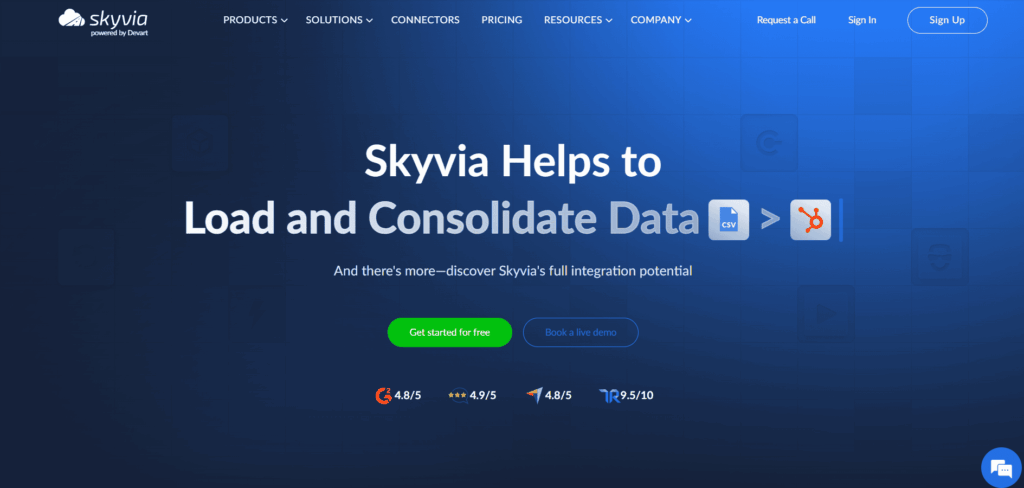
Best for: no-code moves of SaaS or database data into a warehouse or another app, plus (if you like) a sync that keeps both sides matched after cutover.
What it does: this is our own product, a no-code cloud data platform that connects to 200+ sources and targets. Replication is the warehouse piece, landing data in BigQuery, Snowflake, Redshift, Azure Synapse, Databricks or any database you pick. Tables get created for you, and after one full load only new and changed records come across. For app-to-app work there’s Import, which does insert, update, upsert and delete and can copy one Salesforce org (or sandbox) into another. Need several sources in one pipeline? Data Flow does that on Standard and higher plans, and it handles lookups and conditional splits too.
Databases behind a firewall are reachable through the on-premises Agent, which talks over outbound HTTPS on port 443, so you don’t open any inbound ports.
Pricing: priced by records written per month and by plan. The Free plan covers 10,000 records a month with daily runs. Data Integration Basic starts at $79 a month billed annually, $99 billed monthly, for 5M records, and Standard (hourly runs, Data Flow) starts at the same price for 500K records. Professional runs schedules every minute, from $399 a month billed annually, $499 billed monthly, for 10M records.
Watch out for: log-based change capture works only for SQL Server, through Change Tracking. Other sources use timestamp-based incremental updates. Skyvia doesn’t detect source schema changes automatically, so plan a metadata refresh after a source adds fields.

Fivetran
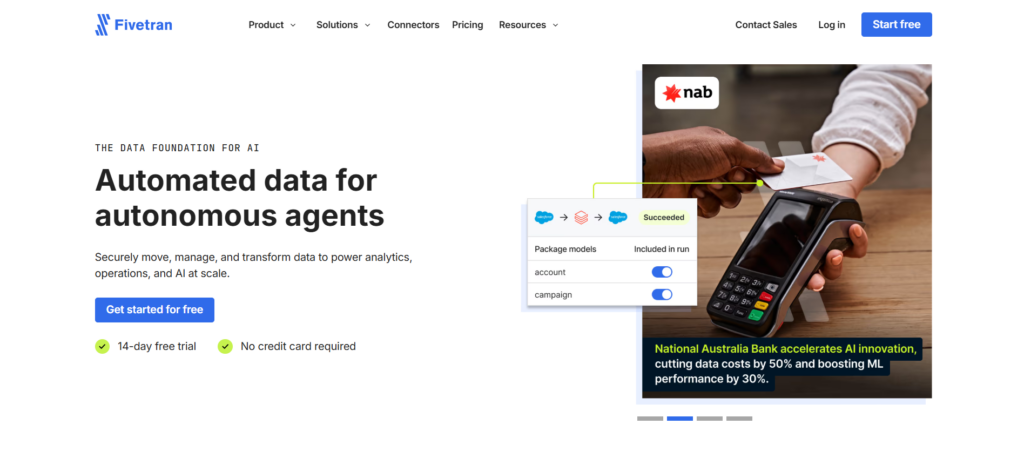
Best for: fully managed pipelines from SaaS apps and databases into a warehouse, when you’d rather pay for maintained connectors than build them.
What it does: Fivetran lists 700+ fully managed connectors on its Standard plan. For databases it reads native change logs: the binary log for MySQL and MariaDB, SQL Server’s CDC, and Fivetran’s own Binary Log Reader for Oracle and SQL Server. There’s also Fivetran Teleport Sync, which spots changes through nothing more than a read-only SQL connection. Since June 1, 2026, Fivetran and dbt Labs have been one company, and dbt Core integration comes with the Standard plan.
Pricing: you pay by monthly active rows, or MAR. Up to 500,000 MAR fits in the Free plan. Standard runs syncs every 15 minutes. Enterprise gets down to every minute and adds hybrid deployment. There’s a 14-day free trial each time you add a connection.
Watch out for: costs follow how many rows change, which makes a busy, high-churn table the one to watch. Use each connection’s 14-day trial to see its MAR before you commit. Fivetran lists Oracle’s LogMiner method as sunset, so plan new Oracle connections on the Binary Log Reader.
BigQuery Data Transfer Service
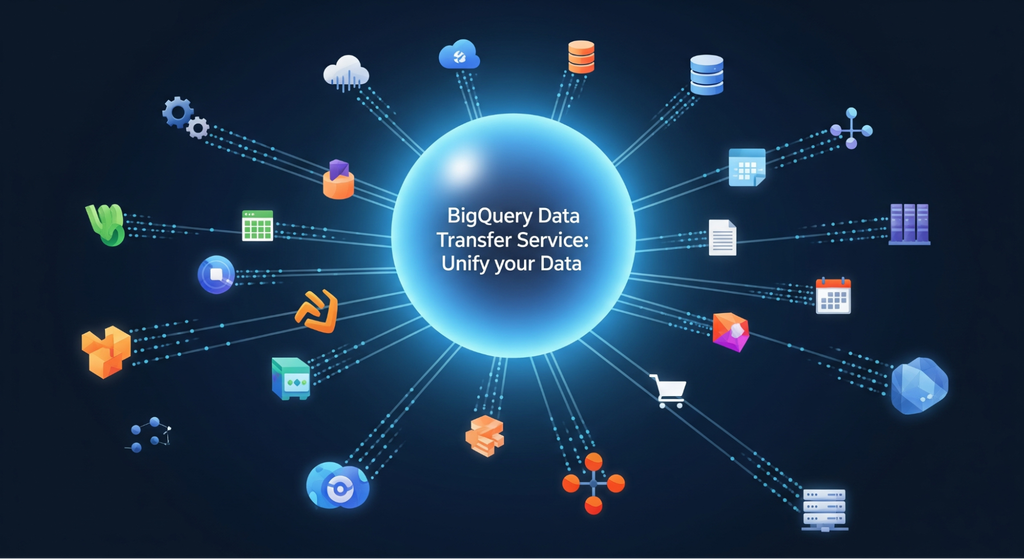
Best for: scheduled loads into BigQuery from Google’s ad and analytics products, object storage, and a growing list of SaaS apps and databases.
What it does: managed, scheduled transfers into BigQuery that you set up from the console, the bq command-line tool or an API, plus backfills when there’s a gap. On the source side you’ll find Google Ads, GA4, Campaign Manager, Display & Video 360, Search Ads 360, YouTube, Cloud Storage, Amazon S3 and Azure Blob Storage.
Salesforce, ServiceNow, Facebook Ads, MySQL, PostgreSQL and Oracle connectors are generally available. HubSpot, Stripe, Shopify and SQL Server are in preview. It also handles warehouse migrations from Amazon Redshift and Teradata.
Pricing: Google sources (except Google Play), object storage and the migration connectors carry no orchestration charge. Paid connectors are billed in slot-hours, at $0.06 per slot-hour in us-central1. To plan, Google suggests budgeting up to 20 slot-hours for every hour a transfer runs, which comes to about $1.20 an hour in us-central1. Loading into native tables costs nothing, though merges are charged at standard BigQuery rates.
Watch out for: data goes into BigQuery and that’s it, since the service can’t move anything back out. Also note: Google’s data delivery SLO covers Google Cloud sources only (third-party ones aren’t included).
Matillion
Best for: teams whose data lands in Snowflake, Databricks, BigQuery or Redshift and who’d rather run heavy transformation inside that warehouse.
What it does: Matillion pushes transforms down into the warehouse, and you build them on a low-code canvas or in SQL and Python, which come with every edition. It lists 150+ connectors. Maia, its agentic AI, is on all plans. The Scale edition adds streaming change data capture pipelines, hybrid deployment and lineage.
Pricing: Developer, Teams and Scale editions. Usage is credit-based and consumed by task hours; Matillion doesn’t publish a credit price. A free trial is available.
Watch out for: streaming CDC sits on Scale only. Running a database cutover with live changes on a smaller edition? Put a replication service next to it.
Informatica’s Cloud Data Integration
Best for: large enterprises whose migrations need governance, data quality and audit trails just as much as speed.
What it does: Informatica sells Cloud Data Integration as its ETL and ELT service in the cloud. There’s an AI piece as well, CLAIRE Copilot, which turns plain-language prompts into pipelines and summarizes them. Replication and change data capture run through Informatica Cloud Mass Ingestion. Since November 18, 2025, Informatica has belonged to Salesforce.
Pricing: consumption-based in Informatica Pricing Units (IPUs), quoted by sales. A trial runs for 30 days.
Watch out for: you only get IPU estimates by talking to sales, so ask for two, one for the migration and one for the sync that follows. It’s a heavy choice for a single small move.
Qlik Talend Cloud
Best for: hybrid setups where SAP, mainframe or on-premises databases have to feed change data into the cloud.
What it does: the product is called Qlik Talend Cloud these days, because Talend is part of Qlik. You get agentless CDC from databases, SAP, mainframe and SaaS sources, a choice of ETL or ELT, and anything from batch to real time, running in cloud, on-premises or hybrid environments. Talend Open Studio, which used to be the free edition, was retired on January 31, 2024.
Pricing: there are Starter, Standard, Premium and Enterprise plans, and you’ll need a quote for any of them. Data volume sets the price, though on Premium and Enterprise job executions and duration count as well.
Watch out for: without a published price, comparing it with usage-priced tools takes a sales cycle. Plan a proof of concept with your largest source.
Database Migration Services
These are the cloud providers’ own services for moving a database engine, often with live replication until cutover. They’re the first stop for an Oracle or SQL Server move into the provider’s cloud.
AWS Database Migration Service
Best for: database moves into AWS that can’t afford much downtime, engine change or not.
What it does: point AWS DMS at Oracle, SQL Server, PostgreSQL, MySQL, MongoDB, MariaDB or another database, and it’ll migrate to the same engine or a different one. Nothing has to go dark. The source keeps taking traffic during the copy, and change data capture moves each later change over until you switch.
Data validation catches mismatches; re-synchronization cleans them up. Changing engines? DMS Schema Conversion takes care of tables, views, stored procedures and functions.
Pricing: three pricing options for replication. On-demand replication instances bill by the hour. DMS Serverless bills per DMS capacity unit (DCU) hour, where 1 DCU equals 2 GB of RAM; 1 DCU costs $0.087 an hour Single-AZ in US East (Ohio). Database Savings Plans trade a 1-year commitment for lower rates.
Homogeneous data migrations have their own rate, $0.08 per migration hour in US East (Ohio). New AWS accounts on the Free Tier get $100 in credits, plus up to $100 more, which cover DMS, including Serverless, for up to 12 months. Moving data into DMS costs nothing, and Schema Conversion is free too, apart from the S3 storage it uses.
Watch out for: on-demand replication instances bill for every hour they run, busy or idle. So delete them once cutover is done, or go Serverless, where capacity scales with transaction volume.
Database Migration Service on Google Cloud
Best for: teams moving MySQL, PostgreSQL, SQL Server or Oracle into Cloud SQL or AlloyDB.
What it does: it’s serverless (nothing to provision). You get an initial snapshot and then continuous replication, while the source stays live right up to cutover. A guided setup walks you through source configuration and networking options, then runs validation before anything migrates. Changing engines? Gemini helps convert the schemas and code.
Pricing: moving to Cloud SQL or AlloyDB for PostgreSQL on the same engine costs nothing extra. Cross-engine jobs, Oracle to PostgreSQL for example, are billed by the GiB processed. Change data capture is priced in tiers, from $2.00 per GiB downward as volume grows, while backfill costs $0.40 per GiB once the monthly free allowance is used up.
Watch out for: cross-engine moves bill every GiB of change data, which means each extra week of running both systems in parallel costs you more. So don’t let the replication window drag on.
Server and Application Migration Tools
Move a whole server and its database and applications go along for the ride. These cloud migration tools suit lift-and-shift work and data center exits, where everything begins with finding out what runs on each machine.
Azure Migrate
Best for: shops built on Microsoft that are sending servers, SQL Server databases and web apps to Azure.
What it does: you get discovery, assessment and migration in a single portal. A lightweight appliance takes inventory of VMware, Hyper-V and physical servers. On air-gapped networks, the Azure Migrate Collector grabs a snapshot instead. Assessments check Azure readiness and right-sizing, estimate cost, and analyze dependencies. A business case then puts on-premises and Azure costs side by side.
On the migration side it moves VMware and Hyper-V VMs, physical servers, servers on other clouds and ASP.NET web apps, plus SQL Server databases into Azure SQL Database, Azure SQL Managed Instance or SQL Server on Azure VMs. For big offline transfers there’s Azure Data Box.
Pricing: discovery, assessment and the migration hub carry no charge. Server migration costs nothing for 180 days per machine, and then each replicated instance is $25 a month. Same deal for Azure Database Migration Service: 180 days free. During replication you’re still paying for storage, transactions and data transfer, and partner tools in the hub come with their own licenses.
Watch out for: it lands workloads in Azure only. Servers from AWS or Google Cloud migrate as physical servers.
AWS Transform MGN
Best for: rehosting servers in AWS as they are, from VMware, bare-metal or hybrid environments.
What it does: AWS Transform MGN, formerly AWS Application Migration Service, replicates source servers into AWS and lets you launch test instances before the cutover instance. It’s part of AWS Transform, AWS’s workbench for infrastructure migration and for mainframe, Windows and custom-code modernization.
Pricing: free for the first 90 days (2,160 hours) of replication per server. After that, $0.042 per server-hour, about $30 per server a month, in every supported Region. You still pay for the replication infrastructure and the EC2 and EBS resources behind test and cutover instances, including during the free period.
Watch out for: the clock starts with replication, not with cutover. Start replicating only when the cutover plan is ready, or long test cycles will run past the 90 days.
Cloud Migration Tools Compared
Here are the 10 cloud migration tools in one table, compared on what moves a quote: what they move, how they catch changes, and how they bill.
| Tool | Layer | Moves | Change capture | Pricing unit | Free option |
|---|---|---|---|---|---|
| Skyvia | SaaS and warehouse data | Apps, databases, files into warehouses, databases, apps | Log-based for SQL Server; timestamp-based for others | Records written per month | Free plan, 10,000 records a month |
| Fivetran | SaaS and warehouse data | SaaS and databases into warehouses and lakes | Native logs for MySQL, MariaDB, SQL Server, Oracle | Monthly active rows | Free plan, 500,000 MAR |
| BigQuery Data Transfer Service | SaaS and warehouse data | Google, storage, SaaS and databases into BigQuery | Scheduled loads | Slot-hours for paid connectors | Google sources (except Google Play), storage and migration connectors free of orchestration fees |
| Matillion | SaaS and warehouse data | Sources into Snowflake, Databricks, BigQuery, Redshift | Streaming CDC on Scale | Credits on task hours | Free trial |
| Informatica Cloud Data Integration | SaaS and warehouse data | Enterprise sources and targets | Cloud Mass Ingestion | IPUs, by quote | 30-day trial |
| Qlik Talend Cloud | SaaS and warehouse data | Databases, SAP, mainframe, SaaS | Agentless CDC | Data volume, by quote | Not published |
| AWS Database Migration Service | Database | Database engines into AWS | Continuous CDC | Instance hours, DCU-hours, migration hours | AWS Free Tier credits |
| Google Cloud Database Migration Service | Database | MySQL, PostgreSQL, SQL Server, Oracle into Cloud SQL, AlloyDB | Continuous replication | Per GiB for cross-engine | Same-engine moves |
| Azure Migrate | Server and application | Servers, SQL Server, web apps into Azure | Server replication | $25 per replicated instance after 180 days | 180 days per machine |
| AWS Transform MGN | Server and application | Servers into Amazon EC2 | Continuous replication | Per server-hour after 90 days | 90 days per server |
Which Cloud Migration Tool Is Right for You?
Answer these before you shortlist cloud migration tools or book a demo. Each answer removes options.
- What depends on what? First question, and people skip it: which apps read from or write to this data? On the server side, Azure Migrate’s dependency analysis draws that picture for you. SaaS is manual, so put every integration that writes to the source on a list.
- What’s the layer? Whole servers point to Azure Migrate or AWS Transform MGN. A database engine change points to AWS DMS or Google’s Database Migration Service. App records into a warehouse point to the integration platforms.
- How much downtime can you take? Minutes? Then you’re looking at continuous replication right up to cutover (a nightly batch won’t cut it). Check that the tool reads change logs from your exact engine and version.
- Does the schema change? Oracle to PostgreSQL? The tables come over fine; it’s the procedures and functions that need converting too. Feed your real schema (not a demo one) to the vendor’s assessment and read every line of the could-not-convert list.
- What happens after cutover? Buying for a one-time move is a different decision from buying a permanent sync. When the old system has to stay up for months, price the sync as well as the migration.
- What will 12 months cost? Put your numbers into each pricing unit: servers and days for MGN, GiB of change data for Google’s service, MAR for Fivetran, records for Skyvia. Then add the warehouse compute that every ELT tool triggers.
- What do your auditors need? Expect legal to ask about encryption in transit and at rest, access control, logs and the compliance reports your industry expects (SOC 2, HIPAA, GDPR, ISO 27001), and have answers ready before the contract gets to them.
For the planning side, see our data migration plan guide, and for Salesforce moves, our guide to Salesforce data migration.
A Cutover Checklist and Reconciliation Query
Paste this list into your runbook and put a name next to every line.
- Freeze schema changes on the source from the final test run until cutover.
- Do a full test migration against a copy of production data (a sample won’t do).
- On both sides, note each table’s row count and its most recent change timestamp.
- Match records by primary key and write down anything missing, extra or changed.
- Fire your heaviest reports and queries at the target and time them. Slower than on the source? Better to find out now.
- Replication lag is the last thing to look at before you flip the switch, and if it hasn’t dropped to almost nothing, you wait.
- And the source? Leave it alone. Read-only is how it stays until reconciliation is clean.
- Settle the rollback trigger before go-live, whether that’s a specific error or a delay long enough to send traffic back to the old system.
Row counts alone can lie. Picture a made-up customers table with five rows on each side, except one record never made it across, an extra one showed up in the target, and two have timestamps that don’t agree. Put a snapshot of the source table next to the target and run the query below to list every difference (it’s standard SQL, and we ran it in SQLite):
SELECT
  COALESCE(s.id, t.id) AS id,
  CASE
    WHEN t.id IS NULL THEN 'missing in target'
    WHEN s.id IS NULL THEN 'extra in target'
    ELSE 'changed since load'
  END AS issue
FROM source_customers AS s
FULL OUTER JOIN target_customers AS t ON s.id = t.id
WHERE t.id IS NULL
   OR s.id IS NULL
   OR s.updated_at IS DISTINCT FROM t.updated_at
ORDER BY id;
IS DISTINCT FROM treats two empty timestamps as equal and an empty one against a value as different, which a plain <> misses. Swap updated_at for a hash of the row if your tables have no change timestamp. An empty result means the table is ready for cutover.
Move Your Data With Skyvia
Is your migration app and database data headed for a warehouse, or one SaaS app moving into another? Then give Skyvia a try. Start with Replication for the initial load, and keep it running on a schedule all the way to cutover. Because there’s a free plan, you can test with real records first and pick a paid tier afterward.

FAQ for Cloud Data Migration Tools

What tool do you use for cloud migration?
That comes down to what you’re moving. Whole servers point to Azure Migrate or AWS Transform MGN. If the database engine changes, look at AWS Database Migration Service or Google Cloud Database Migration Service, while app records that have to land in a warehouse are a job for a data integration platform such as Skyvia or Fivetran. Plenty of projects end up using tools from two of these layers.
Which cloud migration tools work best for AWS?
For databases there’s AWS Database Migration Service, which replicates continuously, and its Schema Conversion feature converts schemas between engines without charging for anything except S3 storage. AWS Transform MGN, formerly AWS Application Migration Service, rehosts servers and is free for the first 90 days of replication per server. Data integration platforms cover SaaS app data headed for Amazon Redshift.
Are cloud migration tools free?
Several are free for a while, but the infrastructure underneath still costs money. Azure Migrate doesn’t charge for server migration for 180 days per machine, AWS Transform MGN gives 90 days per server, and Google charges nothing extra for same-engine database migrations. You’ll still see storage, compute and data transfer during replication on the bill, though.
Is a database migration possible without long downtime?
Yes, as long as the source stays online and changes keep replicating to the target. AWS DMS and Google Cloud Database Migration Service both do it this way. They copy everything, then stream changes until you switch. Near the end, keep an eye on replication lag, and switch when it’s close to zero.
Why can row counts match even when migrated data is wrong?
Matching counts can hide a missing record offset by an extra one, or rows that changed after the load. Compare by primary key and change timestamp instead. Run a full outer join on the key and it lists each missing, extra and changed row. Keep the source read-only until nothing shows up in that list.
Why did objects fail to convert in my Oracle to PostgreSQL migration?
Switching engines means procedures and functions have to be converted along with the tables, and the conversion rules can’t handle every object. AWS DMS Schema Conversion uses rules first and generative AI on supported paths for what the rules can’t convert. So run the assessment on your real schema early and work through the objects it couldn’t convert.
Data migration vs. data integration: how are they different?
Migration is a one-time job. You move to a new system and it’s over at cutover. Integration doesn’t end, because it keeps data flowing between systems on a schedule. Old system staying up for months after the move? Then you’re paying for both, and the ongoing sync belongs in the budget.