If you need to simply copy SugarAI data to Snowflake without mapping configuration, you can use Skyvia replication. It allows you to create a copy of SugarAI data
SugarAI and Snowflake Integration
Skyvia offers you a convenient and easy way to integrate SugarAI and Snowflake with no coding.
Trusted by thousands of organizations around the globe







Replicate SugarAI data to Snowflake
SugarAI replication to Snowflake can be configured in under two minutes
Learn more about ReplicationAll you need is to specify the connections to SugarAI and Snowflake and select data to replicate, and Skyvia does the rest. It will copy the specified SugarAI data to Snowflake and maintain this copy up-to-date automatically with incremental updates.
Use Connectors to Import Data Between Snowflake and SugarAI
Skyvia offers a number of benefits for import SugarAI data to Snowflake or vice versa. With Skyvia import you can perform any DML operations for imported Snowflake data in SugarAI, import data from several SugarAI objects at once, etc. These features are available for both directions.



Import SugarAI to Snowflake
Import data without writing a line of code!
Import Snowflake to SugarAI
Data import is simple for any direction!
How to integrate SugarAI and Snowflake
Integration of SugarAI and Snowflake with Skyvia is as easy as 1-2-3

You configure your data integration operation in convenient GUI wizards and editors.

Operation is executed in a cloud automatically on schedule or manually at any time.

You can view the integration operation results for each execution in the Run History.
Advanced Integration with Custom Mappings
Skyvia offers powerful visual editors which allow precise mapping configuration. It allows integrating data having different structure and offers the following mapping features.
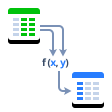
Expressions
Skyvia allows using complex mathematical and string operations and conditions for mapping data.
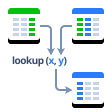
Lookup
You can use lookup mapping to map target columns to values, gotten from other target objects depending on source data.
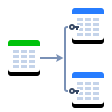
One-to-many
Skyvia allows you to map one Snowflake table to several SugarAI ones.
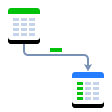
Constant
When integrating data, you can fill some SugarAI fields that don't have corresponding Snowflake fields (or vice versa) with constant values.
Integrate SugarAI and Snowflake with minimal effort and in only a few clicks!