Build Reports Visually
Intuitive visual Query Builder allows you to get your ClickHouse data into Excel without typing a line of code.

Connect Excel to ClickHouse without the need of IT professionals and automate your ClickHouse data reports
Skyvia Query Excel Add-in allows importing data from various cloud CRMs, accounting, marketing, e-commerce and other cloud applications, as well as from relational databases, to Microsoft Excel via Skyvia Query.
Getting data from ClickHouse to Microsoft Excel becomes as easy as 1-2-3

Register on Skyvia for free to create a ClickHouse connection

Query your ClickHouse data to Excel

Create Excel reports that can be easily updated with live ClickHouse data
Intuitive visual Query Builder allows you to get your ClickHouse data into Excel without typing a line of code.
While SQL knowledge is not required, if you are an SQL professional, you can use its full power to query ClickHouse data.

With ability to update your Excel workbooks from ClickHouse in just a couple of clicks, you get reports that never expire.
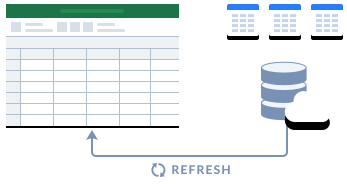
Skyvia allows storing queries online, in the query gallery. Save your queries and reuse them in other workbooks whenever you need.
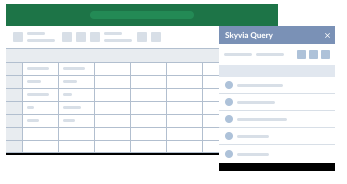
Register a free Skyvia account. It is required for Skyvia Query Excel Add-in. You can run 5 queries per day completely free.
Sign Up for freeInstall Skyvia Query Excel Add-in from Microsoft AppSource and create Excel reports from any data source with ease!