Articles • by Vlada Maksymiuk • November 21, 2025
Managing data in MySQL sounds simple until users juggle dozens of sources, messy formats, and constant updates. Whether importing customer records, syncing data from cloud apps, or preparing it all for analytics, manual work can eat up hours and leave room for costly errors. That's why we need ETL tools. They help businesses extract data from different systems, clean, transform, and load it into MySQL without writing endless scripts or chasing down file formats.
From automating recurring imports to building full-scale pipelines for reporting or machine learning, ETL tools simplify companies' lives and scale with data.
In this guide, we'll look at some of the best free and paid ETL solutions for MySQL so you can spend less time wrangling spreadsheets and more time making data work for the business.
What Is MySQL?
It's a relational database management system (RDBMS) that stores data in row-and-column tables. Businesses of all sizes use it to manage everything from customer info and sales records to app data and logs.
- It is available as open-source software and under a premium license.
- It is relatively easy to use compared to other relational databases like Postgres.
- It is well-known for its high performance and scalability.
- It is compatible with multiple operating systems, such as Windows, Linux, and macOS.
- It has GUI support.
While it's great for traditional transactional workloads, you might wonder:
- Is MySQL good for big data? Sort of. It handles large datasets well, especially with the proper indexing and optimization, but it isn't built for unstructured data or massive real-time analytics at scale.
- Is MySQL a data warehouse? Not exactly. It's more of an operational/transactional database, not a purpose-built analytical store.
So, some companies use MySQL for lightweight analytics, but for serious reporting and BI, it's often paired with a proper data warehouse and an ETL tool to handle the heavy lifting.
MySQL ETL Process
Such a process means three main steps:
- Extract.
- Transform.
- Load.
Extract
It pulls data from one or more sources, including cloud apps like Salesforce, files like CSVs, other SQL or NoSQL databases, or even APIs. The key is to collect the data as-is, regardless of format or quality.
Transform
This is where the real magic happens. Transformation is about cleaning, shaping, and preparing the data for MySQL. You might:
- Convert formats (like dates or currency).
- Remove duplicates or errors.
- Join or split tables.
- Apply business rules to ensure the info fits your schema and is analytics-ready.
Load
Finally, the transformed information is loaded into the MySQL database. Depending on the tool, this could be:
- A full reload.
- An incremental update.
- A real-time sync.
Once loaded, the data is ready for queries, dashboards, or whatever insights you need. ETL tools help automate this whole flow, saving time, reducing errors, and simplifying the management of large and complex datasets.
Free MySQL ETL Tools
Talend Big Data Open Studio
It's a free, open-source ETL tool that simplifies data integration in large-scale environments. Built on Java and the Eclipse platform, it provides a visual interface to create, schedule, and manage data pipelines without writing everything from scratch.

Here, users can:
- Extract data from multiple sources.
- Transform it with built-in components.
- Load it into destinations like MySQL.
It supports file management, data profiling, and even Hadoop job orchestration through a simple drag-and-drop canvas. While it's built with big data in mind, it's flexible enough for traditional ETL tasks, too, especially for users comfortable with technical workflows.
Review
G2 Rating: 4.0 / 5
-
What users like: Flexible component library, open-source model, integration with big data tools.
-
What users don't like: Steep learning curve, UI performance lags on large projects, limited support for non-technical users.
Pros
- Free and open-source.
- Strong support for Hadoop and big data ecosystems.
- Visual drag-and-drop UI with a robust component library.
- Customizable with Java for advanced transformations.
- Suitable for batch data processing and scheduled jobs.
Cons
- Not beginner-friendly. It requires technical knowledge.
- UI can be slow for complex or large projects.
- No built-in cloud deployment or automation.
- Lacks real-time streaming support out of the box.
Best For
- Data engineers and developers working with big data tools like Hadoop, Spark, or Hive.
- Companies needing complete control over their ETL logic in an on-premise or hybrid environment.
- Teams that prefer open-source flexibility over vendor lock-in.
Airbyte
This data integration platform is also open source and built for modern teams that want control, scalability, and extensibility. It focuses on ELT, supporting a wide range of connectors that can be customized or created from scratch.
Airbyte aims to centralize all the data pipelines, whether users are syncing data from SaaS apps, databases, or files into destinations like MySQL, Snowflake, BigQuery, or Redshift. It runs locally or in the cloud, and its modular architecture makes it an excellent fit for data engineers looking to automate and scale integrations with minimal vendor lock-in.
Review
G2 Rating: 4.4 / 5
-
What users like: Strong open-source community, customizable connectors, ease of deployment with Docker.
-
What users don't like: It is still maturing, some connectors are unstable or under development, and there are limited scheduling features out of the box.
Pros
- Open-source with a growing library of pre-built connectors.
- Easy to deploy locally or in your own cloud.
- REST API and CLI support for automation.
- Connector templates and SDK for building your own sources or destinations.
- Strong community and frequent updates.
Cons
- Some connectors lack stability or are in beta.
- Not fully no-code and requires technical knowledge.
- Built-in scheduling and orchestration features are limited (though it can integrate with Airflow, Prefect, etc.).
- No official support unless you choose the paid enterprise plan.
Best For
- Data teams and engineers who want to build or customize their own connectors.
- Companies with cloud infrastructure looking for self-hosted or open-source alternatives.
- Use cases where ELT is preferred over traditional ETL (transformations happen after loading).
Singer
It's an open-source ETL framework built around a simple idea: data pipelines as code using reusable Taps (for extracting data) and Targets (for loading it).
Instead of a GUI, Singer uses standardized JSON-based scripts and command-line tools to define how data flows from source to destination.
The solution is widely adopted by developers and engineers who want lightweight, composable pipelines that can be integrated into their own orchestration systems like Airflow or Prefect. Singer supports MySQL as both a source and a destination and plays nicely with other open-source tools like Meltano and Airbyte.
Review
G2 Rating: 4.1 / 5
-
What users like: Simplicity, code-first design, and flexibility in combining tools.
-
What users don't like: No UI, not user-friendly for non-developers, inconsistent tap/target maintenance.
Pros
- Open-source and free to use.
- Lightweight and flexible architecture using reusable taps and targets.
- Easily integrates into CI/CD pipelines or custom ETL systems.
- Great for teams that want infrastructure-as-code for data.
- Supported by the Singer Spec, making community-built connectors more consistent.
Cons
- No GUI, command line only.
- Some community-built taps or targets are outdated or poorly maintained.
- No built-in orchestration or monitoring.
- Requires technical skills and setup from scratch.
Best For
- Developers and data engineers who prefer scripting and infrastructure-as-code over visual interfaces.
- Teams looking for maximum control and flexibility in how data pipelines are built and deployed.
- Companies building custom ETL frameworks or integrating with orchestration tools like Apache Airflow or dbt.
Paid MySQL ETL Tools
Skyvia
This no-code, cloud-based data integration platform simplifies ETL, ELT, reverse ETL, replication, and synchronization processes. It allows companies to easily connect cloud apps, databases, and file storage platforms without coding. With a drag-and-drop interface and over 200+ built-in connectors, including MySQL, Skyvia empowers technical and non-technical users to:
- Automate data pipelines.
- Migrate records.
- Unify their tech stack effortlessly.
It's especially popular among small to mid-sized businesses for its simplicity, flexibility, and affordable pricing model.
Review
G2 Rating: 4.8 / 5
-
What users like: Easy to use, powerful automation, broad connector library, reliable scheduling.
-
What users don't like: No real-time triggers, occasional limitations in advanced filtering.
Pricing
Skyvia offers flexible pricing to fit different use cases, from small-scale tasks to enterprise-level integrations:
- Free plan: Basic functionality with limited runs per month (great for testing or small jobs).
- Basic plan: Starts at $79/month, ideal for light data import or export.
- Standard and Professional plans: From $159 to $199/month, with more rows, connectors, and automation features.
- Enterprise: Custom pricing for high-volume, multi-user, or advanced integration needs.
Pros
- Fully cloud-based, no installation or updates needed.
- No-code interface accessible for business users and analysts.
- Supports MySQL, PostgreSQL, Salesforce, HubSpot, and many more.
- Handles ETL, ELT, reverse ETL, replication, API creation, and scheduling.
- Affordable and scalable, from free usage to enterprise deployment.
- Includes logging, monitoring, and error-handling features.
Cons
- Doesn't support NoSQL databases (e.g., MongoDB).
- Runs on scheduled syncs only, with no real-time triggers.
- Advanced custom logic may require additional tools or APIs.
- No on-premise deployment option.
Best For
- Small and medium businesses that want a simple, no-code ETL solution.
- Teams that need to sync MySQL with cloud apps like Salesforce, Dropbox, or Google Sheets.
- Companies looking for affordable automation without developer dependency.
- Users who want to create, monitor, and schedule data flows without writing scripts.

Hevo Data
Another cloud-native data pipeline platform that enables users to move data in real-time from 150+ sources to popular data warehouses like Snowflake, BigQuery, Redshift, and MySQL. Designed with automation and ease of use in mind, Hevo lets data teams sync and transform info without coding.
Its intuitive UI, real-time streaming capability, and built-in data quality checks make it ideal for operational analytics and business intelligence. Users can also schedule transformations, monitor pipelines, and resolve issues quickly with automated alerts and logs.
Review
G2 Rating: 4.6 / 5
-
What users like: Fast setup, clean UI, reliable performance, responsive support.
-
What users don't like: Limited flexibility for highly custom transformations. It can get expensive at scale.
Pricing
Hevo offers transparent pricing based on event volume:
- Free Plan: Up to 1 million events per month, including core features and basic support.
- Starter Plan: Begins at $239/month, includes 20 million events, incremental pricing after that.
- Business Plan: Custom pricing that includes advanced features, API access, and priority support.
Pros
- Supports both batch and real-time streaming ETL.
- Automatic schema mapping and transformation options.
- Excellent monitoring and logging for visibility into pipeline health.
- Built-in data quality checks and alerts.
Cons
- Limited custom logic; advanced transformations may require external tools.
- Pricing may scale quickly with high data volume.
- No on-premise version, cloud-only.
- Supports fewer destinations compared to some larger competitors.
Best For
- Startups and growing companies needing fast, reliable data syncing into MySQL or cloud warehouses.
- Ops and marketing teams that want to enable self-service analytics with minimal IT support.
- Data engineers and analysts looking for a streaming ETL solution with strong automation and alerting.
Pentaho Kettle
It’s a robust open-source ETL tool developed by Hitachi Vantara, also known as Pentaho Data Integration (PDI). Its visual drag-and-drop interface lets users design complex data workflows without heavy coding.
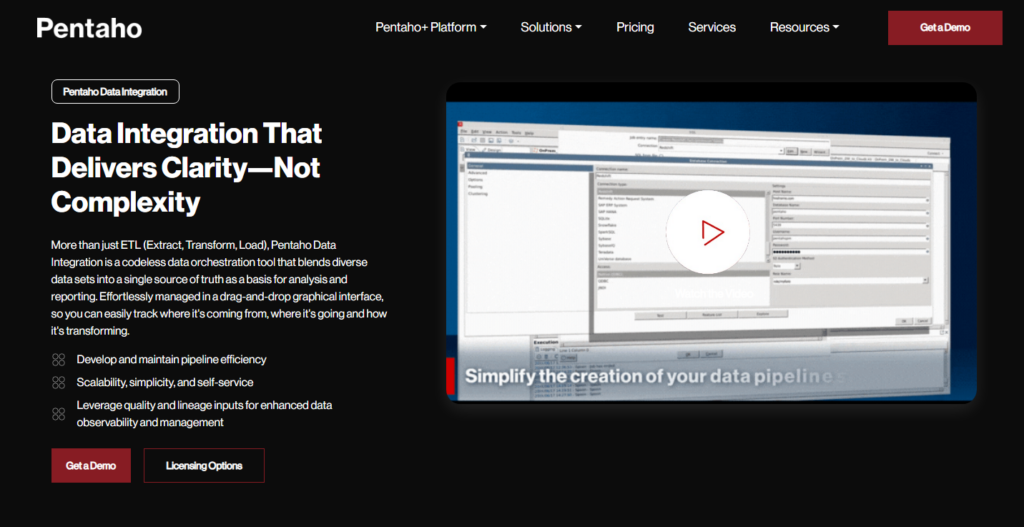
PDI supports extracting, transforming, and loading data from various sources, including relational databases like MySQL, flat files, cloud services, and more.
Pentaho is available in two editions:
- The Community Edition is free and open-source, offering full access to core ETL capabilities.
- The Enterprise Edition (paid) includes features like clustered execution, advanced security, integration with Pentaho BI tools, and enterprise support for mission-critical, large-scale deployments.
Review
G2 Rating: 4.1 / 5
-
What users like: Flexible visual design, powerful transformations, and rich functionality.
-
What users don't like: Outdated UI, learning curve, and missing cloud-native features.
Pricing
- Community Edition: Free and open-source.
- Enterprise Edition: Custom pricing (contact Hitachi for a quote).
Pros
- Visual, code-optional interface for building pipelines.
- Supports advanced transformations and scripting via Java.
- Good for data cleansing, migration, and batch jobs.
- Connects to a wide variety of structured and unstructured sources.
- Enterprise version includes BI tools, clustering, and support.
Cons
- Not cloud-native, best suited for on-premise or self-managed cloud environments.
- The user interface feels outdated compared to newer tools.
- Steep learning curve for beginners.
- Community updates are less frequent.
Best For
- Enterprises needing on-premise or hybrid ETL infrastructure.
- Technical teams building complex data flows across legacy systems.
- Organizations that want open-source flexibility with the option to scale into enterprise-grade capabilities.
- Companies integrating large datasets into systems like MySQL, Hadoop, or cloud warehouses.
Fivetran
It’s a fully managed, cloud-native ELT platform designed to automate data integration at scale. It focuses on extracting information from hundreds of sources, like SaaS tools, databases, and cloud systems and loading it directly into your MySQL database or data warehouse.
Fivetran shines in its "set-it-and-forget-it" approach: once connected, it handles schema changes, sync schedules, and error handling automatically. While it doesn't offer deep pre-load transformation like traditional ETL tools, it's ideal for teams focused on speed, scalability, and minimizing data engineering overhead.
Review
G2 Rating: 4.4 / 5
-
What users like: Zero-maintenance setup, high reliability, wide connector coverage.
-
What users don't like: Limited transformation tools, steep pricing at scale.
Pricing
Fivetran uses a consumption-based pricing model, charging based on monthly active rows (MAR): the number of new or updated rows synced.
- Free Plan: Available for up to 500K MAR per month.
- Starter Plan: From ~$300/month, based on usage.
- Enterprise Plans: Custom pricing for high-volume and advanced use cases.
Pros
- Fully managed, no-maintenance pipelines.
- Supports 500+ connectors for apps, databases, and files.
- Auto-detects schema changes and adjusts pipelines accordingly.
- Optimized for fast setup and high-volume replication.
- Excellent for ELT workflows with downstream tools like dbt.
Cons
- No built-in pre-load transformation (post-load only).
- Expensive at scale, especially with high MAR usage.
- Limited flexibility for custom connectors or deeply tailored pipelines.
- No on-premise or hybrid deployment options.
Best For
- Data teams and analysts who want fast, reliable access to raw data for reporting or modeling.
- Companies using modern data stacks (e.g., dbt + Snowflake + Fivetran).
- Organizations with growing connector needs and limited engineering capacity.
- Teams focused on replication and ELT, not custom logic or scripting.
Blendo
It’s a cloud-based ELT platform that helps businesses connect cloud apps, databases, and services to data warehouses or databases like MySQL. Known for its ease of use and fast setup, Blendo specializes in syncing data from popular tools like HubSpot, Google Ads, Zendesk, and Stripe into your analytics environment. It focuses on reliability and simplicity.

Users don't need to write code or manage infrastructure. While it's less customizable than some competitors, it's ideal for small to mid-sized teams looking to centralize data for reporting and analysis.
Review
G2 Rating: 4.3 / 5
-
What users like: Quick to set up, consistent syncing, clean UI.
-
What users don't like: Limited connectors and transformation features compared to larger platforms.
Pricing
Blendo offers usage-based pricing, primarily based on the number of connected sources and synced rows.
- Plans start at ~$150/month.
- Pricing increases based on volume and data destination types.
- Custom plans are available for larger teams.
Pros
- The solution is easy to use; no technical expertise is required.
- Fast setup and pre-built connectors for major SaaS tools.
- Syncs to major databases and warehouses like MySQL, Redshift, and BigQuery.
- Offers fundamental transformations and scheduling features.
- Secure and GDPR-compliant.
Cons
- Smaller connector libraries than competitors like Fivetran or Airbyte.
- Limited transformation capabilities (ELT-focused only).
- Fewer features for large-scale enterprise use cases.
- Lacks complex orchestration or advanced error-handling logic.
Best For
- Startups and SMBs looking for fast, reliable ELT in MySQL or cloud warehouses.
- Teams that want to automate SaaS data sync without coding.
- Companies that need a straightforward tool to power dashboards or reports.
- Organizations focused on analytics-ready data, not deep transformations.
Conclusion
Choosing the right ETL tool for MySQL workflows comes down to:
- Team's skills.
- Data complexity.
- Growth goals.
From powerful open-source solutions like Talend Open Studio and Pentaho, to fully managed platforms like Fivetran, Skyvia, and Hevo Data, there's something for every use case and budget.
Tools like Airbyte, Singer, and Blendo are great for teams that want flexibility without a steep learning curve. At the same time, Skyvia stands out for its no-code accessibility and broad connector coverage.
FAQ
What is ETL, and how does it relate to MySQL?
ETL stands for Extract, Transform, Load: a process that helps you move data from various sources into a centralized system like MySQL. You extract data from apps, databases, or files, clean and format it (transform), and then load it into MySQL for storage, analysis, or reporting.
What are the key benefits of using an ETL tool with MySQL?
ETL tools save time, reduce manual errors, and automate data movement. They help you pull data from different systems, format it consistently, and keep your MySQL database up to date-whether for analytics, reporting, or syncing data across platforms.
What are the differences between ETL and ELT, and which is better for MySQL?
In ETL, data is transformed before it's loaded into MySQL. In ELT, the raw data is loaded first, and transformations happen inside MySQL. ETL is more common for smaller datasets or when you want control over cleaning before the load. ELT works better for large-scale operations if your MySQL instance can handle in-database transformations.
How do I choose the right MySQL ETL tool for my specific needs?
Start by evaluating your data sources, team skill level, budget, and how complex your data workflows are. If you're non-technical or need a quick setup, go for a no-code platform like Skyvia. If you're technical and want full control, look at open-source options like Airbyte or Talend. Fivetran or Hevo Data might be ideal for zero-maintenance pipelines.
Does Skyvia support MySQL ETL, and what are its advantages?
Yes, Skyvia fully supports ETL to and from MySQL. It's a no-code, cloud-based platform that lets you connect MySQL with over 200 other apps and databases. Skyvia is ideal for users who want an easy setup, powerful automation, and flexible pricing without writing code.